Download DaVinci Resolve Studio for macOS
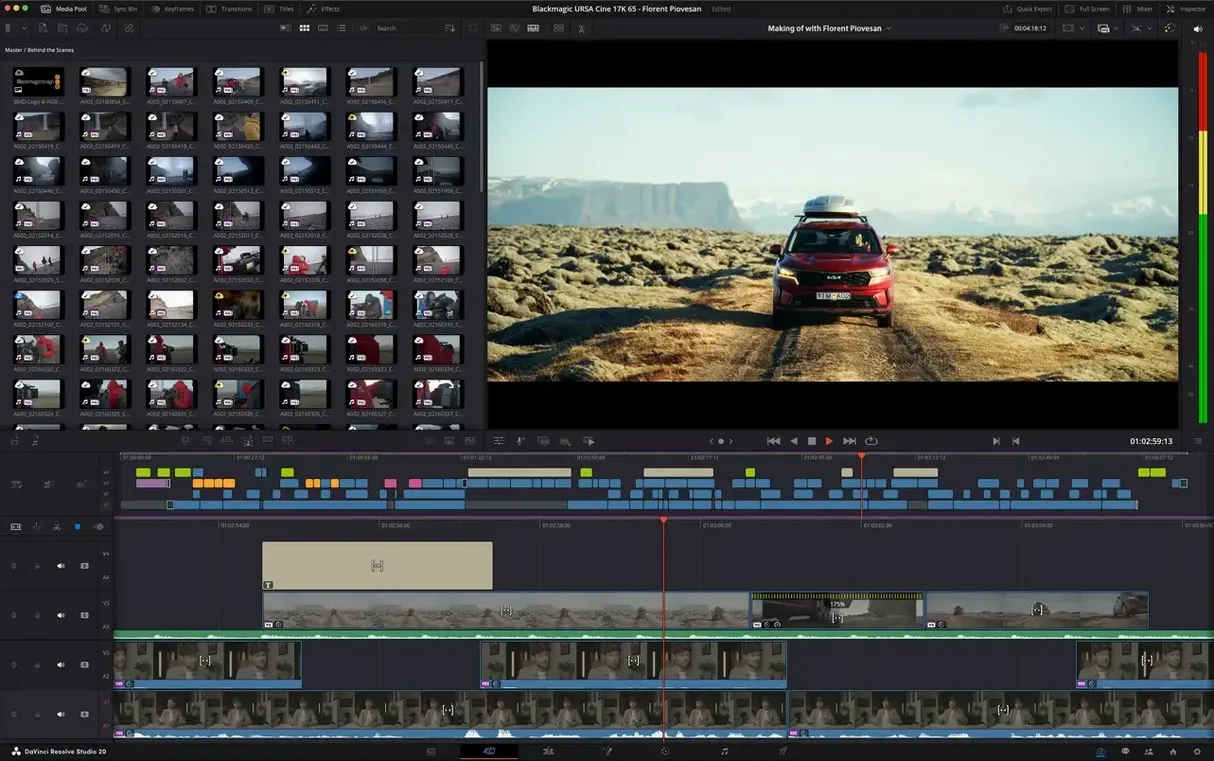
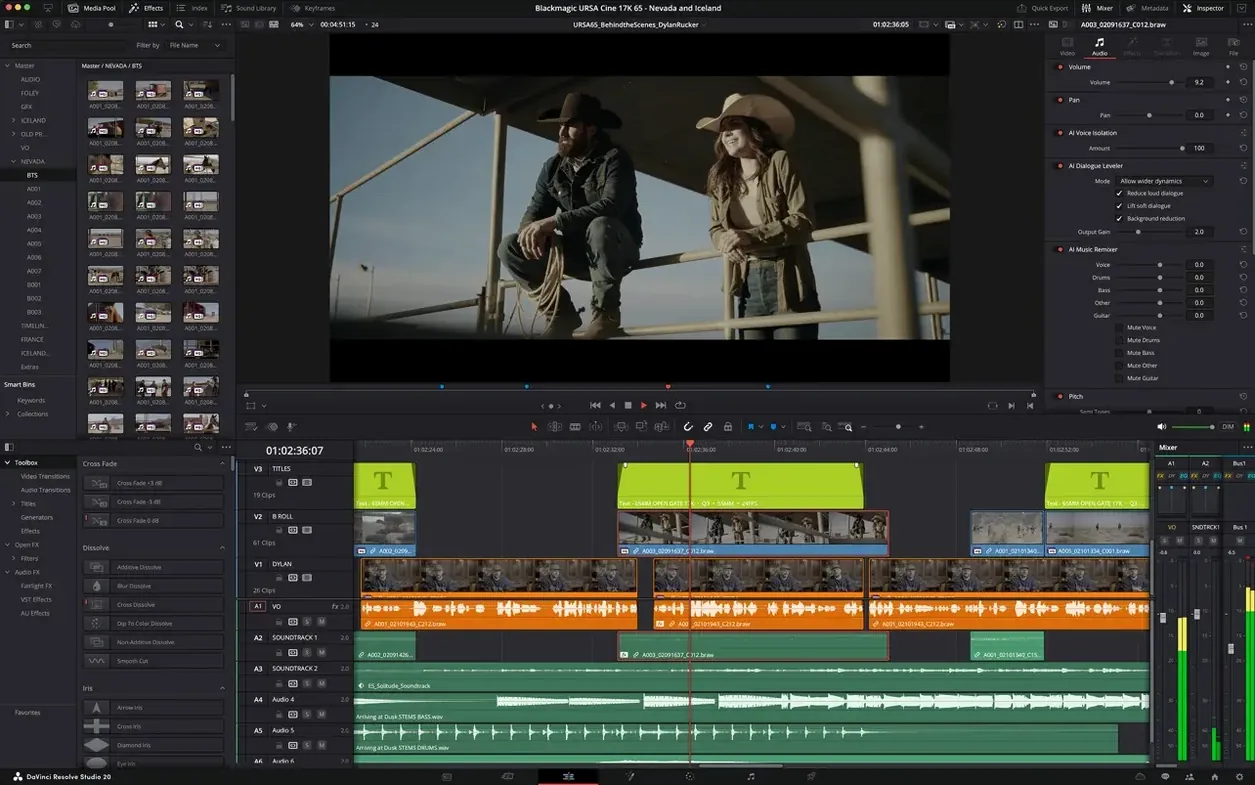
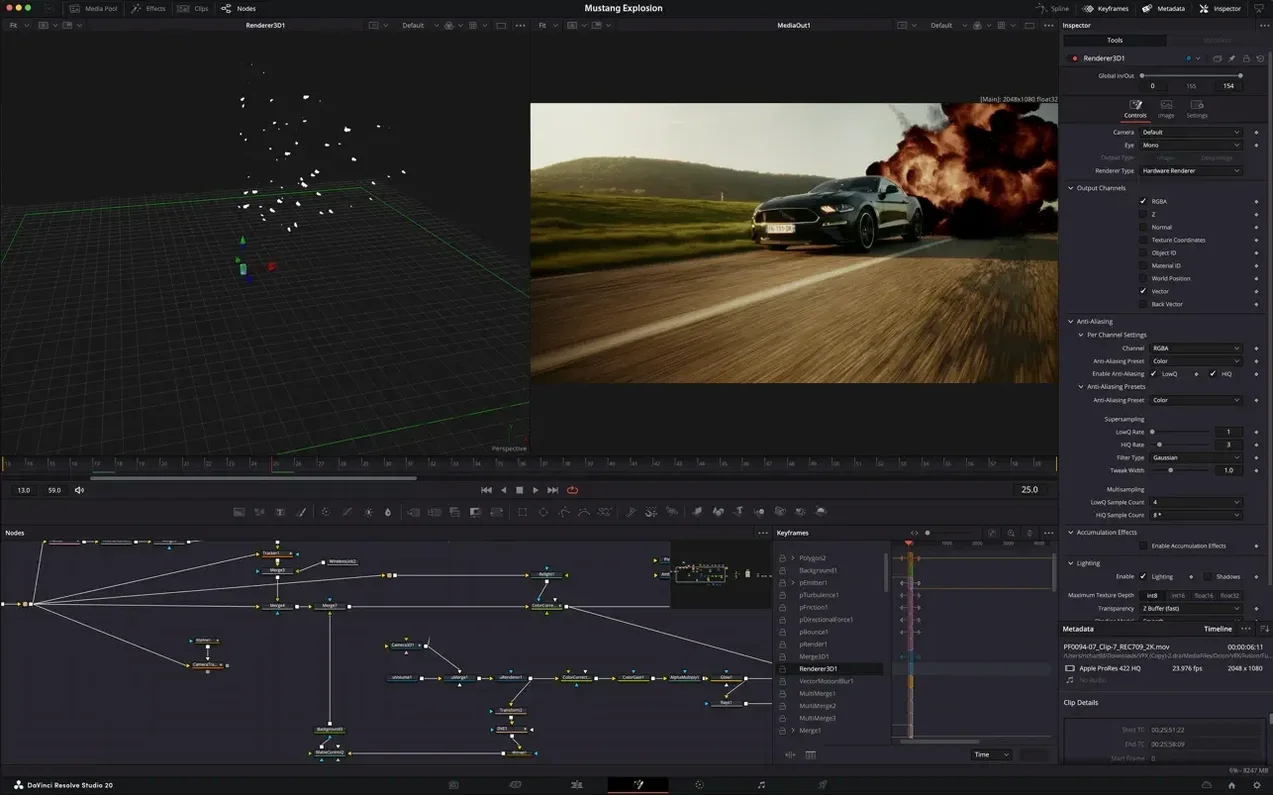
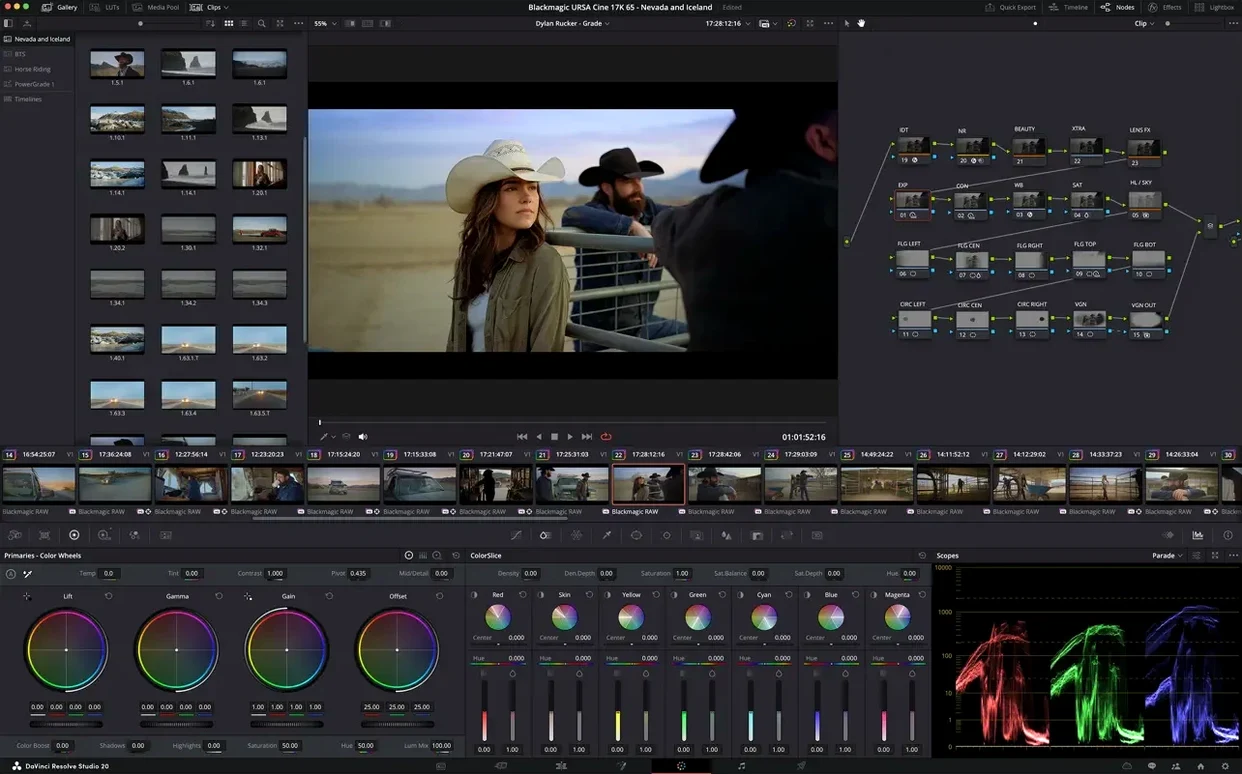
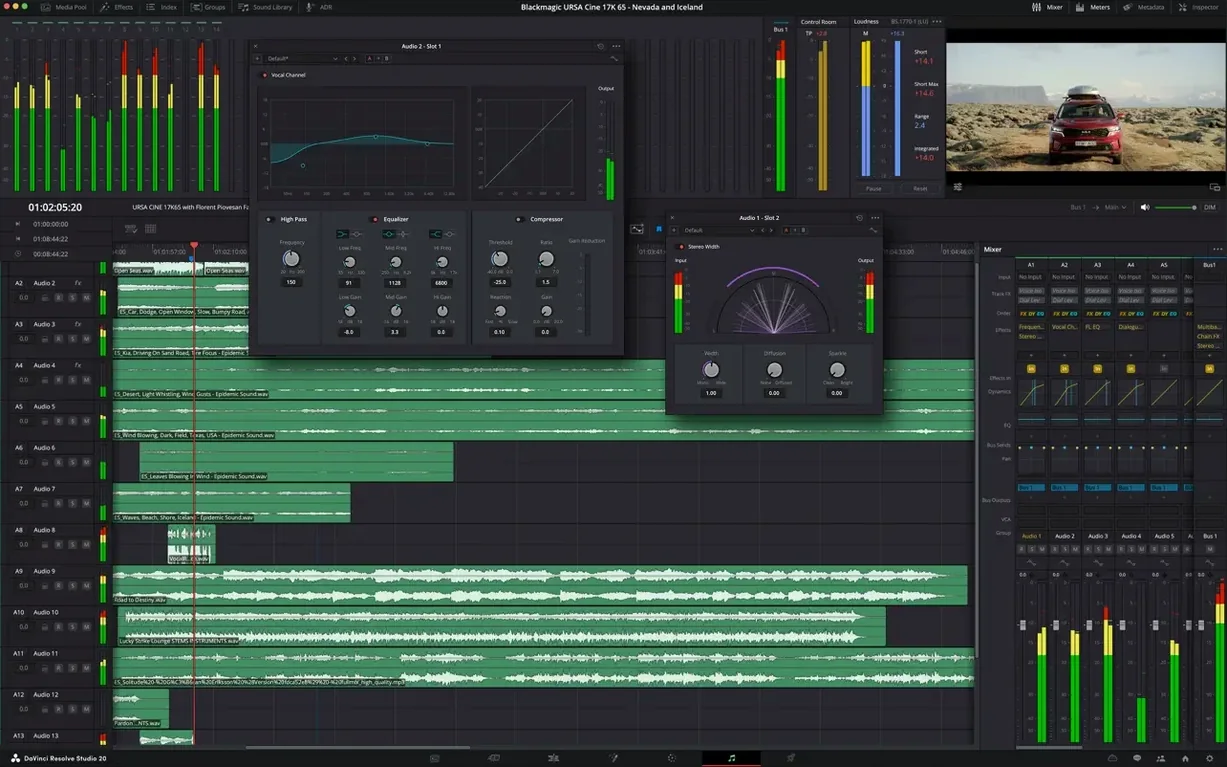
If you have ever found yourself exporting a timeline from one app just to fix a mix in another, Blackmagic Design DaVinci Resolve Studio is built to end that juggling act. It brings editing, color correction, visual effects, motion graphics, and Fairlight audio post-production into a single application on the Mac. The interface is designed to feel straightforward whether you are opening a project for the first time or deep into a client deadline, so you spend less time switching windows and more time shaping the story.
| Key detail | At a glance |
|---|---|
| Developer | Blackmagic Design Inc. |
| Version | 21.1 |
| Audio engine | Fairlight mixing and mastering |
| HDR support | Yes, full HDR format handling |
The color page alone is what drew many editors to DaVinci Resolve Studio originally, and it remains the heart of the app, giving you precision grading tools that Hollywood colorists rely on. But version 21.1 pushes beyond color. The new AI assistant integration helps wrangle media bins and batch rendering tasks, while hardware-accelerated HEIC decoding on Apple Silicon makes quick work of stills and phone footage. Over 25 new Krokodove graphics tools and more than 20 fresh scripting APIs with built-in console support give motion designers and pipeline tinkerers plenty to dig into. Fairlight rounds things out with a full multitrack mixer, EQ, dynamics, and mastering processors, so the final mix stays inside the same project file from rough cut to delivery.
Beyond the feature list, getting comfortable with DaVinci Resolve Studio means settling into a few habits early. The first week is when muscle memory forms, and a handful of small moves can keep the timeline from turning into a maze of half-remembered tweaks. One that pays off immediately is mapping the Clip Color function to a keyboard shortcut — select a clip, tap the key, and assign a hue that matches your mental sorting system. Yellow for rough selects, blue for VFX plates, green for client-approved takes. It sounds minor, but two days into a documentary edit with two hundred clips, those colors become the only thing that keeps the bin from swallowing you whole.
Another early habit worth forming: dragging the Power Window presets into a custom gallery before you start grading. The built-in set works, but pulling the five or six shapes you actually use onto a dedicated stills page cuts the back-and-forth by half. And if you are on Apple Silicon, take the extra minute to enable GPU-accelerated HEIC decoding in the preferences — phone footage and AirDrop transfers from an iPhone decode noticeably faster, especially in multicam timelines where those stills sit alongside ProRes media.
Quick Look previews for DRP files and system-level hooks
DaVinci Resolve Studio does not live in a bubble, and the Mac version leans on a few system-level integrations that matter more than they first appear. The Quick Look preview in Finder works on exported DRP project files, so you can peek inside an archived project without launching the app. That is the kind of thing you forget about until you are digging through a drive full of backup timelines from six months ago and need to find the one with the final color pass.
For editors who split work between DaVinci Resolve Studio and other tools, the Fusion Connect roundtrip with Motion or After Effects is clunkier than it should be, but the native VFX Connect to Nuke or Flameshop handles matte painting and compositing handoffs cleanly. On the audio side, exporting an AAF from Fairlight and bringing it into Logic Pro for a final mastering polish works without translation headaches, provided you freeze any VST instruments in Fairlight first. The 32-bit floating-point processing on both ends means the gain staging holds its integrity across the exchange.
Smaller macOS touches add up too. The Media Page reads Finder tags directly, so if you color-code folders in the Finder, those tags appear in the media browser without any import step. QuickTime Player's screen recording drops straight into the media pool when you drag it from the desktop, and Voice Memos syncs through iCloud and lands in the same place. It is not flashy, but it removes the little friction points that used to require a transcode step.
The users who get the most out of it
The obvious answer is colorists, and the Studio edition still earns its reputation on the color page — node-based grading, the HDR palette, and scopes that respond at playback speed on a Mac Studio. But version 21.1 stretches that value across a wider group. Motion designers working in Fusion now have access to over 25 new Krokodove tools, which brings particle simulations, deformation nodes, and a handful of generative patterns that used to require external plugins. For someone building title sequences or lower thirds inside the same project file as the edit, that eliminates at least one render pass.
Documentary editors handling long timelines with hundreds of hours of source material benefit from the new AI assistant integration. Asking it to group clips by shot type or suggest bin organization based on metadata saves the kind of time that adds up to an extra half-day of actual cutting. And corporate video producers who need to deliver in multiple aspect ratios for social platforms will find the new batch rendering APIs useful — a short script can queue up 16×9, 1:1, and 9:16 versions of the same timeline without manually resetting the output settings each time.
There is also a quiet group of photographers dipping into video who get more than expected. The Photo page's expanded camera format support makes importing RAW still sequences for timelapse work feel native rather than bolted on, and the same color tools that grade a talking-head interview apply to a still frame with equal precision. For someone already managing a Lightroom catalog, the jump to grading a short film inside the same ecosystem of scopes and wheels is less intimidating than it looks on first launch.
Fairlight as your only audio tool for dialogue and final mix
Does it really replace a separate DAW for audio? Fairlight handles multitrack mixing, EQ, dynamics, reverb, and mastering processors inside the app. For dialogue editing, sound design, and final mixing on short films or YouTube work, it is complete enough to skip a roundtrip to Pro Tools. Full orchestral scoring with hundreds of virtual instrument tracks still belongs in a dedicated DAW, but for everything else, Fairlight holds its ground. The 21.1 update did not overhaul the audio engine, but the existing feature set — ADR tools, loudness monitoring, and native plugin support — covers the post-production chain from ingest to export.
How steep is the learning curve for Fusion? Node-based compositing intimidates anyone coming from a layer-based app like After Effects. The first three days feel like learning to read backwards. But Fusion's tools are logically named, and the preview window updates live as you connect nodes. Starting with simple text animations and working up to multipass composites is the realistic path. The new Krokodove tools add ready-made nodes for effects that previously required custom setups, which lowers the entry barrier for motion graphics work.
Will my Mac handle it without an external GPU? On Apple Silicon, the answer is almost always yes. Hardware-accelerated HEIC decoding and Metal-optimized playback mean even a MacBook Air with 16 GB of RAM cuts 4K timelines smoothly, though Fusion comps with heavy particle simulations benefit from active cooling. The Studio edition unlocks GPU acceleration for more codecs than the free version, and on M2 Max or M3 Max chips, real-time 8K color grading is practical without a Thunderbolt enclosure full of desktop GPUs.
Shift + F full-screen toggle and other day-one shortcuts
DaVinci Resolve Studio is dense enough that genuinely useful shortcuts hide in plain sight. A few worth pinning to a sticky note on day one:
- Shift + F in the Edit page toggles full-screen playback on the viewer, which is faster than hunting through the workspace menu when a client leans over your shoulder.
- Middle-click dragging on the Color page scopes lets you reposition the waveform parade without opening a submenu — small, but it saves ten clicks a session.
- Option + dragging a clip edge in the timeline performs a slip edit without changing the clip duration, and spotting the slip indicator in the viewer is faster than switching to the Trim mode.
- Gallery stills can be dragged directly onto a clip from the bin, not just from the Gallery panel. That means you can organize reference frames inside a project folder and apply them without ever opening the color page.
- Fairlight's loudness meter is hidden in the meter options dropdown — right-click any meter in the mixer and select the ITU-R BS.1770-4 scale to monitor integrated loudness during the final pass.
- The Deliver page's render queue supports drag-and-drop reordering, which is easy to overlook if you are used to clicking tiny arrow buttons in other encoding apps.
None of these are headline features, but together they shape how fast the app feels after the first few projects. The difference between a smooth session and a grinding one often comes down to whether you know about the slip edit shortcut or the middle-click scope drag. DaVinci Resolve Studio gives you the tools — the first days are about finding the ones that fit your hands.
- Requires macOS 15 (Sequoia) or later
- Runs natively on both Apple Silicon and Intel 64-bit Macs
Questions people ask
What kind of audio tools does DaVinci Resolve Studio include?
It includes the Fairlight audio engine for professional multitrack mixing, recording, and mastering right inside the app.
Also on readers' docks
Sign in or create an account to leave a comment.
No comments yet. Tell me how it got on with your other devices.