








Download Adobe Photoshop for macOS
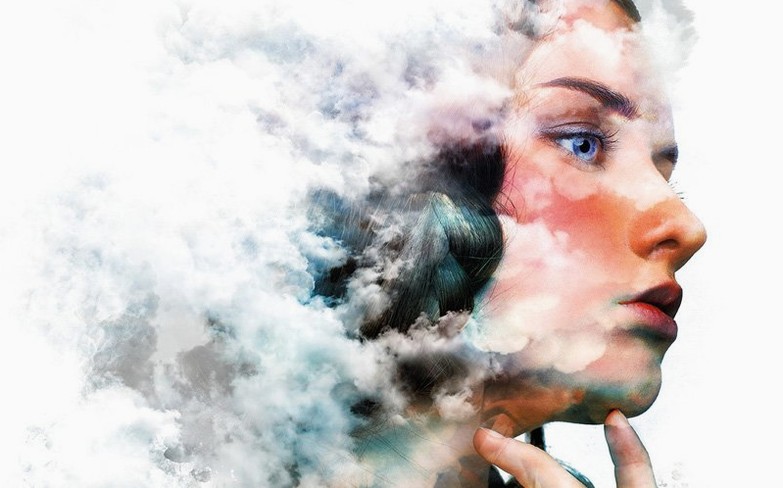


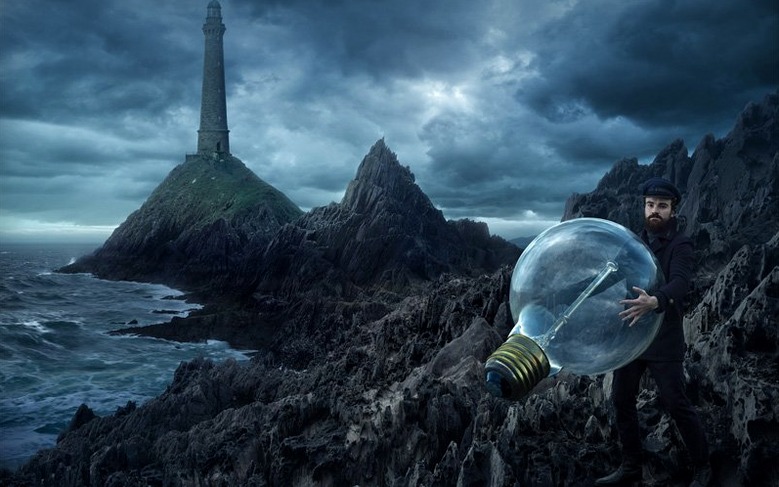
Designers, photographers, and illustrators live in it, but every pro started exactly where you are now — staring at a canvas with no idea what to press first. Instead of feeling overwhelmed, let's cut straight to the fun stuff. These are the first things to try that'll make you feel like you actually know what you're doing.
- Grab an object with one click. Use the automatic subject selection and masking. It's borderline magical how cleanly it pulls a person or object off a busy background.
- Talk to your image. The new Prompt to Edit feature lets you type a natural-language change — "make the sky sunset" — and watch it happen.
- Paint a lighting adjustment. Add a Light adjustment layer and brush in brightness or shadows non-destructively, so your original photo stays untouched underneath.
- Play with layers. Drop in a second photo, a shape, or some text, and start stacking. Moving elements around independently is the core skill that unlocks compositing and poster design.
- Turn a shape into text. Draw a path with the Pen tool and the new Dynamic Text feature flows your words right along it.
Don't try to learn everything at once. Mess around with these five moves, and the interface will start feeling like a workshop instead of a cockpit.
What Quietly Changed in Version 27.10
Updates land often, and most of us click through without reading the notes. The 27.10 release tucked a few things into daily workflows that you might have missed. The biggest quality-of-life shift is the Light adjustment layer. Before, tweaking exposure or shadows meant duplicating a layer or reaching for Camera Raw. Now you drop a Light layer above your image stack, and every brushstroke of brightness or shadow sits on its own non-destructive sheet. Photographers who dodged and burned with soft brushes will find the same muscle memory works here, but with sliders you can nudge days later.
On the AI side, the AI Assisted editor (Beta) panel landed inside the app rather than as a web toy. It groups Prompt to Edit and the new Markup system. Markup lets you circle an area, scribble an arrow, or roughly paint where you want a change — visual hints the engine reads alongside your text prompt. Someone editing a product shot can sketch a highlight path, type "add soft glow here," and get a result that respects the direction cue. It cuts the back-and-forth of rephrasing prompts three times to steer the result.
Another quieter fix: the Save As and Save a Copy dialogs now let you customize which file formats appear. If your workflow never touches Targa or Cineon, you prune them from the list and stop scrolling past formats you haven't used in a decade. It's a small thing that shaves seconds off export tasks repeated daily.
One note worth keeping in mind — the Generative Fill cloud features are called out as unavailable in this version. Prompt to Edit and Markup still work locally, but the cloud-powered fill that references Adobe's servers won't complete. If your work depends on that specific tool, plan around it.
Will It Run Natively on Your Apple Silicon Mac
People searching for photoshop torrents or a photoshop mac cracked build usually have a few of the same worries. Here's what actually matters day to day.
Does it run natively on Apple Silicon? Yes. The version 27.10 build is a universal binary — ARM for M-series chips and 64-bit x86 for older Intel Macs. No Rosetta translation needed on Apple Silicon, which means brushes, filters, and large canvas pans feel responsive without the emulation tax. If you're still on Intel and haven't installed Rosetta for other Adobe bits, the installer notes recommend getting Rosetta in place first.
Will my older plug-ins break? Most plug-in developers caught up with the ARM transition by now, but if you rely on a niche panel last updated in 2019, test it. The Adobe UXP plugins folder structure hasn't changed, and the included Neural Filters Pack goes into that same location. Extract it there if you want the local neural tools functional.
How much space does it really take? The base application plus the Neural Filters Pack eats significant room. People hunting for a torrent adobe photoshop build often forget to budget another 8–12 GB for scratch disk usage while editing. Point the scratch disk to a fast external SSD with plenty of free space before opening your first 50-megapixel raw file.
Will that Genuine Software check get in the way? A blocking utility ships with the package. If the Adobe Genuine alert window pops up, adding the utility to your startup items silences it. It's a one-time annoyance, not a recurring fight.
Can I use it alongside the iPad version? Absolutely. Photoshop on iPad syncs PSD files through the cloud, and the macOS app opens them with full layer fidelity. Someone starting a composite on the couch and finishing it at the desk won't lose masks or smart objects in transit.
Sky-Swappers and Multi-Shot Compositors Thrive Here
Not everyone needs the full Adobe engine. Here's who genuinely thrives with this tool versus fighting a simpler app that would serve them better.
Photographers who composite. If you swap skies, blend exposures, or build portraits from multiple frames, the layer-based non-destructive toolkit is still unmatched. The Light adjustment layer alone replaces three old workflow steps, and the subject selection mask saves the pen-tool tedium on clean edges.
Graphic designers working across mediums. Someone designing a poster that needs a raster hero image, vector text shapes, and spot-color separations lives in one app here. Dynamic Text on paths means a band poster's curved type treatment happens in the same canvas as the photo behind it, not bounced to Illustrator and back.
Digital painters and illustrators. The brush engine's customizability — scatter, texture, dual brush blending — appeals to people who spent years tweaking traditional media simulations. If your brush library is a curated collection you've built since 2015, you won't swap to a simpler app.
Power users comfortable with unofficial builds. Plenty of people typing download photoshop for mac free into a search bar are students or freelancers in markets where the subscription pricing feels disconnected from local reality. If you're in that group, the local AI tools, full layer stack, and save-dialog customization make this version feel complete for daily paid work. Just know the cloud-powered Generative Fill is the one tool you'll be working without.
Six Defaults to Override Before Your First Session
The defaults are set for a mythical average user. Change these six things before your first real session.
- Prune the Save As format list. Open Preferences → File Handling and customize the file format list. Strip out everything you never export — fewer clicks, fewer mistakes.
- Set the scratch disk manually. In Preferences → Scratch Disks, pick your fastest drive and uncheck the system drive. Photoshop writes massive temporary files during editing, and keeping them off a nearly-full internal SSD prevents slowdowns and system warnings.
- Boost the history states. The default number of undo steps is conservative. Push it to 50 or higher in Performance preferences if you have the RAM. Nothing stings like needing a state from eight brushstrokes ago and finding it gone.
- Turn on "Use Legacy New Document Interface." If the modern document creation window feels slow or visually cluttered, the legacy toggle in Preferences → General brings back the compact dialog. It loads faster and shows exactly what you need — dimensions, resolution, color mode — without the extra fluff.
- Adjust the cursor to full brush size. In Preferences → Cursors, switch to "Full Size Brush Tip" instead of the precise crosshair. Seeing the actual brush diameter including soft edges helps painters and retouchers avoid surprises.
- Pin the AI Assisted editor panel. If you plan to use Prompt to Edit or Markup frequently, drag the panel into your sidebar rather than summoning it from menus. Having it visible lowers the friction of describing a change instead of reaching for manual tools.
The maintenance build for Photoshop 2026 tightens a handful of background issues and sharpens a few brush and selection responses.
- macOS 14 (Sonoma) or later
- Works natively on both Apple Silicon and Intel 64-bit Macs
Questions people ask
Is there an iPad version of Photoshop?
Yes, Adobe offers an iPad version in the same product family, though the feature set differs from the desktop application.
What can I make with Photoshop besides editing photos?
It's built for graphic design work too — think posters, packaging, banners, web graphics, digital painting, and even frame animation.
Does Photoshop 27.10 let me combine text and images?
Absolutely. You can blend photos, diagrams, and text into a single composition using layers and the new Dynamic Text along paths feature.
Also on readers' docks
Sign in or create an account to leave a comment.
No comments yet. Tell me how it got on with your other devices.
More in Mac Apps
See all Adobe Media Encoder
26.5.0 Mac Apps
3.4 GB
Adobe Media Encoder
26.5.0 Mac Apps
3.4 GB
 Adobe Premiere Pro
26.5.2 Mac Apps
4.1 GB
Adobe Premiere Pro
26.5.2 Mac Apps
4.1 GB
 Adobe Lightroom Classic
15.6.0 Mac Apps
3.7 GB
Adobe Lightroom Classic
15.6.0 Mac Apps
3.7 GB
 Adobe Premiere Rush
1.5.62 Mac Apps
1.6 GB
Adobe Premiere Rush
1.5.62 Mac Apps
1.6 GB
 Adobe InDesign
21.6.0 Mac Apps
1.5 GB
Adobe InDesign
21.6.0 Mac Apps
1.5 GB
 Adobe InCopy
21.6.0 Mac Apps
1.4 GB
Adobe InCopy
21.6.0 Mac Apps
1.4 GB
 Adobe XD
59.0.12 Mac Apps
2.6 GB
Adobe XD
59.0.12 Mac Apps
2.6 GB
 Adobe Illustrator
30.8.2 Mac Apps
3.4 GB
Adobe Illustrator
30.8.2 Mac Apps
3.4 GB