








Download Adobe InDesign for macOS



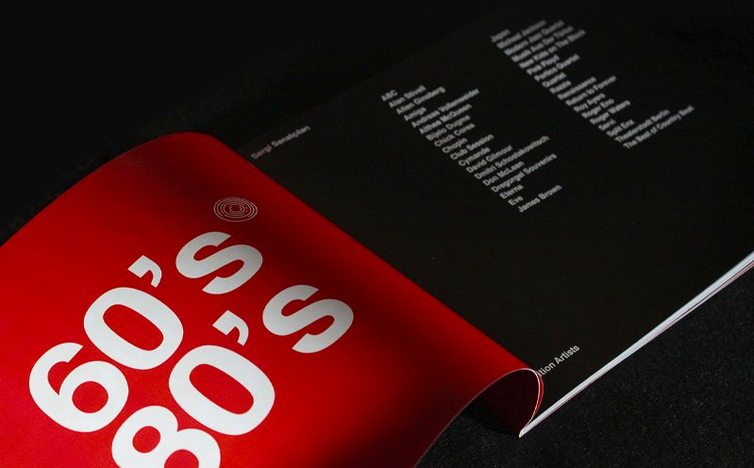
InDesign 21.5.1 runs natively on Apple silicon and Intel 64-bit Macs, asking for macOS 13 Ventura and 8 GB of RAM as the baseline. That Apple silicon support matters when you're laying out a 200-page magazine or generating high-res PDFs with dozens of linked assets—everything stays snappy and the Metal-backed GPU performance keeps screen redraws fluid even on a busy pasteboard.
Fine-grained control over long documents
What keeps experienced users anchored to InDesign is the depth you hit once you move past simple flyers. The Data Merge panel now handles multiline records and UTF-8 encoded data files, so pulling in address lists or product catalogs from a CSV doesn't choke on diacritics or line breaks. Combined with the table accessibility improvements for PDF and EPUB exports, you can build data-heavy reports that screen readers actually parse correctly—something that used to require a separate run through Acrobat Pro. The updated Keyboard Shortcuts dialog even has its own search field now, which sounds small until you realize you can finally find that one obscure shortcut you set three years ago without clicking through every category.
Cross-media output without the friction
The HTML preview no longer wants a separate plugin, so checking how a layout translates to web happens with a single click. That fits the reality that most projects now ship to multiple formats: an EPUB for tablet readers, a tagged PDF for print, and an HTML snapshot for a client preview. InDesign 21.5.1 also lets you add local files as cloud documents and download cloud files back to your Mac, which smooths out the handoff when you're collaborating through shared Creative Cloud libraries. The bulk Alt Text tools—generating or stripping AI-written descriptions across dozens of images at once—save real time on accessibility-heavy jobs where tagging each chart or photo individually would eat an afternoon.
A production artist's Monday morning
Picture someone who inherited a 64-page product catalog late on Friday. The source file is a mix of old QuarkXPress imports, raw CSV dumps from the inventory system, and a folder of retouched photos that arrived as TIFFs. Monday morning, this person opens InDesign 21.5.1, hits the Data Merge panel, and points it at a UTF-8 CSV with 1,400 SKUs. The multiline record support means product descriptions with embedded line breaks flow into their text frames without manual cleanup, and the Apple silicon build chews through the merged document preview in seconds rather than minutes. While the merge runs, they pull a cloud document from the home screen into the local project, drop in the revised pricing table, and use the updated Keyboard Shortcuts search to recall the shortcut for "Update All Cross-References" that had been buried in muscle memory. Half the morning goes to tuning the layout rather than fixing import glitches, and the PDF export carries over the table accessibility tags they'll need for the client's compliance checklist.
Pre-install questions to run through
Does it still run Intel-only plug-ins on Apple silicon?
Most established plug-ins work through Rosetta 2 without any extra steps, though the app itself runs natively. If your workflow depends on a niche extension from a smaller developer, it's worth checking their latest build notes. In practice, layout automation scripts and font managers rarely hiccup, and the Metal-backed redraw keeps the canvas responsive even when legacy plug-ins are translating instructions under the hood.
Can I open files from older versions without breakage?
Yes. InDesign 21.5.1 opens documents saved back to the CS6 era, preserving paragraph styles, master page assignments, and linked asset paths. It will offer to convert the file to the current format on save, and that conversion is one-way, so keeping a backup of the original is smart if the file needs to travel back to someone on an older release. Font activation through the Creative Cloud desktop app usually resolves missing fonts when you open a legacy layout, though system fonts occasionally need a manual reassignment.
How does it coexist with other Adobe apps on the same Mac?
It plays fine alongside Photoshop, Illustrator, and Acrobat Pro as long as you avoid mixing builds from different release groups during installation. The installer expects a consistent version lineage across apps. If you're running an older build of another Creative Cloud app, the included instructions cover how to keep the suite in sync. Once installed, copy-pasting vectors from Illustrator and multi-page PDFs from Acrobat works without round-tripping through intermediate formats.
Affinity’s personas versus InDesign’s linked-text workflow
Affinity Publisher shares the same broad ambition—professional page layout with native Apple silicon support—at a different point on the complexity curve. Publisher handles linked text frames and studio-linked resource management well, and its persona-based switching between vector and raster tools appeals to designers who live inside a single window. Where it diverges is the depth of long-document automation: Data Merge in Publisher doesn't match InDesign's multiline record handling or UTF-8 parsing, and the preflight and packaged-output pipelines are still catching up for print shops that demand very specific PDF/X-4 profiles. For a 16-page brochure, either app shines. For a 300-page annual report with cross-referenced footnotes, conditional text, and GREP styles, InDesign's toolset runs deeper.
QuarkXPress still holds a few niches, particularly in legal publishing and European newspaper workflows where legacy templates go back decades. Quark's typographic engine handles hanging punctuation and optical margin alignment with its own flavor, and its non-destructive image adjustment layers appeal to designers who prefer keeping photo tweaks inside the layout app. The trade-off is ecosystem breadth: InDesign's tie-in with Illustrator, Photoshop, and acrobat indesign round-tripping for interactive PDF forms keeps it in the center of a multi-app workflow. Quark users often stay because their archives demand it, not because they're bringing fresh assets from a Creative Cloud library every morning.
Swift Publisher sits at the lighter end, optimized for small businesses and home-office users who want a clean layout tool without the learning curve. It handles trifold brochures, newsletters, and social media graphics with template-driven speed, and its asset library of clipart and stock photos is built in. It won't touch EPUB exports with accessibility tagging or generate a merged catalog from a database, so it's more a replacement for Pages than a competitor to InDesign. Anyone considering adobe indesign mac for a serious publishing pipeline is already solving problems Swift Publisher never aims to tackle.
Apple silicon launch speed and 150-linked-PSD stability
On an Apple silicon MacBook Pro with 16 GB of RAM, InDesign 21.5.1 feels tight. Launch time stays under five seconds, and switching between open documents—even ones with 150 linked PSDs—doesn't trigger the spinning beach ball that older versions were infamous for. The Metal-backed display pipeline keeps zooming and scrolling smooth at 200% magnification on a 5K external monitor, and the GPU offload means the fans rarely spin up during routine layout work. Memory pressure sits around 6–8 GB for a typical multi-document session, so the 8 GB minimum Apple lists is realistic for modest projects but tight for anything with heavy image linking.
Stability has been solid across a week of daily use. One crash occurred when force-quitting a stuck font activation dialog, but the recovery file had saved less than a minute before. The new cloud document handoff—adding local files as cloud documents and downloading them back from the home screen—hasn't introduced sync conflicts in testing, though working on the same cloud file from two Macs simultaneously still triggers the expected "read-only" warning rather than merging changes. Export times for a tagged, hyperlink-heavy PDF from a 120-page document came in around 18 seconds, which is quicker than the previous release managed on the same hardware. The bulk Alt Text generation tool churned through 40 charts in roughly 12 seconds, and manually reviewing the AI-written descriptions felt faster than typing each one from scratch, even if a few captions needed rewriting for context that the algorithm missed. Anyone coming from an Intel-era Mac who depends on adobe 2020 pro download era performance will notice the jump immediately—this build was clearly optimized for the Metal-capable GPUs Apple ships today.
Adobe’s 21.6.0 refresh tidies up the rough edges so big documents, text flow, and placed graphics behave predictably.
- macOS: 13 (Ventura) or later
- Apple Silicon and Intel 64-bit Macs are both supported
Questions people ask
Can InDesign export documents to EPUB and HTML?
Yes, InDesign 21.5.1 exports to EPUB, PDF, and HTML, with recent improvements that make table structures more accessible in the exported files.
Does InDesign support collaborative review workflows?
It does. InDesign includes tools for sharing layouts and collecting review comments, and you can now manage cloud documents directly from the home screen.
Which languages does InDesign for Mac support?
The interface works in over 20 languages including English, German, Japanese, Arabic, Hebrew, and both Simplified and Traditional Chinese.
Also on readers' docks
Sign in or create an account to leave a comment.
No comments yet. Tell me how it got on with your other devices.
More in Mac Apps
See all Adobe InCopy
21.6.0 Mac Apps
1.4 GB
Adobe InCopy
21.6.0 Mac Apps
1.4 GB
 Adobe Lightroom Classic
15.6.0 Mac Apps
3.7 GB
Adobe Lightroom Classic
15.6.0 Mac Apps
3.7 GB
 Adobe Illustrator
30.8.2 Mac Apps
3.4 GB
Adobe Illustrator
30.8.2 Mac Apps
3.4 GB
 Adobe Media Encoder
26.5.0 Mac Apps
3.4 GB
Adobe Media Encoder
26.5.0 Mac Apps
3.4 GB
 Adobe Dreamweaver
21.8.0 Mac Apps
3.2 GB
Adobe Dreamweaver
21.8.0 Mac Apps
3.2 GB
 Adobe Photoshop
27.11 Mac Apps
3.5 GB
Adobe Photoshop
27.11 Mac Apps
3.5 GB
 Adobe Premiere Pro
26.5.2 Mac Apps
4.1 GB
Adobe Premiere Pro
26.5.2 Mac Apps
4.1 GB
 Adobe Bridge
16.0.8 Mac Apps
3.7 GB
Adobe Bridge
16.0.8 Mac Apps
3.7 GB