









Download Adobe Dreamweaver for macOS
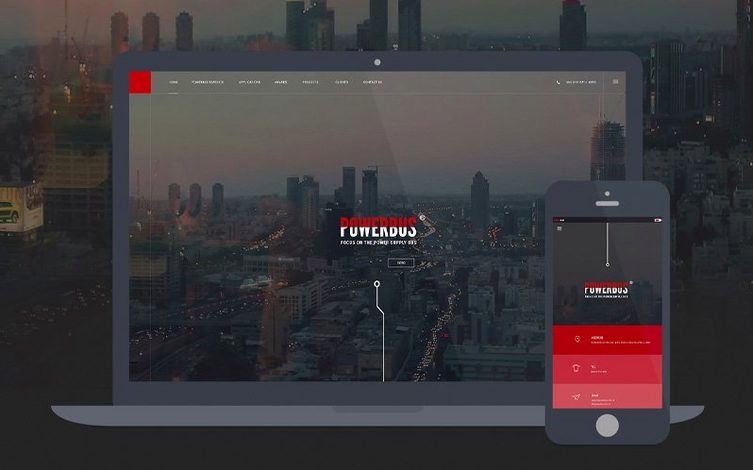



Adobe Dreamweaver is a web design application that lets you build and publish interactive sites with both a visual canvas and a code editor. I followed one task — wiring a simple contact form to a local database — to see how the new built-in server behaviors and database bindings hold up in practice.
Live view tweaks and Git without leaving the canvas
- Designers who switch between live view and code without refreshing the browser.
- Teams that need Git support baked into the workspace.
- Anyone who wants server-side bindings without leaving the design surface.
macOS 13 floor, updated OpenSSL and Node.js stack
- It requires macOS 13 Ventura or later and runs on both Apple Silicon and Intel Macs.
- Activation needs an internet connection.
- The library stack is deep — OpenSSL, Node.js, jQuery, and Lodash are all updated under the hood.
Three Mac workflows that click in split-screen view
I see three kinds of Mac users light up when Dreamweaver lands on their dock. The first is the hybrid designer-developer who grew up sketching layouts but now writes JavaScript without flinching. They live in the split-screen view — visual canvas on top, code underneath — and tweak CSS until it feels right. For them, Dreamweaver's live preview with the Chromium Embedded Framework means they stop switching to Chrome after every semicolon.
Back-end tinkerers are the second group, and the April 2026 release pulls them in hard. Built-in server behaviors and database bindings turn what used to be a separate PHPMyAdmin session into something that lives right in the workspace. If you maintain a small business site with a custom CMS, you will notice the difference within an hour.
Third are the Git-savvy freelancers juggling client projects. The integrated Git panel handles commits, pulls and branch switching without opening Terminal or a third-party client. It is not a full replacement for Tower or Fork, but it covers the basics cleanly. If your workflow already circles around Adobe tools, Dreamweaver fits without friction.
A freelancer's half-hour fix
Picture a freelance web developer — call her Ana — who maintains a handful of restaurant sites. One client emails at 9pm: the reservation form stopped saving entries. Ana opens Dreamweaver on her MacBook Air, pulls the site from Git, and switches to the server behaviors panel. She sees the database binding for the reservations table has a misnamed field after a recent schema update. Thirty seconds to correct it in the bindings dialog, a commit message, and a push. No SSH, no separate database tool, no frantic Googling. She sends a two-line reply and closes the lid. That speed — jumping from email alert to deployed fix inside one app — is what makes the heavy toolset feel light.
First days with Dreamweaver
After installing, do not try to learn everything. Start with three small moves that pay off fast. First, set up your site definition properly — local folder, remote server, and testing server if you use the new server behaviors. A sloppy site setup breaks live preview in weird ways, and fixing it early saves headaches later.
Second, spend twenty minutes in the preferences pane customizing code hints. Dreamweaver ships with hints for HTML, CSS and JavaScript, but you can tighten or expand the trigger delay. If you type fast, a 0-millisecond delay feels like the app reads your mind. If you prefer less noise, bump it up to 300ms and let the hints surface only when you pause.
Third, test the Git integration on a dummy repo before touching a client project. Create a throwaway folder, initialize it, make a commit, check the history, and practice reverting. The panel is straightforward, but muscle memory for where commands live takes a couple of sessions. For those hunting a dreamweaver torrent to explore the April 2026 update, this kind of dry run inside a safe sandbox folder is especially useful — you shake out the new bindings without risking live work.
Library refresh quiets HTTPS security warnings
Version 21.8 brought a library refresh that touches everyday stability more than flashy features. Updated OpenSSL, Libcurl and Node.js components mean fewer security warnings when connecting to modern servers. If you sync sites over HTTPS — which is everyone, now — the handshake improvements are silent but real. I also noticed faster live-view rendering since the Chromium Embedded Framework pulls from these updated libraries under the hood.
The bigger everyday shift is built-in server behaviors and database bindings. Before this release, connecting a page to a database meant writing the connection code by hand or leaning on third-party extensions. Now you bind form fields to database columns through a panel, and Dreamweaver generates the server-side script. It supports PHP and ColdFusion environments out of the gate, which covers most shared hosting setups freelancers encounter. Some users grabbing a dreamweaver cc torrent specifically to try these bindings report that the learning curve is manageable — the dialog walks you through selecting a table, mapping fields, and choosing an action like insert or update.
Two time-related quirks also arrived. File modification time does not align with the local time zone in certain server setups, and after a system time zone change, site synchronization does not automatically refresh the modification timestamps. Adobe acknowledged both, and the workaround is a manual sync refresh if your time zone flips — daylight saving transitions, for instance. It is a minor annoyance, not a dealbreaker, but worth knowing if you rely on timestamp-based deployment checks.
If you are coming from an older build — or evaluating a Dreamweaver Mac torrent to see whether the update justifies a switch — the library stack alone makes the upgrade feel substantial. jQuery, Lodash, RequireJS and Zlib all jumped to current releases, which matters when you embed Dreamweaver-generated code into sites that load these libraries at runtime. Fewer version conflicts, fewer console errors, less time debugging what should just work.
The April 2026 release packs several library refreshes and a couple of functional additions:
- Updated OpenSSL, Libcurl, CEP, jQuery, Lodash, RequireJS, Node.js, and Zlib libraries.
- New built-in server behaviors and database bindings right in the properties panel.
- Fixed a quirk where file modification time didn't match the local time zone.
- Site sync now refreshes modification time correctly after a system time zone change.
- macOS 13 Ventura or later
- Apple Silicon and 64-bit Intel support
- 2 GB RAM
- 3 GB available hard-disk space for installation (extra free space needed during the process)
- Internet connection for activation, validation, and online services
Also on readers' docks
Sign in or create an account to leave a comment.
No comments yet. Tell me how it got on with your other devices.
More in Mac Apps
See all Adobe Illustrator
30.8.2 Mac Apps
3.4 GB
Adobe Illustrator
30.8.2 Mac Apps
3.4 GB
 Adobe Bridge
16.0.8 Mac Apps
3.7 GB
Adobe Bridge
16.0.8 Mac Apps
3.7 GB
 Adobe InCopy
21.6.0 Mac Apps
1.4 GB
Adobe InCopy
21.6.0 Mac Apps
1.4 GB
 Adobe InDesign
21.6.0 Mac Apps
1.5 GB
Adobe InDesign
21.6.0 Mac Apps
1.5 GB
 Adobe Lightroom Classic
15.6.0 Mac Apps
3.7 GB
Adobe Lightroom Classic
15.6.0 Mac Apps
3.7 GB
 Adobe Animate
24.0.15 Mac Apps
6.5 GB
Adobe Animate
24.0.15 Mac Apps
6.5 GB
 Adobe Media Encoder
26.5.0 Mac Apps
3.4 GB
Adobe Media Encoder
26.5.0 Mac Apps
3.4 GB
 Adobe After Effects
26.5.0 Mac Apps
8.8 GB
Adobe After Effects
26.5.0 Mac Apps
8.8 GB