Download Ableton Live for macOS
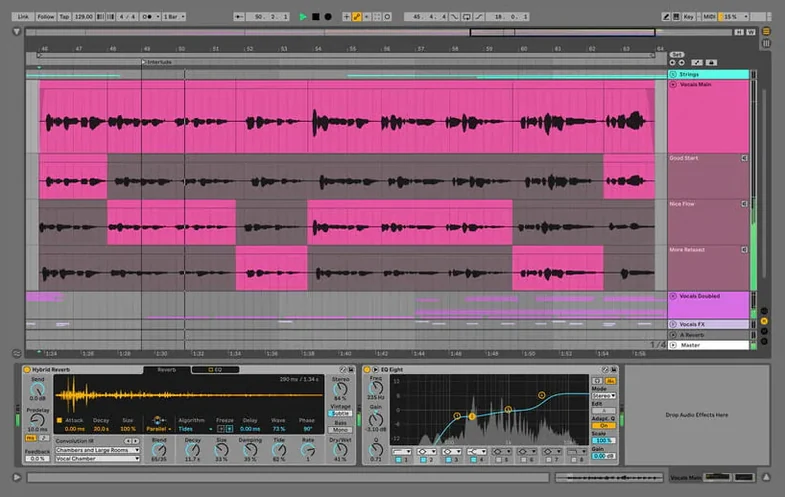
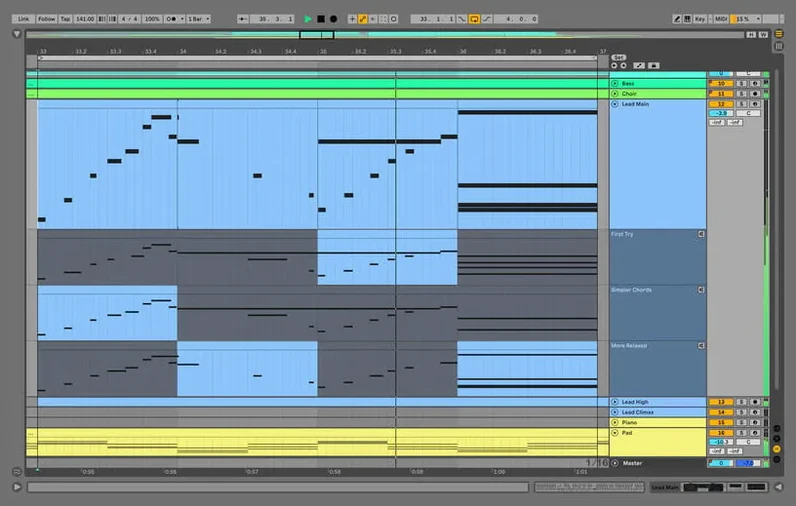
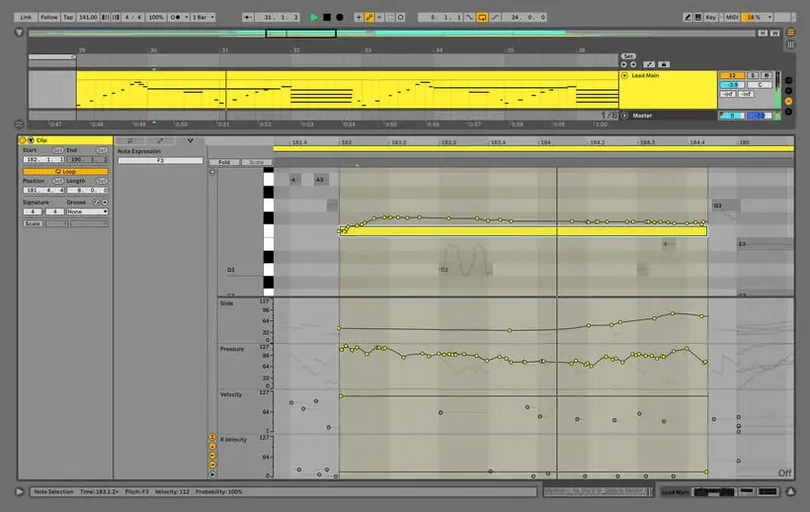
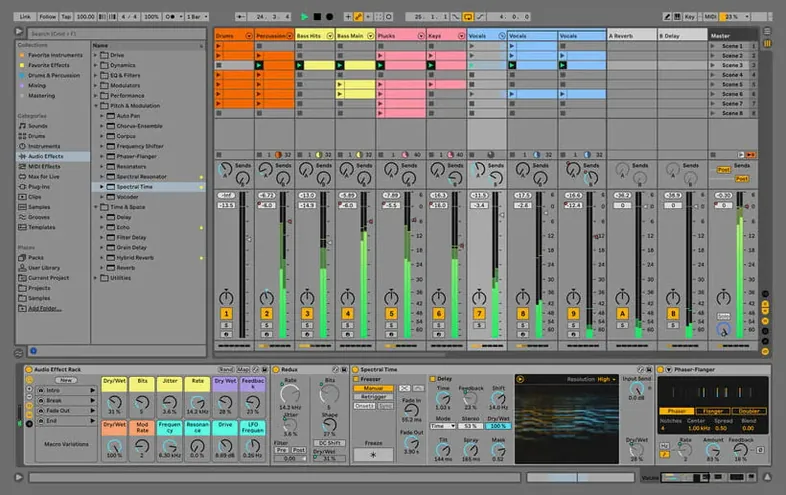
Ableton just squashed a nasty hang that could trip up rendering and bouncing in big Sets — specifically when you're using Beats Warp Mode with Transients Granular Resolution. Version 12.4.6 keeps things moving, whether you're shaping audio or consolidating tracks. Let's look at what your Mac needs and what you actually get with this DAW.
Runs natively on Apple Silicon and Intel Macs
Live 12 wants macOS 12 (Monterey) or later, and it runs natively on both Apple Silicon and Intel 64-bit Macs. That's the whole story — no Rosetta workarounds, no architecture left behind. If your machine is from the last several years, you're good to go. The interface speaks your language too, with English, German, Spanish, Italian, French, and Japanese all built in.
Suite edition with effects, instruments, and one-window workflow
This is Live 12 Suite, the everything-included edition. You're looking at a full music production and performance workspace — one window where you create, tweak, and play. It comes loaded with effects for sound shaping and processing, plus all the tools to build tracks from scratch or perform live. The current version brings that render-hang fix without changing the core flow producers rely on.
Capture MIDI rescues ideas you forgot to record
Big features grab the headlines, but the daily feel of Live comes from a dozen small touches. One I keep rediscovering is Capture MIDI — it's been around for a while, yet plenty of users still forget it's there. You noodle on a keyboard or pad controller, something clicks, and you realize you didn't hit record. Tap Capture MIDI and Live pulls that idea back out of the buffer, notes and velocity intact, no transport-running required. It's saved more half-formed melodies than I can count.
Another underplayed gem: Clip-level Follow Actions in Session View. You can set a clip to jump to a different scene, play a random sibling, or cycle through variations after a set number of bars. Pair that with legato launch and you've got a self-remixing arrangement before you've even touched Arrangement View. Most people find Follow Actions by accident months in and wonder how they lived without them.
On the shortcut front, Cmd-Shift-T inserts a MIDI track, Cmd-Shift-Y drops an audio track, and Cmd-D duplicates whatever you've selected — clip, track, device, even whole sections of arrangement. Holding Option while dragging a device copies it instantly. These aren't hidden, exactly, but the difference between clicking through menus and keeping your hands on the keyboard is night and day when you're chasing a sound.
And don't sleep on Groove Pool swapping from the browser. Drag a groove file onto a clip and you've changed its rhythmic feel without touching MIDI notes or warping. The extraction presets built into Live 12 do a surprisingly musical job of stealing the feel from one loop and lending it to another. I've pulled hi-hat patterns from funk breaks and applied them to stiff synth stabs in about ten seconds.
Drag the Authorize.auz file to unlock the app
Installation is straightforward — open the disk image, follow the standard procedure, then drag the Authorize.auz file into the app window once it launches. The AbletonAutoSave utility runs alongside and lives in your menu bar, quietly writing backups at whatever interval you set. It starts and quits with Live, so you don't have to think about it. Set it to every five minutes on day one and thank yourself later.
Once you're in, resist the urge to open a blank Set and stare at it. Instead, pull up one of the included template projects — Suite ships with dozens organized by genre and workflow. They're not just demo songs; they're fully functional starting points with devices already routed, mix levels roughly balanced, and clips loaded. Spending twenty minutes muting, soloing, and swapping sounds in a template teaches you more about Live's signal flow than reading the manual cover to cover.
Next move: organize your Places in the browser sidebar. Add the folders where your personal sample library, field recordings, and unfinished projects live. Live indexes them without moving files, so your own sounds sit right alongside the factory content. A well-set-up Places section cuts browsing time in half, especially when you're dragging one-shots into Drum Rack or auditioning loops at project tempo.
If you're coming from another DAW, give yourself a day to adjust to Live's two-view system. Session View is a sketchpad — rows of clips that loop independently, perfect for trying combinations on the fly. Arrangement View is a traditional timeline. You move between them with the Tab key, and the real magic happens when you record a jam from Session into Arrangement, then go back and tweak clip launches. It's not linear thinking, and that's the point.
A practical tip for the first week: right-click any device header and choose "Show in Browser." Live jumps to exactly where that effect or instrument lives in the library, which makes building your own device chains much less of a treasure hunt. I still use this daily to find the compressor or delay I auditioned and liked.
Who clicks with Live fastest — and why
Certain workflows just fit Live's shape better, and knowing which camp you fall into helps. Electronic producers and beat-makers tend to feel at home within hours. The Session View's grid of clips mirrors how they think about sections — drop a kick pattern here, a bass loop there, trigger scenes to build the track in real time. The included Drum Rack, Simpler, and Wavetable instruments cover immense sonic ground without touching a third-party plugin. If you make house, hip-hop, techno, or anything loop-driven, Live was practically designed around your process.
Live performers get a different tool entirely. Armed with a controller like Push or an APC, you can launch clips, tweak macros, and restructure a song on stage without once looking at the screen. Quantization handles timing so a mistimed launch still lands on the beat. Warping algorithms keep audio in sync even when you change tempo mid-set. No other DAW treats the stage as a first-class environment the way Live does.
Sound designers and experimental musicians often overlook Live, but Max for Live integration in Suite opens doors nothing else matches. You can build a synthesizer that reacts to an envelope follower on a drum track, or a delay that randomizes its time based on MIDI note input. The devices in the Max for Live library range from practical mixing tools to utterly strange signal processors. If you like patching and routing that goes beyond what a traditional channel strip allows, this is your playground.
On the flip side, if your work is mostly tracking bands, comping vocals from dozens of takes, or scoring to picture with frame-accurate sync — Live can do those things, but it asks you to adapt to its way of thinking rather than meeting you where a traditional linear DAW already sits. It's not worse at those tasks; it's just built around a different philosophy.
Fix for render hangs on large Sets with warped clips
Live 12's update cycle has been steady and focused on stability. The 12.4.6 release, dated September 15, 2026, tackled a very specific bug: a hang during rendering, bouncing, or consolidating in large Sets with many audio tracks where clips used Beats Warp Mode and Transients Granular Resolution. If you've ever stared at a frozen progress bar on a deadline, you know the relief that fix brings. It's the kind of under-the-hood polish that doesn't make headlines but keeps sessions from derailing.
Earlier in the 12.x cycle, the browser got a meaningful overhaul. Tag-based searching now lets you filter by sound type, key, and character without typing a single word — click a few tags and the library narrows in front of you. The similarity search goes a step further: find a kick you like, right-click, and Live shows you other sounds in your library with a comparable profile. For anyone with sprawling sample collections, this alone cut my "hunting for the right snare" time by more than half.
MIDI editing saw love too. Scale awareness in the piano roll highlights notes within a chosen key and dims the rest, which means even if your theory knowledge is shaky, you can paint in chords and melodies without hitting clashing notes. Transformations like strum, arpeggiate, and span let you take a simple chord block and turn it into something that sounds performed — select notes, pick a transformation, and the MIDI reshapes instantly. These aren't buried behind menus; they sit right in the piano roll toolbar.
Logic offers deep studio comping; Live prioritizes immediacy
Set Live alongside Apple Logic Pro and the differences in philosophy surface immediately. Logic gives you a deep, traditional studio environment — its comping and take folders are superb, the stock instrument and effect library is enormous, and the mixer feels like a console. But Logic lives entirely in a linear timeline. You can loop regions, but there's no clip-launching grid, no session-based improvisation layer. If your music comes alive through experimentation and non-linear arrangement, Logic asks you to bend your process to its structure. Live bends its structure to your process.
Against PreSonus Studio One, the comparison gets more interesting. Studio One's drag-and-drop workflow and Scratch Pads for arrangement experiments feel like a nod toward Live's session thinking, but it's still fundamentally a timeline DAW. Studio One excels at tracking and mixing, and its Project Page for mastering is genuinely clever. What it doesn't have is Live's real-time performance DNA — no equivalent to launching clips independently, no tempo-following warping engine that performers trust on stage. If you produce and mix but never perform, Studio One might fit more naturally. If live sets or improvisation matter at all, the gap widens fast.
Then there's Bitwig Studio, Live's closest conceptual sibling. Bitwig also uses a clip-based launcher and a modular device environment, and its grid-based sound design system rivals Max for Live in flexibility. The modulation system in Bitwig is arguably deeper — you can map an LFO to nearly any parameter with a few clicks. But Live's maturity shows in its polish, its massive user community, and the sheer volume of tutorials, racks, and Max devices available. Bitwig innovates quickly; Live benefits from years of refinement and a larger ecosystem of resources. Both are excellent, and the choice often comes down to which interface feels more immediate to your hands. For me, Live's Push integration and the browser's tagging keep me coming back.
Live 12.4.7 is here with the developer's latest round of fixes and improvements. Head over to ableton.com for the full breakdown.
- macOS 12 or newer
- Apple Silicon and Intel 64-bit
Also on readers' docks

Sign in or create an account to leave a comment.
No comments yet. Tell me how it got on with your other devices.