







Download Cursor Pro for macOS
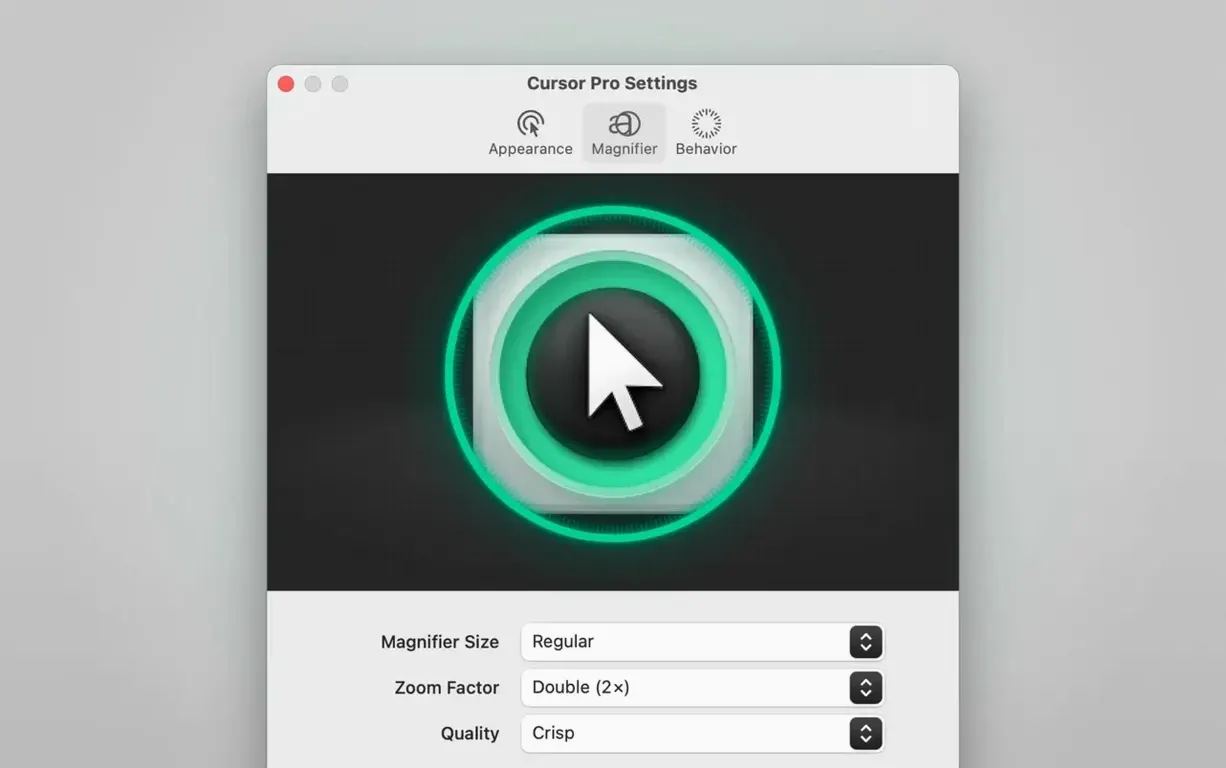
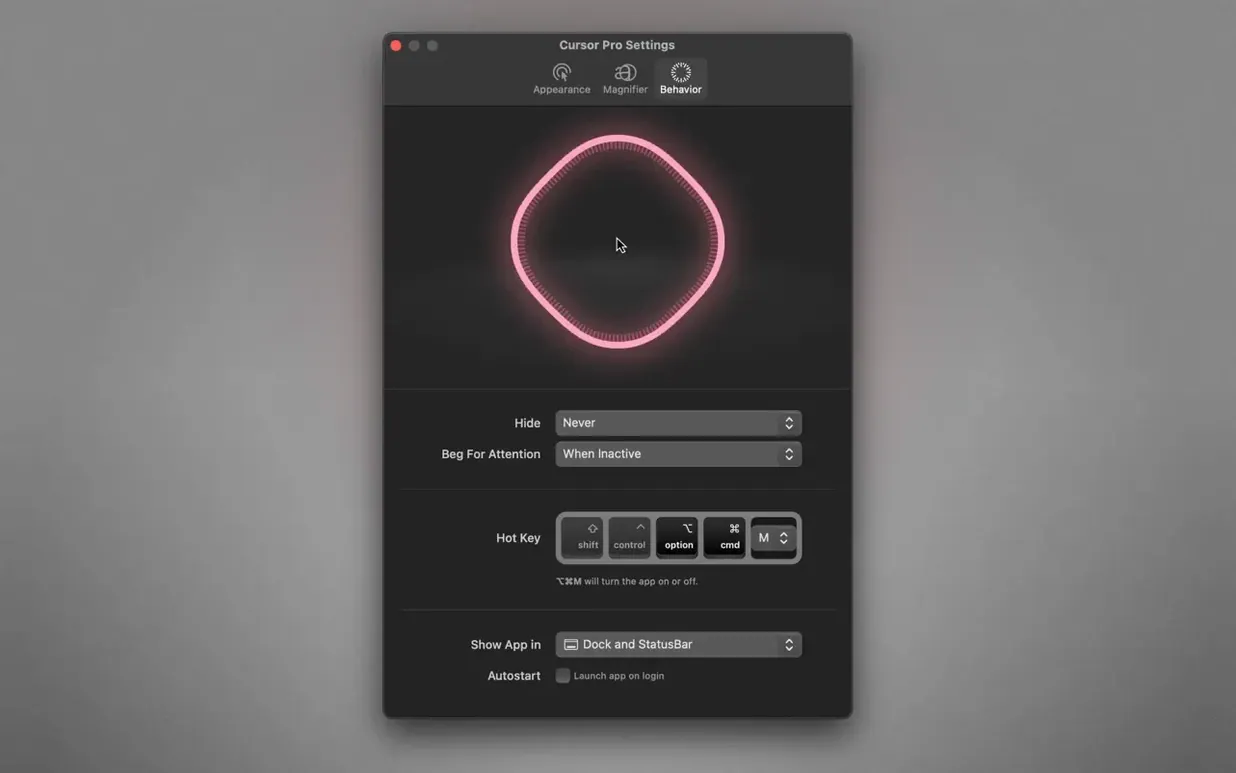
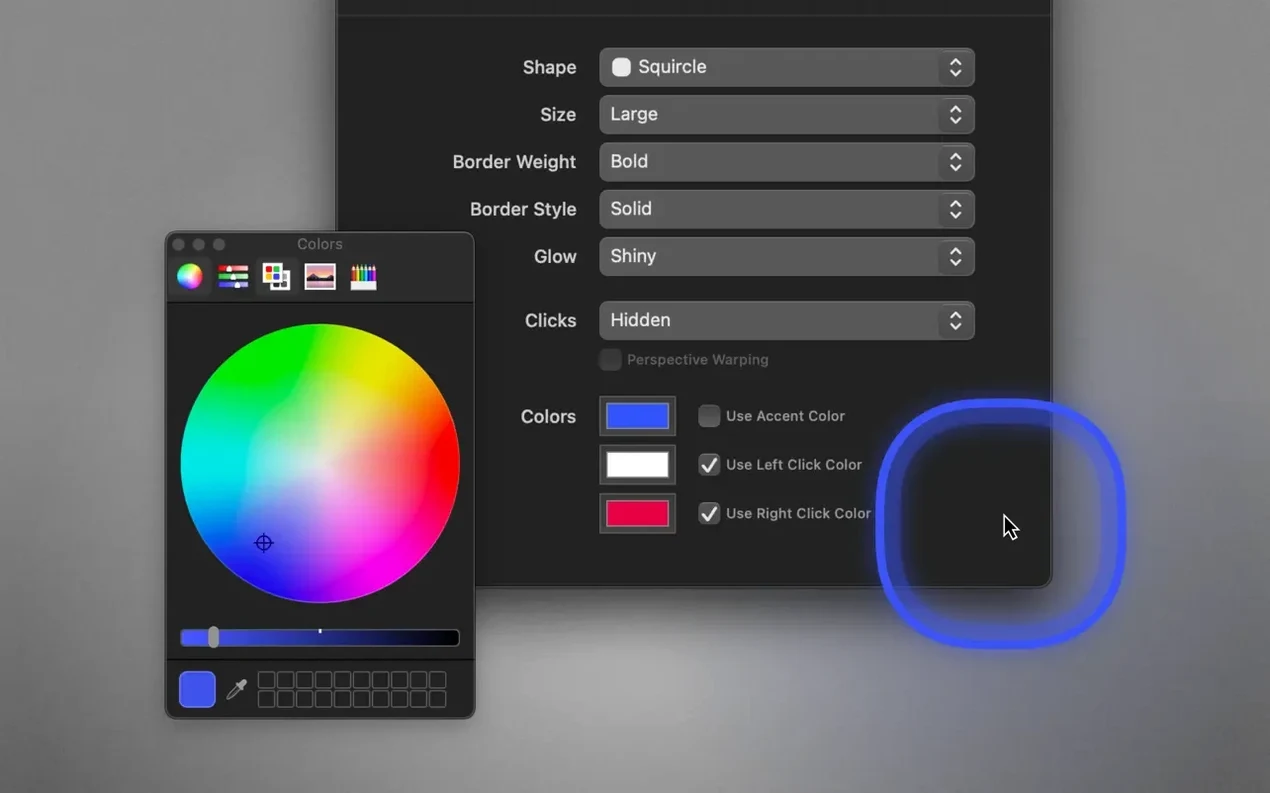
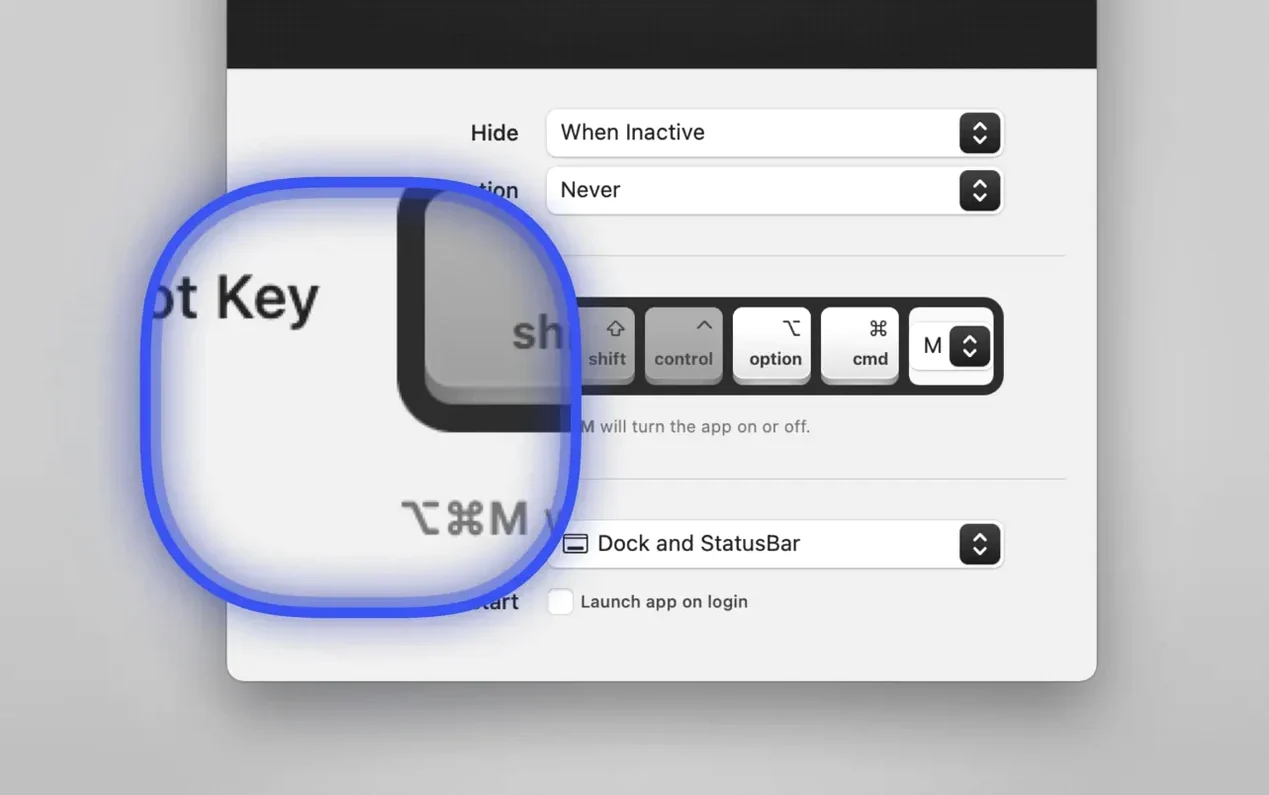
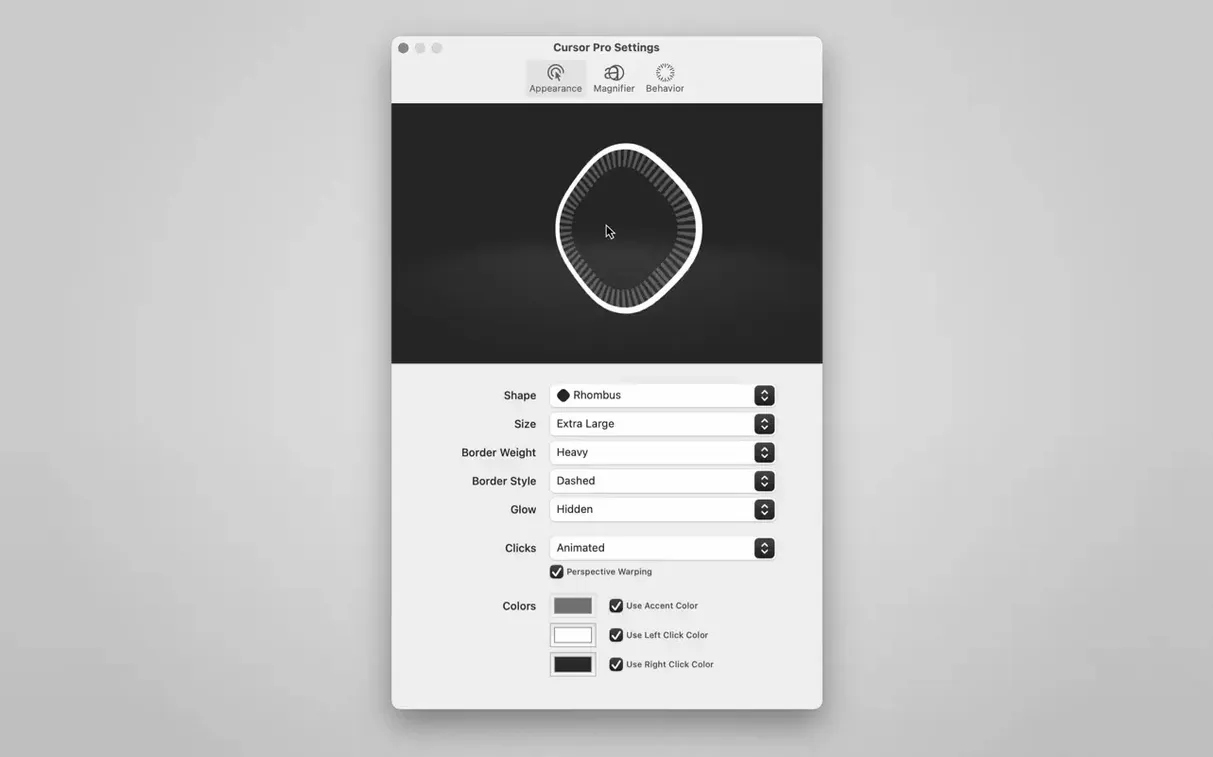
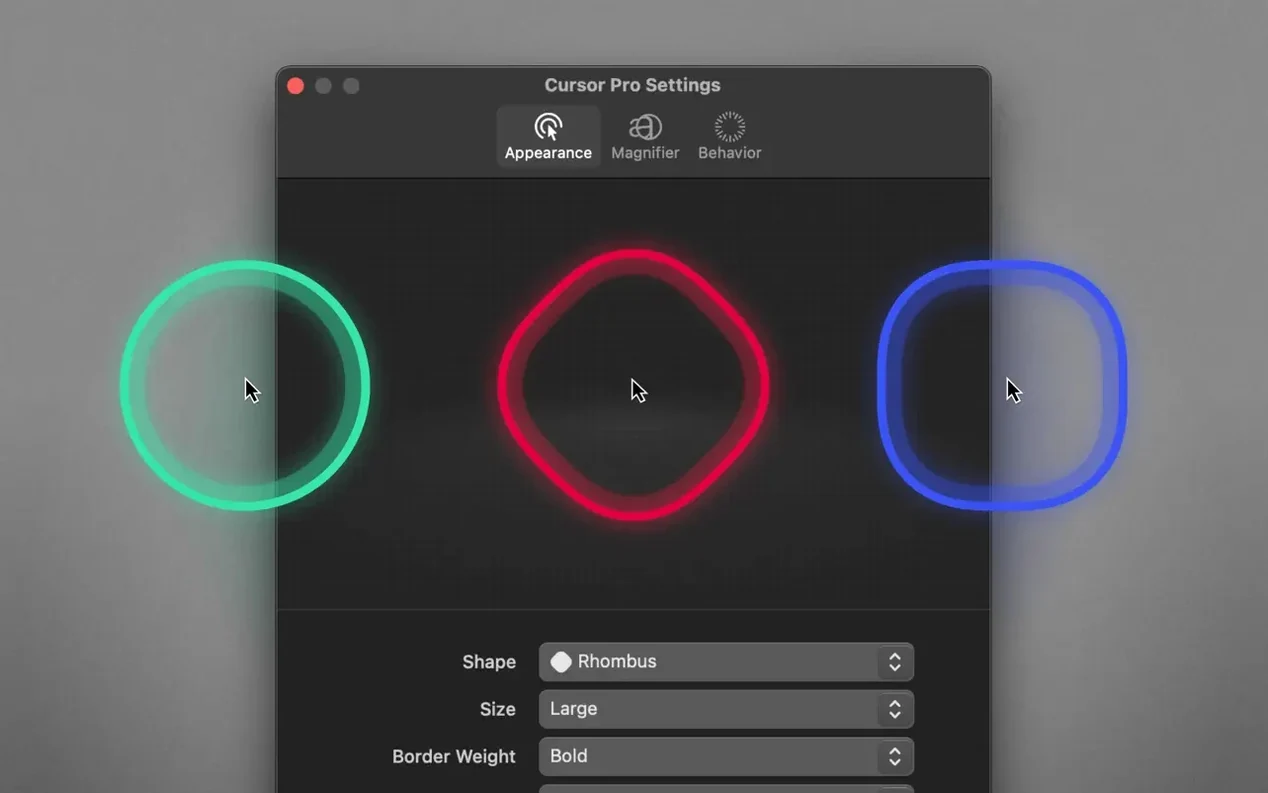
Cursor Pro is a utility that puts a spotlight on your pointer so it can't hide on big screens or during presentations.
Pointer shaping for the long-haul presenter
Beyond the basic colored circle, you can switch the highlight to a diamond shape and layer on a glow that makes the pointer readable against busy code editors, design canvases or slide decks. A global hotkey lets you toggle the highlight without breaking your flow—handy when you're screen-sharing and need to point something out fast, then get it out of the way. The app lives where you want it: Dock, menu bar, or both, so the controls are always reachable without a trip through System Settings.
The magnifier you'll actually keep turned on
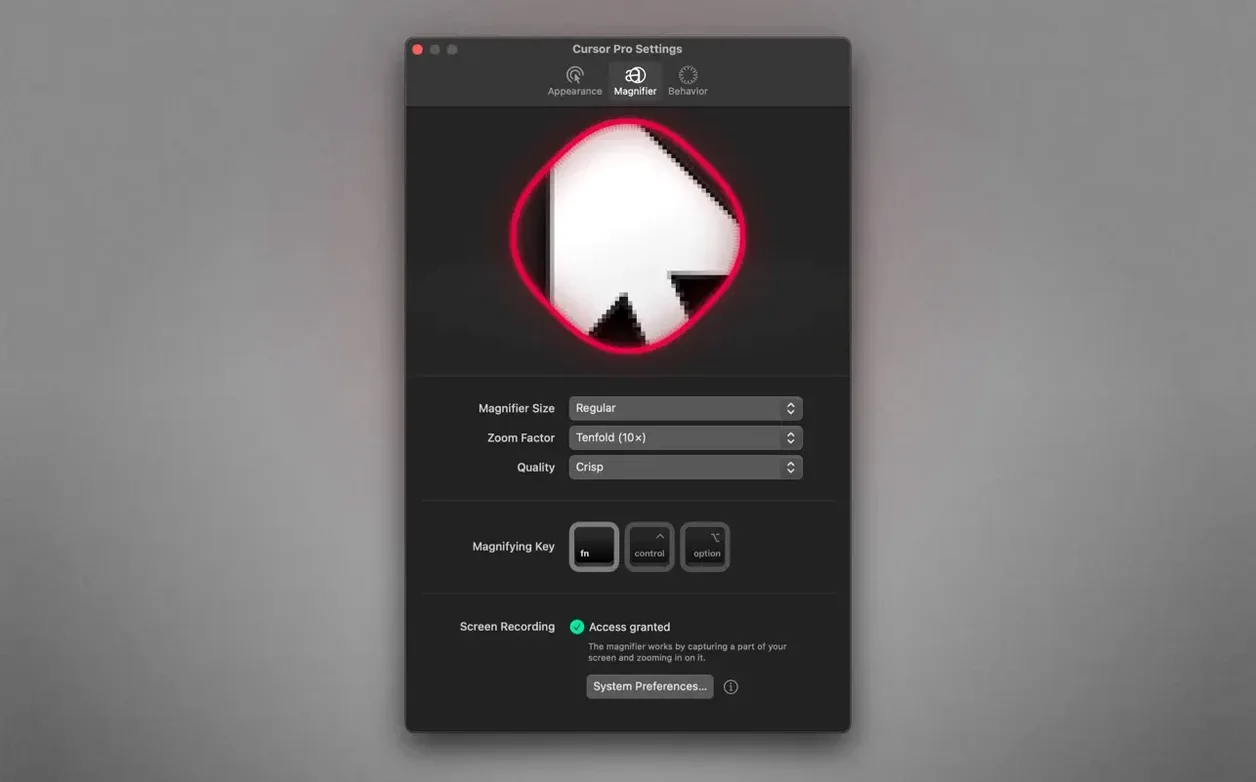
The magnifier isn't an afterthought. It's quick to trigger and sized to follow your pointer, which makes it more useful than the built-in macOS zoom when you're walking an audience through tiny UI details or inspecting a render. Because the whole app plays nicely with screen-sharing tools that capture the full display, colleagues and students see exactly what you see—highlight, magnification and all. It runs on both Apple Silicon and Intel Macs back to macOS 11, so even older presentation machines can join in.
Smooth highlight through screen recordings and calls
Cursor Pro stays out of the way until you need it, which is exactly what a utility like this should do. I've kept it running through long screen-recording sessions and back-to-back calls, and the pointer highlight stays smooth when you whip the mouse across a 4K display. There's no perceptible lag on the pulse effect, and the glow doesn't chug when the magnifier is active at the same time. On Apple Silicon it's barely a blip in Activity Monitor, and older Intel machines handle it fine too—this isn't one of those menu bar apps that quietly eats a chunk of CPU while it idles.
Stability has been uneventful in the best way. The global hotkey fires reliably even when a full-screen app has focus, and the auto-hide behavior does its job without flickering the highlight in and out. If you're the type who never quits utilities until a macOS update forces it, you'll appreciate that Cursor Pro doesn't add itself to your list of crash-prone menu bar residents.
Memory use stays modest. The magnifier keeps its zoomed view responsive because it's only redrawing the region around your pointer, not the entire screen. That's a small design choice with a real payoff when you're also running a screen recorder, a browser with two dozen tabs, and whatever app you're actually presenting.
Screen sharing captures the full-display overlay
Will this show up when I share my screen? Only if you share the entire display. Cursor Pro draws the highlight and magnifier on your Mac's screen, so any tool that captures the full screen—Zoom, Teams, OBS, QuickTime—will pass it along to viewers. If you share just a single app window, the highlight won't appear.
Can I turn it off quickly when I don't want the spotlight? Yes. The global hotkey toggles the highlight instantly, and you can set auto-hide so it fades after a moment of mouse inactivity. The menu bar icon also gives you a one-click path to switch things off without digging into preferences.
Does the magnifier work on a second monitor? It follows your pointer, so it works wherever the pointer goes. That includes external displays, which makes it useful for teachers who keep speaker notes on one screen while presenting from another.
Some people hunting for a cursor torrent are really just looking for a lightweight tool that doesn't demand a subscription or an account. Cursor Pro fits that profile: a small download, no background services to babysit, and nothing phoning home while you work.
Presenters keep eyes on spreadsheets and mockups
Presenters and trainers are the obvious beneficiaries. If you regularly walk an audience through a spreadsheet, a design mockup, or a code review, the colored highlight keeps their eyes where yours are. The magnifier earns its keep when you're demonstrating workflows with small buttons or dense menus that don't translate well to a projector.
Screen-recording creators get a quieter benefit. Callouts and zooms that normally require editing can happen live while you record, with the highlight making every click legible and the magnifier handling close-ups. The result is a cleaner post-production pass.
Remote workers on large or high-resolution displays also find it handy. When your pointer vanishes into a sea of windows on an ultrawide, the glow and pulse make it findable without wiggling the mouse like you're casting a spell. It's a small quality-of-life upgrade that pays off every single day.
- macOS 11 or later
- Apple Silicon and Intel 64-bit
Questions people ask
Does Cursor Pro work when I'm sharing my screen on a call?
Yes, it works with screen-sharing apps when you share your entire screen, so viewers see the pointer highlight and magnifier.
Can I change the look of the pointer highlight?
Absolutely—you can pick a circle or diamond shape, set a custom color, and add a glow effect to make it stand out.
Also on readers' docks
Sign in or create an account to leave a comment.
No comments yet. Tell me how it got on with your other devices.
More in Mac Apps
See all DaisyDisk
4.34.2 admin Mac Apps
9 MB
DaisyDisk
4.34.2 admin Mac Apps
9 MB
 Updated Dash
8.2.0 Mac Apps
21 MB
Updated Dash
8.2.0 Mac Apps
21 MB
 CrossOver
26.3.0 Mac Apps
285 MB
CrossOver
26.3.0 Mac Apps
285 MB
 Updated DataGrip
2026.2.6 Mac Apps
1 GB
Updated DataGrip
2026.2.6 Mac Apps
1 GB
 DataSpell
2026.1.3 Mac Apps
1.1 GB
DataSpell
2026.1.3 Mac Apps
1.1 GB
 DaVinci Resolve Studio
21.1.1 Mac Apps
7.9 GB
DaVinci Resolve Studio
21.1.1 Mac Apps
7.9 GB
 dBpoweramp Music Converter
2026.09.13 Mac Apps
31 MB
dBpoweramp Music Converter
2026.09.13 Mac Apps
31 MB
 Cotypist
2026.3.1 Mac Apps
12 MB
Cotypist
2026.3.1 Mac Apps
12 MB