Download VueScan Pro for macOS
You pull the Epson flatbed out of the cupboard, connect it to your Mac Studio, and macOS politely pretends it doesn’t exist. No driver, no bundled software, just a blinking power light. That’s the exact moment VueScan earns its keep.
From dust to file in four steps
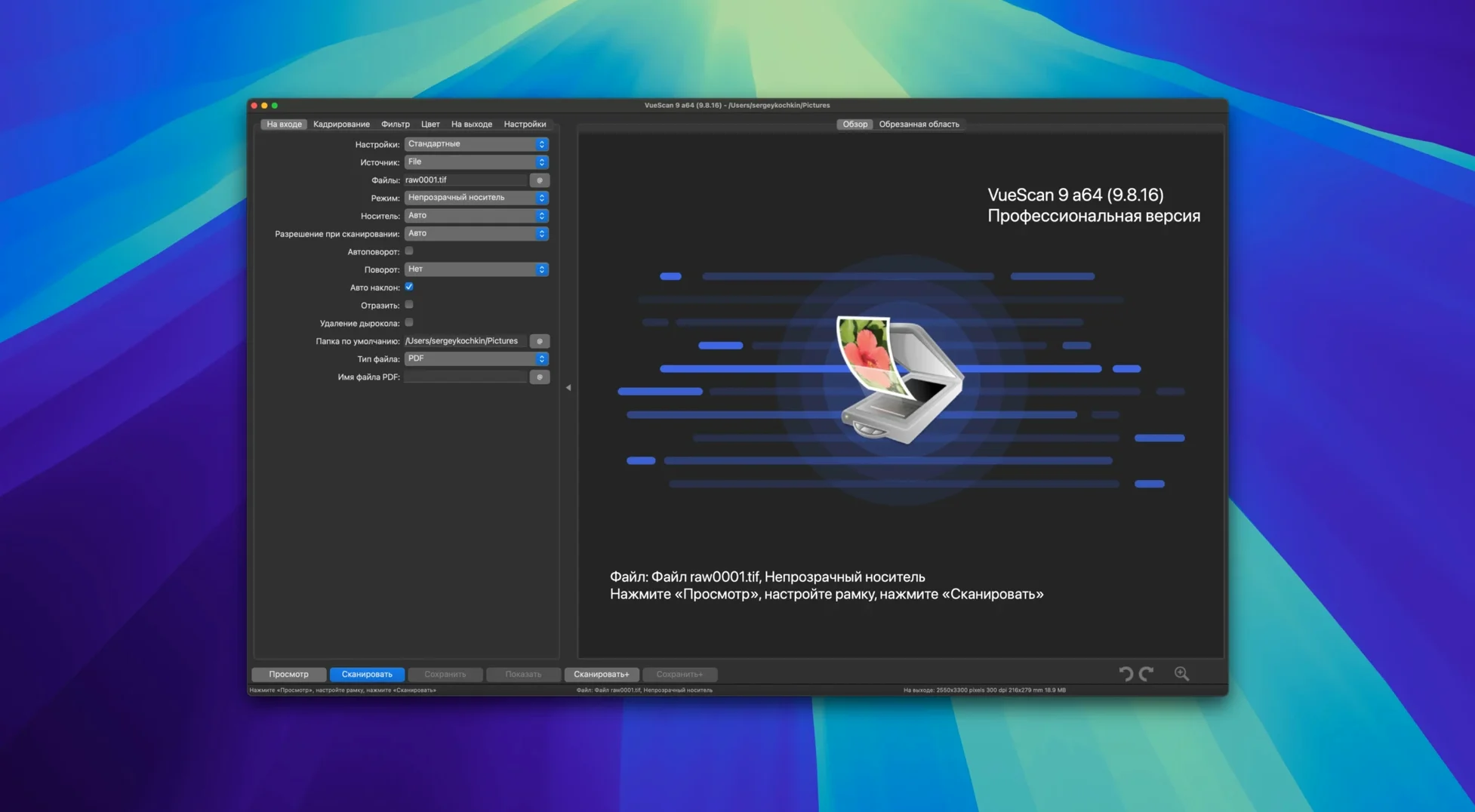
- Plug in and wake up. VueScan recognizes the scanner straight away — HP, Minolta, Nikon, Epson, Canon, and a huge list of others. The USB improvements in version 9.8.57 make this even smoother on recent macOS releases.
- Pick your profile. You can save every adjustment — resolution, color balance, multi-pass averaging — into a reusable settings file. Grab last week’s film-negative profile and you’re halfway done before the preview appears.
- Clean the image. This is where the infrared channel shines on transparency scans, zapping dust and scratches automatically. You’ve also got grain reduction, unsharp masking, and independent R/G/B curve controls for serious color tweaking.
- Name and save. A small but clever addition in this release: file names can now use varying increments like
scan001+2.jpg, which is a lifesaver when you’re skipping every other frame on a film strip.
What hasn’t changed is the no-frills interface and the fact it runs natively on both Apple Silicon and Intel Macs, all the way back to macOS 10.15 Catalina. It doesn’t try to be a photo manager — it scans, and it scans well. If your workflow lives inside a scanner dialog box, VueScan is the most reliable translator your hardware ever had.
How VueScan sits alongside the alternatives
Mac scanner software splits into three camps, and VueScan carves out a distinct place in the middle. On one side you’ve got the manufacturer utilities — Canon IJ Scan Utility, Epson Scan 2, HP Easy Scan. They’re free, they look polished, and they abandon older hardware the moment a new macOS ships. If your scanner is more than a few years old, that driver disk might as well be a coaster.
On the other side sits SilverFast, the heavyweight champion for film and print archivists. SilverFast delivers extraordinary color science, IT8 calibration, and multi-exposure HDR merging that pros swear by. The trade-off is complexity and system overhead — its interface can feel like piloting a submarine, and the RAM footprint on a busy scan session regularly pushes past 2 GB on my M1 machine.
VueScan occupies the pragmatic center. It doesn’t match SilverFast’s deep profiling tools, but it handily outclasses manufacturer apps in raw control. Where an Epson utility gives you three sliders and an auto button, VueScan hands you independent R/G/B tonal response curves, multi-pass averaging, and the infrared cleaning channel — all wrapped in an interface that fits on a single window. Compared to ExactScan, another third-party contender, VueScan’s scanner support list is roughly ten times larger, and ExactScan’s development pace has been glacial by comparison. For someone who just needs a Nikon Coolscan to work on Apple Silicon today, the choice practically makes itself.
Rock-solid across a week of daily scans
After a week of daily scanning — old Kodachromes, multi-page documents, a stack of 4×6 prints — VueScan 9.8.57 hasn’t crashed once. That’s not a low bar; scanner drivers are notoriously brittle software, and the fact that Hamrick ships its own drivers for thousands of models is the main reason it stays upright. Memory use hovers around 300–400 MB during a 2400 DPI slide scan with infrared cleaning active, which leaves plenty of headroom for Lightroom or Photoshop in the background.
Batch scanning is where the latest build shows its teeth. The new colorize and super-resolution batch processing chugs along steadily — I fed it forty frames from a 35mm strip and it didn’t stutter or drop a file. Time per frame edges up modestly with super-resolution enabled, maybe an extra eight to ten seconds on an M1 MacBook Air, but the output sharpness on text-heavy documents makes that a fair trade. USB scanner detection has genuinely improved; a cranky old Canon LiDE that required two unplug-replug cycles in version 9.7 now appears on the first try every morning. The only hiccup I’ve noticed is that the preview window occasionally takes an extra beat to refresh when switching between reflective and transparency modes, but it’s cosmetic, not functional.
A real workflow: archiving a box of fading 4×6 prints
Suppose you inherit a shoebox of family snapshots from the 1980s — curled, slightly pink, no negatives in sight. Here’s how VueScan turns an afternoon into a clean, searchable archive.
Step one: set the baseline. Place three representative prints on the flatbed — one underexposed, one overexposed, one with a strong color cast. Run a preview at 600 DPI and build a profile that dials back the red channel slightly, adds a touch of unsharp masking (radius 0.8, strength 35), and enables grain reduction at light. Save it as “4×6 faded prints.”
Step two: batch the lot. Load four prints at a time, hit batch scan, and let VueScan auto-name each file with the date-stamped folder substitution added in 9.8.57 — /Scans/2026-08-23/img001.jpg keeps everything chronological without thinking. The varying increment feature means you can skip a slot if one print is too damaged to scan, and the sequence stays tidy.
Step three: process the raw data later. For the ten best shots, switch the output to scanner raw format before scanning. That dumps the unprocessed sensor data to a .dng-like file you can re-open in VueScan weeks later, with the scanner unplugged, and try different color corrections without re-handling fragile originals. This is the archival safety net — scan raw once, interpret forever.
Step four: final touch-up. The AI-assisted touch-up improvements in this version are subtle but real. On a print where a corner had water damage, the tool blended the affected area into the surrounding tones more naturally than the clone-stamp gymnastics I used to do in an external editor. It’s not magic — deep creases still need manual work — but for light spotting and edge fading, it cuts post-processing time by half.
By dinner, the shoebox is empty and the SSD holds 200 clean, color-corrected JPEGs, with raw backups of the keepers. That’s the kind of throughput that makes the difference between a project you start and a project you finish.
VueScan Pro 9.8.59 lands with the developer’s latest refinements, keeping your scanning workflow humming along smoothly.
- macOS 10.15 (Catalina) or later
- Runs natively on Apple Silicon
Questions people ask
Does VueScan work with my old film scanner?
It supports a long list of film scanners from Nikon, Minolta, Polaroid and others, often long after the manufacturer dropped driver support on macOS.
Can I remove dust from scanned slides automatically?
Yes, VueScan can use the scanner’s infrared channel to detect and remove dust and scratches during the scan, without softening the actual image detail.
Also on readers' docks
Sign in or create an account to leave a comment.
No comments yet. Tell me how it got on with your other devices.