Download Vellum for macOS
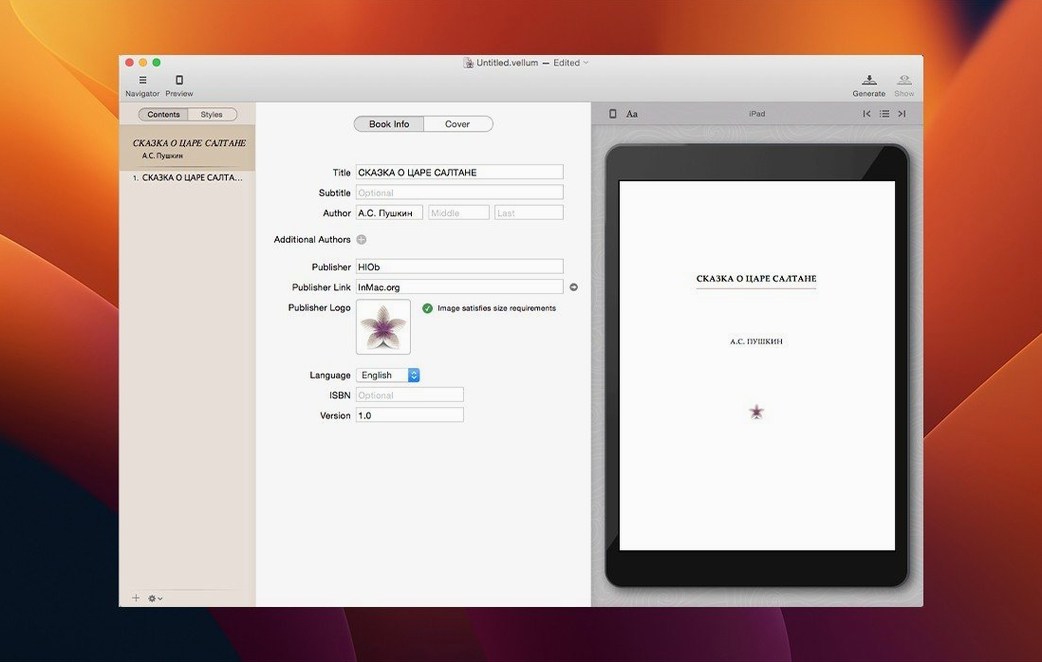
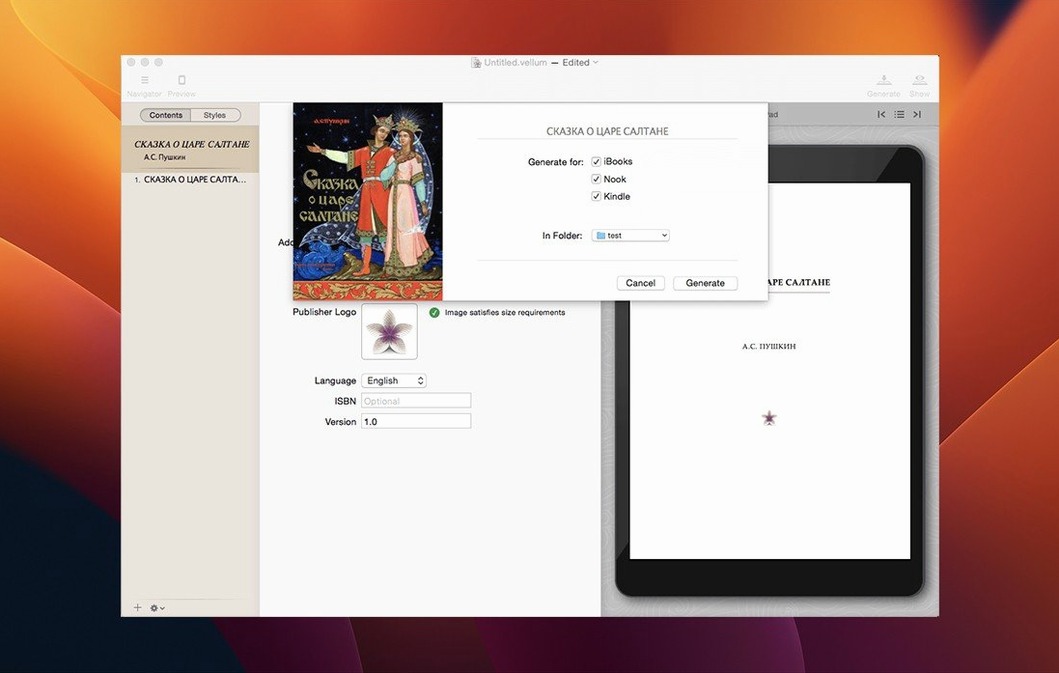
You've just finished a draft in Word or Ulysses and you're ready to see it as a real book. You open Vellum, import the manuscript, pick a style, and suddenly your words look like they belong in a bookstore.
What does Vellum actually do?
It takes a raw manuscript and formats it into professional ebooks for Kindle, Kobo, and Apple Books — plus print-ready PDFs. You can start from scratch too, but most people bring in a finished draft and let Vellum handle the layout.
Bookstore-quality formatting without a designer
Self-published authors who want bookstore-quality formatting without hiring a designer. It suits anyone publishing to multiple platforms who'd rather write than wrestle with styles, margins, and widow control.
What happens after I pick a style?
Vellum applies that style to every chapter — even ones you add later — and you get an instant preview as you edit. When you choose a print trim size, margins, page numbers, headers, and footers adjust automatically.
Can it handle more than one book at a time?
Let me paint a picture. Sarah writes cosy mysteries — three a year, each around seventy thousand words, each destined for Kindle and paperback. She used to spend two days wrestling with Word styles and Calibre conversions after every draft. Now she finishes a manuscript on Thursday evening, drags it into Vellum, and has review copies on her Kindle by Friday lunchtime. The real win isn't speed though; it's that she stops thinking about formatting halfway through chapter one and just reads her own book as a reader would. That shift — from producer to first audience — catches plot holes she'd otherwise miss.
Sarah's setup is dead simple: a MacBook Air, a backup drive, and a folder full of .docx files. She doesn't own an iPad version (there isn't one) and she doesn't need one. The whole job happens on the Mac, and that's exactly where it belongs for this kind of precision work.
Who clicks with Vellum fastest
Three groups, in my observation, feel right at home within an hour:
- Prolific indie authors who publish four or more titles a year. The repeat workflow — import, style, generate — becomes muscle memory. They stop pricing in "formatting time" as a cost and start treating book production like a button press.
- Small-press publishers managing multiple authors and series. Vellum's style system keeps every title in a series visually consistent without manual fiddling. Boxed sets turn three separate projects into one evening's work.
- Writers who hate tinkering — the kind of person who'd rather delete a chapter than debug a heading style. Vellum removes the temptation to procrastinate through over-polishing the layout.
It's less ideal for heavily illustrated textbooks, fixed-layout children's picture books, or anyone who wants pixel-level control over every glyph. The trade-off is deliberate: you accept the app's typographic taste and in return you get speed.
A Tuesday morning session
Here's how a typical pass looks once you know the app.
9:05. Sarah opens Vellum and creates a new project from her finished manuscript. She drags the .docx onto the left sidebar and watches the chapter list populate — each scene break already detected, no manual splitting needed.
9:07. She picks Book Style > Classic. The preview window on the right redraws immediately. She flips through the first three chapters, checking that drop caps landed where she expected and that the scene-break ornaments feel right for the cosy tone. One chapter heading feels too cramped; she toggles a different ornament in the style inspector and moves on.
9:15. She opens the copyright page editor built into Vellum and pastes her standard block — ISBN, edition note, the usual disclaimer. She adds a dedication from a text snippet she keeps in Notes. No hunting for templates, no copying from last year's project.
9:20. She switches to print mode and sets the trim size to 5×8 inches. Vellum recalculates margins, page numbers, and running headers across the entire book. She scrolls through a few chapters and catches a widow — a lone word dangling at the top of a page. She nudges the paragraph spacing up by a point globally and watches the reflow settle the problem.
9:30. She generates three files: Kindle .mobi, Kobo .epub, and a print PDF. While those write to her desktop, she opens the Kindle Previewer and the Mac's Books app side by side, loads the files, and does a quick visual check. One chapter's title sits slightly higher on the Kindle simulation than she'd like. Back in Vellum, she adjusts the chapter heading spacing for ebook output only, regenerates the Kindle file, and confirms the fix.
9:45. She drags the finished files into her "To Upload" folder, marks the project as complete, and writes herself a one-line note about which style variant she used — handy when she starts book two in the series next month.
Forty minutes, start to upload-ready. Not because she rushed, but because nothing in the tool fought her.
Yes. You can bundle multiple books into a boxed set and generate ebook and print editions side by side from the same project.
Vellum 4.1.7 is here with the developer's latest round of fixes and polish.
- macOS 11 or later
- Intel 64-bit
Questions people ask
Can I preview what my book will look like on different devices?
Absolutely. Vellum includes a preview mode that shows how your book will appear on various Kindle, Kobo, and Apple Books devices, plus what it'll look like in print.
Does Vellum work with print editions too?
Yes. Once you select a trim size, it handles headers, footers, and page numbers for you, and you can generate ebook and print editions from the same project.
Also on readers' docks
Sign in or create an account to leave a comment.
No comments yet. Tell me how it got on with your other devices.