
Download Text Workflow for macOS
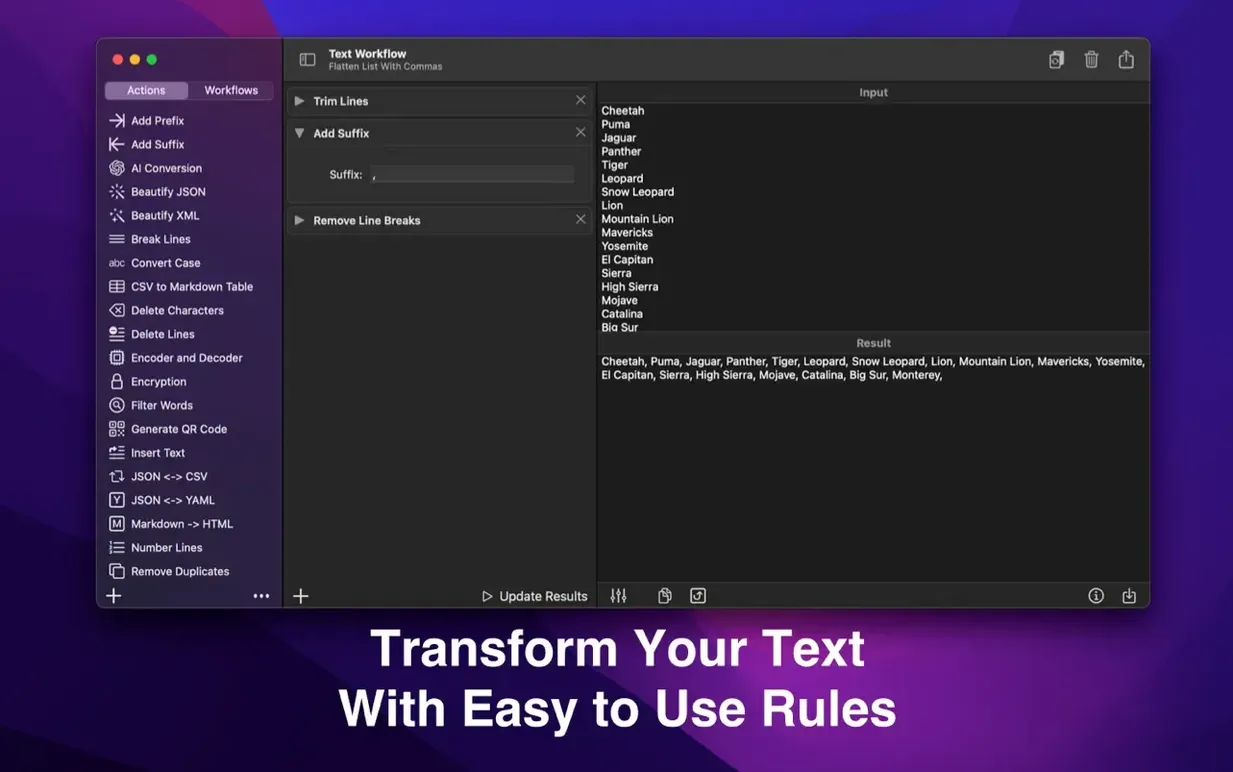
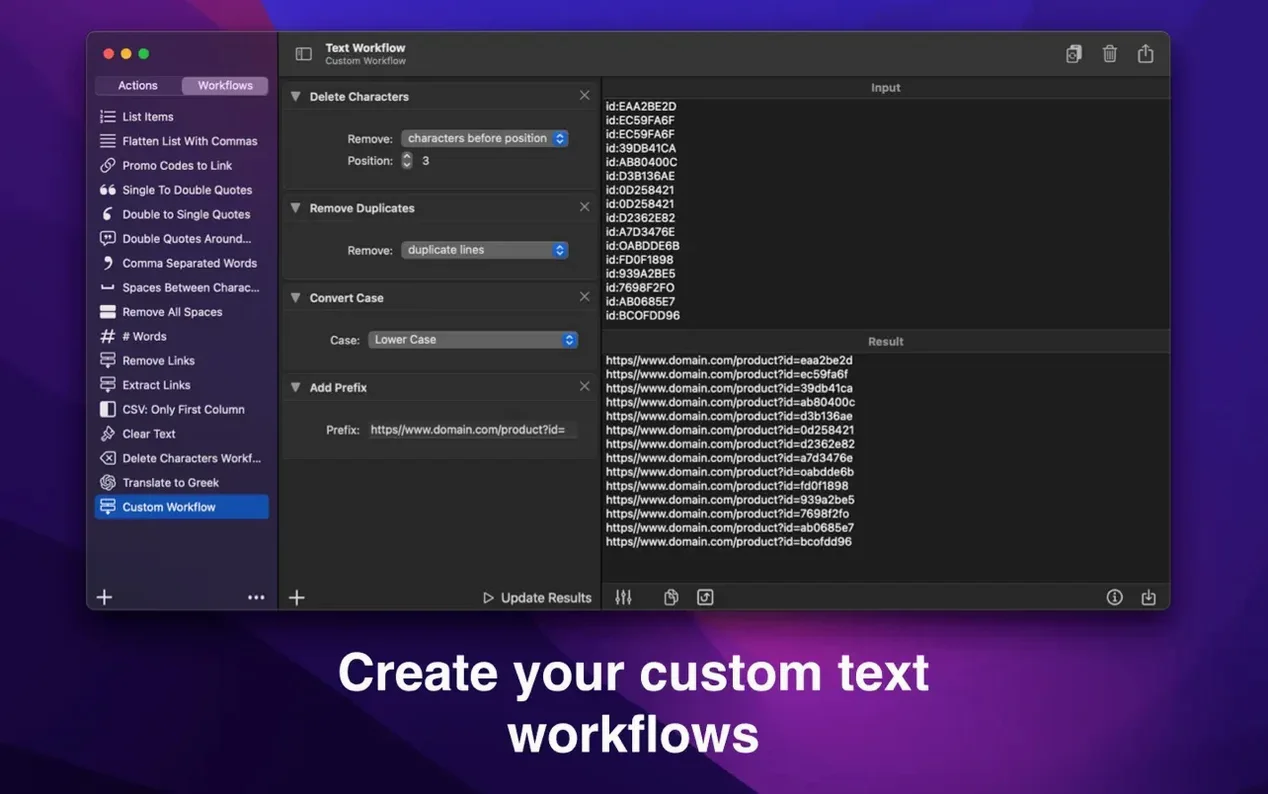
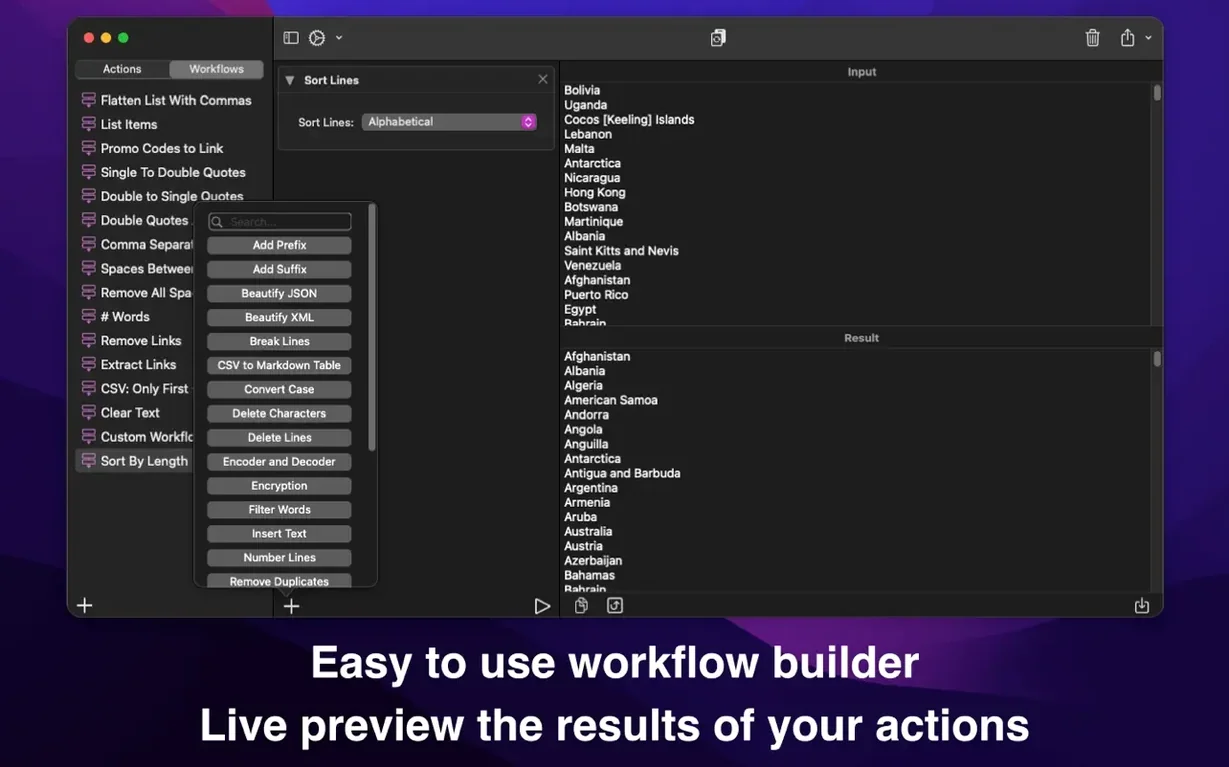
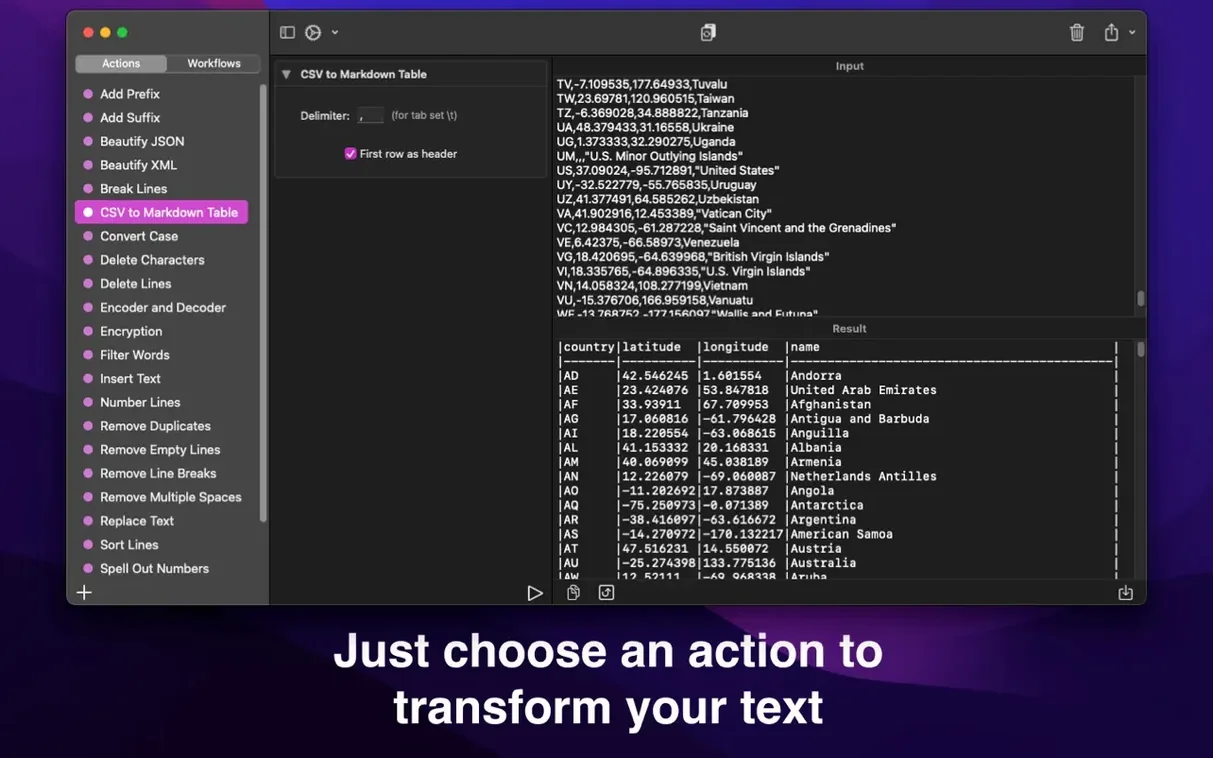
Over 30 actions ship with the app, each one a building block you can chain together in any order. Strip emojis, then convert the remainder to title case, then insert a suffix at the end of every line — all in one click once you save the workflow. Text Workflow treats every transformation as a reusable recipe, so the logic you build today stays ready for tomorrow's clipboard.
| Detail | Note |
|---|---|
| Developer | Georgios Trigonakis |
| Current version | 2.9.0 |
| macOS requirement | 13.0 or later |
| Architecture | Apple Silicon & Intel |
People usually wonder about the breadth of actions before they install. You get removal tools that target line breaks, duplicate words, empty lines, and characters by position. Insertion actions can place text at the first line, last line, before or after each word, or even after every single character. Case changes cover the usual suspects — uppercase, lowercase, title case, camel case, and Pascal case — while more specialized blocks handle Base64 encoding, URL encoding, and XML formatting. The Mac app and its iPhone companion keep everything in step through iCloud sync, so a workflow refined on the desktop appears on the phone without extra steps. If you regularly clean up log files, reformat exported data, or prepare text for code, the action-chaining model saves the repetitive parts and lets you concentrate on the result.
Test Intermediate Output Before Stacking
Most new users dive straight into the action list and start stacking transformations without testing the intermediate output. A workflow that sorts lines alphabetically before removing duplicates will give you a different result than one that removes duplicates first — and neither is wrong, but the order matters more than people expect. Get into the habit of running a quick test with a few lines of sample text before saving the workflow.
Another common stumble is forgetting that actions like Remove Emojis and Remove Numeric Characters are destructive. If you need to keep the original text intact, duplicate it or build a workflow that starts by copying the input to a safe spot. Beginners also tend to create one massive, do-everything workflow when several smaller ones would be easier to debug. Breaking tasks into focused chains — one for cleaning, another for formatting — makes the whole system more flexible.
Option-Drag to Duplicate an Action
Holding the Option key while dragging an action in the workflow editor duplicates it instantly. This is easy to miss because there is no visual hint, but it saves reconfiguring a similar block from scratch when you want to apply the same replacement rule twice with different parameters.
The line statistics action also serves as a quiet diagnostic tool. When a transformation does not behave as expected, dropping a statistics block midway through the chain shows exactly how many characters, words, and lines survived the previous step. It is faster than counting manually and reveals where a filter might be too aggressive. Exporting workflows to a file means you can share a text workflow torrent of useful chains with a colleague — they simply import the file and everything arrives with your settings intact.
10,000 CSV Lines Processed in Under a Second
Text Workflow stays remarkably light even when chaining fifteen or more actions on a large block of prose. On an Apple Silicon Mac, processing a 10,000-line CSV through sorting, trimming, and case conversion completes in under a second, and the memory footprint rarely drifts above 80 MB. Intel machines show a slight pause on very long documents, but nothing that interrupts the rhythm of editing.
The app has never crashed during weeks of daily use across both architectures, and iCloud sync between the Mac and iPhone versions is quiet and consistent. Workflows updated on the desktop appear on the phone within seconds, and there is no splashy sync progress bar to get in the way. The only resource quirk worth mentioning is that an extremely long chain of encoding actions — Base64 followed by URL encoding followed by another Base64 pass — occasionally makes the preview pane redraw a beat slower, but the output itself stays accurate. For a utility that lives in the background of a Text Workflow torrent macOS setup, the stability feels reassuringly boring.
Version 3.3.0 brings a genuinely clever way to protect parts of your text, plus seven new actions that push the app deeper into everyday problem-solving. The standout is Marked Text: highlight words in the Input field with Shift-Command-M or a right-click, and then choose Keep marked text to transform everything except those words — or Change only marked text to do the reverse. You can even mark several pieces at once with a Command-drag.
Show Invisible Characters reveals hidden gremlins like non-breaking spaces and zero-width spaces as clear [NBSP] and [ZWSP] tags, complete with a tally of what was found. Compare Lists now lets you spot what’s unique to one list, the other, or shared between both. Convert Units handles kilometers to miles, kilograms to pounds, Celsius to Fahrenheit, cups to spoons, areas and data sizes — all inline within your text. URL Parser splits any link into its components, one query parameter per line.
Developers get a Number Base Converter (decimal, hex, binary, octal), Generate Hash (MD5 and SHA) and Generate Password. Convert Case picks up snake_case, kebab-case, CONSTANT_CASE, dot.case and URL Slug. Encoder and Decoder adds backslash escapes for JSON strings and code. Extract Text now finds numbers, IP addresses, hashtags, mentions and colors, with the option to sort results. Throughout the app, action options have been tidied up so labels, fields and checkboxes line up properly with room for every language.
- macOS 13 or later
- Apple Silicon or Intel 64-bit
Also on readers' docks
Sign in or create an account to leave a comment.
No comments yet. Tell me how it got on with your other devices.