








Download CHM Viewer Star for macOS
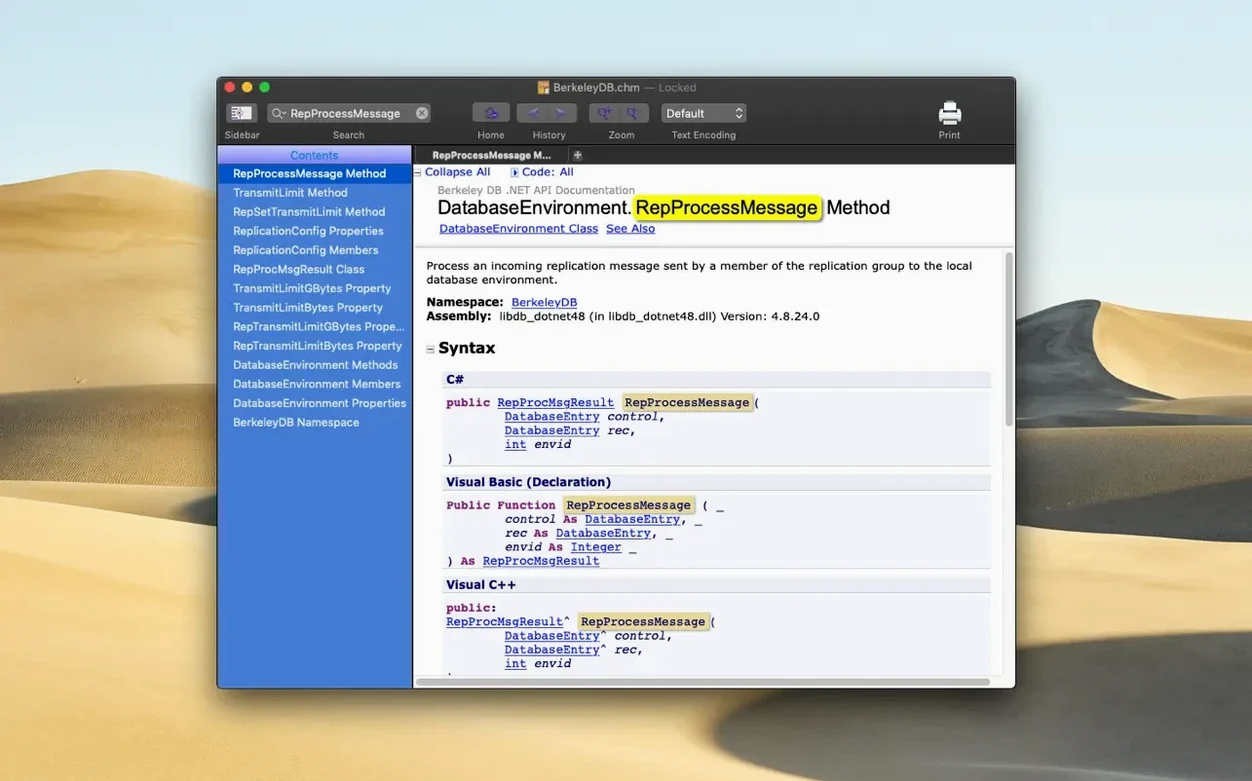
CHM Viewer Star 6.3.6 doesn't add flashy new features — it refines the tools an experienced CHM reader actually uses. The app keeps printing the currently viewed topic, so you can grab a physical copy of that help page without exporting. Fullscreen mode (available on OS 10.9 and later) lets you focus on the content, not the chrome. And the back/forward navigation works exactly as you'd expect, making it easy to hop between linked topics.
What the experienced user gets
- Search within a file — find the exact phrase in a dense help manual
- Print the current topic, not the whole file
- Fullscreen mode for distraction-free reading
- Back and forward navigation that remembers your trail
A reader that stays out of the way
CHM Viewer Star is built for one job: opening CHM files and letting you move through them quickly. There's no library, no conversion, no extra clutter. It's a tool you launch when you need to read a help file and close when you're done. For anyone who works with old Windows help files or downloaded manuals on a Mac, that's exactly the right approach.
The rare CHM reader with a living alternative in xCHM
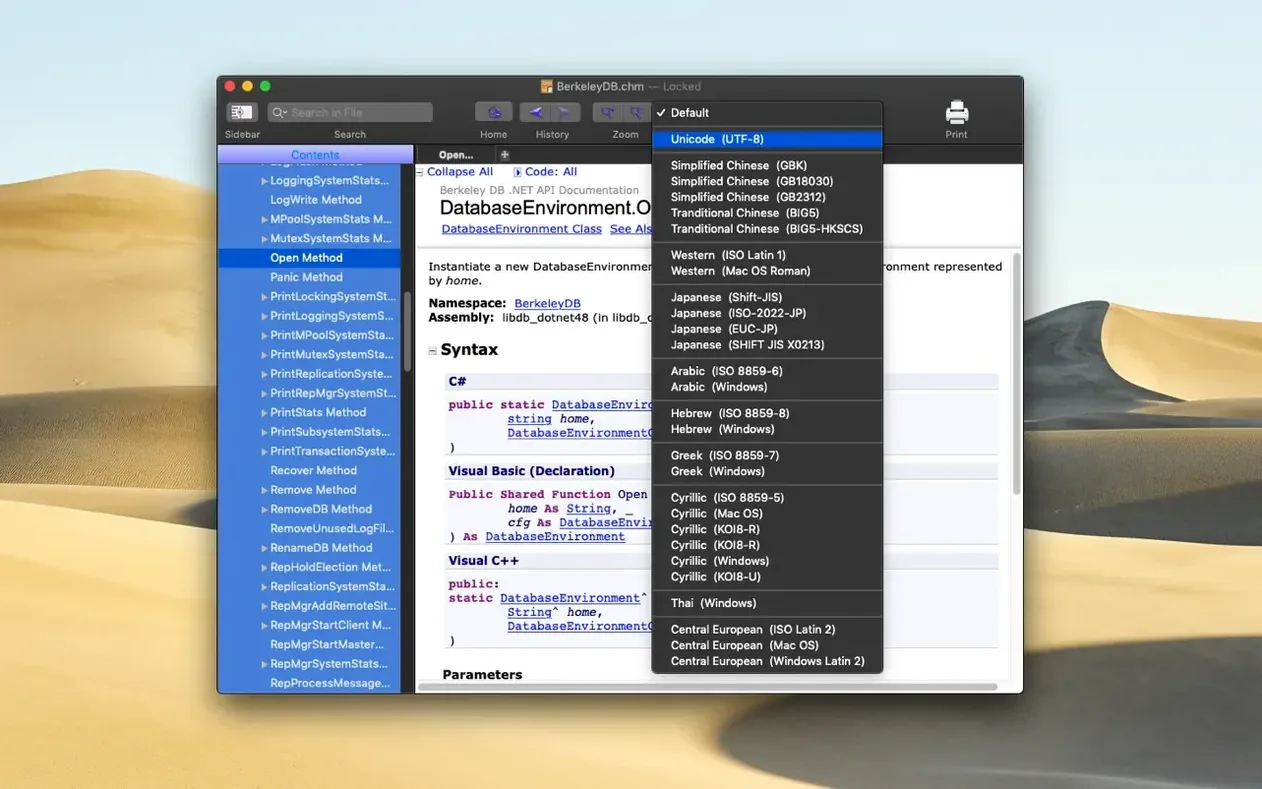
There aren't many CHM readers left on the Mac, so the ones that exist get compared a lot. xCHM is the most common alternative — it's open source and has been around forever. But it hasn't seen real updates in years, and on recent macOS versions it can be sluggish, especially with large files. CHM Viewer Star opens the same files noticeably faster, and the search feels snappier. It also handles non-English character encoding better, which matters if your CHM files come from older or multilingual software.
Another option is iCHM, which takes a more visual approach — it tries to present CHM files like a modern ebook reader, with a cover view and a library. That's nice if you collect manuals, but it adds overhead. iCHM also struggles with some older CHM files that use unusual encoding or broken table of contents. CHM Viewer Star is more forgiving there. It doesn't try to be pretty; it just shows the content as the file intended. For someone who needs a CHM Viewer Star Mac torrent download and just wants the file to work, that reliability wins.
A typical session: reading a PHP manual from 2008
I had an old CHM file — the PHP manual from way back when, saved from a long-gone Windows machine. Double-clicking it didn't work on macOS (Finder just shrugged), so I launched CHM Viewer Star. I dragged the file onto the window, and the table of contents appeared in a sidebar on the left. The main pane showed the welcome topic, plain and readable at the default size.
I wanted a specific function — preg_match — so I pressed Command+F and typed it. The find box popped up immediately, no delay. Results highlighted in the page, and I could arrow through them. I bookmarked the page (the little star icon in the toolbar), then clicked through to a few related topics on string patterns. The back button took me right to the bookmark. I zoomed in a notch (View > Zoom In, or just pressed Command++) to make the code samples clearer. After maybe ten minutes of poking around, I closed the app. It opened in under a second, used very little RAM, and left no lingering processes behind.
Instant launches and smooth scrolling through 20 MB help files
CHM Viewer Star is lightweight in a way that modern Mac apps rarely are. It launches instantly — not the "spinning beachball for a few seconds" kind of instant, but genuinely ready to go. I've thrown a couple of older CHM files at it that other readers choked on (broken links, missing CSS, garbled headers), and it opened them without complaint. The text wasn't always perfectly styled, but it was always readable.
It also doesn't phone home or run background updaters — it's a standalone tool that stays out of your way. For anyone who keeps a handful of old technical manuals around, CHM Viewer Star is the kind of reliable reader you forget you're using, which is the best compliment you can give a utility.
- macOS OS X 10.7 or later
- Intel or Apple Silicon
Questions people ask
Can I print a single topic from a CHM file?
Yes, the app can print the currently viewed topic, so you don't have to print the entire file.
Does CHM Viewer Star support fullscreen mode?
Yes, fullscreen mode is supported on macOS 10.9 and later.
Can I search for text inside a CHM file?
Yes, the app includes search within a file, so you can find specific phrases quickly.
Also on readers' docks
Sign in or create an account to leave a comment.
No comments yet. Tell me how it got on with your other devices.