Download Traktor Pro for macOS
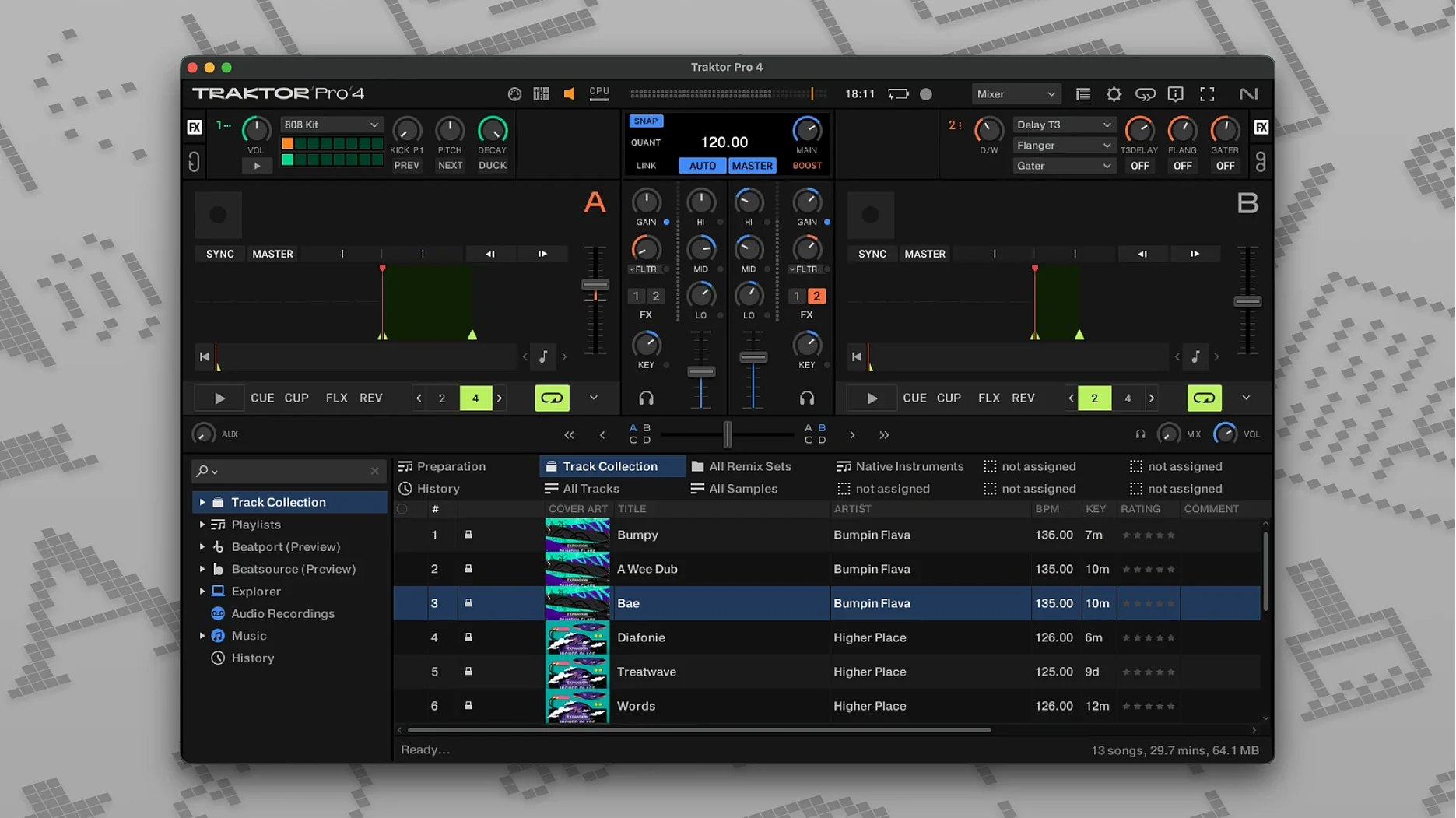
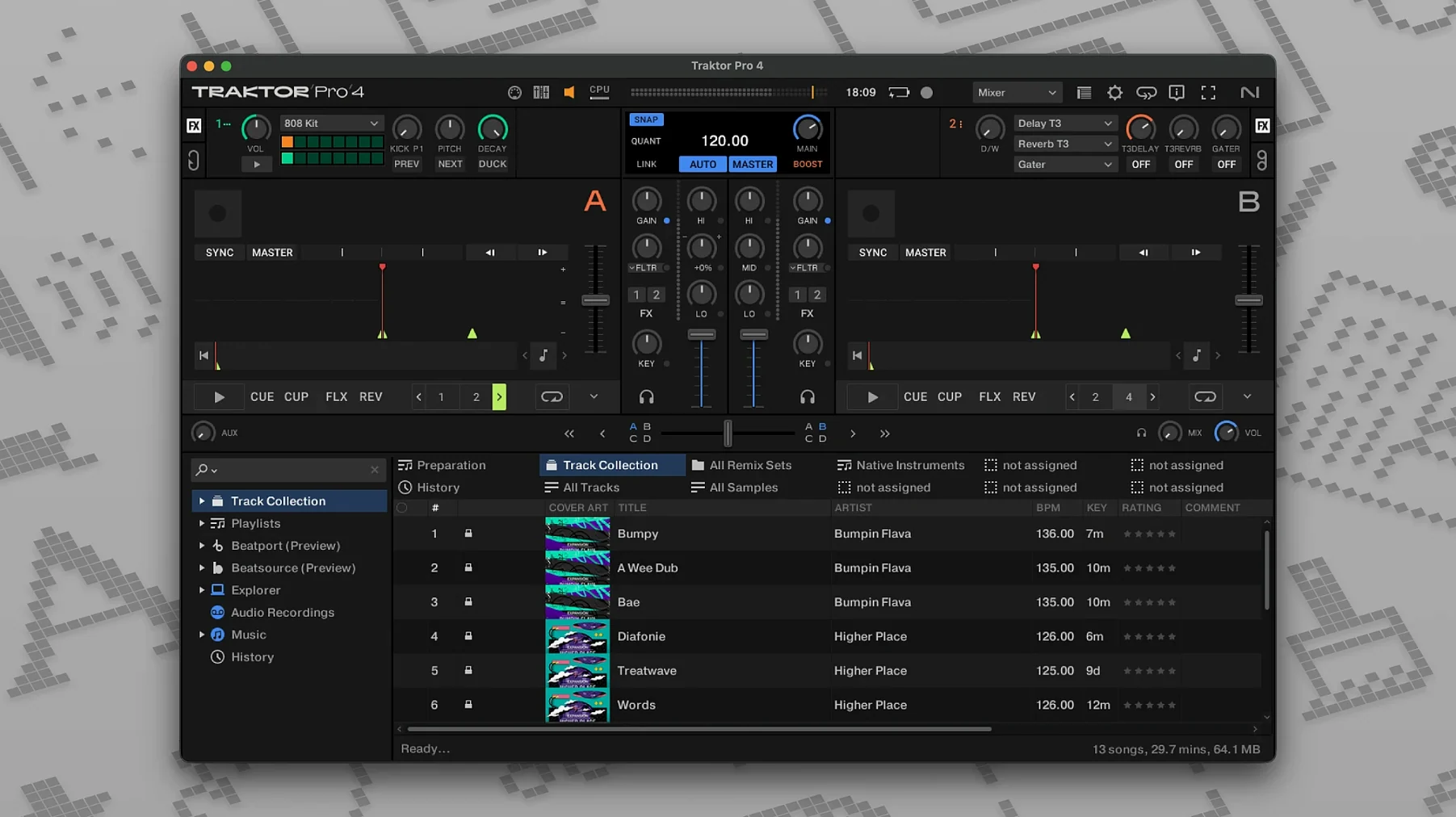
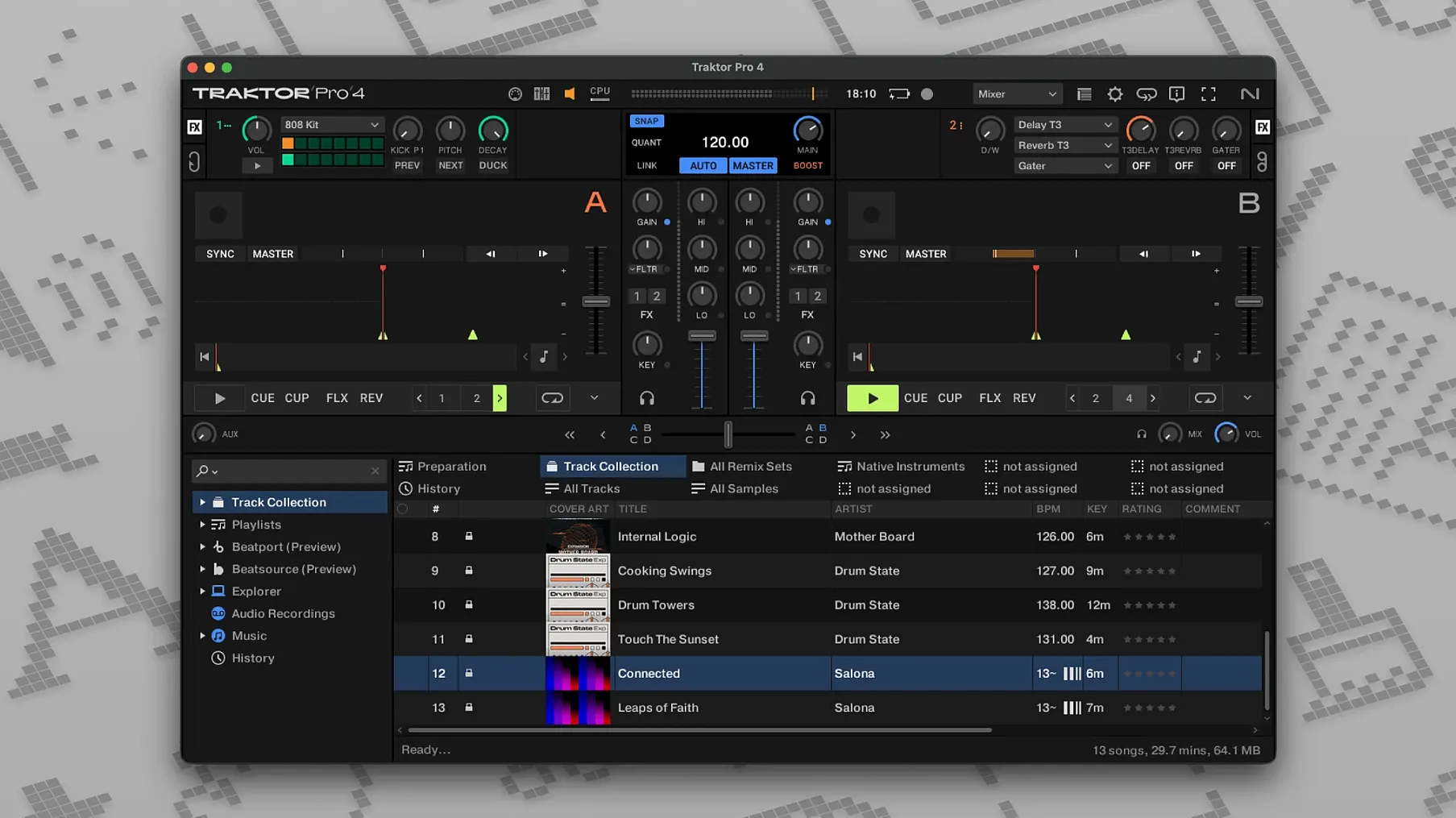
Late afternoon in a loft apartment. You've pulled a handful of tracks into Traktor Pro 4, headphones on, ready to stitch a set together without leaving the Mac. The four-deck layout feels familiar the moment you drop a beat on Deck A.
Building a set across four decks
- Load your tracks. Drag a kick-heavy house track onto Deck A and a stripped-back vocal cut onto Deck B. The waveforms snap into view, clear enough to spot the breakdowns at a glance.
- Mix with Stems. Switch Deck B to a Stem Deck. Isolate the vocal and keys, then bring them in over Deck A's percussion. The separation stays musical — no watery artefacts sneaking through.
- Add texture on Deck C. Load a Remix Deck with one-shot snares and a filtered loop. Trigger them live while riding the channel faders. Everything responds to a connected MIDI controller, or you can map a custom layout to a mixer you already own.
- Bring in a live input. Route an external synth through the Live Input deck. Traktor treats it like a fourth deck, so you can apply FX, nudge the tempo, or reverse playback mid-phrase.
- Capture the mix. Hit record. The software writes the whole set as a WAV or AIFF file, ready to share or master later.
Traktor Pro 4 thrives when you treat it as a hardware mixer's brain. The four decks cover classic blending, stem manipulation, remix triggering, and live instruments without forcing you into one workflow. It feels built for DJs who want the Mac to disappear and the music to take over.
How Traktor Pro 4 fits into a wider Mac workflow
Traktor isn't an island. The moment you start treating it as part of a larger audio ecosystem, things get interesting. I keep a folder in the Finder called "Set Prep" where I dump WAV exports, and macOS tags make it easy to pull up last weekend's recordings with a quick Spotlight search. The app writes standard AIFF and WAV files, so dragging a finished mix into Logic Pro for light mastering — or dropping it into a podcast template in GarageBand — works without a conversion step.
What catches my eye is how OSC and MIDI Clock support opens doors to companion software. You can clock-sync a drum machine app or a visual generator running on the same Mac, and the transport stays tight. If you use Ableton Link-aware tools, Traktor slots into a tempo-synced setup where every device follows the leader. I've seen producers route individual Stem Deck channels into a DAW via virtual audio buses — kick on one track, vocals on another — then record a live remix directly into a multitrack session. It's the sort of cross-app choreography that turns a DJ set into a production session.
On the hardware side, Traktor Pro 4 plays nicely with aggregate audio devices you've already configured in Audio MIDI Setup. If you run an external interface alongside a Traktor Kontrol controller, macOS sees both as a single sound card, and the app routes audio accordingly. That means you can cue through one output pair while the main mix hits a PA via another, all without touching extra routing software.
Who clicks with Traktor Pro 4 — and why
Not everyone needs four decks and stem separation, and that's precisely the point. The DJ who gets the most mileage from Traktor Pro 4 already has a habit: maybe they've been building sets in traktor 3 mac for years and want the step up, or they're coming from a simpler two-deck app and feel the walls closing in. A wedding DJ who just needs crossfades won't feel the pull. But a club resident who builds tension with acapella drops, or a live-streamer who juggles loops and one-shots on the fly, will live inside the Stem and Remix Decks.
I also see a sweet spot for producers who moonlight as performers. If you already sketch ideas in a DAW during the week, pulling those stems into a Stem Deck on Saturday night feels like the natural next step. You're not just playing tracks — you're re-performing parts of your own productions. The custom mapping crowd fits here too. Someone who's used traktor pro 2 mac with a boutique MIDI controller and a lovingly hand-edited TSI file will appreciate that the mapping engine hasn't been dumbed down. Old habits transfer forward.
Beatport streaming integration tips the scale for open-format DJs who need to pull a request they don't own. Type a track name, stream it into a deck, and mix it in. No local library management required. It's a pragmatic feature that makes the app feel ready for unpredictable gigs.
A Wednesday evening session, start to finish
I pour a coffee around 7 p.m. and open Traktor Pro 4 on a MacBook Pro. The library browser shows tracks sorted by import date, and I pull a deep house cut I grabbed that morning onto Deck A. The waveform renders instantly — the app analyzed it on import, so BPM and key are already locked in.
On Deck B I load a percussion-heavy track and switch the deck type to Stem Deck. A few seconds of processing, and the four stem faders appear: drums, bass, instruments, vocals. I kill the bass on Deck B and bring the remaining stems in over Deck A's low end. It sounds like a mashup I'd spend an hour preparing, but I did it in thirty seconds.
Deck C gets a Remix Deck with a handful of samples I captured from old records — a rimshot, a filtered noise sweep, a short vocal chop. I trigger them with keyboard shortcuts while adjusting Deck A's filter knob on the screen. Deck D stays in Live Input mode, taking a feed from a small hardware synth on the desk. I twist the synth's cutoff while Traktor applies a reverb and a beatmasher effect in time with the master clock.
Around 7:45 p.m. I hit record. The set runs twenty minutes, and when I stop the transport, Traktor saves a single WAV file to a folder I've set up for weekly archives. I trim the silence in QuickTime Player, add a title in the ID3 tag editor right inside Traktor, and drop the file into a shared iCloud folder for a friend to hear. The whole session — from loading the first track to sharing the result — fits inside an hour.
First days with Traktor Pro 4: practical moves
When you first open the app, resist the urge to tweak everything. Pick one layout preset that matches your screen size and stick with it for a few sessions. You can rearrange panels later, but starting with the default four-deck layout gives you a clean baseline to learn where the transport controls and FX units sit.
Import a batch of tracks early and let Traktor analyze them in the background. The grid detection is solid, but I always check tracks with tempo shifts — live drummers confuse beatgrids, and a quick manual adjustment saves a trainwreck mid-set. Hold Cmd and drag the grid markers if something feels off.
If you own a hardware controller, load a factory mapping first before building your own. Even if you plan to craft a custom setup, understanding how Native Instruments thinks about knob assignments will make your own mapping more intuitive. The Controller Manager looks dense at first, but the learn function — click a parameter, twist a knob — works reliably.
Sort out your recording path straight away. Choose a dedicated folder and set the file format to WAV for full quality or AIFF if you want metadata embedded from the start. Nothing worse than recording a set you love and hunting through the Music folder to find it.
Finally, try the Stem Deck on familiar material before you play out. Drag in a track you know inside out — something you've mixed a hundred times — and listen to how the separation handles the bassline. Every track behaves a little differently, and learning where the algorithm shines (clean electronic productions) versus where it gets creative (busy rock mixes) will shape when you reach for that feature in a live set.
- macOS 12 or later
- Apple Silicon or Intel Mac
Questions people ask
Can Traktor Pro 4 record my mix?
Yes, you can capture the full performance directly inside the app and export it as a WAV or AIFF file.
What deck types does Traktor Pro 4 support?
It supports Track Deck, Stem Deck, Remix Deck, and Live Input deck types across four virtual decks.
Also on readers' docks
Sign in or create an account to leave a comment.
No comments yet. Tell me how it got on with your other devices.