
Download Steinberg Nuendo for macOS
Version 15.0.30 lands with a quiet but welcome set of polish passes. The Comp Tool plays nicer with grouped tracks, folder routing logic got a rethink, and the Multiband Envelope Shaper no longer drags its feet when bypassed. Less visible, but just as real: Direct Offline Processing finally draws its interface correctly for VST Bass Amp and VST Amp Rack plug-ins. It’s a maintenance build that tightens the bolts on a machine built for dialogue editing and post-production speed.
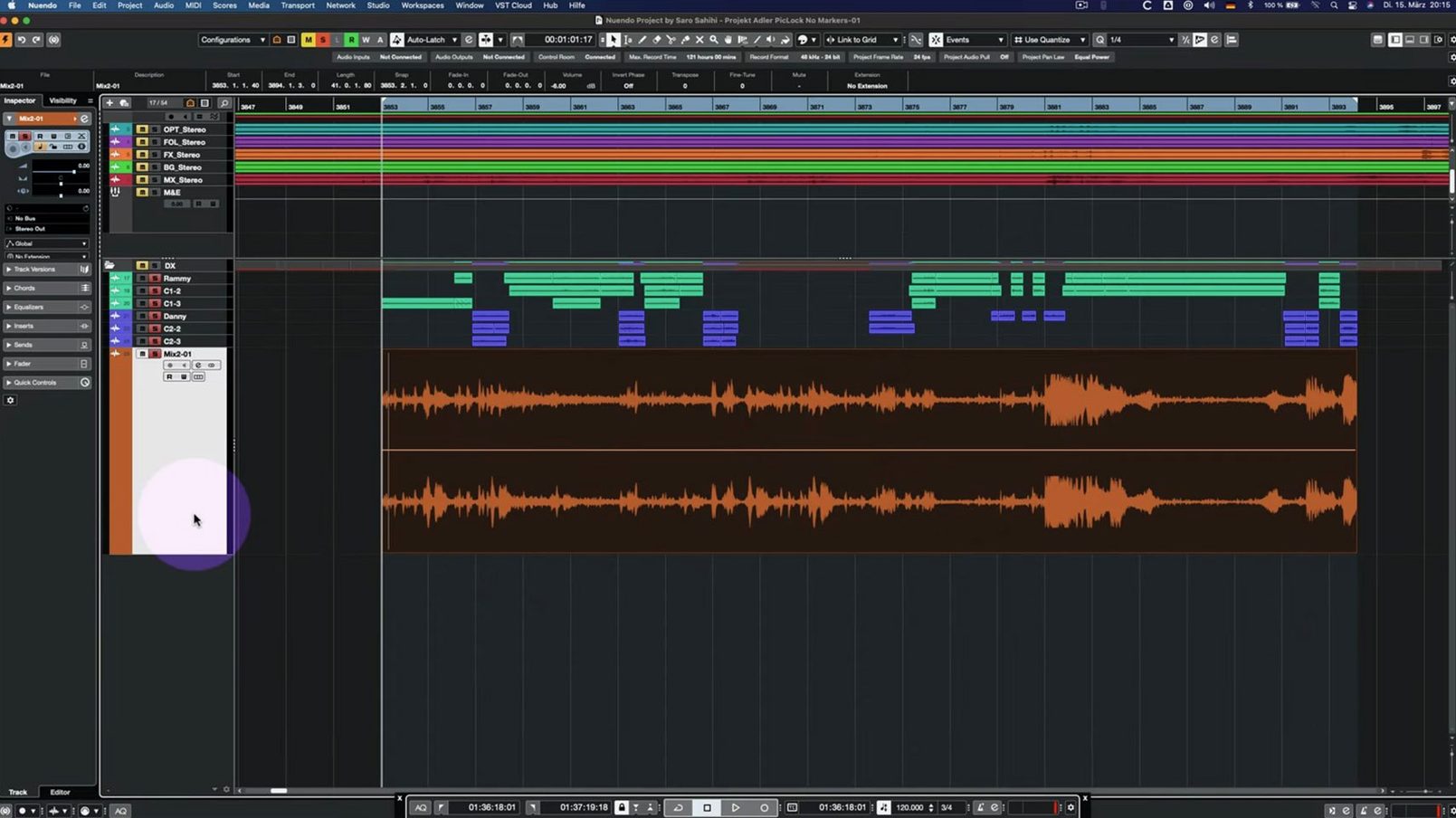
- Dialogue assembly. Pull in AAFs from a picture editor, strip silence, and line up production audio. Nuendo’s editing lanes and Comp Tool with group editing make conforming reels feel less like spreadsheet work.
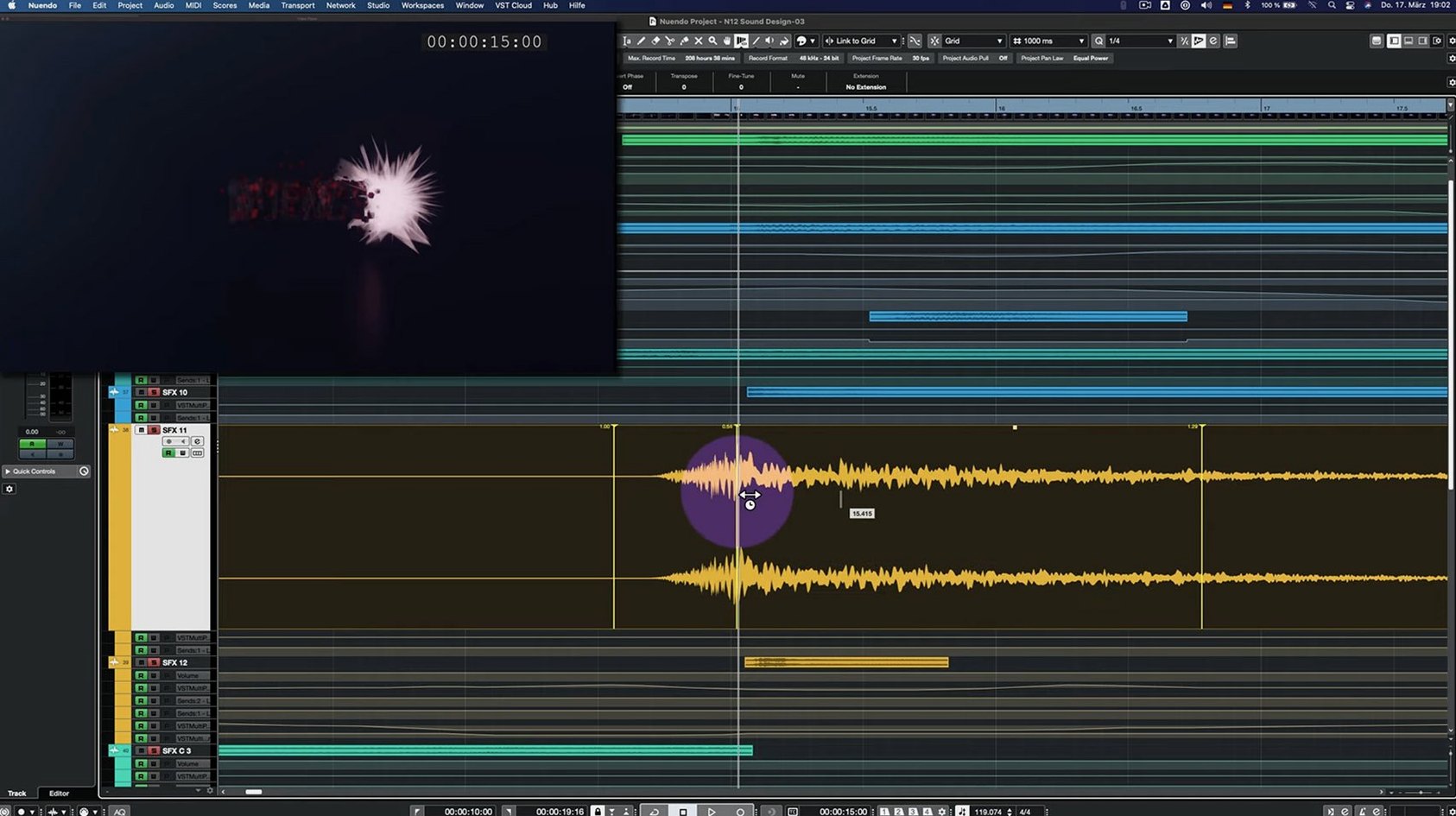
- Spotting and sound design. Build ambiences and spot effects while picture runs in sync. The Analyzer panel helps match tonal balance across scenes without leaving the timeline.
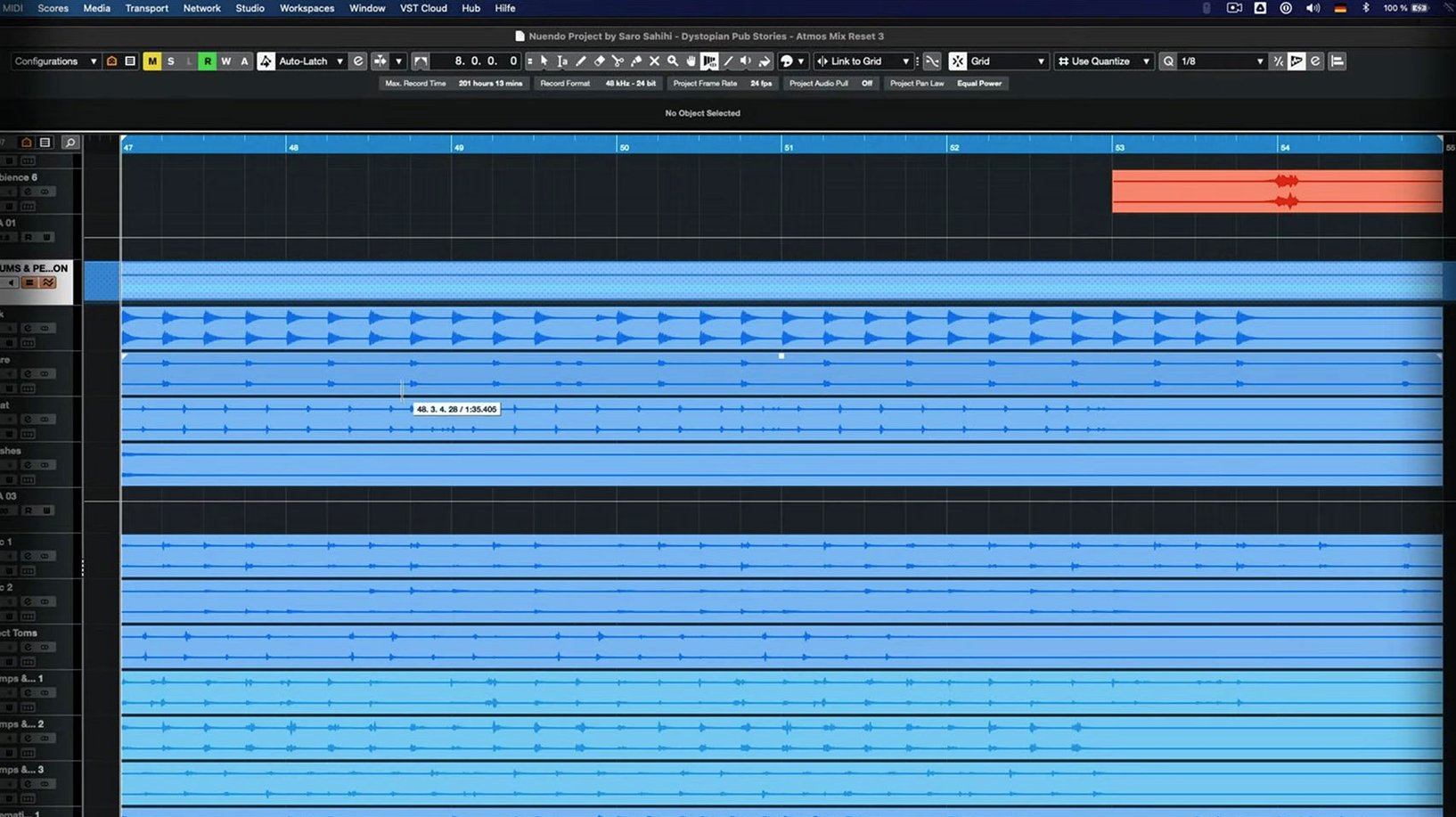
- Immersive panning. Place sounds in 3D space — beds and objects — for Dolby Atmos or Ambisonics deliverables. The integrated renderer means your Mac handles it without extra hardware.
- Mix prep and delivery. Route dialogue, music, and effects stems through Group Channels, print loudness-compliant mixes, and export ADM files alongside traditional surround stems.
On a Mac, Nuendo sits alongside tools like DaVinci Resolve and Logic Pro without feeling redundant. It’s the focused post-production hub — the place where picture-locked timelines, ADR cues, and 3D audio beds all meet. The 15.0.30 release doesn’t rewrite the playbook, but it keeps the engine running smoothly on Apple Silicon and Intel Macs alike.
Dialogue Editing Sprint — A Real-World Walkthrough
Let me sketch a session I ran last week. Picture-locked indie feature, 90 minutes, production audio from a noisy set. The brief: clean dialogue, match lav and boom perspectives, and prep for a review with the director in two days.
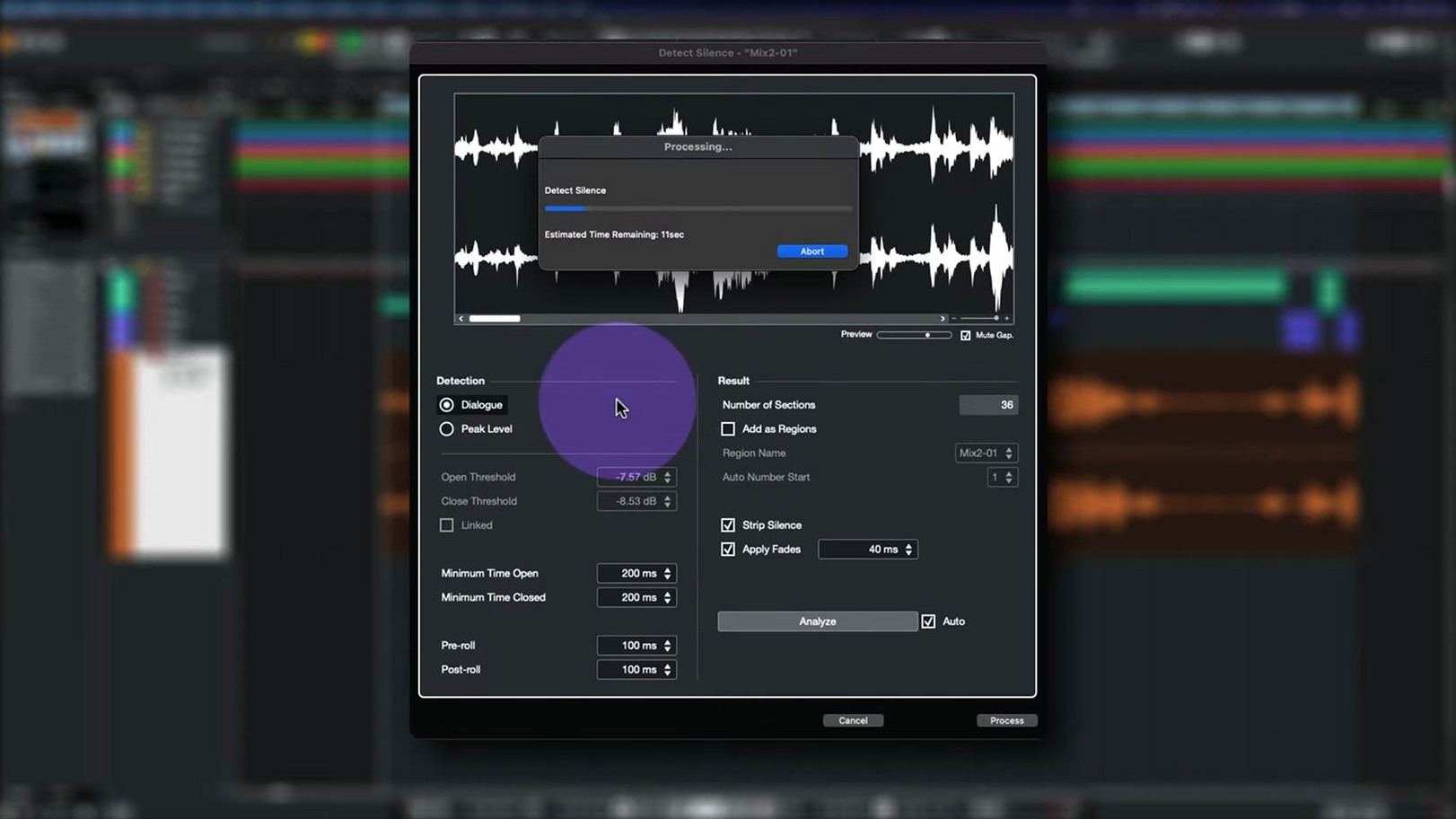
I started by importing the AAF from Resolve. Nuendo's import dialogue let me choose which tracks to pull and whether to copy media into the project folder — I always copy. Once the timeline populated, I hit the first real task: stripping silence. I selected all dialogue tracks and opened the Detect Silence dialogue. A threshold around -45 dB caught the breaths and room tone gaps without chopping quiet syllables. Nuendo sliced the events, added fades automatically, and suddenly three hundred clips became manageable.
Next, perspective matching. The boom had a fuller low end, the lavs were thin but present. I dropped the Analyzer onto each track via the Analyzer track routing — the 15.0.30 update smoothed out exactly this workflow — and ran pink noise through both chains to see the difference. A gentle EQ shelf on the lav group brought them into the same neighborhood. The beauty is not having to open a separate plug-in window for analysis; it lives right in the mixer.
Then the Comp Tool. I grouped the boom and lav tracks for the lead actor, enabled Group Editing, and started cycling through takes. Clicking a take on the boom lane and hearing it instantly while the grouped lanes stayed in sync felt fluid — no accidental misalignments, no orphaned fades. The fix in 15.0.30 for the Comp Tool with Group Editing is subtle, but when you work fast, you notice that multi-track comps hold together where earlier builds could slip.
ADR spotting came next. I dropped markers at every line where the production audio had wind or fabric rustle, exported a CSV, and sent it to the post supervisor. The whole edit, from AAF to rough dialogue premix, clocked five hours of focused work. Nuendo stayed responsive throughout, even with video running on a second display.
What the 15.0.30 Polish Actually Changed Day-to-Day
The release notes call it "many fixes and enhancements," and the practical impact shows in a handful of moments that used to trip you up. Here's what I noticed after a week of mixing and editing on the update.
- Folder tracks with Group Channel routing no longer fight their own assignments. In earlier v15 builds, re-routing a folder that was already acting as a Group Channel could leave the routing matrix in a confused state — meters would show signal, but the audio path was broken. 15.0.30 cleans that up. You can repurpose a folder from FX returns to stem buses mid-session without rebuilding routing.
- Track archives import with settings intact. Dragging archived tracks into a project used to sometimes drop custom crossfade presets or clip gain envelopes. After the update, my dialogue chain presets — EQ, de-esser, compressor order — come back exactly as saved, which shaves minutes off template setup.
- Quick Link and MIDI ports behave predictably. When linking transport controls to external MIDI devices, port assignments no longer duplicate or vanish after a project reload. If you use a hardware controller for scrubbing and punch-ins, you'll feel the difference.
- Score Editor doesn't freeze on locked global tracks. Open a project with a locked tempo track and enter the Score Editor — previously a gamble. Now it opens clean.
- Multiband Envelope Shaper bypass is genuinely bypassed. Not a glamorous fix, but if you stack plug-ins on a dialogue bus, a bypassed processor sucking CPU cycles adds up. The optimization means bypass actually means bypass, and your session breathes easier.
Option-Drag Tweaks a Fade Curve Instantly
Some of Nuendo's best helpers don't announce themselves. After a few years of daily use, I still stumble on shortcuts that change a workflow.
- Hold Option while dragging a fade handle and the fade curve switches from the default to an S-curve — ideal for room tone transitions where linear fades feel abrupt.
- Right-click any routing button in the mixer and you get a full matrix overlay without opening a separate window. It's been there for versions, but half the editors I know never found it.
- The Direct Offline Processing window remembers your last chain. After the 15.0.30 interface fix for VST Bass Amp, I started using it more for quick dialogue processing — apply a chain of RX modules and Nuendo renders them in place, no real-time plug-in overhead. You can audition against the unprocessed clip with a single keystroke.
- Drag an audio event upward past the track header and Nuendo creates a new track automatically, copying the event's routing. Useful when splitting lav and boom sources during conform.
- The Analyzer track can follow your selection. In the Analyzer panel, enable "Follow Selection" and it shows the spectrum of whatever clip or track you click — no need to manually reassign the source each time you switch context.
120-Track Feature Plays Back Smoothly on Apple Silicon
On an Apple Silicon machine, Nuendo 15.0.30 launches in under eight seconds on my setup, and a 90-minute feature with 120 tracks of audio, video playback, and a dozen instances of the Multiband Envelope Shaper sits comfortably in memory. CPU usage hovers around 30 percent during playback with a moderate plug-in load. When I push harder — say, real-time Dolby Atmos rendering with object panning — the fans stay quiet and the transport doesn't stutter.
Intel Macs feel the weight more. The same session on a 2019 MacBook Pro runs hotter and spikes closer to 60 percent CPU, but the 15.0.30 optimization for bypassed plug-ins helps. I can run larger post sessions on Apple Silicon without freezing tracks, which keeps the creative flow from breaking down into technical pauses.
Stability-wise, the update addresses a handful of crash triggers that used to lurk in the Comp Tool and Score Editor workflows. In two weeks of daily use, I've had one unexpected quit — and it happened when I tried to instantiate a third-party plug-in that hadn't been updated for macOS 14, not a Nuendo issue. Autosave caught everything, and I was back in thirty seconds.
For post-production teams juggling tight deadlines, that kind of reliability matters more than flashy new features. The 15.0.30 build feels like a version that earns its place on a working machine — the kind you trust before a client review.
Nuendo 15.0.30 focuses on fixes and performance optimization across several areas:
- Analyzer track changes added.
- Folder track routing and Group Channel behavior updated.
- Imported track settings and track archive handling improved.
- Quick Link and MIDI port or channel behavior adjusted.
- Comp Tool with Group Editing fixes applied.
- Score Editor behavior with locked global tracks fixed.
- Direct Offline Processing interface fixed for VST Bass Amp and VST Amp Rack.
- Multiband Envelope Shaper bypass performance optimized.
- macOS 11 or later
- Apple Silicon or Intel processor
Questions people ask
Does Nuendo 15.0.30 run on Apple Silicon Macs?
Yes, the 15.0.30 update runs natively on Apple Silicon and Intel Macs with macOS 11 or later.
Also on readers' docks
Sign in or create an account to leave a comment.
No comments yet. Tell me how it got on with your other devices.