Download Serato Studio for macOS
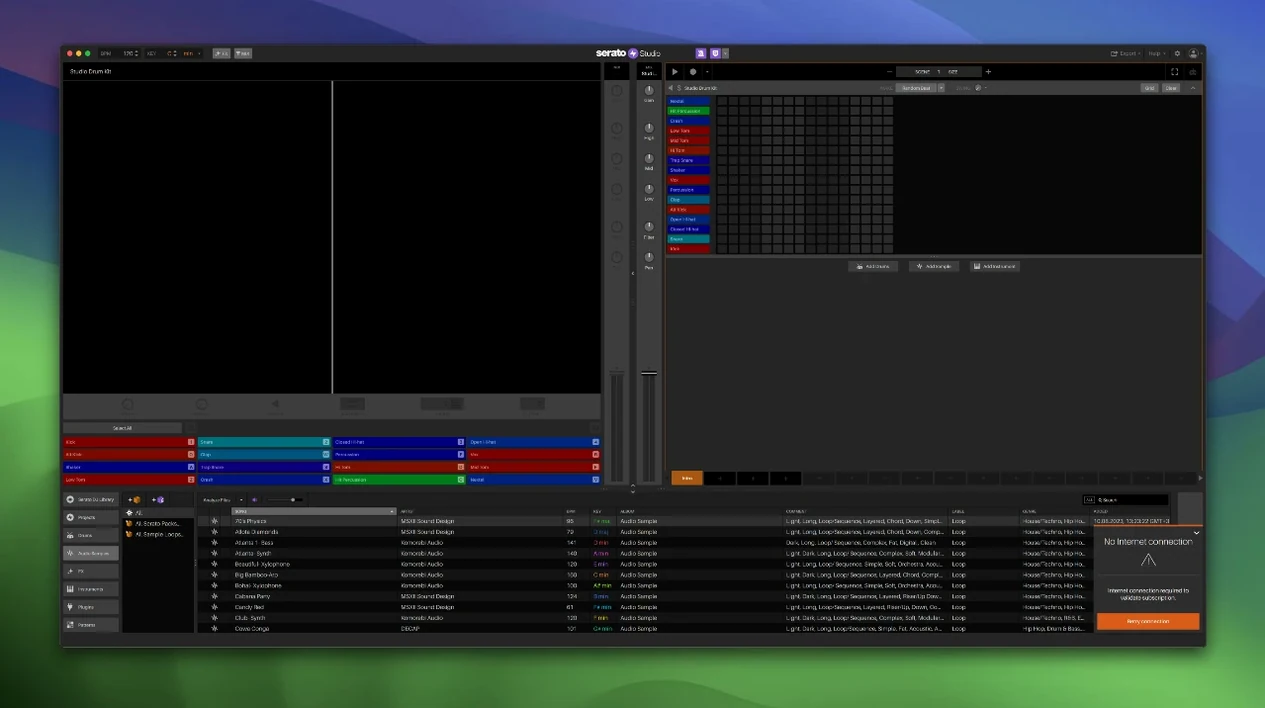
Stems On/Off automation in Sample Decks is one of those additions that immediately changes how you build a track. Drop an acapella, melody, bassline, or drum stem into a Sample Deck inside Scene View, and you can now automate not just the mute state but the individual level of each stem. It turns static loops into arrangements that breathe.
The Feel control sits right where it should — front and center when you play in a melody. It imitates a live keyboard player by loosening the timing just enough to sound human, not sloppy. Pair that with the chord generator locked to your project key, and sketching out progressions stops being a theory lesson and becomes a quick, musical decision.
Because it shares the same library as Serato DJ, your entire crate of color-coded waveforms, cues, and loops is already waiting. Hook up your DJ hardware, flip the Reverse Pad Order in the setup screen if that's how your muscle memory works, and you're sequencing with the same mixer channel and effects you know from a club setup. The built-in drum kits, instruments, and samples fill the gaps when you need a kick or a pad fast.
It's the speed of the workflow that keeps me here. No deep menus for basic tasks — just a clean, intuitive surface that gets out of the way. Version 2.5.0 also brings native control for the AlphaTheta SLAB and full macOS 26 Tahoe support, so it's ready for whatever desk you're working at.
Flip the Pad Order to Match Your DJ Muscle Memory
Open the setup screen before you do anything else and flip Reverse Pad Order if you come from a Serato DJ background. It swaps the pad layout so your muscle memory from the club carries straight into production — small change, huge difference when you're tapping out drums or triggering stems on a controller.
Then head to the audio preferences and set your buffer size thoughtfully. The app leans on real-time stem processing now, and a little extra headroom avoids crackles when you automate three stem levels at once. While you're there, confirm your DJ hardware is selected as the audio device — Serato Studio maps the mixer channel and effects straight to it, no MIDI mapping required.
Give the Auto Chord mode a quick visit in a blank project. Drop the key to match a sample you already loaded, then let the chord generator suggest voicings. You can always tweak later, but it sets a harmonic anchor that makes the rest of the arrangement fall into place faster.
Where Your Existing Serato Library Just Plugs In
DJs who already live inside the Serato ecosystem feel the least friction here. Your library syncs across, your hardware plugs in and works, and the BPM-synced loops match the tempo you're already tapping. If you've built crates of acapellas and instrumental stems over years of gigging, Serato Studio turns those into original tracks without exporting and re-importing anything.
Sample-based producers who work fast and trust their ears over deep synthesis will also click with it. The stem level automation on Sample Decks means you can pull a full track into a deck, isolate the bassline for eight bars, then fade the melody back in — all drawn in Scene View. It's a remix workflow disguised as a beat maker.
Keyboard players get a genuine lift from the Feel control. It's easy to overlook, but dialing in a slight timing offset on a chord progression makes programmed parts sound like takes, not grids. Combine that with the one-touch key switching and you can reharmonize a loop mid-scene without touching a piano roll.
Pin a Crate to the Top with One Right-Click
- Right-click any crate and set it as a Favorite Crate — it pins to the top of the library panel, saving you from digging through folders when inspiration hits.
- In Sample Decks, hold Option while dragging a stem level fader to fine-tune it without snapping to the default increments. Handy when you're balancing an acapella against a busy drum break.
- The Crate Search field filters as you type, and it scans track names, artist tags, and BPM metadata. Start typing "85" and every half-time loop you forgot about surfaces instantly.
- Color-coded waveforms update live when you adjust stem levels — the visual feedback on which element is dominant makes scene-level mixing feel tactile even without a controller plugged in.
- Stems automation envelopes snap to the grid by default, but you can disable snapping by holding Command while dragging a point. Perfect for gradual fade-ins that cross bar lines.
If you've searched for serato studio setups that bridge DJ habits and production, the library continuity and hardware handshake are where this app carves out its own lane. It doesn't ask you to learn a new world — it just adds sequencing, stems, and a chord generator to the one you already know.
Version 2.5.0 adds native AlphaTheta SLAB control, full macOS 26 Tahoe support, and deeper stem control in Sample Decks. You can now automate Stems On/Off and adjust individual levels for acapella, melody, bassline, and drum stems right inside Scene View.
- macOS 10.14 or later (including macOS 26 Tahoe)
- Intel or Apple Silicon Mac
- English interface
Questions people ask
Can I automate stem levels in Serato Studio?
Yes, version 2.5.0 added automation for Stems On/Off and individual levels for acapella, melody, bassline, and drum stems inside Sample Decks in Scene View.
Does Serato Studio work with my DJ library?
It shares the same library with Serato DJ, so your existing crates, cues, and color-coded waveforms appear right inside the studio.
Also on readers' docks
Sign in or create an account to leave a comment.
No comments yet. Tell me how it got on with your other devices.