Download Swinsian for macOS
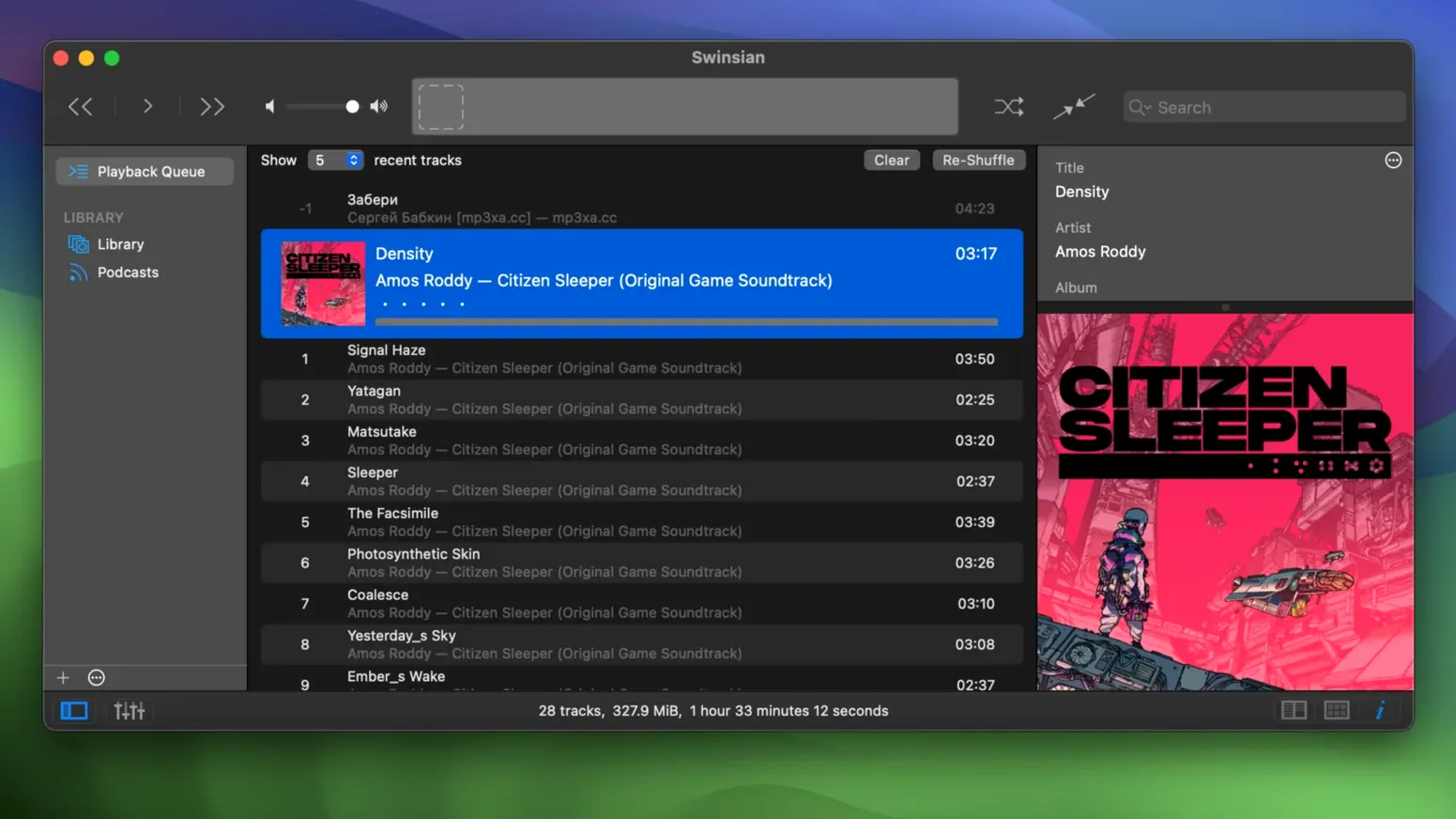
There comes a point where a music library outgrows the app that manages it. The moment you’re fighting smart playlist rules, wrestling with inconsistent tags, or wishing the player would just watch a folder instead of importing everything into a walled garden, you’ve hit the limit of the default tools. That’s the problem Swinsian was built to tackle.
Tools for the Detail-Obsessed
Swinsian doesn’t try to be a streaming service or a storefront. It’s a focused player that gives experienced users the deep controls they’ve been missing:
- Folder watching keeps the library in sync with the file system—no manual imports needed.
- Find-and-replace tag editing with regular expressions makes cleaning up messy metadata satisfyingly quick.
- Automatic sample rate switching ensures your DAC isn’t upsampling or downsampling unnecessarily.
- Regular-expression search lets you drill into a massive collection with precision.
- Global keyboard shortcuts work from anywhere, keeping the music under your fingers.
- Library statistics surface exactly how many plays that one album actually got last year.
An Interface That Keeps Up
The player handles FLAC, cue sheets, AirPlay, and Last.fm scrobbling without breaking a sweat. Version 3 brought a refined look, and Swinsian dark mode ensures the interface stays comfortable during late-night listening sessions. The art grid, which many users live in, now lets you customize its labels even further, so the browser feels truly yours. It’s the kind of player that rewards the time you put into organizing your collection, rather than getting in your way.
Before diving in, most people want to know three things: will it import an existing library without a headache, does it handle really large collections, and can it work alongside other music apps? The short answers are yes, yes, and yes. Swinsian can pull in an iTunes library with ratings, play counts, and playlists intact, so you don’t lose years of listening history. On the collection size front, the app was built to stay responsive with six-figure track counts—something that trips up plenty of players. And because it watches folders rather than locking you into a proprietary database, you can keep using other tag editors or players on the same files without worrying about conflicts.
People also ask about podcast handling. Swinsian can automatically download podcasts, though it doesn’t chase you with a podcast directory or recommendation feed. You paste a feed URL once, and new episodes land in the library quietly. It’s a deliberately low-key approach that suits people who know which shows they follow and don’t want an app second-guessing their tastes.
Small Things That Add Up
A few conveniences in Swinsian are easy to overlook until you stumble across them. The duplicate track finder, tucked into the File menu, compares audio fingerprints rather than just filenames—handy when rips from different sources have drifted into the same album. Separate playlist windows let you drag a queue off to a second display while the main browser stays parked on the art grid. That’s especially nice when you’re queuing requests during a gathering and don’t want to lose your place in the collection.
There’s also a hidden-options terminal command in version 3 that bumps up interface text size across the entire app, not just in the track list. It’s not exposed in preferences, but for anyone working on a high-resolution display where labels feel a touch too small, it makes the whole experience more comfortable. The global shortcut system deserves a second look too: it supports multi-key chords, so you can map skip, play, and rating commands to combinations that don’t clash with other apps fighting for your keyboard.
Smart playlists in Swinsian support the criteria you’d expect—genre, play count, date added, rating—but also let you nest rules with “all” and “any” groups, which makes building a “played recently but not in the last week” filter refreshingly straightforward. You can even combine regular expression patterns with smart playlist conditions, something I’ve used exactly once but was very grateful existed.
Daily Driving Impressions
After weeks of using Swinsian as the primary player on a Mac with a library pushing 80,000 tracks, the word that comes to mind is unbothered. It launches in under two seconds, search results appear as you type, and playback starts immediately whether the file is a 16-bit FLAC or a 96 kHz ALAC. Memory use hovers modestly—rarely above 200 MB even with the art grid scrolling—and CPU sits near idle during playback because the app hands decoding off efficiently. Automatic sample rate switching happens without an audible pop or delay, which isn’t something every player gets right.
Stability has been solid. Version 3.0.8 fixed a quadraphonic FLAC playback bug and a sorting glitch in the Complete Tags window, and those are the kinds of edge-case fixes that give confidence the developer is paying attention to more than just mainstream formats. I’ve left the app running for days with AirPlay streaming to different rooms in the house, and it hasn’t dropped a connection or drifted out of sync. If you’ve ever had a player that stutters when you’re tagging files in another window, Swinsian doesn’t do that—folder watching runs in the background without interrupting what’s playing.
The one thing that feels genuinely refreshing is how little the app demands. No sign-in prompt on first launch. No “for you” tab that needs to be hidden. No background service phoning home unless you’ve turned on Last.fm scrobbling or podcast fetching. For anyone who remembers when a music player was just a music player, Swinsian downloads that sense of calm onto a modern Mac and stays out of the way while you actually listen.
- macOS 10.13 or later
- Works on Apple Silicon and Intel 64-bit Macs
Questions people ask
Can Swinsian play FLAC files with cue sheets?
Yes, it has full support for both standalone cue sheets and embedded cue sheet metadata within FLAC files.
Does Swinsian support streaming to other devices?
It supports AirPlay, so you can send audio directly to AirPlay-compatible speakers and devices on your network.
Also on readers' docks
Sign in or create an account to leave a comment.
No comments yet. Tell me how it got on with your other devices.