Download Steinberg HALion for macOS
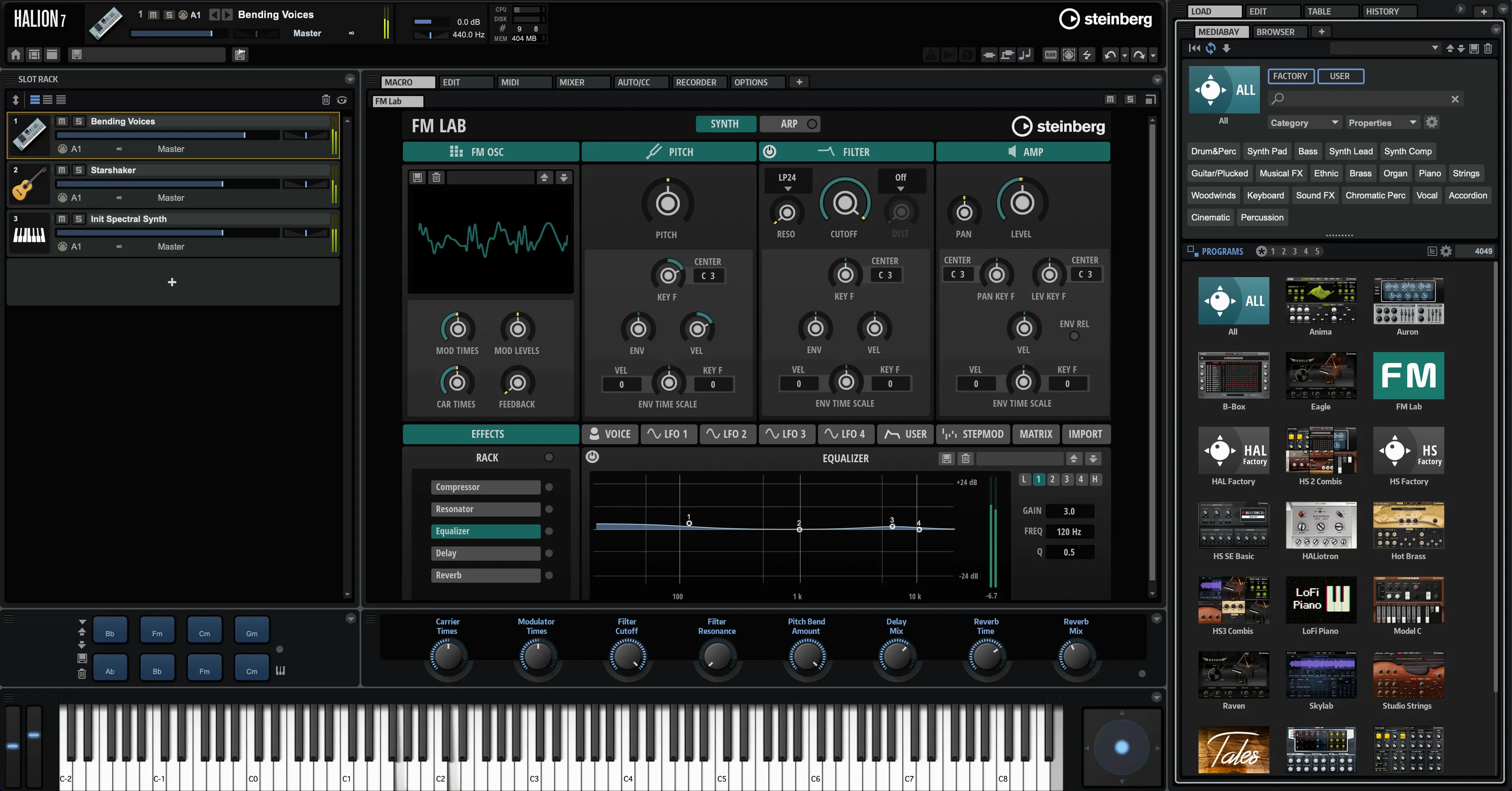
You’ve captured a vocal phrase and dropped it into HALion’s sample zone. A quick drag maps it across the keyboard, and you’re already pulling apart its spectral layers with the Wavetable resynthesis engine. The onboard time-stretching keeps the timing tight while you mangle the formants. This isn’t preset-surfing—it’s instrument building from the ground up.
- Load and assign. Bring in a sample and use the fast modulation routing to attach an LFO or step envelope to nearly any parameter. The high-performance sample engine handles layered velocity switches without choking.
- Go deeper with scripting. Open the Lua editor and start defining custom rules for articulation switching or round-robins. You can even design a bespoke user interface so your creation feels like a first-party plug-in.
- Tweak in real time. Engage Real-time Decompose to split the audio into tonal and noise components. Process each stream independently, then blend them back through the effects rack.
HALion shines brightest when you treat it as a development platform. The combination of a deep sample engine, scripting backbone, and resynthesis algorithms makes it a workshop for building libraries with genuinely custom behaviour, not just another preset player.
Ignore Lua and Tag Your Samples First
Give yourself permission to ignore the Lua editor for a week. The temptation to script everything from day one is strong, but HALion’s modulation matrix alone will keep you busy. Open the MediaBay early and tag your own samples properly—future you will thank current you when searching for that one kick drum among three thousand files.
Create a template with four slots: a drum layer, a bass zone, a pad, and an empty slot for whatever you record that afternoon. Save it. Loading a blank instance every time you want to try a sound fragment is the fastest way to lose momentum. The sample engine can handle absurd polyphony, so don't be precious about slot counts.
One more thing: right-click parameters and choose Learn CC even when you don’t have a controller connected yet. It builds a performance map you’ll rely on later.
Dragging Radiator Pipes into an Empty Zone
Let’s walk through a real afternoon. You open a project in your DAW and insert a HALion instance on an instrument track. The first thing you do is drag a field recording—somebody tapping a radiator pipe—straight into an empty zone. You map it chromatically and immediately turn on the Spectral oscillator type, switching from sample playback to a resynthesised version of the same hit. The transient stays snappy; the tail gets eerier.
Next, you duplicate the zone and run Real-time Decompose on the copy. The tonal stream gets a slow phaser. The noise stream gets gated with a step modulator. You assign macro knobs to the wet/dry mix of both streams so your MIDI controller can ride them during playback. No Lua was opened, no presets were loaded, and the result sounds like something that belongs in a film score.
Before saving, you group the two zones under a program, add a quick limiter in the effects rack, and store the whole thing as a user preset with a handful of descriptive tags. That preset becomes a building block for next Tuesday’s session.
HALion as the Lab, Not the Replacement
Does HALion replace my existing sampler? It can, but it’s happier alongside one. If you already have a go-to instrument for straightforward multisample playback, HALion slots in as the lab where you build the things your other sampler loads. Many producers keep both, treating HALion as the deep editing and creation environment.
Do I need to know Lua to get anything out of it? Absolutely not. The synthesis engines, modulation system, and effects rack are fully usable without touching a line of code. Lua unlocks custom interfaces and advanced articulation logic, but it’s a power-user feature, not the front door. Plenty of professional sound designers never touch the script editor.
Is the instrument format future-proof? The HALion format spans VST, AU, and AAX hosts on Mac, and Steinberg has maintained backward compatibility across major versions for years. If you’re building sample libraries for distribution, you’re targeting a mature, documented platform that isn’t tied to a single DAW ecosystem. A steinberg halion mac download lands you inside that same framework whether you’re on Intel or Apple Silicon.
- macOS 11 or later
- Intel or Apple Silicon Mac
Questions people ask
What makes HALion different from HALion Sonic?
HALion is the full sample platform and synthesizer for building instruments, while HALion Sonic is a streamlined library player without the deep editing or scripting tools.
Can I create custom interfaces for my instruments?
Yes, developers can use the built-in Lua scripting to design custom user interfaces and define complex instrument behaviours for their sample libraries.
Does HALion handle real-time audio decomposition?
The 7.5 update introduced Real-time Decompose, which lets you split audio into tonal and noise parts and process them separately.
Also on readers' docks
Sign in or create an account to leave a comment.
No comments yet. Tell me how it got on with your other devices.