Download Maschine for macOS
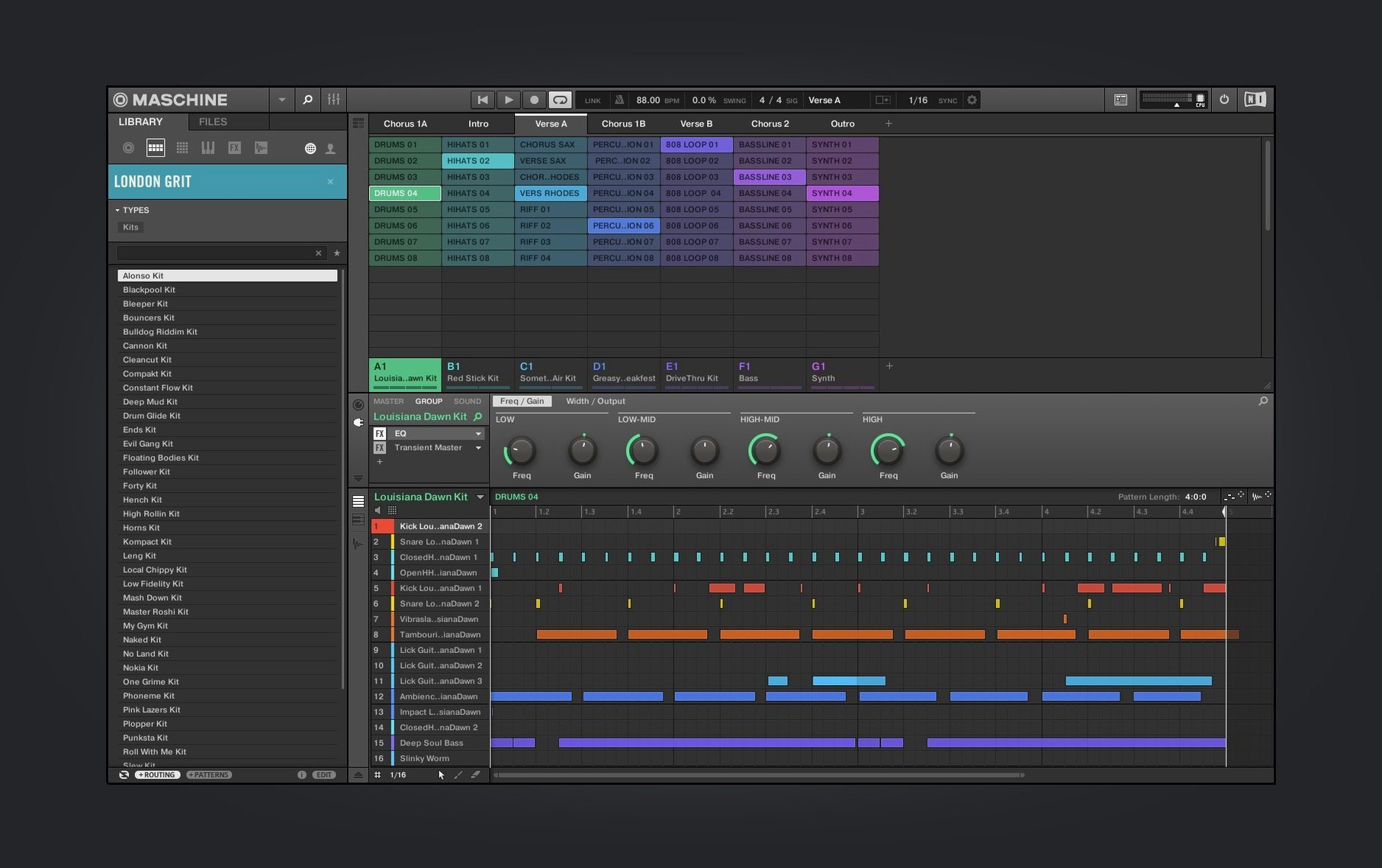
Loop slicing is where things get interesting. You drop in a dusty drum break or a forgotten soul sample, and the high-performance sampler lets you carve it into playable chunks across the pads in seconds. It feels immediate, not like surgery — exactly what you want when an idea is forming and you'd rather not lose it to a menu dive.
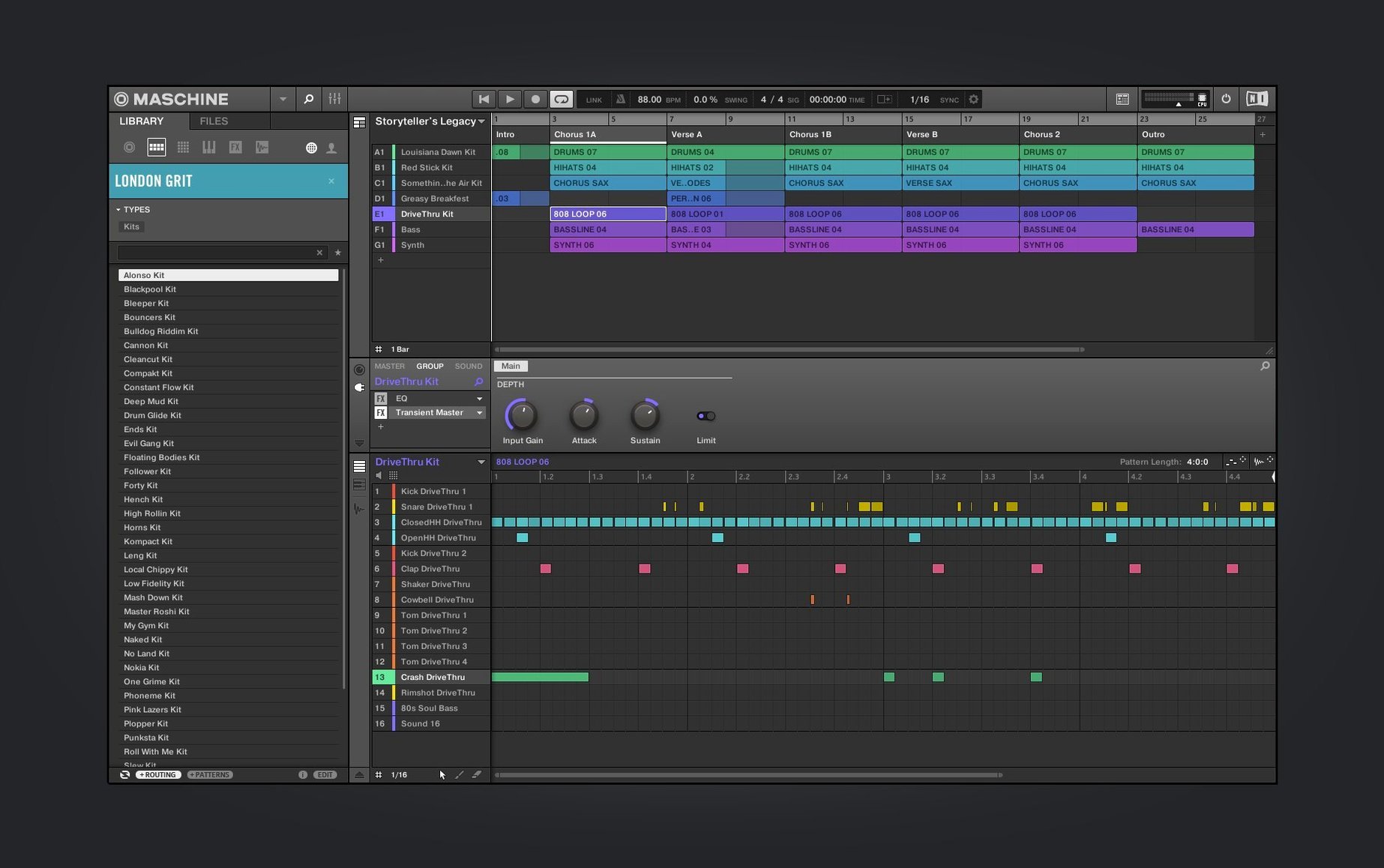
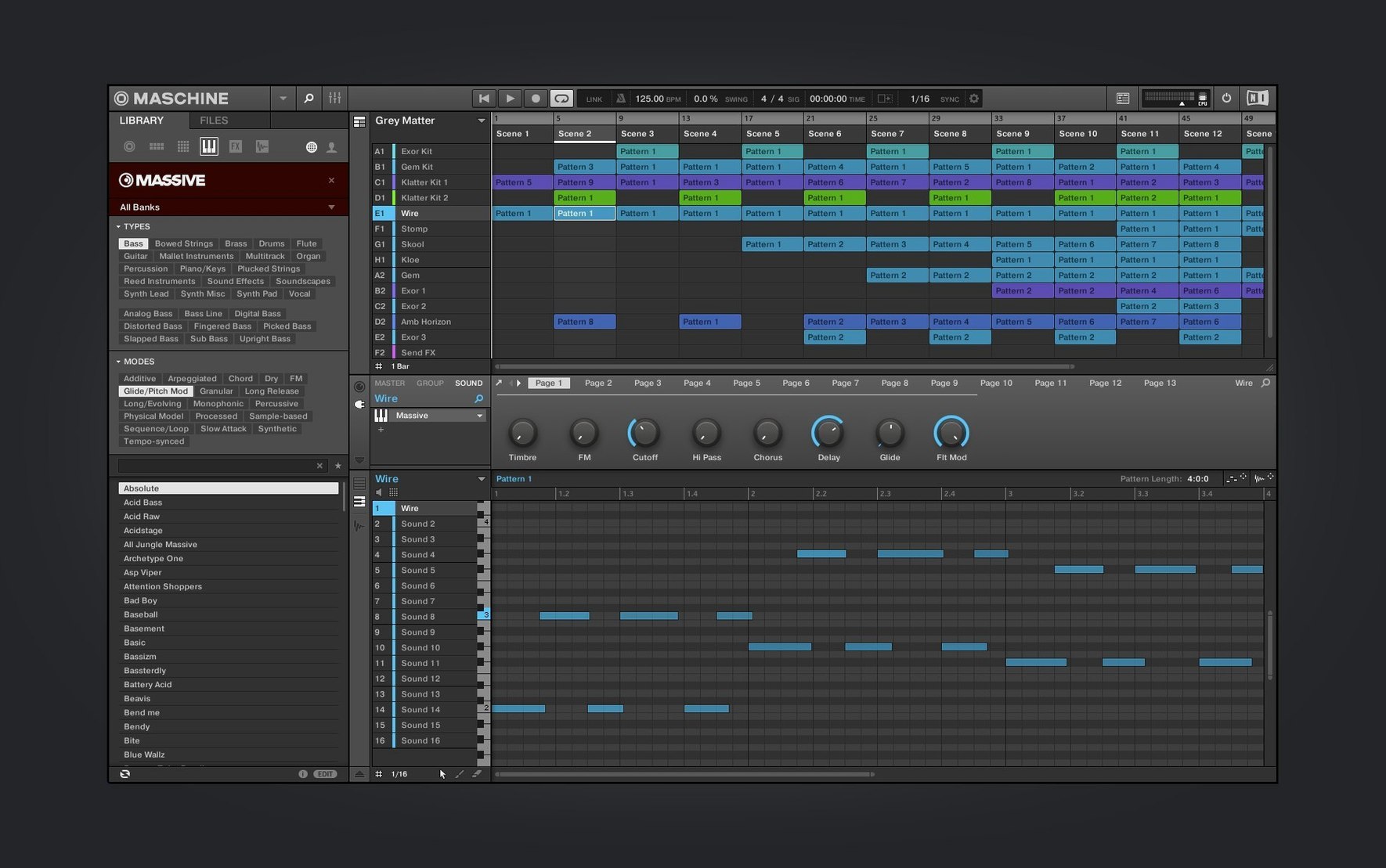
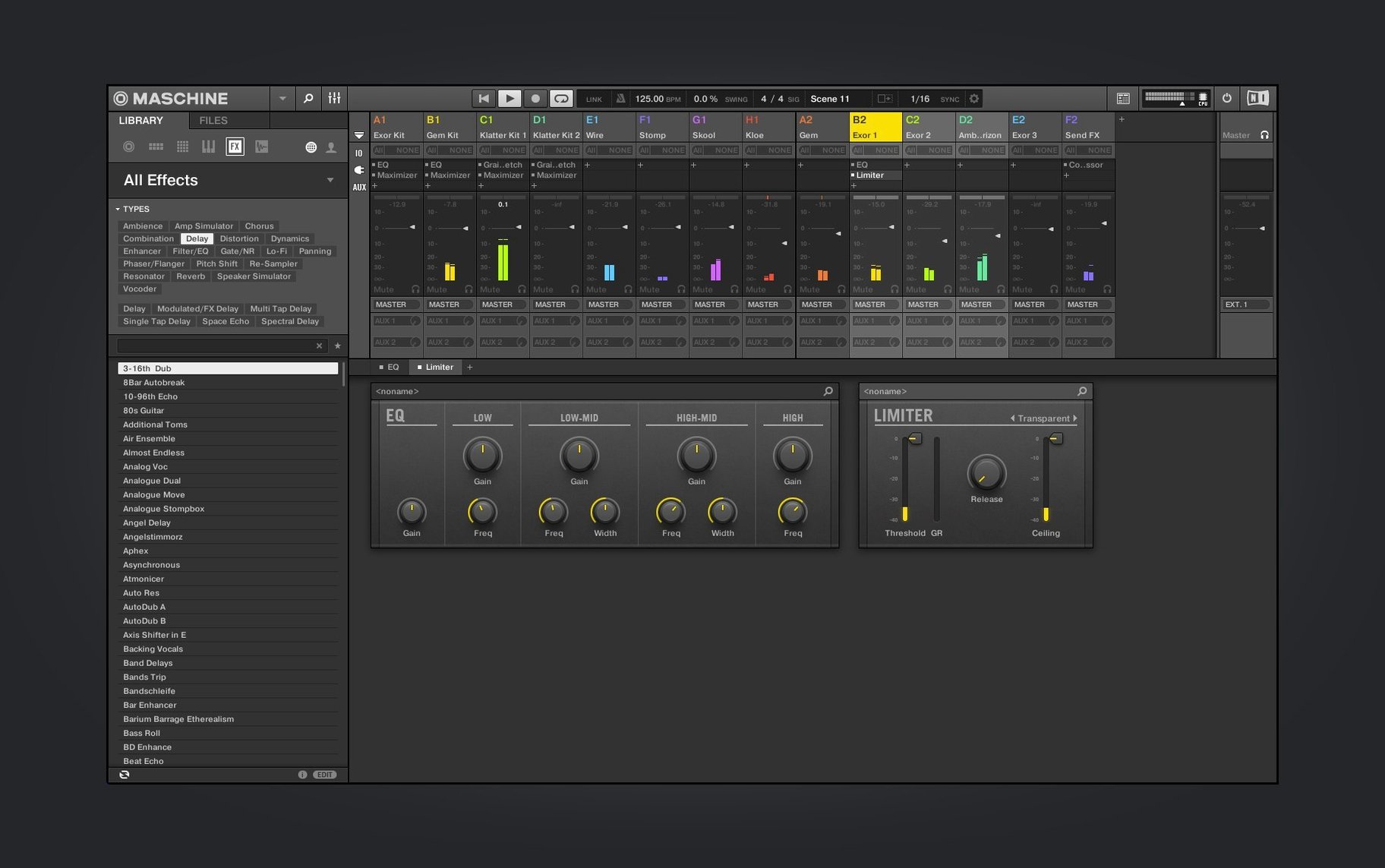
At its heart, this is a pattern-based sequencer that doesn't lock you into a grid unless you want it to. You build scenes out of patterns, stack them into songs, and tweak the redesigned Audio, Poly Synth, and Drum Synth interfaces along the way. The 3.6.0 refresh makes those synth modules easier on the eyes during long sessions, and the continued Mixer view work nudges the whole mixing experience closer to something you'd recognize from a console.
What trips people up before installing isn't usually the feature list — it's the hardware question. You can run Maschine 3.6.0 entirely with a mouse and keyboard, standalone or as a plug-in in your DAW. But the software really clicks when paired with a Maschine controller, or now, an AKAI MPK mini IV thanks to the new NKS Connect support. The NKS Mode integration means compatible controllers map to key parameters without a setup ritual.
How Maschine stacks up against the alternatives
Put Maschine next to Ableton Live and you'll spot the family resemblance right away — both love clips, both thrive on improvisation, both let you launch ideas without stopping playback. But Live is a full DAW that grew clip launching into a complete recording and arranging environment. Maschine keeps its focus tighter. The pattern-to-scene workflow feels more like a hardware groovebox that happens to live on your Mac, and that changes how you reach for it. I open Live when I'm tracking vocals or building a complex arrangement with tempo changes. I open Maschine when I want to make beats and not think about anything else.
Then there's Akai's MPC desktop software, which shares the most DNA with Maschine — pad-driven sampling, onboard synths, a hardware-first philosophy. The MPC software edges ahead on time-stretching algorithms and the depth of its piano roll editing. Maschine pulls back in front on the sheer usability of its browser and the way it handles NKS previews. If you already own a lot of Komplete instruments, Maschine is the obvious home base. If you're coming from an MPC hardware background, the Akai software might feel more familiar, but Maschine 3.6.0's redesigned synth UIs make a strong case for switching.
Logic Pro's built-in Drum Machine Designer and Sampler cover some of the same ground, and they're free with your Mac. But they live inside Logic's timeline paradigm. You're building a track. Maschine encourages you to jam first and decide what's a song later — it's a different headspace, and the standalone app means you don't need a DAW open at all.
Switch default scene length to four bars
Fresh out of the install, a few tweaks make the whole machine feel more like yours. Head into Preferences > General first. I switch Default Scene Length from one bar to four — longer patterns suit how I build drum parts, and you can always trim later. Under Audio, check that your output device matches your interface; the software sometimes grabs the Mac's built-in speakers after an update.
In Hardware, if you're using an AKAI MPK mini IV with the new NKS Connect support, toggle on NKS Mode and let it scan. The controller maps transport controls and key parameters without you assigning a thing. With a Maschine controller, I dial the Pad Sensitivity curve to a slightly softer response — the default can feel stiff if you play with a light touch.
Browser behavior is worth a moment too. Under Default > Library, point the user content path to wherever you keep third-party samples. The welcome screen introduced in 3.6.0 gives you demo projects to explore, but your own sound folders deserve quick access. I also set Auto Load to off — I'd rather audition sounds before they replace what I'm working on.
Six-second Apple Silicon launch with flicker-free UIs
Maschine 3.6.0 boots in about six seconds on Apple Silicon, and the redesigned Audio, Poly Synth, and Drum Synth UIs redraw without the flicker that crept into earlier versions. The Mixer view redesign is still ongoing, but what's here in 3.6.0 scrolls smoothly and the metering feels responsive — no lag between what you hear and what the display shows.
Memory use sits around 400 MB with an empty project and climbs predictably with sample-heavy kits. I've pushed it past 2 GB with orchestral libraries loaded as plug-ins, and it didn't flinch. CPU spikes happen when you stack real-time time-stretching on multiple loops, but freezing a pattern is two clicks and solves it. The app hasn't crashed on me once under macOS 15, and plug-in hosting — running Maschine inside Logic or Ableton — has been equally solid. NKS Connect with the AKAI MPK mini IV introduced no noticeable latency over USB.
One quirk: if you leave the standalone app idle for an hour, it sometimes drops the audio driver connection. A quick visit to Preferences > Audio and a reselect of your interface brings it back. Not a dealbreaker, but worth knowing for long sessions.
From bassline fragment to standalone beat at 10 p.m.
It's ten at night and I've got a bassline fragment stuck in my head. I launch Maschine standalone — no DAW, no distractions. The new welcome screen offers demo projects and tutorial links, but I dismiss it and start with an empty project. The first thing I do is tap the Browser tab and scroll to my drum folder. I'm not sure what I want yet, so I turn on Prehear and tap through kicks with the arrow keys until a punchy 808 variant grabs me.
I load it into Pad 1 and a snare into Pad 5, then hold Shift and tap Pattern to double the pattern length to two bars. The step sequencer view shows sixteen pads across the bottom. I tap out a kick on beats one and three, a snare on two and four, and let it loop. The timing's good but the groove is stiff — I nudge the hi-hat pattern slightly off the grid by holding Option and dragging a few notes left. Instantly, it breathes.
Now I want texture. I open the redesigned Poly Synth module on a new pad, scroll presets until I land on a warm pad sound, and hold a chord on the AKAI MPK mini IV. NKS Mode has mapped the filter cutoff to a knob automatically — I twist it while the pattern loops, closing the pad into something murkier. I record the knob movement as automation directly into the pattern.
With three sounds running, I duplicate the pattern, mute the bass, and add a sixteenth-note hi-hat line for variation. The two patterns become Scene 1 and Scene 2 in the Ideas view. I trigger them live, tapping between scenes to feel how the energy shifts. Scene 1 for the verse, Scene 2 for a pre-chorus lift. It's not a song yet — but it's a living thing, and it took twenty minutes.
I save the project, export a rough stereo loop to my desktop, and close Maschine. Tomorrow I might pull the stems into Logic for arrangement. Tonight, the groovebox did exactly what I asked of it.
A trio of synth interfaces got the redesign treatment this time around. Here's what's new in version 3.6.0:
- Redesigned UI for the Audio, Poly Synth, and Drum Synth modules.
- Continued Mixer view redesign work for a smoother mixing workflow.
- Added NKS Connect support, starting with the AKAI MPK mini IV.
- Added NKS Mode integration for compatible NKS Connect controllers.
- macOS 13 or later
- Apple Silicon or Intel Mac
Questions people ask
Does Maschine 3.6.0 work on Apple Silicon Macs?
Yes, it runs natively on both ARM and x86 64-bit architectures, so Apple Silicon Macs are fully supported.
Can I use Maschine software without the hardware controller?
Absolutely. It works standalone or as a plug-in with just your computer, though a controller unlocks the hands-on performance workflow.
Also on readers' docks
Sign in or create an account to leave a comment.
No comments yet. Tell me how it got on with your other devices.