Download Kontakt for macOS
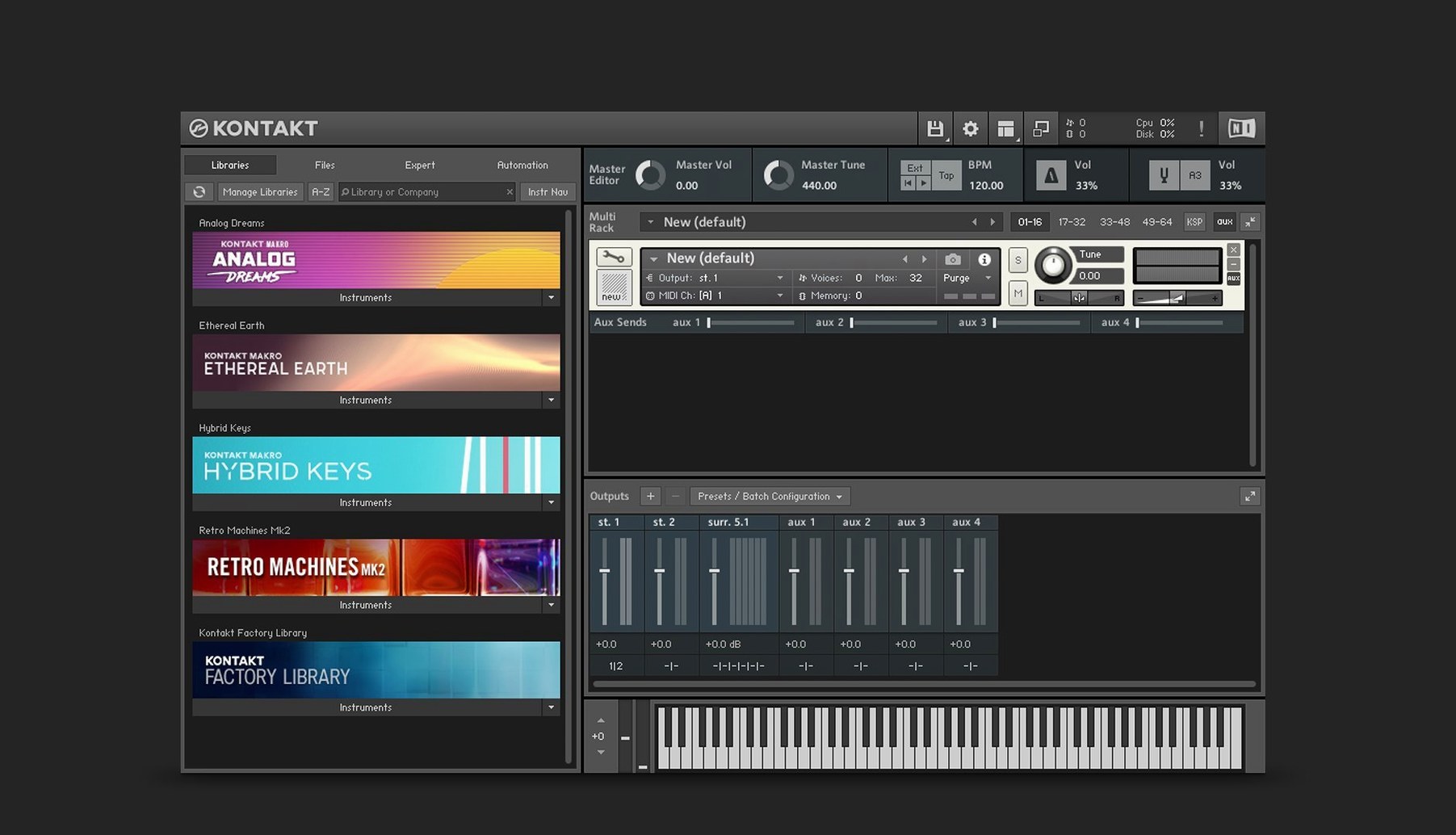
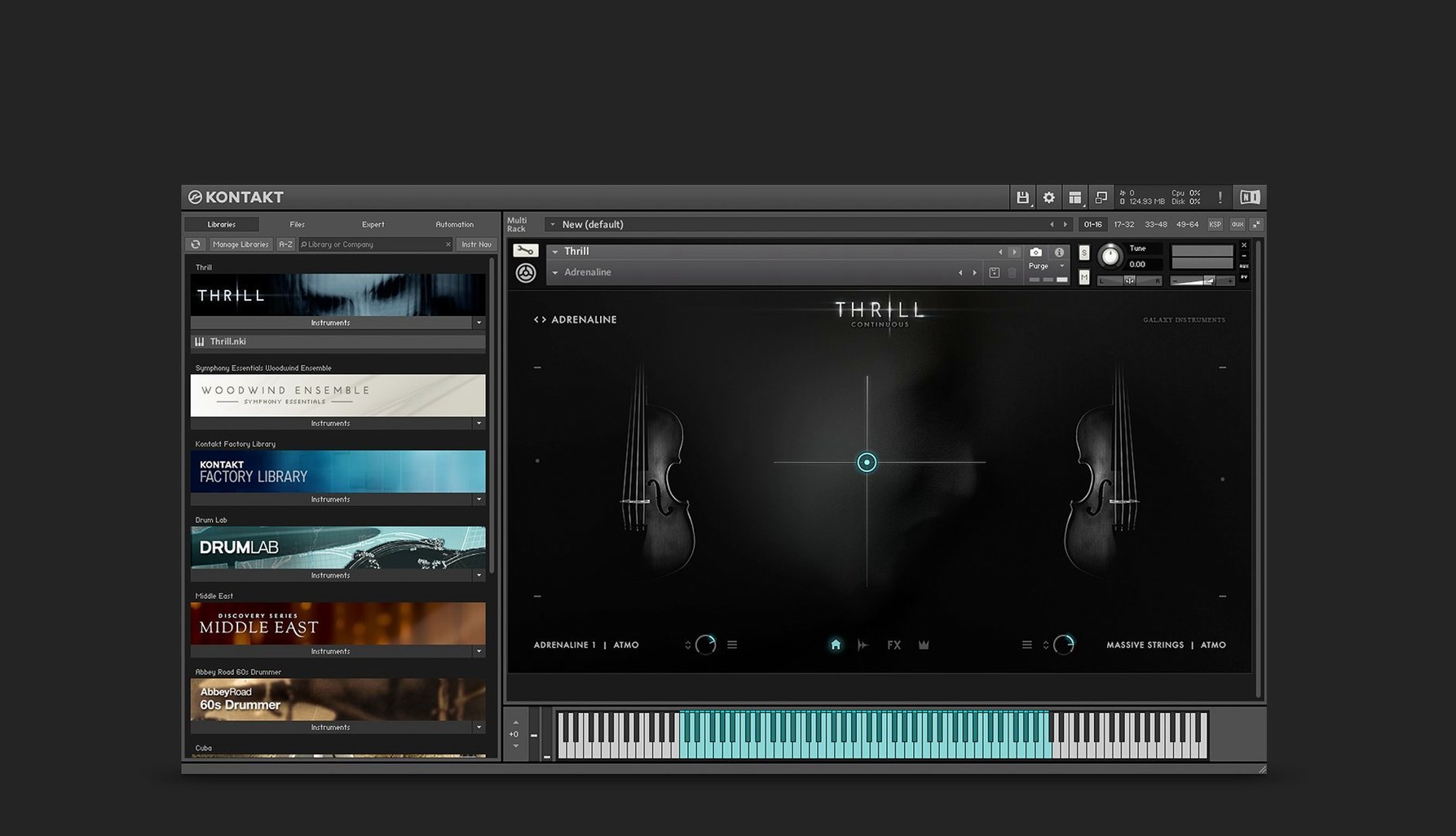
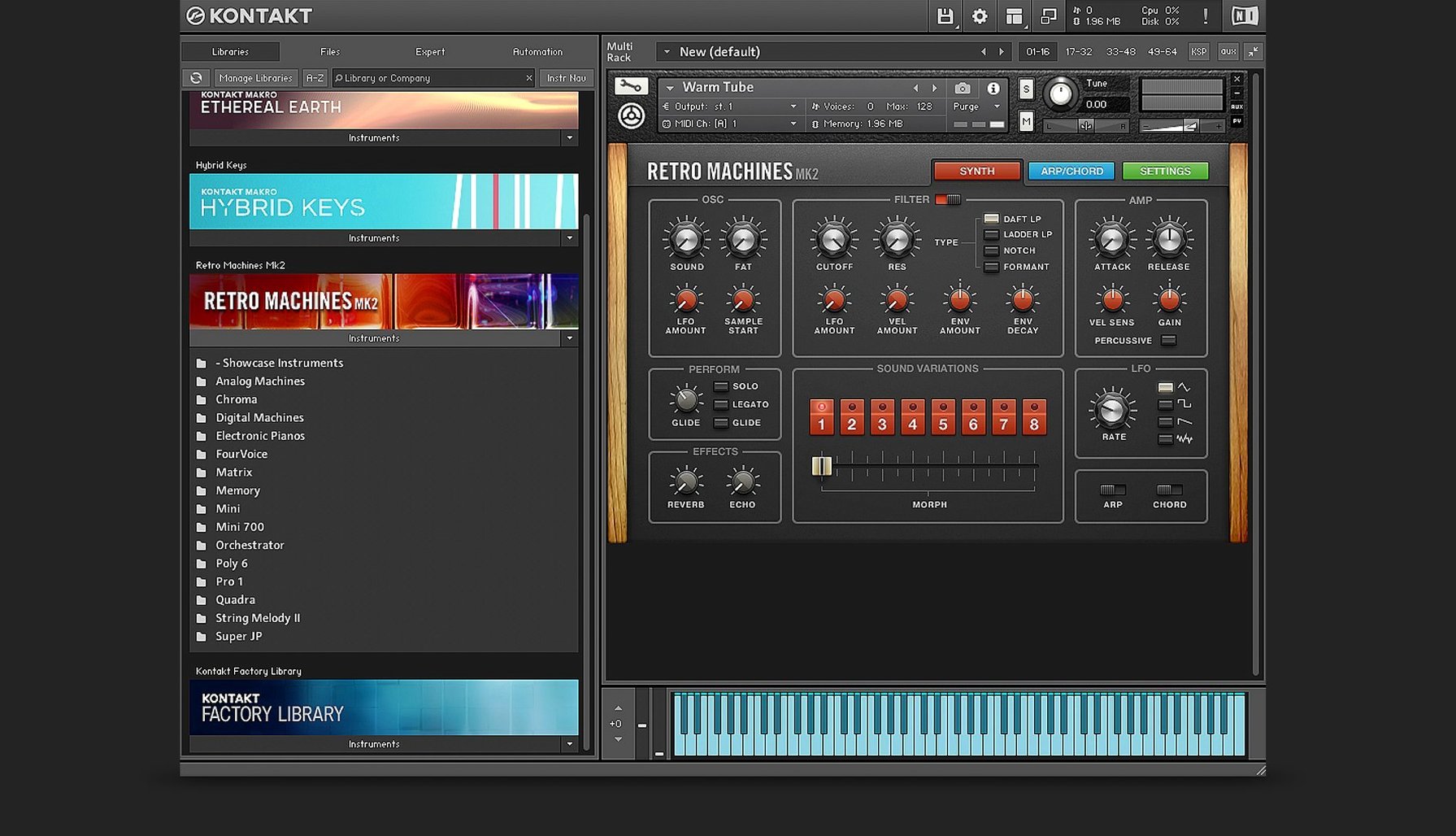
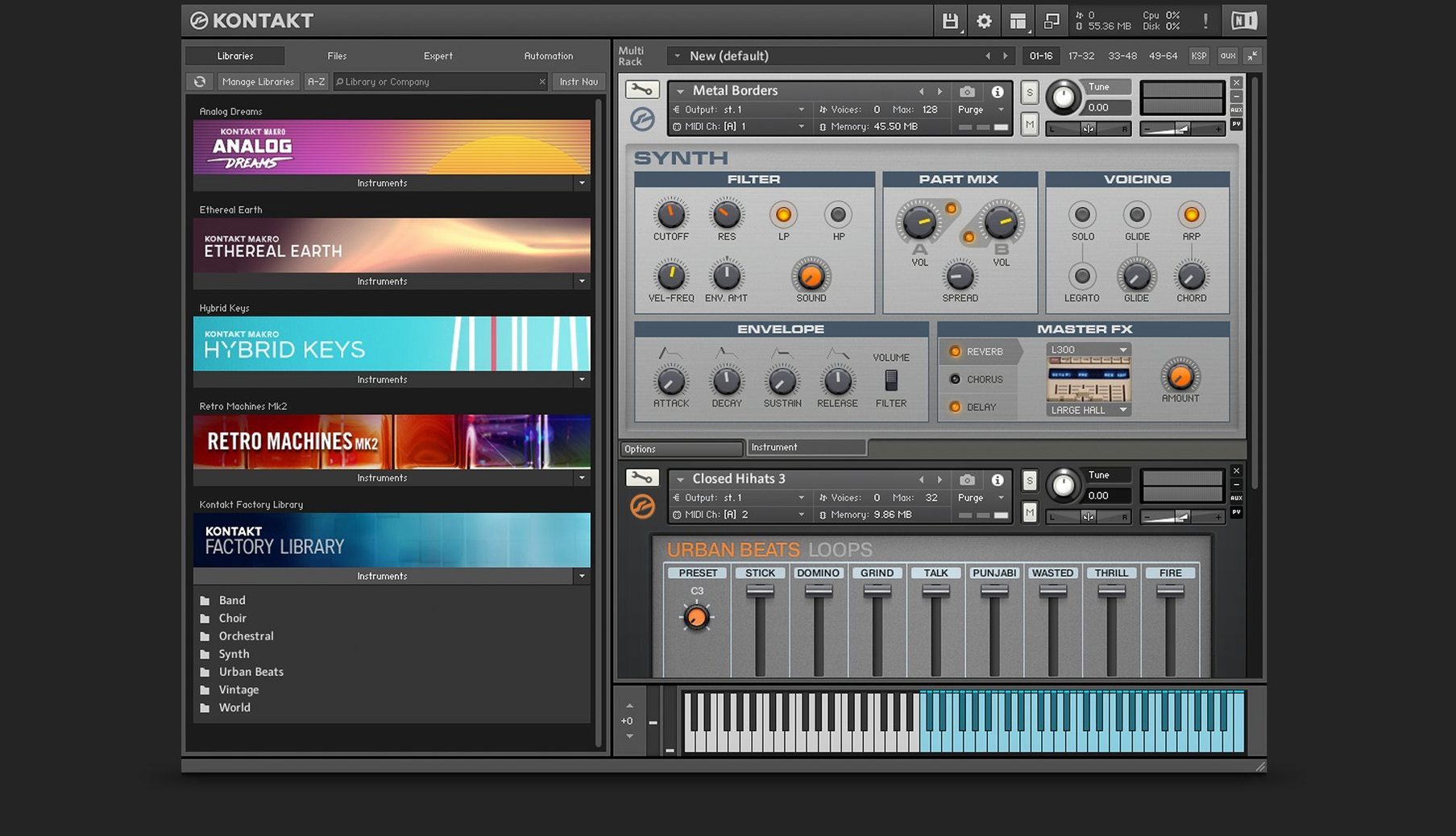
Loading a dusty felt piano from a third-party library, then warping its gentle notes into a pulsing, rhythmic pad for a film cue — that's a Tuesday with Kontakt 8. Here's one realistic path from loading a sample to performing a part.
- Pick your sound. Open Kontakt 8 standalone or as an AU/VST plug-in in your DAW. The new Default view keeps things tidy — just double-click a library or drag one in from the browser.
- Add movement with MIDI Tools. With an instrument loaded, engage the new Tools section. Drop an arpeggiator or note repeater onto the track and watch a simple chord turn into a cascading, evolving phrase without touching a piano roll.
- Layer with Leap. Load an instance of Leap, the new loop and one-shot player. Drag in a shuffled hi-hat loop. Kontakt syncs it to your project tempo, and you can pitch it down for a grittier texture behind the piano.
- Sculpt the tone. Jump to the expanded effects section. A touch of the integrated Transient Designer sharpens the piano's hammer attack, while the new Tape Saturator adds warmth. The Solid Bus Comp glues the piano and hat loop together.
- Perform and record. Hit record in your DAW and tweak the Adaptive Resonance on the filter as the track runs — it keeps the resonance musical, never harsh. The Wavetable module is also there if you want to blend a synthetic swell into the background.
Kontakt 8 feels like a playground where sample libraries stop being static snapshots and become moldable instruments. It's for composers and sound designers who want to build their own tools with Komplete Script, or just grab a library and twist it into something unrecognizable.
A Composer’s Real-World Scenario
Imagine a media composer on a tight deadline for a nature documentary. The director wants a cue that shifts from a lonely, organic flute melody into something tense and synthetic as a storm rolls in over the savanna. Opening a fresh Kontakt 8 instance inside Logic Pro, they load a delicate shakuhachi library from a third-party developer. The raw sample is beautiful but too static. Instead of hunting through synth presets for the storm section, they drop a MIDI Tool — a chord trigger — onto the flute track, then open the Wavetable module in another instrument slot. By drawing a slow crossfade between the flute’s output and a wavetable sweep built from the new modulation oscillator, the transition from breath to electricity happens inside one plugin window. No bouncing stems, no juggling three synths. The adaptive resonance keeps the filter peaks smooth even when the wavetable gets aggressive, so nothing clips before it hits the bus compressor. The whole arc, from pastoral to ominous, lives in a single Kontakt multi.
Sample Librarians and Synthesists Under One Roof
Kontakt 8 rewards two very different kinds of Mac users, and the gap between them is smaller than it looks.
Sample library explorers tend to hoard boutique libraries — creaky celestes, prepared pianos, obscure folk strings. They’re not building instruments from scratch, but they’re picky about playback. For them, the TimeMachine Pro algorithm (which arrived in Kontakt 6 and remains in version 8) keeps time-stretching artifacts nearly invisible on solo instruments, so a legato violin phrase can be slowed to half-speed without turning into digital porridge. The 16 internal stereo buses let them route different mic positions from a single library to separate mixer channels, then process the close mics with the Solid G-EQ while keeping the room mics dry. It’s a mixing workflow that used to require multiple plugin instances.
Instrument builders live in the Komplete Script editor and the new Komplete UI framework. They’re the ones who notice that the side pane for connecting Tools to instruments isn’t just a convenience — it means a builder can ship a library with built-in arpeggiators or note repeaters that respond to a custom UI panel, all rendered crisp on Retina displays. The Wavetable module’s second Form shaper gives them an extra timbral dimension to map to a mod wheel, and the modulation oscillator can act as a dedicated LFO that doesn’t steal a voice from the main engine. These are small architectural choices that compound over a 200-instrument library project.
The common thread is that both groups care about the instrument staying playable under heavy automation. Kontakt’s architecture handles this without choking on Apple Silicon or older Intel Macs, and the standalone mode means you can sketch a performance before your DAW even boots.
Double-Click Resets and Other Accidental Discoveries
Some of Kontakt 8’s best moves are the ones you stumble into by accident. A few worth knowing:
- Double-click to reset a knob. Any parameter — filter cutoff, envelope attack, wavetable position — snaps to its default value with a quick double-click. No modifier key needed, no squinting at a tiny readout.
- Drag and drop from Finder. You don’t need to use the internal browser exclusively. Grab a WAV or AIFF file from your desktop and drop it straight into Leap or onto the mapping editor. Kontakt guesses the root pitch and maps it across the keyboard.
- MIDI Tools are per-instrument, not global. This means you can have an arpeggiator on your strings and a chord generator on your brass in the same multi, each responding to its own MIDI channel. The side pane makes it obvious which tool talks to which instrument.
- Purge unused samples. In the instrument header, the purge menu lets you unload samples that haven’t been triggered. A 20 GB piano library suddenly takes 200 MB of RAM for a part that only plays three notes. This alone can rescue a session on a base-model MacBook Air.
- Quick-save a multi as you tweak. Command-S in standalone mode saves the entire multi — all loaded instruments, their Tools assignments, effects chains, and routing. If you’re deep into sound design and want to snapshot an idea before veering off into chaos, it’s a one-second habit.
Building a Hybrid Percussion Bed from Scratch
Here’s how an afternoon with Kontakt 8 actually unfolds for someone who splits time between composing and sound design.
1:00 PM — The blank canvas. A producer opens a project in Ableton Live that needs a hybrid percussion bed. They load Kontakt 8 as a VST3 plug-in on a new MIDI track. The Default view shows recently used libraries, but today they want something fresh. They browse to a folder of found-sound percussion they downloaded months ago — recordings of metal shelves and glass jars. Dragging the folder into Kontakt auto-maps the samples across the keyboard.
1:15 PM — Shaping the hits. The raw samples are too long and ringy. They open the wave editor, trim the decay on a few key hits, and assign velocity to sample start — softer presses trigger the thud of a mallet, harder presses catch the initial crack. The Transient Designer tightens the attack on the low shelf hits without making them clicky.
1:40 PM — Adding movement. A simple eighth-note pattern sounds too robotic. They engage Leap on a second instrument slot, drag in a loop of rustling paper, and pitch it up an octave. With host sync on, the loop locks to tempo and becomes a ghostly shaker layer behind the metal hits. A note repeater Tool on the percussion track adds 16th-note flurries on the last beat of every bar, triggered by velocity above 100.
2:10 PM — Mixing in place. Instead of routing everything out to Live’s mixer, they use Kontakt’s internal buses. The main hits go to bus 1 with the Solid Bus Comp for glue. The paper loop sits on bus 2 with the Tape Saturator dialed to about 30%. The adaptive resonance on the filter for the loop keeps the high end from getting piercing. Everything stays inside one plugin window, and CPU hovers around 12% on an M1 Mac.
2:30 PM — Saving and moving on. They save the multi, save the Live set, and bounce a quick draft for the director. The whole session — from blank instrument to mixed percussion bed — lives inside Kontakt, ready to be recalled or dropped into a different project next week.
Where Kontakt Sits Among Logic Sampler, Falcon, and Decent Sampler
Kontakt 8 isn’t the only software sampler on a Mac, but its particular blend of features puts it in a different conversation than the alternatives.
Versus Logic’s Sampler (formerly EXS24). Logic Pro’s built-in Sampler is fast and deeply integrated with the DAW, and for quick instrument mapping it’s genuinely good. But it lacks Kontakt’s scripting engine entirely — there’s no way to build a custom UI with Komplete Script-level logic, no internal bus system for complex routing, and no equivalent to the Wavetable module or MIDI Tools. If you only ever load and play static multisamples, Logic Sampler does the job. If you want an instrument that reacts to performance with conditional rules, Kontakt is the only one of the two that can.
Versus UVI Falcon. Falcon is Kontakt’s closest philosophical rival — a deep, hybrid instrument with a semi-modular architecture, wavetable synthesis, and scripting via Lua. Falcon’s modulation system is more open-ended, and its synthesis engine feels more like a modular synth than a sampler. But Kontakt’s library ecosystem is vastly larger, and the user community around KSP scripting means there are pre-built tools and frameworks for instrument developers that Falcon doesn’t match. Falcon rewards the sound designer who wants to build everything from scratch; Kontakt rewards the user who wants to tweak an existing library just enough to make it theirs, then maybe build something custom later.
Versus Steinberg HALion. HALion shares Kontakt’s dual life as a sample player and a synthesis platform, with a capable wavetable engine and a macro page designer. Its granular and spectral synthesis tools are genuinely impressive. However, HALion’s third-party library scene is much smaller, and its scripting doesn’t have the same depth of community resources. Kontakt’s advantage is momentum — the sheer number of instruments already built for it means a composer can find a library for nearly any sound, then twist it with Tools and the Wavetable module without leaving the ecosystem.
Version 8.14.0 lands with a fresh round of polish and a few genuinely useful workflow tweaks. The sidebar browser now separates content and preset lists, and both adapt dynamically as you browse — much easier on the eyes. Overlay and hardware browsers stay in sync with the sidebar, too. In Default View you'll find a new global parameters editor and patch saving right up front, and the standalone Leap tab has been folded into the Instruments section where it feels more at home. Older instruments get some love: crashes when loading them in versions past 8.11.1 are fixed, partial interface clipping is sorted, and the Classic View memory readout now behaves. On the engine side, Apple Silicon machines should no longer choke when switching snapshots, LFOs lock to your DAW tempo properly, and a long-standing memory leak dating back to 6.3.2 is finally plugged. Kontakt also tidies up after itself when you close a DAW project, and the Komplete UI jumps to 1.10 — with a bonus Claude AI integration for building interfaces from Figma mockups.
- macOS 14 or later
- Apple Silicon or Intel 64-bit
Questions people ask
Can I use Kontakt 8 as a plug-in inside Logic Pro?
Yes, Kontakt 8 supports AU, VST, and AAX plug-in formats, so it works inside Logic Pro and most major DAWs.
Does Kontakt 8 include a way to control filter harshness automatically?
Yes, the Adaptive Resonance feature automatically manages filter characteristics to prevent unwanted artifacts from excessive resonance peaks.
What is Leap in Kontakt 8?
Leap is a new feature for playing and performing loops and one-shot samples, letting you manipulate them in real time.
Also on readers' docks
Sign in or create an account to leave a comment.
No comments yet. Tell me how it got on with your other devices.