Download Guitar Rig for macOS
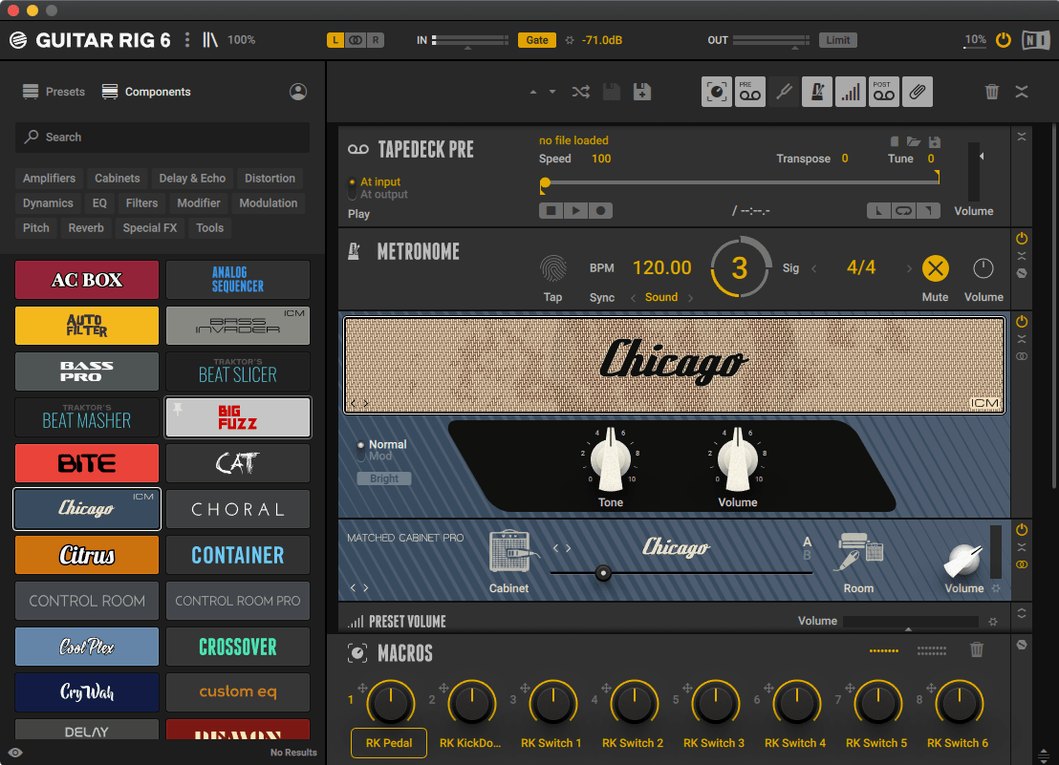
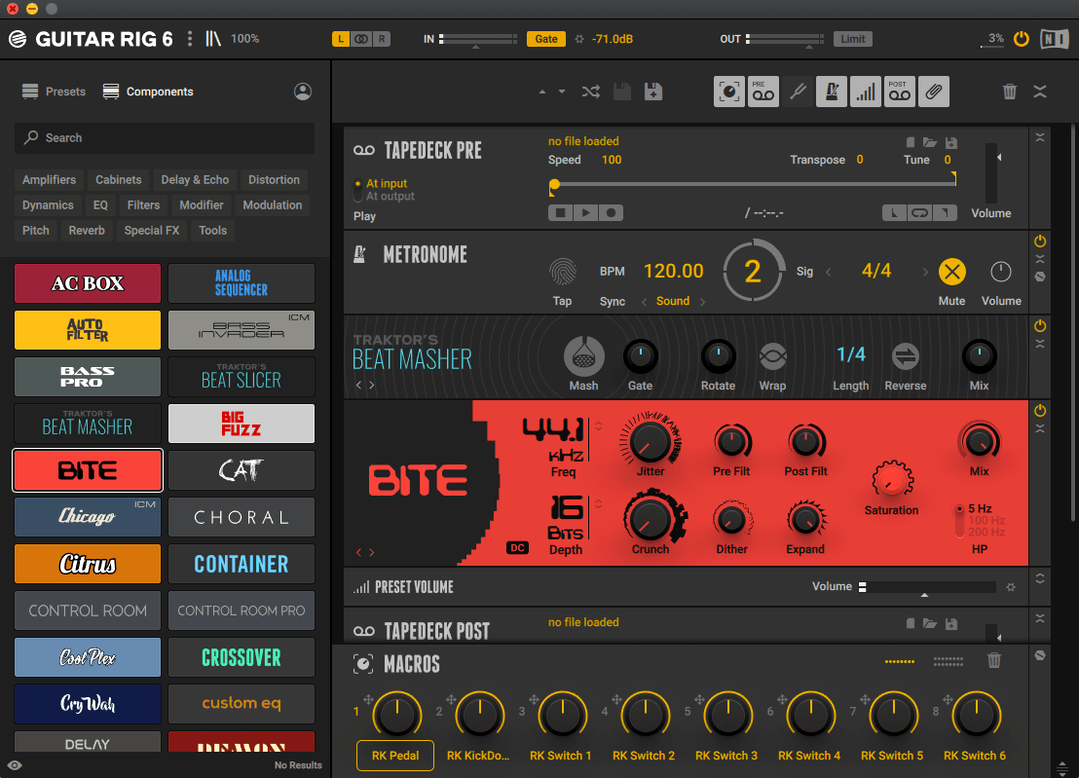
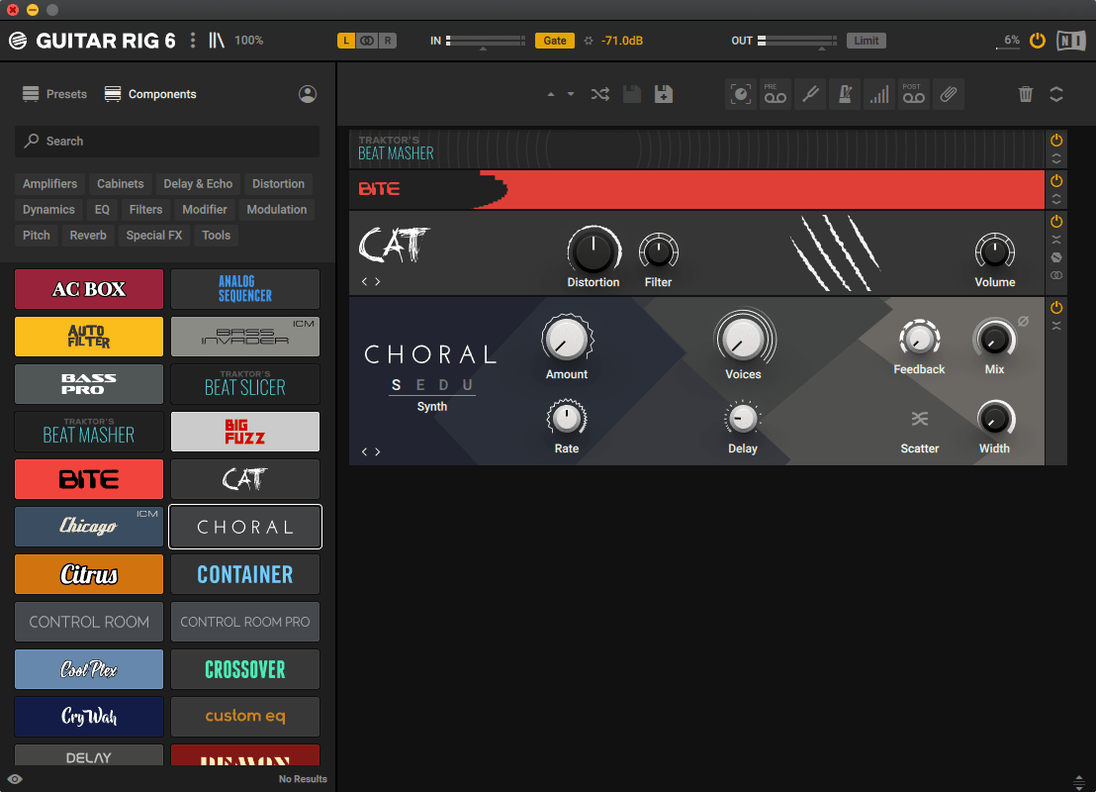
Three formats, one goal: build your sound from the ground up. Here's how Guitar Rig 7 breaks down for Mac players.
Amp Simulators — The core of your tone. Digital recreations of classic and modern amps give you everything from glassy cleans to high-gain distortion without a microphone in sight. Studio Effects — A deep library of rack-mount processors. Compressors, EQs, reverbs, and modulation tools sit in a chain you can reorder with a drag, letting you treat your guitar like a full studio session. Pedals — Stompbox-style effects placed before your amp. Overdrives, fuzzes, delays, and pitch shifters react to your playing dynamics just like their physical counterparts. Chains — Where everything connects. You split, layer, and sequence components to create a signal path that suits guitar or bass. The interface is built for players who already know their signal flow and want quick access to every tool in the rack.Dial In the Amp Before You Pile On Pedals
Guitar Rig gives you a lot of rope, and the first few weeks tend to involve tying knots in it. The most common stumble is piling effects on before the amp sounds right. Five pedals into a muddy amp is still mud. Start with the amp, get the gain and EQ where you want them, then add one effect at a time.
Input gain gets ignored constantly. Digital amps respond to the level coming in, and if your interface is feeding the rack a weak or clipping signal, every preset will fight you. Watch the input meter on the rack header and adjust your audio interface or the input module before touching anything else.
Another classic: dragging components into the wrong part of the chain. Pedals before the amp behave differently than studio effects after it. A delay placed before a distorted amp turns into a smear; the same delay after the amp stays defined. If a preset sounds like soup, check whether the effects sit on the right side of the amp icon.
Beginners also sleep on the output limiter. You dial in a great tone, then play hard and the meters slam into the red. Add a limiter at the end of the chain, set the ceiling just under zero, and your tone survives enthusiastic strumming without clipping the output.
Double-Click the Rack for Instant Component Search
Once you know where things live, Guitar Rig rewards speed. Here are a few moves that make everyday use feel less like menu diving:
- Double-click the empty rack to search components by name instead of scrolling through categories.
- Alt-drag a component to duplicate it with all its current settings intact — useful for dual delays or parallel compressors.
- Right-click any knob to reset it to its default value, which beats trying to remember where “noon” was on a digital dial.
- Use the A/B buttons in the rack header to compare two versions of a chain without saving separate presets.
- The tuner has a mute button built into its module view, so you can tune silently between songs without reaching for your interface.
The metronome sits in the header and stays out of your way. It syncs to your DAW when you run Guitar Rig as a plug-in, which makes it a handy practice tool even when you are not recording. Turn it on, set a tempo, and it clicks along without adding anything to your signal chain.
Reconnect a Missing Output Module When Sound Cuts Out
Guitar Rig occasionally behaves like software that has opinions. The good news: most issues have simple fixes.
No sound at all. Check that the rack's output module is still connected. If you accidentally dragged a component into the chain and broke the connection, the signal stops silently. Look for a gap in the cable line between modules and drag them back into contact.
Presets sound drastically different from the demo. This usually comes down to input level. A preset built for hot humbuckers will sound weak and fizzy with single coils, and vice versa. Adjust your input gain or the amp's input trim before blaming the preset.
High CPU spikes with complex chains. Some amp and reverb modules are heavier than others. If your Mac's fans spin up, start by replacing a convolution reverb with a simpler plate or room, or disable unused split paths. Freezing the track in your DAW also helps when the chain is finalized.
Latency that makes playing feel rubbery. Lower your audio buffer size in the standalone app's audio settings. If you run Guitar Rig inside a DAW, the DAW's buffer controls the feel. Small buffers mean tighter response but more CPU load.
The interface looks cramped on a laptop. Many modules collapse to a compact view. Click the small arrow or double-click the module header to shrink it down, then expand only what you are actively tweaking.
Lock In Your Default Input and Output First
Before you get lost in tone chasing, take two minutes to make Guitar Rig fit how you actually play.
Set your default input and output. In the standalone app, open Audio Settings and make sure the correct interface inputs are selected. If you use a multi-input interface, Guitar Rig may default to input 1 when your guitar lives on input 2.
Switch the preset browser to flat view. Tag-based browsing is powerful, but flat view shows everything in one list, which is quicker when you know roughly what you want. You can always switch back to tag filtering for deeper exploration.
Adjust the tuner reference pitch. The tuner defaults to A440, but if you play in a band that tunes down or uses a different reference, set it once and forget it.
Map your MIDI controller early. If you have an expression pedal or a footswitch, assigning it to a wah, volume, or bypass parameter takes a few clicks. Right-click a control, choose MIDI Learn, and move the hardware. From that point on, Guitar Rig remembers the assignment.
Version 7.0.2 is the latest release on the official downloads page, keeping Guitar Rig 7 Player current and stable.
- macOS 11 or later
- Works on Apple Silicon and Intel Macs
- Available as Stand-alone, VST3, AU, and AAX
Questions people ask
Does Guitar Rig 7 run on Apple Silicon Macs?
Yes, version 7.0.2 offers native support for both ARM (Apple Silicon) and x86 64-bit architectures on macOS 11 and later.
Also on readers' docks
Sign in or create an account to leave a comment.
No comments yet. Tell me how it got on with your other devices.