
Download iReal Pro for macOS
You’ve moved past memorizing changes and you need a practice partner that keeps up with a working musician’s demands.
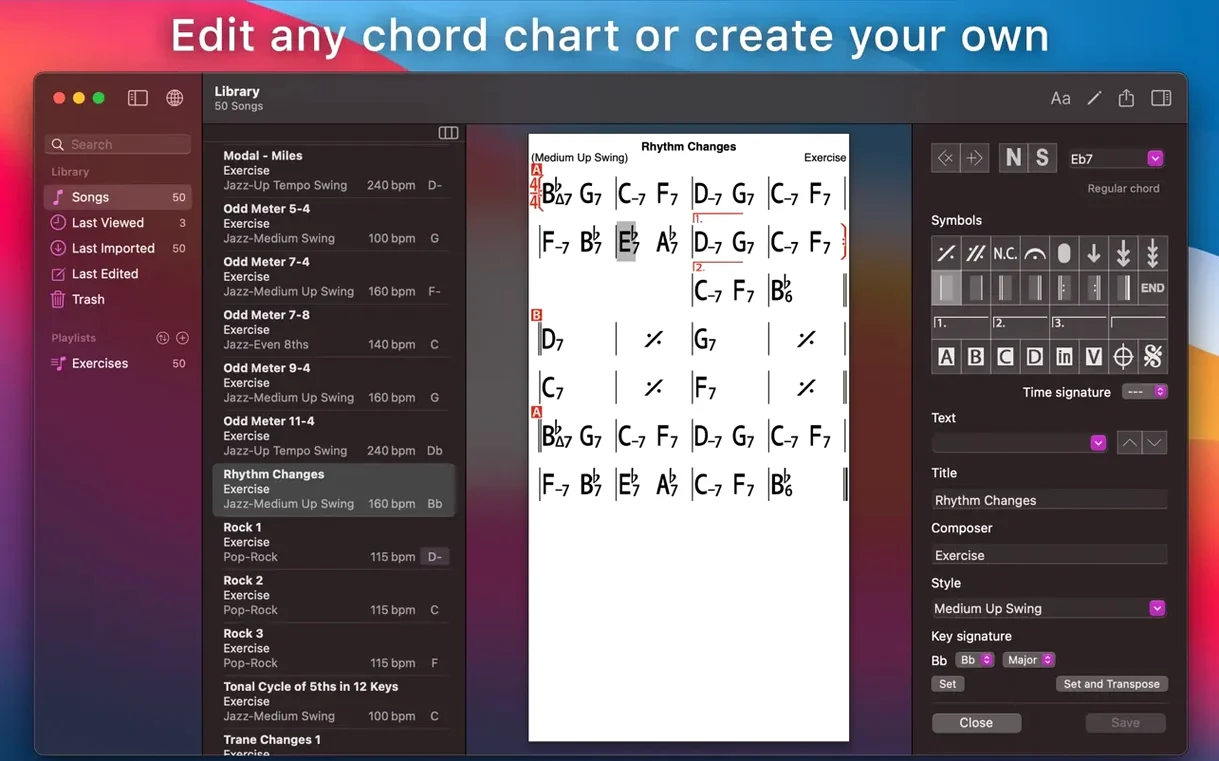
Chord Chart Editor — the real power tool. Build custom layouts, fine-tune repeats, codas, and DS al codas without fighting the interface. Export clean PDFs for the band or MusicXML if you’re heading into notation software.
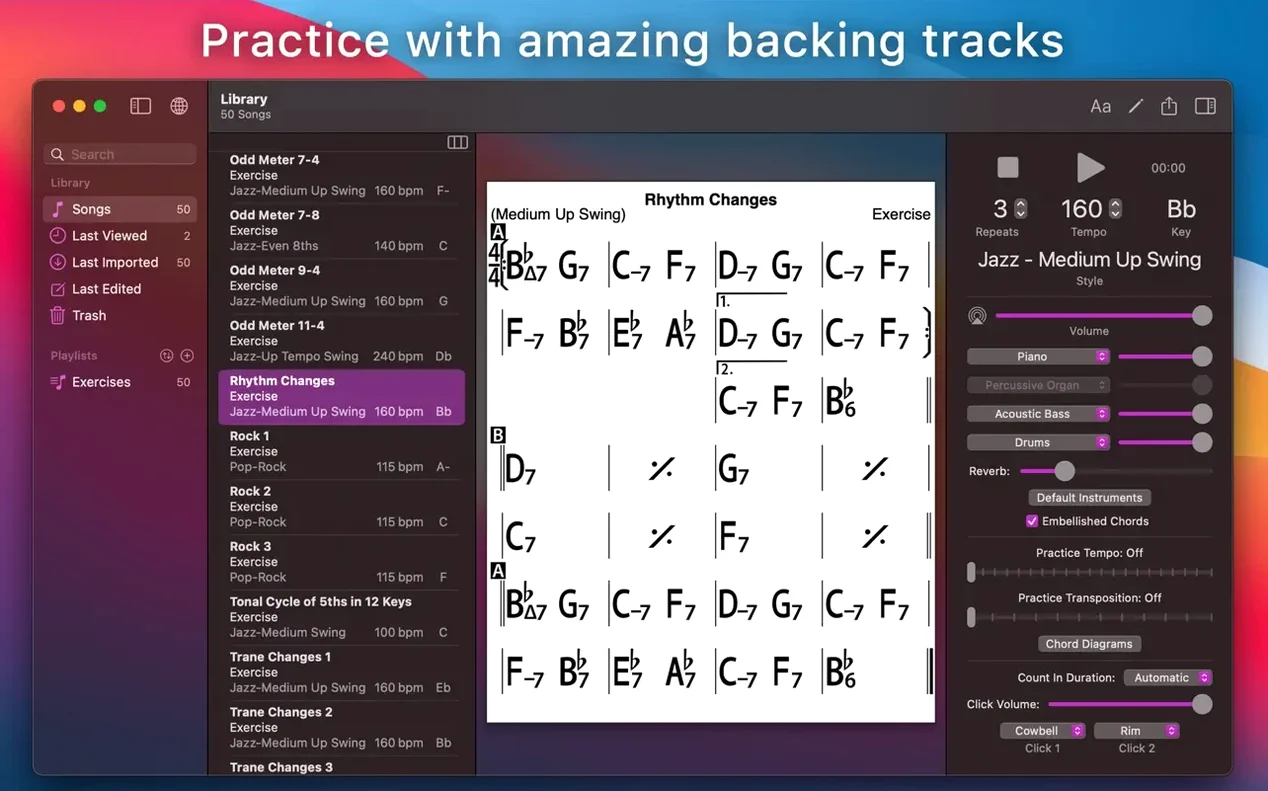
Mixer Window — pull the faders on piano, bass, and drums independently. Drop the piano out to comp yourself or kill the bass when a student needs to walk without a net.
iCloud Sync — your entire library of charts and playlists stays current between Mac, iPad, and iPhone, so the setlist you edited backstage is already waiting on the stand.
Piano & Multi-Instrument Tabs — toggle guitar tab, ukulele diagrams, or piano fingerings right on the chart. Handy when you’re arranging for horns and need to double-check voicings quickly.
A Real Workflow: Building a Practice Chart from Scratch
Let’s walk through something concrete — say you’re shedding a jazz standard for a gig next weekend and the chart in the forums doesn’t sit right in your key. Here’s how I’d build it from zero in iReal Pro.
Open the song editor and start with a blank canvas. Tap the plus button, name the tune, and set your key and time signature up front — don’t leave those for later or you’ll confuse the transposition engine. Drop in your first chord. The editor uses a shorthand system where each bar gets its own cell, and you tap a cell to enter chords with quick text codes. Cmaj7 becomes a clean Cmaj7 symbol instantly. Alternate chords within a bar by separating them with commas, and use the slash notation for bass notes — Dm7/G — without any fuss.
Now the structure. Drag the section markers in: Intro, A, B, Coda. Set repeat signs with the repeat toolbar — tap a bar, choose the left or right repeat bracket, and the playback engine respects them immediately. Double-check DS al Coda jumps; iReal Pro counts measures for you, so lay out the road map exactly as the lead sheet calls for. Hit the play button after every section to hear the band react. Does the turnaround breathe? Adjust tempo by five or ten clicks until the phrasing feels natural.
Once the skeleton is solid, visit the mixer. Pull the drums back a touch for a brush sound on a ballad, push the bass forward for a walking line, and kill the piano if this chart is your comping vehicle. Export the chart as a PDF straight to a band group chat, then save the audio as WAV for tomorrow’s commute. The whole thing — from empty page to practice-ready — takes under ten minutes once the chord progression is in your head.
Skipping the Mixer Leaves Piano Clashing with Your Lines
Most new users treat iReal Pro like a static songbook app and miss half the value. The big one: ignoring the mixer entirely. People load a chart, hit play, and grumble that the piano voicings step on their own playing — without ever opening the mixer window to mute the keys. The faders are there for a reason. Use them.
Another classic stumble: typing chord qualities that the playback engine doesn’t recognize. iReal Pro understands hundreds of symbols, but if you write G7#5b9 as one mashed-up string, you might get silence or an unexpected substitution. Check the chord quality list under the help menu. Stick to the recognized syntax and let the app sort the voicings.
Beginners also skip setting the rehearsal marks. They’ll build a long form with three repeats and a coda, then get lost during playback because they never labeled sections A, B, or C. The band follows your chart, but you need to follow it too. Drop a text marker on bar one of each section. Takes seconds, saves minutes of head-scratching.
Finally, people download charts from the forums without checking the key. The default transposition button is right there, but a surprising number of users will struggle through a tune in the wrong key for weeks before realizing they can shift the whole thing with two taps. Transpose early, transpose often.
Build Three Playlists Right After Installing
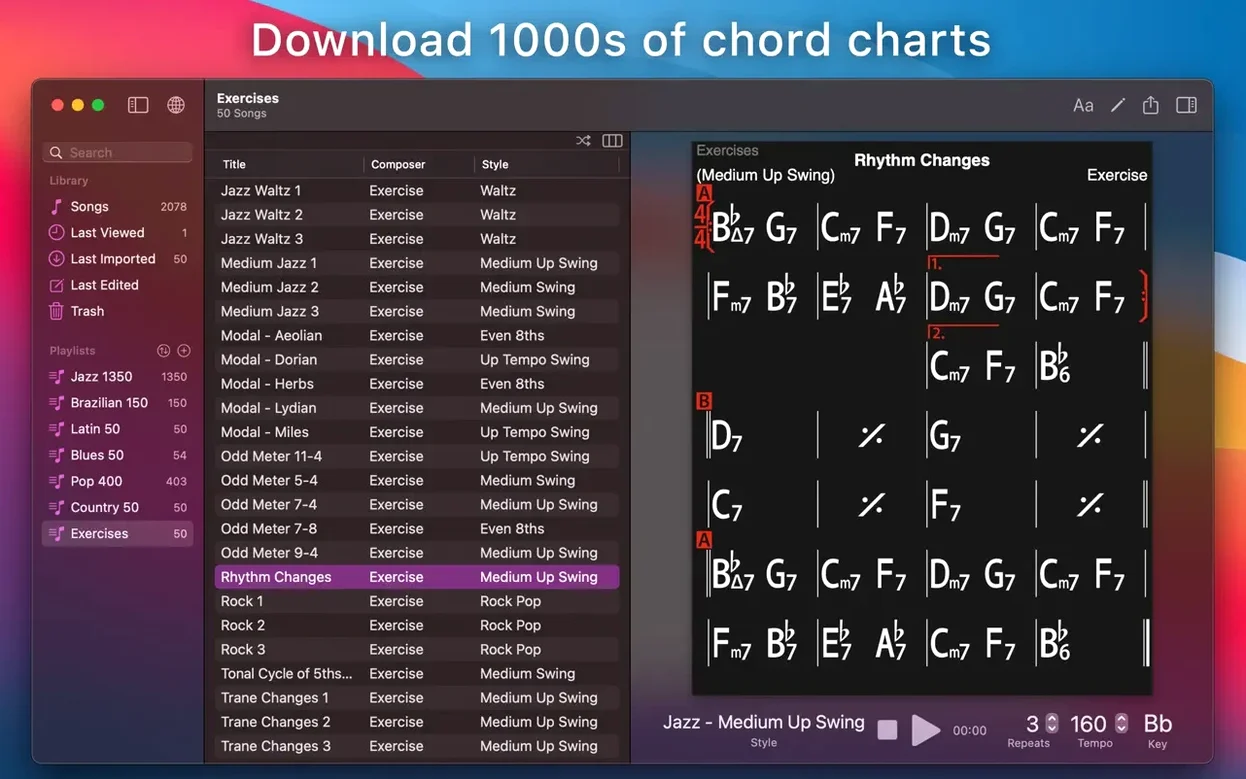
Install the app and immediately create three playlists: a working setlist for any upcoming performance, a practice folder for new material, and a backlog for songs you want to learn someday. Drag your existing charts into each. The structure keeps you from opening the full library and scrolling endlessly when the bandleader calls the next tune.
Second tip: calibrate the mixer to your instrument. If you’re a pianist, save a mixer preset with the piano channel muted and lock it to your most-used playlist. If you’re a bassist, kill the bass channel and push the drums up for a tighter rhythm section feel. iReal Pro remembers mixer states per song, so set it once and move on.
Third, learn the Number System display. Toggle a chart from chord symbols to Nashville numbers — I, IV, V, vi — and practice reading the changes in relative pitch. It’s the fastest way to internalize progressions across keys, and the button is sitting right in the toolbar. Too many people ignore it and stay glued to absolute chord names.
Fourth, record yourself within the first week. The built-in recorder captures your instrument along with the backing band, so you hear exactly how your phrasing sits in the mix. Export the WAV, listen back on regular speakers, and you’ll catch timing issues that slip past during real-time play. It’s humbling but irreplaceable.
Fix Robotic Playback by Matching Style to Tempo
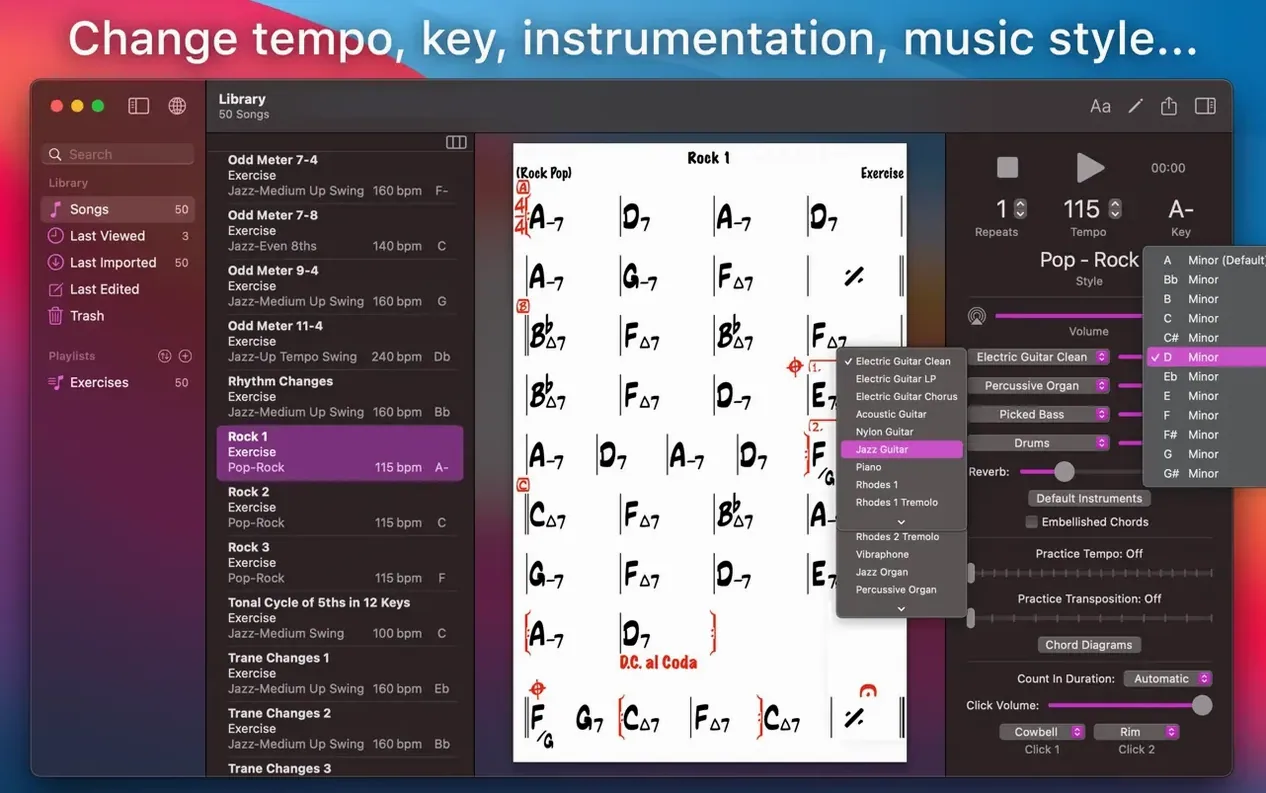
The biggest headache people report: playback timing feels stiff or robotic. That’s usually a tempo and style mismatch. A ballad set at 120 BPM with a rock drum pattern won’t breathe. Drop the tempo and switch the style to a jazz ballad or bossa nova variant — the rhythm section phrasing changes significantly between the 51 accompaniment styles, and the right pairing makes the band sound human again.
Sync issues crop up too. Someone edits a chart on an iPad backstage and it doesn’t appear on the Mac before the set. First check: is iCloud sync enabled under preferences on both devices? Second check: are both signed into the same Apple ID? Third, force a manual sync by pulling down on the playlist view on iOS or hitting the sync icon on the Mac. If a chart still won’t budge, duplicate it, rename it, and try again — sometimes a stuck cache entry is the culprit.
Export problems usually trace back to permissions. macOS will block file saves to certain folders if iReal Pro doesn’t have full disk access. Head to System Settings, search for Privacy & Security, and add the app under Files and Folders. Once granted, PDF and audio exports land without a hitch.
Some users hit a wall with the chord editor’s learning curve and go looking for alternatives — you’ll see search terms like iReal Pro torrent or iReal Pro Mac crack floating around — and the official build works cleanly on both Intel and Apple Silicon Macs running macOS 12.4 or newer, and the in-app library of user-shared charts is massive enough that you rarely need to build from scratch unless you’re arranging something uncommon. For Windows users hunting iReal Pro Windows torrent, the Mac version remains a separate purchase, and the companion iPad and iPhone apps bridge the gap nicely with iCloud sync keeping everything aligned.
If playback still glitches after all that, try toggling the audio output device in the Mac’s sound preferences. iReal Pro sometimes latches onto a Bluetooth speaker that introduces latency, and switching back to built-in output or a wired interface cleans things up instantly.
- macOS 12.4 or later
- Runs natively on both Intel and Apple Silicon Macs
Questions people ask
Can iReal Pro record my practice sessions?
Yes, the app can record your playing or singing along with the backing accompaniment, so you can listen back and catch what needs work.
How do I share a chart with someone who doesn’t use iReal Pro?
You can export any chart as a clean PDF for printing or sharing, or as MusicXML if you need to open it in a notation program like Sibelius or Dorico.
Is the Mac version included if I bought the iOS app?
No, the developer notes the Mac version is a separate purchase from other platform versions.
Also on readers' docks
Sign in or create an account to leave a comment.
No comments yet. Tell me how it got on with your other devices.