Download Native Instruments Reaktor for macOS
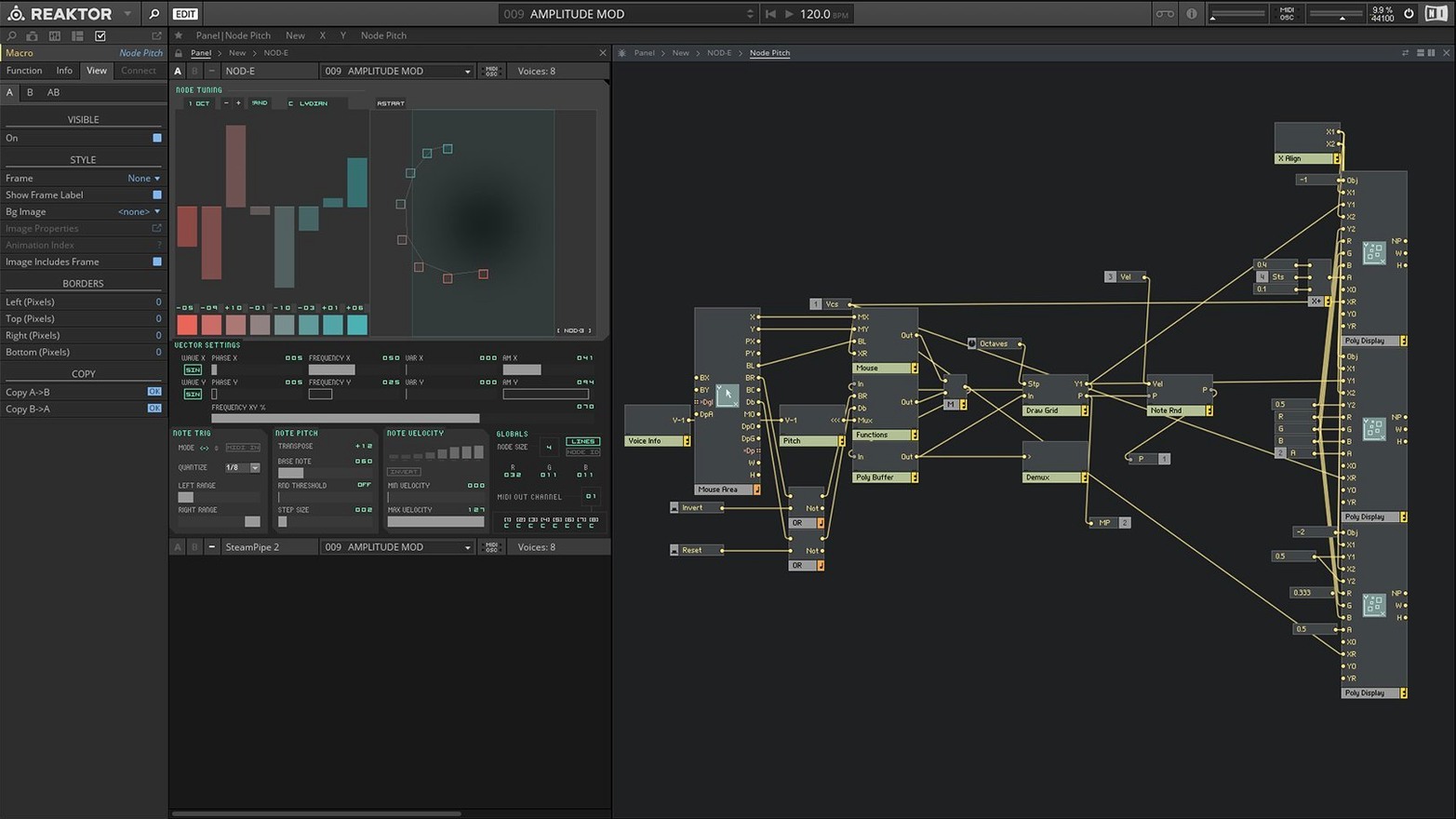
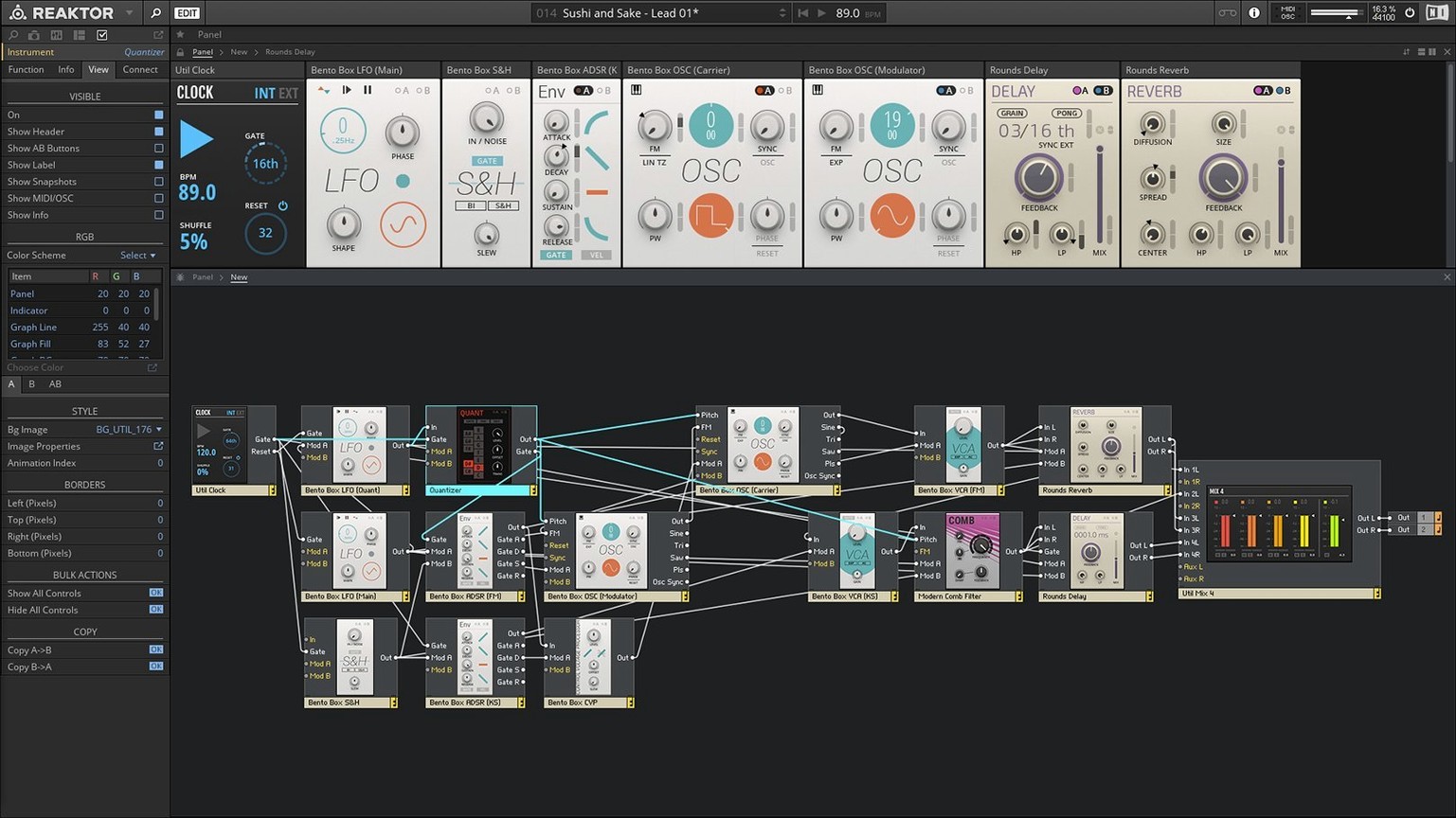
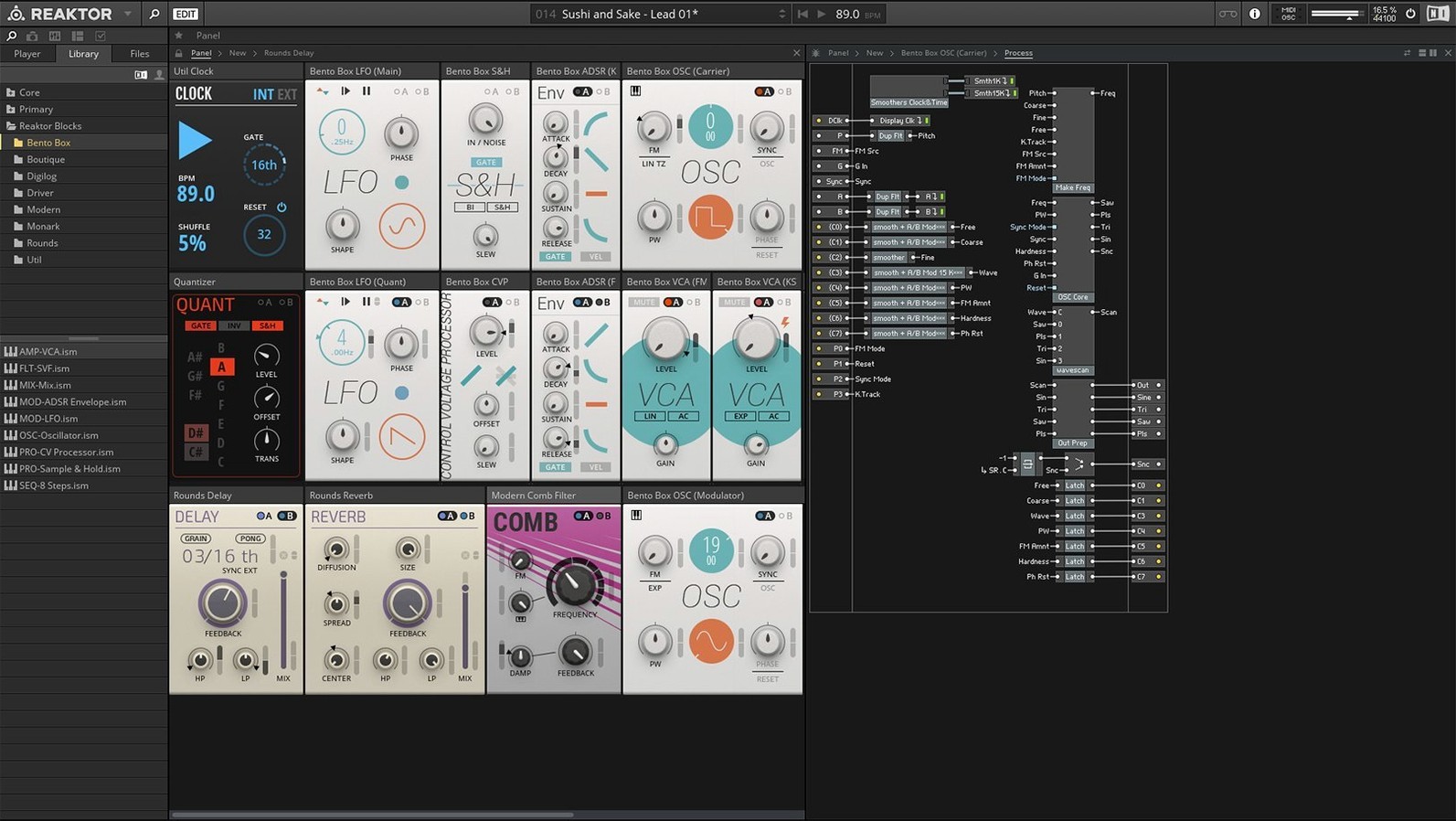
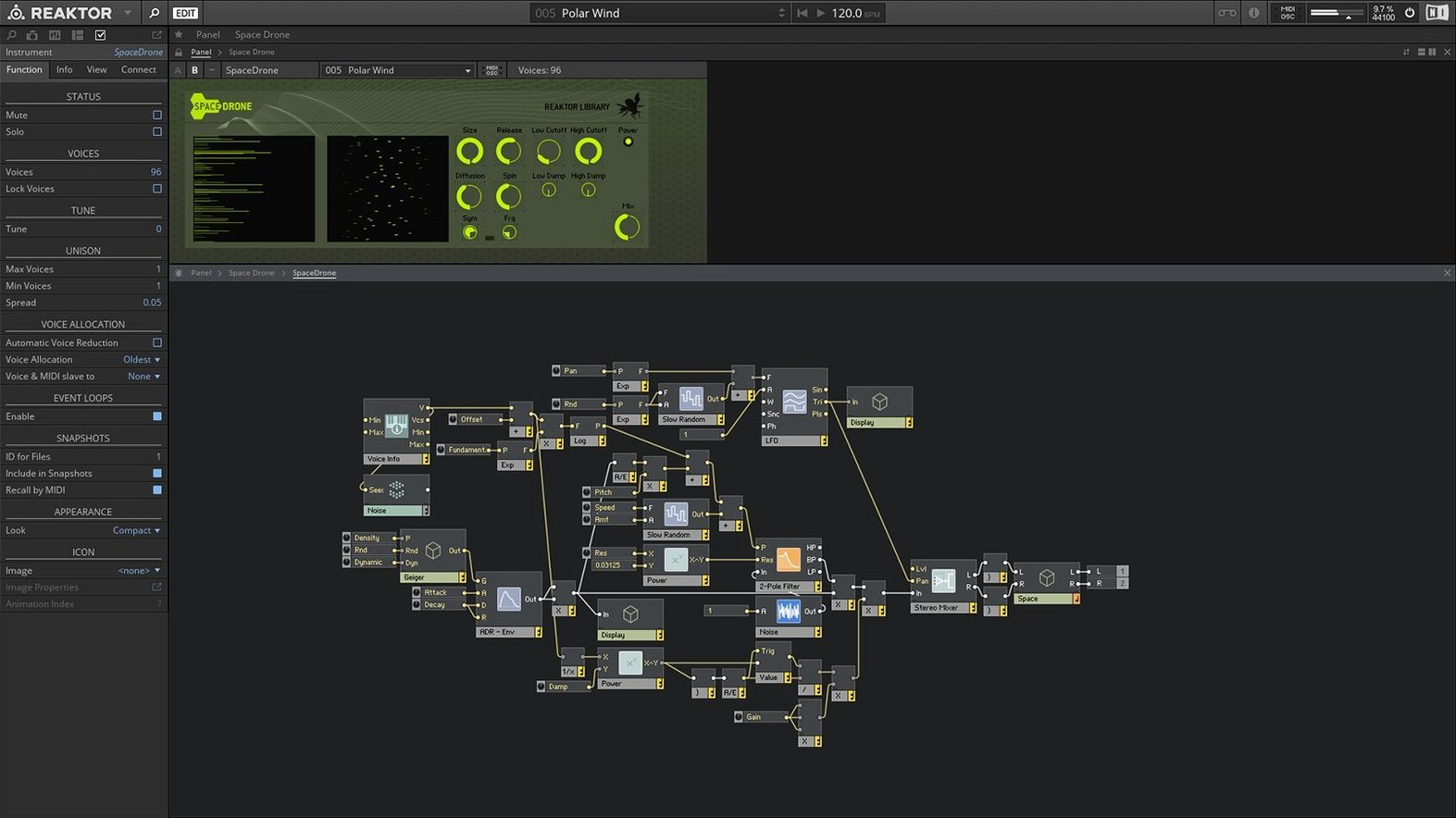
If you have ever built a signal chain with effects plug-ins inside a DAW, you already understand the logic behind Reaktor. It takes that same idea of connecting blocks — but goes much deeper, letting you wire audio-rate and control signals between oscillators, filters, sequencers and entirely custom creations until the sound is exactly yours.
Standout features, explained by what they actually do
- Blocks framework — think of these as snap-together hardware modules. Patch a sequencer into a synth voice, route it through a delay, and tweak every connection in real time. It turns the screen into a virtual Eurorack.
- Reaktor Core Technology — introduced in version 6, this is where you build your own modules from scratch. The visual editor lets you define DSP at a low level without writing lines of code, which means instruments and effects that simply do not exist anywhere else.
- Dual-mode operation — open it as a standalone app for focused sound design sessions, or load it as a plug-in inside your DAW and treat it like any other instrument. The same patches work in both contexts.
- KORE integration — Reaktor plays well with Native Instruments KORE, so sounds are browsable, tagged and instantly recallable across your whole NI ecosystem.
A library that arrives ready to play
Version 6 ships with 23 new instruments out of the box, spanning lush pads, snarling basses, kinetic sequencers and experimental textures. You can open them immediately and perform, or crack them open to see how they are wired — every knob, cable and panel is exposed for reverse-engineering. Apple Silicon Macs run it natively, and it stays comfortable on macOS 10.15 and later.
A workflow: designing a responsive bass patch from scratch
Start inside your DAW with Reaktor loaded as an instrument plug-in. Pick an empty ensemble, then drop a Sine Bank oscillator from the Blocks library into the rack. Patch its output into a State Variable Filter block, set the filter type to low-pass, and bring the cutoff down to around 400 Hz — the sound gets warm and rounded right away.
Next, add an ADSR envelope block. Route it to the filter cutoff and dial in a short attack, medium decay, low sustain and quick release. Now every note you play pushes the filter open briefly, giving the patch a plucky, percussive snap. For more movement, drop a LFO block in, set its shape to a slow triangle wave, and patch it to the oscillator’s pitch input at a very subtle depth — the bass starts to breathe without sounding out of tune.
Finally, send the filter output through a Drive block before it hits the ensemble outputs. Crank the gain until the low end thickens up at higher velocities. Save the ensemble, and you have a patch that responds to playing dynamics like a real hardware chain.
A producer’s best friend during a late-night session
A beatmaker working on a lo-fi hip-hop track wants a pad that shifts texture every few bars without automating a dozen plug-ins. They open Reaktor, load a community-built ensemble from the user library — something built around granular resynthesis — and drag a few Blocks into the signal path: a Clock Divider feeding a Sample and Hold that modulates the grain size. Within ten minutes the pad is drifting between glassy shimmers and dusty crackle, perfectly in time with the project tempo. Because the ensemble runs inside the DAW, they bounce a few minutes of audio, chop the best moments, and the track moves forward. No preset-hopping, no menu-diving — just patching the sound until it fits the mood.
Patching Audio into a Modulation Input
- Ignoring the signal flow arrows. Every block has labeled inputs and outputs, but newcomers often patch audio into a modulation input by accident. Hover over a terminal to see what type of signal it expects — audio or control — before you connect anything.
- Building from absolute silence. The empty ensemble can feel intimidating, so a lot of people stare at a blank rack for an hour. Open one of the 23 included instruments instead, right-click a block, and choose Show Structure. You learn faster by taking something apart than by starting from nothing.
- Forgetting the CPU meter. Reaktor encourages wild experimentation, and it is easy to stack ten oscillators through three convolution reverbs before realizing the session has turned into a stuttering mess. Keep an eye on the performance meter in the toolbar, and use the Polyphony setting to limit voices on hungry patches — your Mac will thank you.
- Skipping the user library. The community has already built thousands of free instruments and effects. Searching reaktor 6 mac often leads people here first, and downloading a few curated ensembles shows you what is possible far quicker than reading a manual cover to cover.
Version 6 introduced Reaktor Core Technology for building custom modules inside a visual editor, and added 23 new instruments ready to play or dissect.
- macOS 10.15 or later
- Apple Silicon Macs run natively; Intel Macs fully supported
- Runs standalone or as an AU, VST, AAX plug-in
Also on readers' docks
Sign in or create an account to leave a comment.
No comments yet. Tell me how it got on with your other devices.