








Download WALTR PRO for macOS
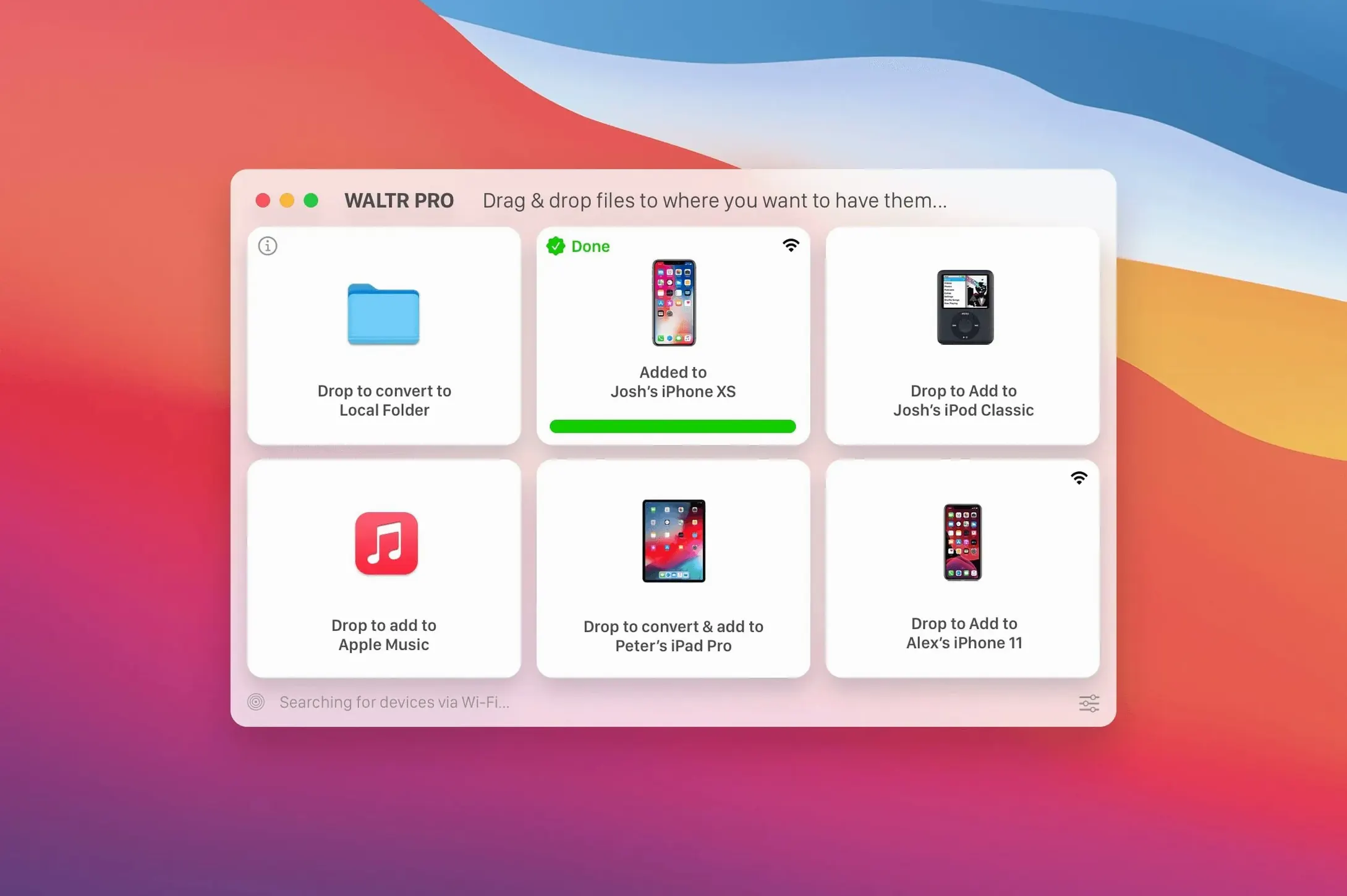
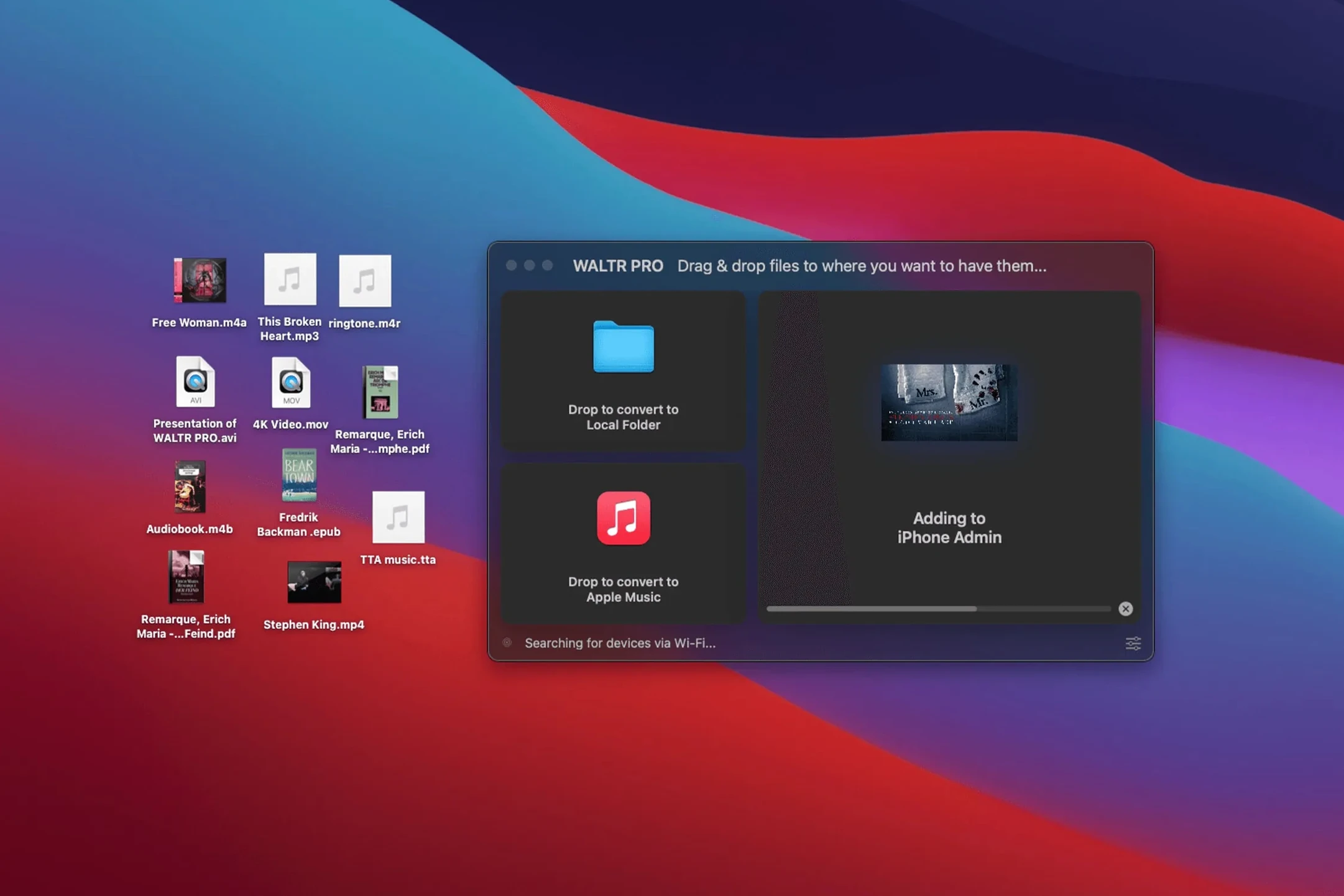
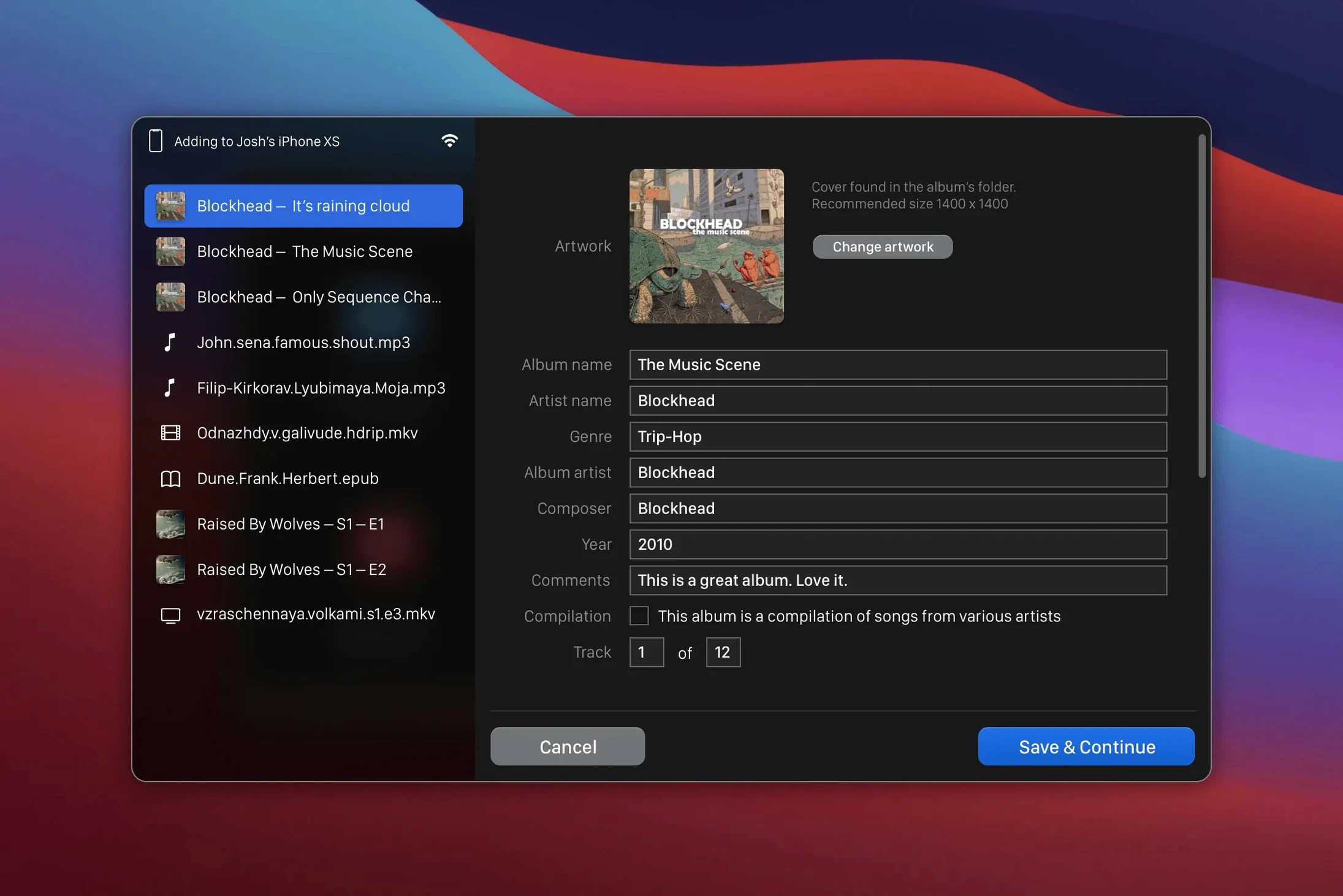
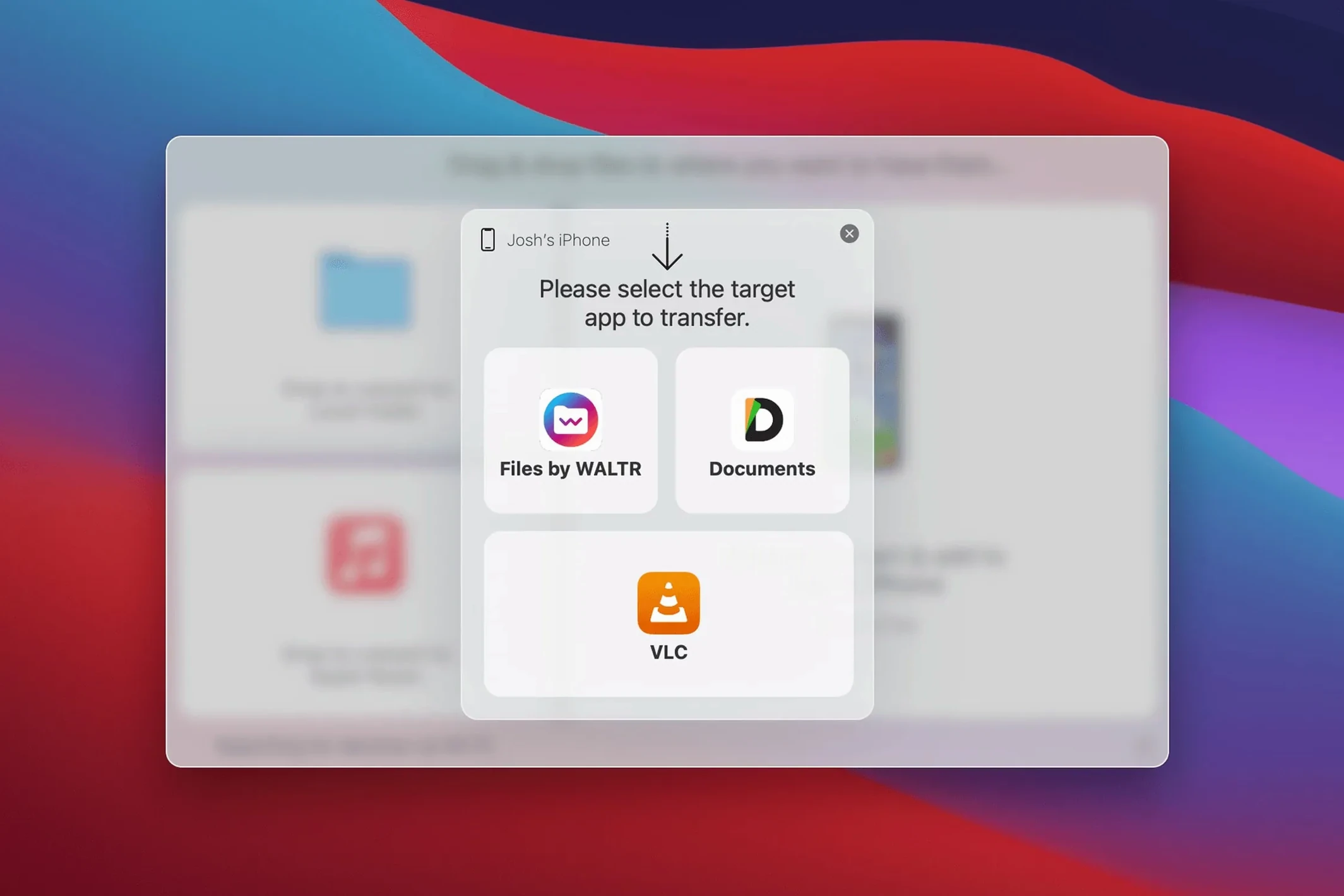
Even now, iOS will politely refuse to play an MKV file or a FLAC album when you drag it into the Music app. WALTR PRO exists to make that refusal disappear. Built by Softorino, it acts as a bridge — you drop a file onto its window and the app converts it on the fly before placing it straight into the iOS Music or Movies app over Wi-Fi.
It recognises a long list of formats that Apple's own tools won't touch, including AVI, CUE, WMA and M4R ringtones alongside the usual MP3 and MP4 suspects. There is no manual sync button hunting and no iTunes wrestling match — just a file in and playback out.
MKV to iPad, FLAC into Music, and cable-free Wi-Fi
- Getting MKV movies or AVI files onto an iPad without a third-party player
- Moving a FLAC or ALAC music collection into the stock Music app
- Wireless transfer — no cable needed once a device is recognised
- People who find Finder sync steps tedious and just want the file to play
Intel-only, stock Apple apps, and network-dependent speeds
- Requires an Intel Mac running macOS 10.13 or newer
- Playback happens inside Apple's Music and Movies apps, not a custom player
- Wi-Fi transfer speed depends on your local network
Drag to install, one Terminal fix for Gatekeeper
The install is refreshingly simple: mount the disk image, drag the app to Applications, and launch. The first time you open it, macOS may put up a Gatekeeper fuss — but the included instructions walk you through a quick Terminal command to get past it, and after that it opens without complaint.
Before you start dropping files, take two minutes to connect your iPhone or iPad while both the Mac and the device sit on the same Wi-Fi network. WALTR PRO detects the device automatically and remembers it for future sessions. If the device doesn't appear right away, open the app on your iPad or iPhone once, then glance back at the Mac — the connection usually establishes itself within seconds.
Drop whole folders at once and CUE sheets become tracks
- Drag a whole folder instead of individual files — the app queues everything and works through the list without asking for confirmation between items.
- CUE sheets aren't just ignored. When you drop a single-file album with a CUE alongside it, WALTR PRO splits the audio into proper tracks in the Music app, so a 45-minute live set becomes a navigable album.
- M4R ringtones land in the right place automatically. You don't have to dig through settings or manually assign the file type — the app recognizes the extension and routes it to the tones library.
- The window doubles as a progress panel. Each file shows its conversion state and transfer status right on the drop area, so you know whether a large MKV is still converting or already pushing over Wi-Fi.
- Pause and resume isn't advertised loudly, but closing the app mid-transfer doesn't corrupt anything — the file simply appears on the device the next time you connect and resend it.
One realistic workflow: the offline commuter
Picture someone who rides a train for forty minutes each morning and refuses to pay for streaming. On Sunday evening, they have a folder of downloaded video lectures in MKV and a pile of new music in FLAC. The old routine involved a third-party video app with its own import process and a separate converter for audio. With WALTR PRO, the routine shrinks to three steps: open the app, select the files, and wait for the confirmation sound. The lectures show up under the Movies app, and the FLAC album appears in Music, fully tagged and ready for the headphones. By Monday morning, everything is offline and playing through Apple's own interfaces — no extra video player, no syncing anxiety over a cable.
Waking a sleeping iPhone now reconnects on its own
Version 4.0.122 tightened a few everyday behaviors. The device detection is noticeably more direct than in earlier builds, especially when an iPhone or iPad has been asleep for a while — waking the device usually brings the connection back without reinstalling anything. Transfers of larger MKV files also feel more predictable, with the progress indicator giving a clearer sense of how far the conversion has actually gone rather than sitting at an ambiguous percentage. The app's compatibility with the full list of supported formats — including CUE, WMA and M4R — remains the headline, but the polish on the day-to-day transfer loop is what makes the current release comfortable to keep open in the background.
- macOS 10.13 or later
- 64-bit Intel processor
Questions people ask
Which file types can WALTR PRO send to an iPhone?
It supports MKV, AVI, FLAC, CUE, MP3, MP4, WMA, M4R, AAC, M4V, M4A and ALAC, converting them for playback in the iOS Music and Movies apps.
Also on readers' docks
Sign in or create an account to leave a comment.
No comments yet. Tell me how it got on with your other devices.
More in Mac Apps
See all VMware Fusion Pro
26H1 Mac Apps
479 MB
VMware Fusion Pro
26H1 Mac Apps
479 MB
 ViWizard Spotify Music Converter
2.17.0 Mac Apps
7 MB
ViWizard Spotify Music Converter
2.17.0 Mac Apps
7 MB
 WidgetWall
3.15.2 Mac Apps
396 MB
WidgetWall
3.15.2 Mac Apps
396 MB
 VideoProc Converter
6.6 Mac Apps
86 MB
VideoProc Converter
6.6 Mac Apps
86 MB
 Winclone Pro
10.5 Mac Apps
21 MB
Winclone Pro
10.5 Mac Apps
21 MB
 Updated VideoProc Converter AI
8.13 Mac Apps
254 MB
Updated VideoProc Converter AI
8.13 Mac Apps
254 MB
 WinZip Mac Pro
12.0.7282 Mac Apps
36 MB
WinZip Mac Pro
12.0.7282 Mac Apps
36 MB
 VideoByte BD-DVD Ripper
2.1.6 Mac Apps
124 MB
VideoByte BD-DVD Ripper
2.1.6 Mac Apps
124 MB