









Download VideoByte BD-DVD Ripper for macOS
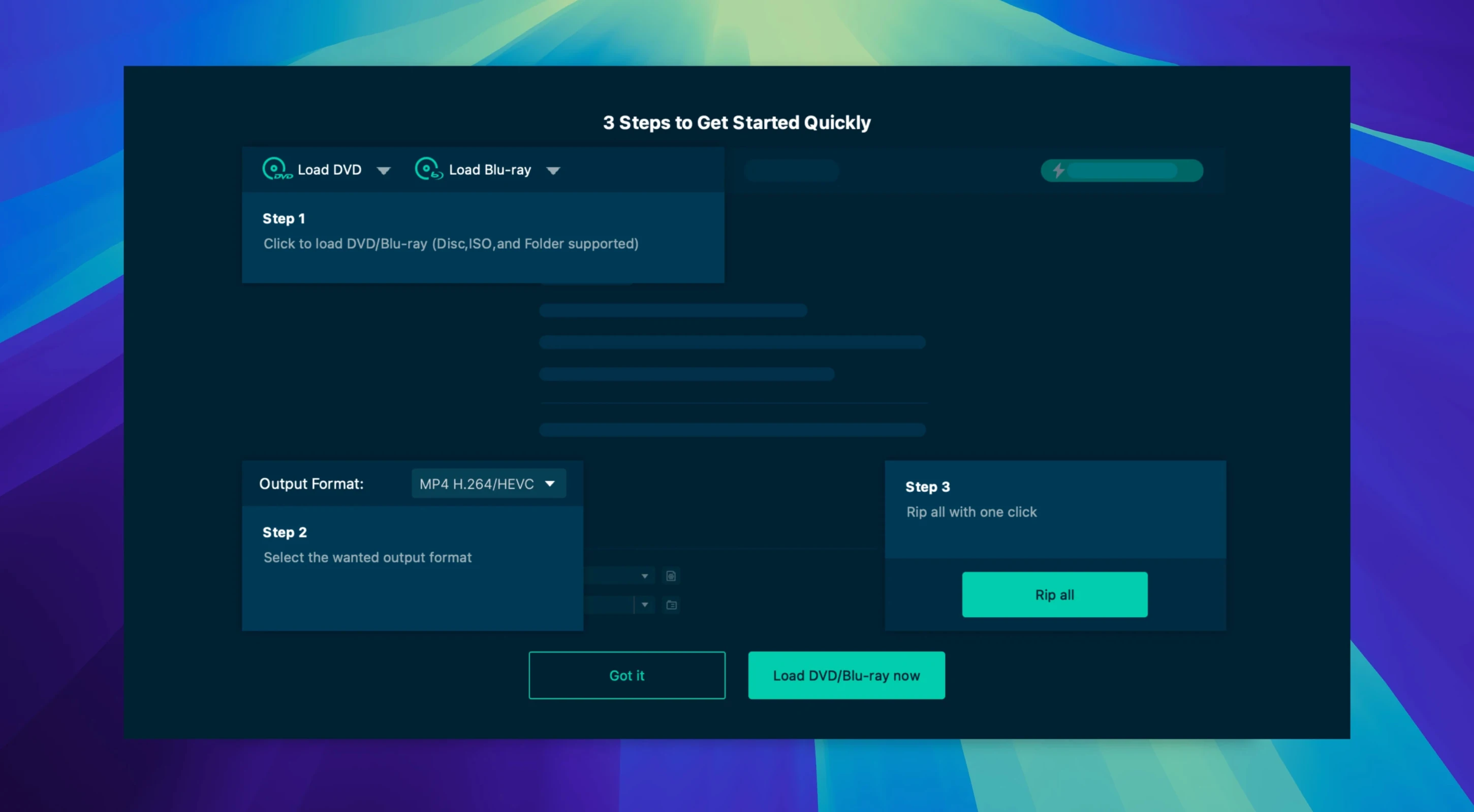
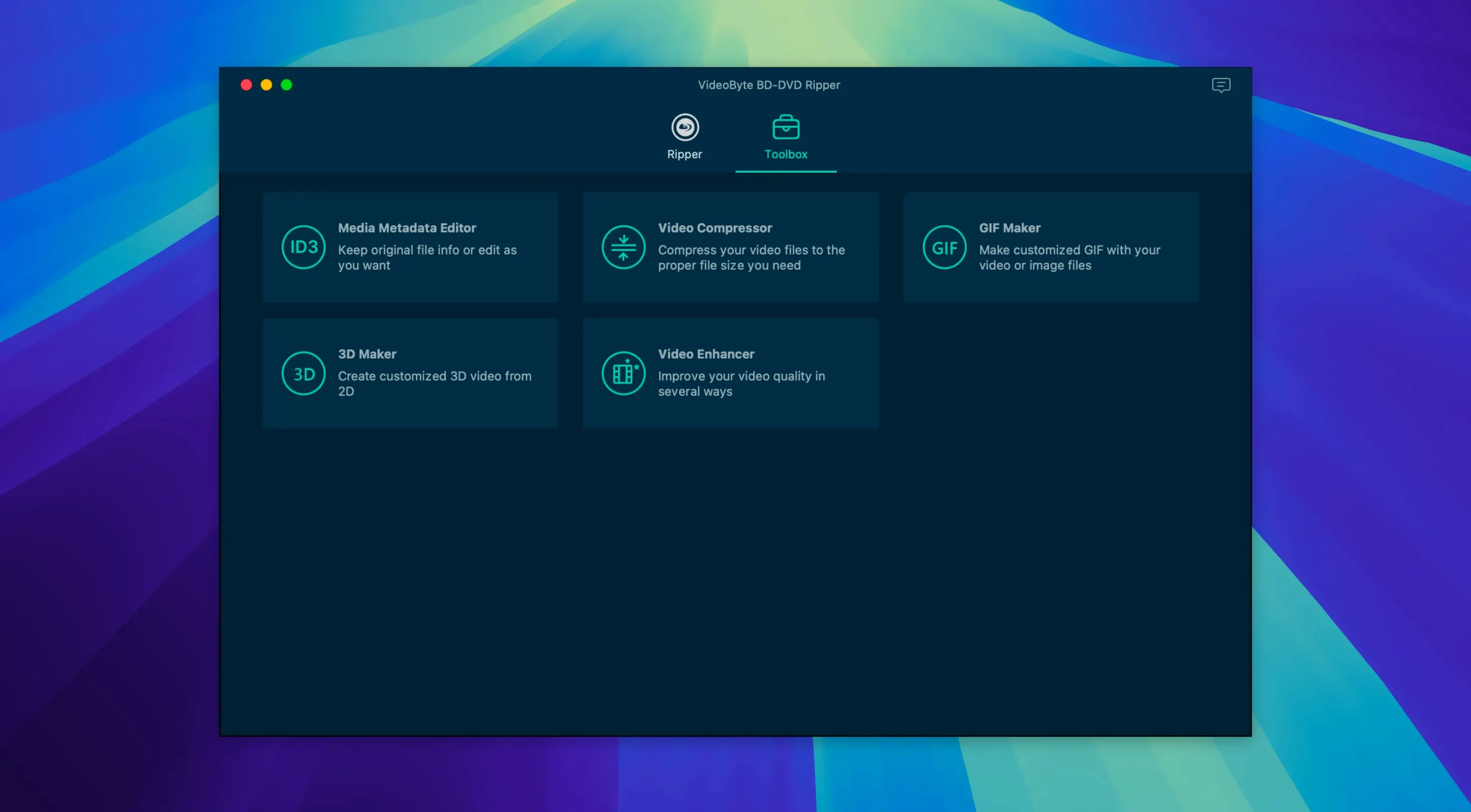
VideoByte BD-DVD Ripper is a dedicated Mac app for turning your physical Blu-ray and DVD collection into clean, playable digital files.
Stubborn protected discs finally rip clean
- Discs with stubborn protection. The app strips CSS, AACS, BD+, Cinavia, APS, and CPRM, so commercial discs that choke simpler tools often work here.
- Hardware-accelerated rips. It taps into NVIDIA, Intel, and AMD acceleration to keep conversion times short without hammering the CPU.
- Specific device libraries. With preset profiles for Apple, Samsung, and Sony gear plus over 300 format options (MP4, MKV, MOV, WMV, MP3, AAC), you can target exactly what your playback setup needs.
Intel Mac requirement, Rosetta on Apple Silicon
- Intel-only for now. The app requires macOS 10.10 or later on an Intel Mac, so Apple Silicon owners run it through Rosetta.
- Part of a larger toolkit. It sits alongside separate VideoByte apps for DVD-only ripping, disc copying, and Blu-ray creation — this one focuses specifically on ripping both BD and DVD to digital formats.
A real-world workflow: family holiday disc to iPad
Last week I grabbed a dusty Blu-ray of a 2012 family trip and ran it through VideoByte BD-DVD Ripper from start to finish. Here is exactly how the steps lined up.
I popped the disc into an external LG Blu-ray drive connected to my Intel Mac mini. After a few seconds the app recognized the main title — not the trailers or the ten-second black clips studios sometimes bury on the disc. I switched the output profile to the Apple iPad preset, which dials in an H.264 MP4 at a resolution the Files app plays without a hiccup. Before hitting Start, I jumped into the audio tab and kept the original AC-3 stereo track, then told it to burn the English subtitle stream directly into the image so they survive an AirDrop to my daughter's tablet.
The trim tool let me lop off four minutes of shaky handheld footage at the start and the awkward silence at the end. I added a subtle contrast bump in the filter panel — nothing extreme, just enough to lift the shadows on faces shot against bright snow. With hardware acceleration active, the 90-minute title converted in just under thirty minutes. The resulting MP4 landed right in the folder I had set, and an AirDrop later the kids were watching it on the couch.
If you have ever wrestled with a videobyte torrent or a dvd ripper torrent that promised similar results, you can get excellent performance by ensuring your GPU drivers are up to date and the correct output profile is selected. The timeline stays locked, and the subtitle burn-in works on the first pass instead of the third.
Parents backing up family DVD shelves
Three groups of Mac users tend to get the most mileage out of VideoByte BD-DVD Ripper, and for different reasons.
Parents archiving a disc shelf. Families with shelves of Disney DVDs and Pixar Blu-rays often want a backup that survives sticky fingers. The device presets mean you rip once and drop the file onto whatever tablet the kids use, no transcoding marathon afterward.
Collectors with international discs. If you import region-locked Blu-rays from Japan or Europe, the protection stripping covers territory restrictions that make Finder shrug. Paired with the subtitle and audio track passthrough, you keep the original language options without the region headache.
Editors grabbing source clips. Editors pulling B-roll from old DVD bonus features appreciate the trim and crop tools living inside the same window. You can grab exactly thirty seconds of behind-the-scenes footage, rotate it, and export an MOV that drops straight into Final Cut without round-tripping through another utility.
No 4K UHD Blu-ray support
Does it handle the new 4K Blu-rays? VideoByte BD-DVD Ripper works with standard Blu-ray and DVD discs, BDMV folders, VIDEO_TS folders, and ISO files. Ultra HD Blu-ray (UHD) is a different format with different keys, so 4K discs are not on the menu here.
Will my Apple Silicon Mac run it? Yes, through Rosetta 2. The developer page confirms support for Intel and Apple Silicon processors on macOS 10.12 through 15.x, and in practice the hardware acceleration still engages on M-series chips even if the binary itself is Intel. You are not stuck in software-only rendering.
What if I only need DVDs, not Blu-rays? VideoByte also makes a DVD-only tool that strips CSS and CPRM without the Blu-ray libraries. If your collection is all DVD and you are hunting for a leaner download, that one skips the extra bulk. People searching for a videobyte crack or a videobyte bd-dvd ripper crack for the full BD-DVD edition often don't realize the DVD-only sibling exists as a separate app with its own installer, which many find runs smoothly right away.
Can I rip just the audio? Absolutely. The format list includes MP3 and AAC, and you can ignore the video track entirely. For concert discs where you want the live recording as an album, that is a one-click affair — pick the audio format, set the bitrate, and go.
- macOS 10.10 or later
- Intel processor
Also on readers' docks
Sign in or create an account to leave a comment.
No comments yet. Tell me how it got on with your other devices.
More in Mac Apps
See all Updated VideoProc Converter AI
8.13 Mac Apps
254 MB
Updated VideoProc Converter AI
8.13 Mac Apps
254 MB
 Updated Vibe Island
1.0.53 Mac Apps
18 MB
Updated Vibe Island
1.0.53 Mac Apps
18 MB
 VideoProc Converter
6.6 Mac Apps
86 MB
VideoProc Converter
6.6 Mac Apps
86 MB
 Viaduct
1.3.0 Mac Apps
49 MB
Viaduct
1.3.0 Mac Apps
49 MB
 ViWizard Spotify Music Converter
2.17.0 Mac Apps
7 MB
ViWizard Spotify Music Converter
2.17.0 Mac Apps
7 MB
 VMware Fusion Pro
26H1 Mac Apps
479 MB
VMware Fusion Pro
26H1 Mac Apps
479 MB
 Vector Magic
1.20 Mac Apps
17 MB
Vector Magic
1.20 Mac Apps
17 MB
 WALTR PRO
4.0.122 Mac Apps
29 MB
WALTR PRO
4.0.122 Mac Apps
29 MB