









Download Vibe Island for macOS
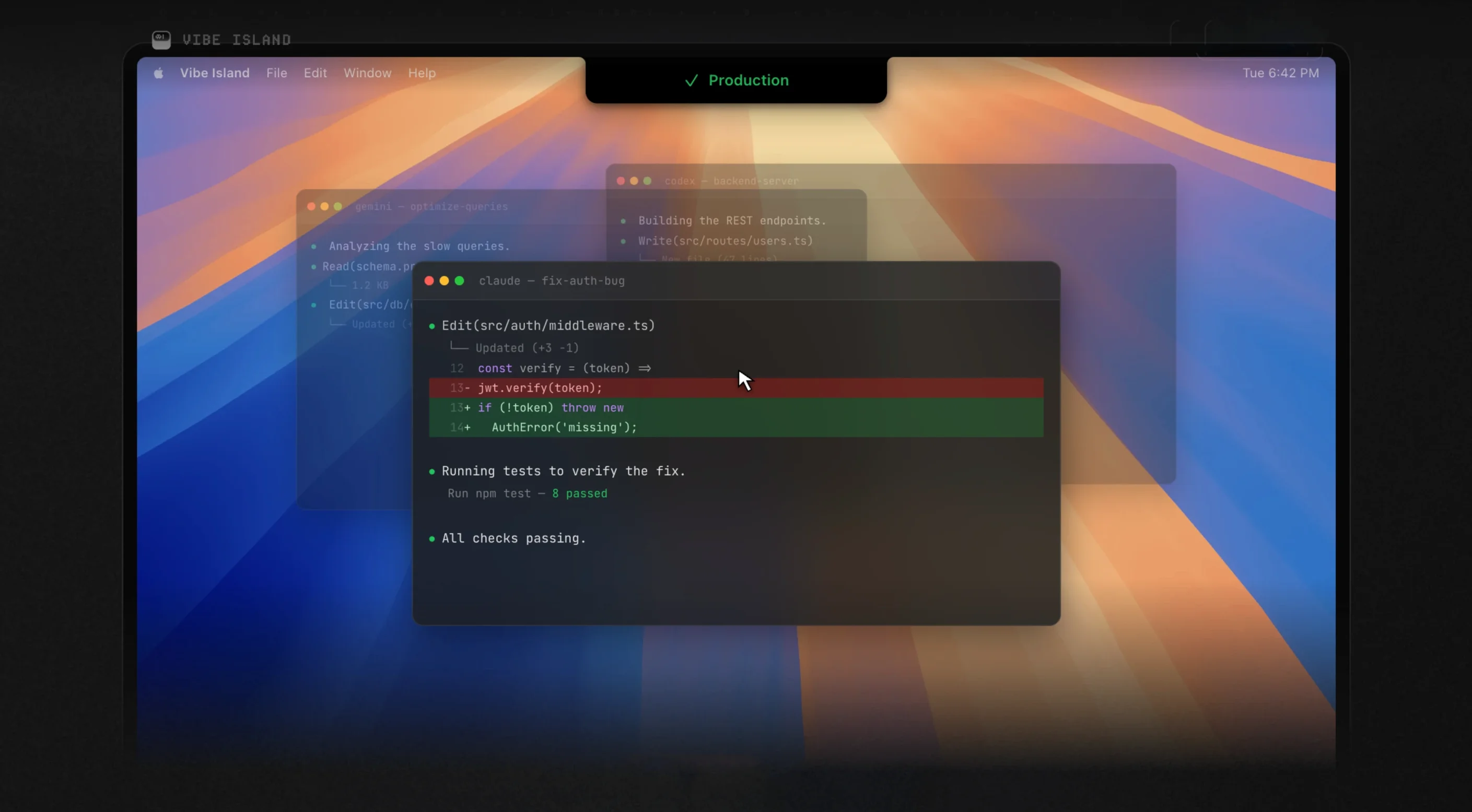
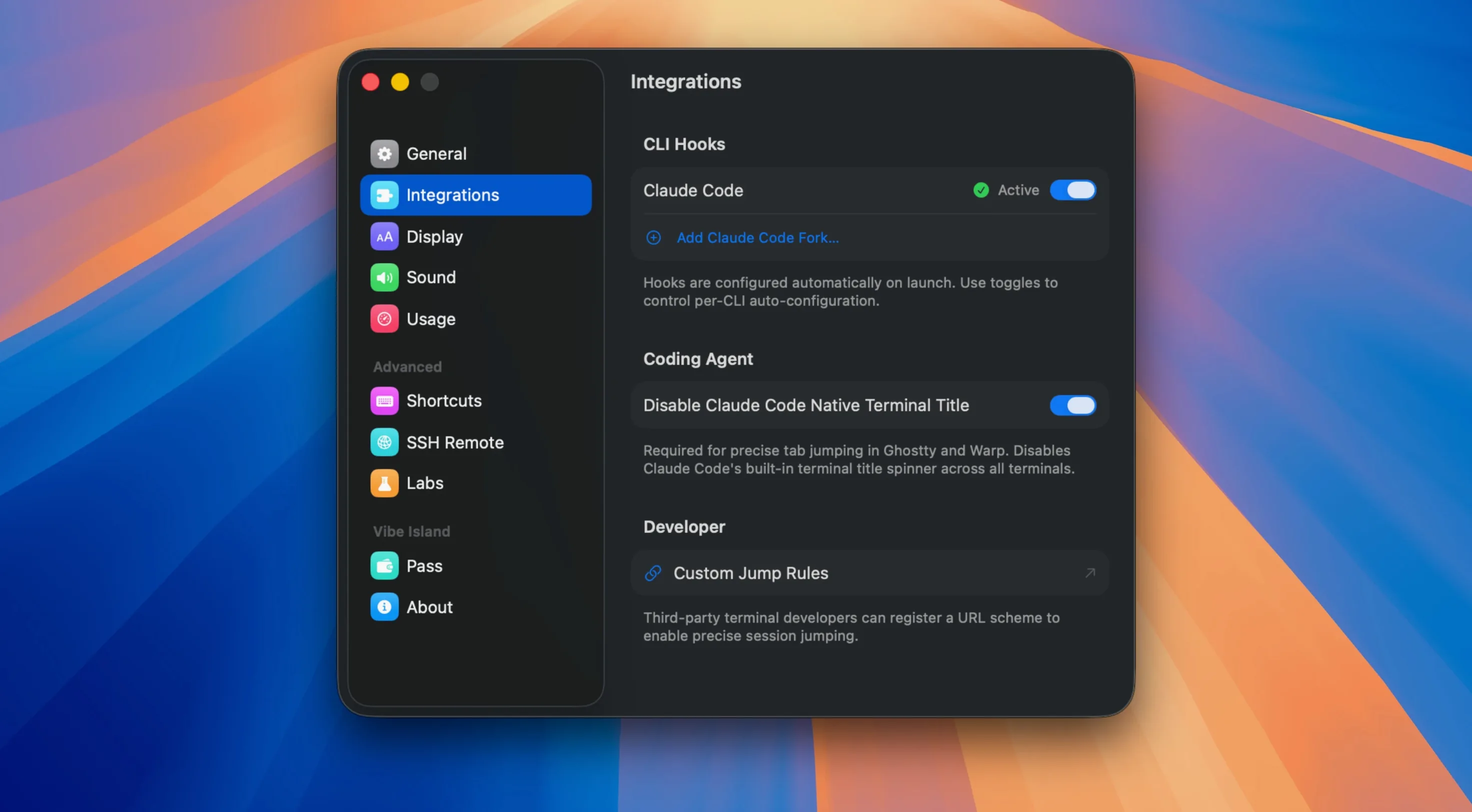
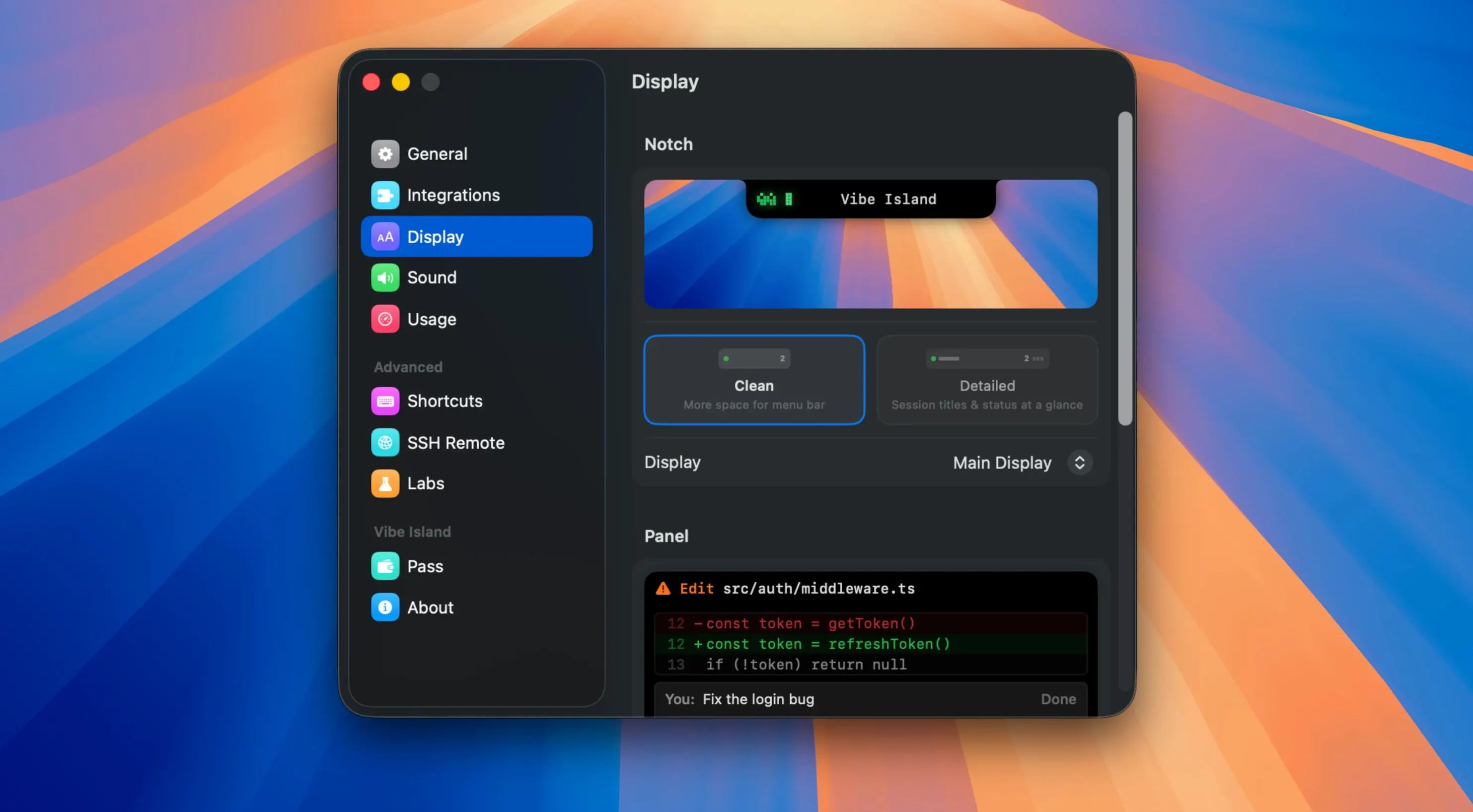
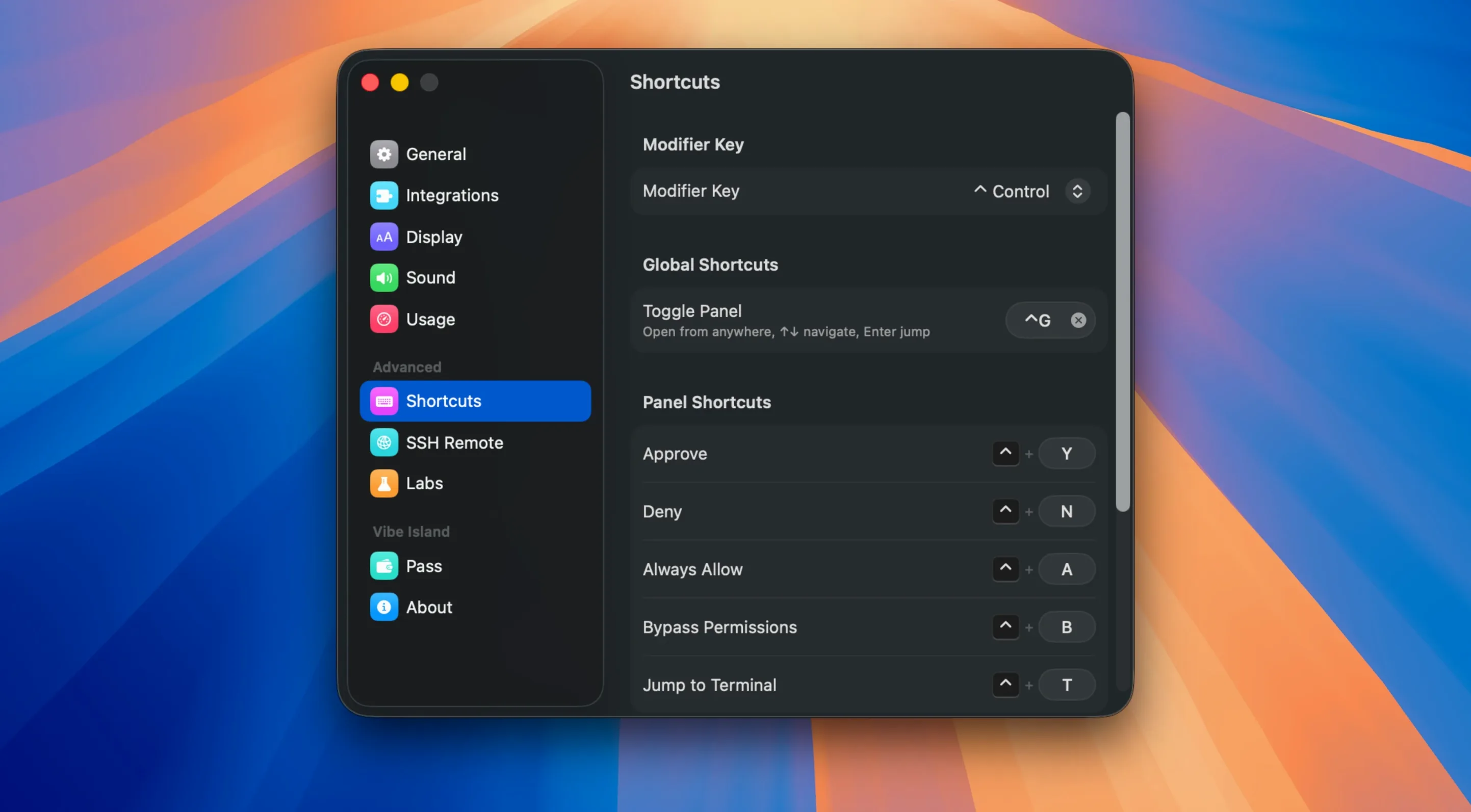
Version 1.0.51 drops with a handful of quality-of-life fixes — quota display and stale usage data are now sorted, OpenCode 2 conversations behave better, and Latin American Spanish joins the app's language lineup. If you've been watching the notch space grow, this update tightens the screws on an already clever utility.
All Local, No Accounts, No Telemetry
Nope. Everything stays local on your Mac — no cloud storage, no accounts, no telemetry. The app watches agent activity without ever shipping data off your machine.
Which AI tools does it actually monitor?
Quite a few. It tracks Claude Code, Codex, Gemini CLI, Cursor, OpenCode, Droid, and Kiro. If you're bouncing between CLI agents and editor-based tools, Vibe Island catches them all in one place.
Can I approve actions without leaving my editor?
Agent Missing From the Notch
Most hiccups with Vibe Island come down to two things: terminal detection and notch real estate. Here's what tends to trip people up and how to straighten it out.
- Agent not showing up in the notch. Make sure the terminal you're using is supported — Vibe Island recognizes 13 of them, including iTerm2, Ghostty, Warp, and the built-in Terminal.app. If you're in VS Code or Cursor's integrated terminal, check that the app has Accessibility permissions in System Settings. Without those, it can't read what's happening in your shell.
- Approval panel flickers or vanishes. This usually happens when you've got multiple tmux panes or splits active and the agent output lands in a different one than you expect. Use the precise jump feature to pin the right pane — it remembers which tab and split the agent lives in.
- Notch panel feels cramped with long plan previews. The Markdown renderer shows what it can fit. If a plan gets cut off, hover over the panel to expand it. Version 1.0.51 fixed a sizing bug that sometimes collapsed the hover state, so that should behave now.
- SSH remote run drops monitoring after waking the Mac. The 1.0.51 update improved recovery here. If it still loses the session, toggling the SSH setup off and back on usually reconnects without restarting the remote agent.
- Quota counters look stale. The latest version addressed this directly — stale usage data should no longer linger. If you still see old numbers, swapping to a different monitored agent and back forces a refresh.
Morning Refactor With Claude Code
Here's what a morning looks like once Vibe Island settles into your workflow.
You open Ghostty, SSH into a dev box, and fire up Claude Code to refactor a gnarly API layer. As soon as the agent starts reasoning, the notch lights up with a subtle pulse — the plan appears, rendered in clean Markdown, showing exactly which files it intends to touch. You glance up, read the diff summary, and approve it with a click right there in the notch. No alt-tabbing, no losing your place in the editor.
Meanwhile, a local Codex session in iTerm2 is chewing on a test suite in another tab. Vibe Island queues its approval request behind the Claude one — the notch shows a small indicator that something else is waiting. You finish with Claude, and the Codex question slides into view. An 8-bit chirp plays (you turned that on yesterday; it's oddly satisfying). You deny one suggestion, approve the next, and the agent moves on.
Later, while you're tweaking frontend code in Cursor, its built-in agent fires off a terminal command. Vibe Island catches it even though the terminal is embedded — the precise jump feature knows which Cursor pane the agent lives in. You check the real-time quota display before approving: Claude's remaining requests are getting low, so you pace yourself. The whole exchange never pulls your hands off the keyboard for more than a second.
Built for Terminal-Native AI Agents
Vibe Island isn't trying to be everything to everyone. It's built for a specific rhythm of work.
Developers running terminal-native AI agents are the core audience. If you spend hours in Claude Code, Codex CLI, or Gemini CLI — especially across multiple terminal tabs and splits — the notch panel saves you from constantly switching windows just to say "yes, go ahead."
People managing remote AI sessions over SSH will appreciate the remote monitoring. The ability to track an agent running on a distant machine while seeing approvals on your local Mac's notch means you can kick off long tasks and check in without babysitting a terminal.
Multi-agent users — the ones bouncing between Cursor's agent, a CLI tool for backend work, and maybe OpenCode for quick edits — get the most value from the unified queue. Vibe Island corrals approvals from all of them into one strip of screen, so you're not hunting through windows to find which agent is asking for permission.
If you rarely touch terminal agents and stick to GUI-only AI tools, the notch panel won't do much for you. But if your workflow already looks like the session described above, this is the kind of utility that quietly becomes indispensable. Plenty of folks grab the vibe island mac download for the novelty and stick around because it genuinely reduces context-switching friction — and you can try vibe island free to see if it fits before committing.
You can. The notch panel shows Markdown-rendered plans before execution, and a tap right there lets you approve or deny — no window switching required.
- macOS 14 or later
- Apple Silicon or Intel 64-bit processor
Questions people ask
Will this slow down my Mac?
It's a native macOS app — no Electron — and typically sits under 100MB of RAM, so it runs light.
Does it work on Intel Macs?
Yes, it supports both Apple Silicon and x86 64-bit Macs, as long as you're on macOS 14 or later.
What languages does the interface support?
English, Simplified Chinese, Korean, French, Japanese, and Latin American Spanish.
Also on readers' docks
Sign in or create an account to leave a comment.
No comments yet. Tell me how it got on with your other devices.
More in Mac Apps
See all Viaduct
1.3.0 Mac Apps
49 MB
Viaduct
1.3.0 Mac Apps
49 MB
 VideoByte BD-DVD Ripper
2.1.6 Mac Apps
124 MB
VideoByte BD-DVD Ripper
2.1.6 Mac Apps
124 MB
 Updated VideoProc Converter AI
8.13 Mac Apps
254 MB
Updated VideoProc Converter AI
8.13 Mac Apps
254 MB
 Vector Magic
1.20 Mac Apps
17 MB
Vector Magic
1.20 Mac Apps
17 MB
 VideoProc Converter
6.6 Mac Apps
86 MB
VideoProc Converter
6.6 Mac Apps
86 MB
 ViWizard Spotify Music Converter
2.17.0 Mac Apps
7 MB
ViWizard Spotify Music Converter
2.17.0 Mac Apps
7 MB
 VMware Fusion Pro
26H1 Mac Apps
479 MB
VMware Fusion Pro
26H1 Mac Apps
479 MB
 Unite Pro
1.8 Mac Apps
27 MB
Unite Pro
1.8 Mac Apps
27 MB