Download ToothFairy for macOS
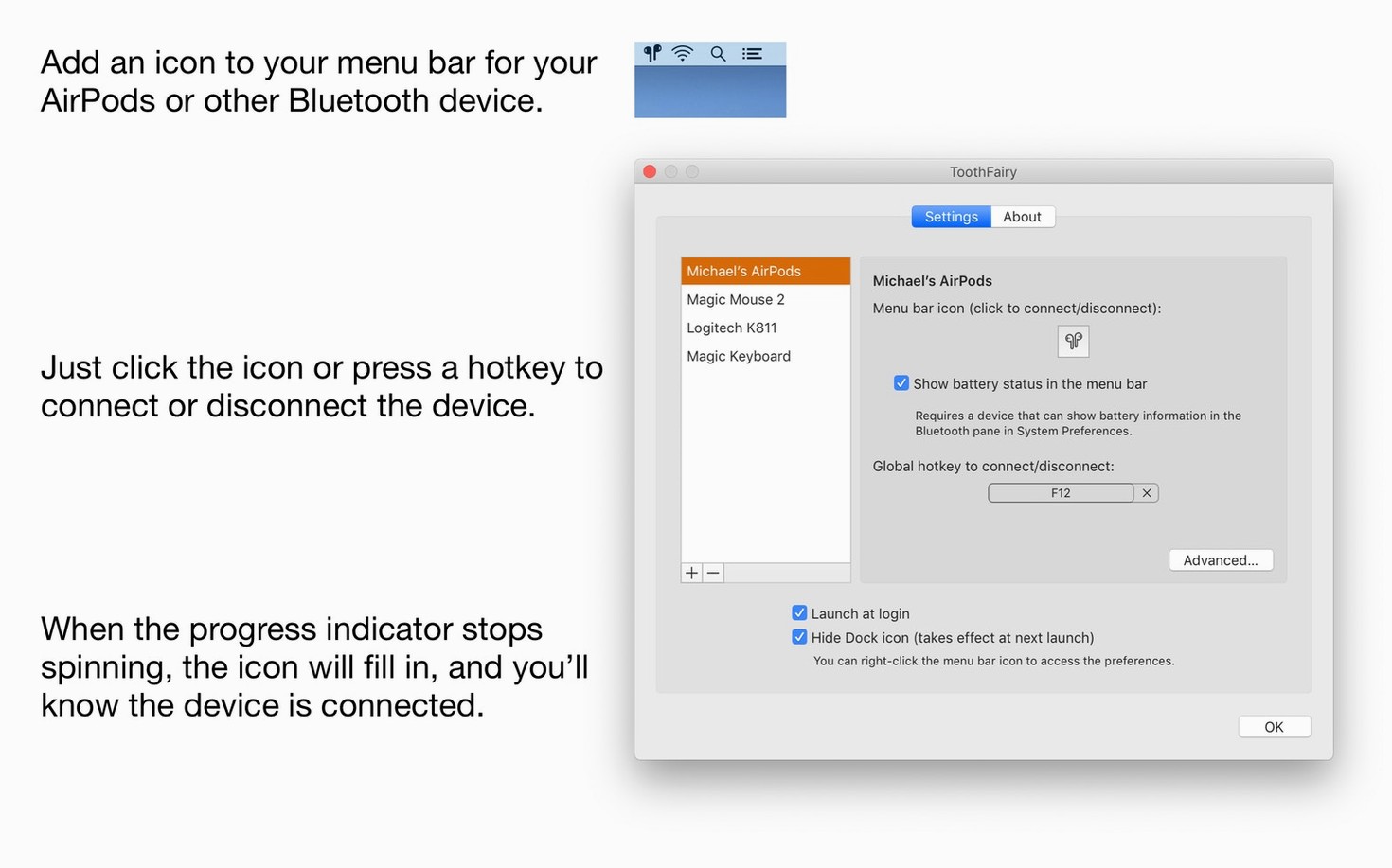
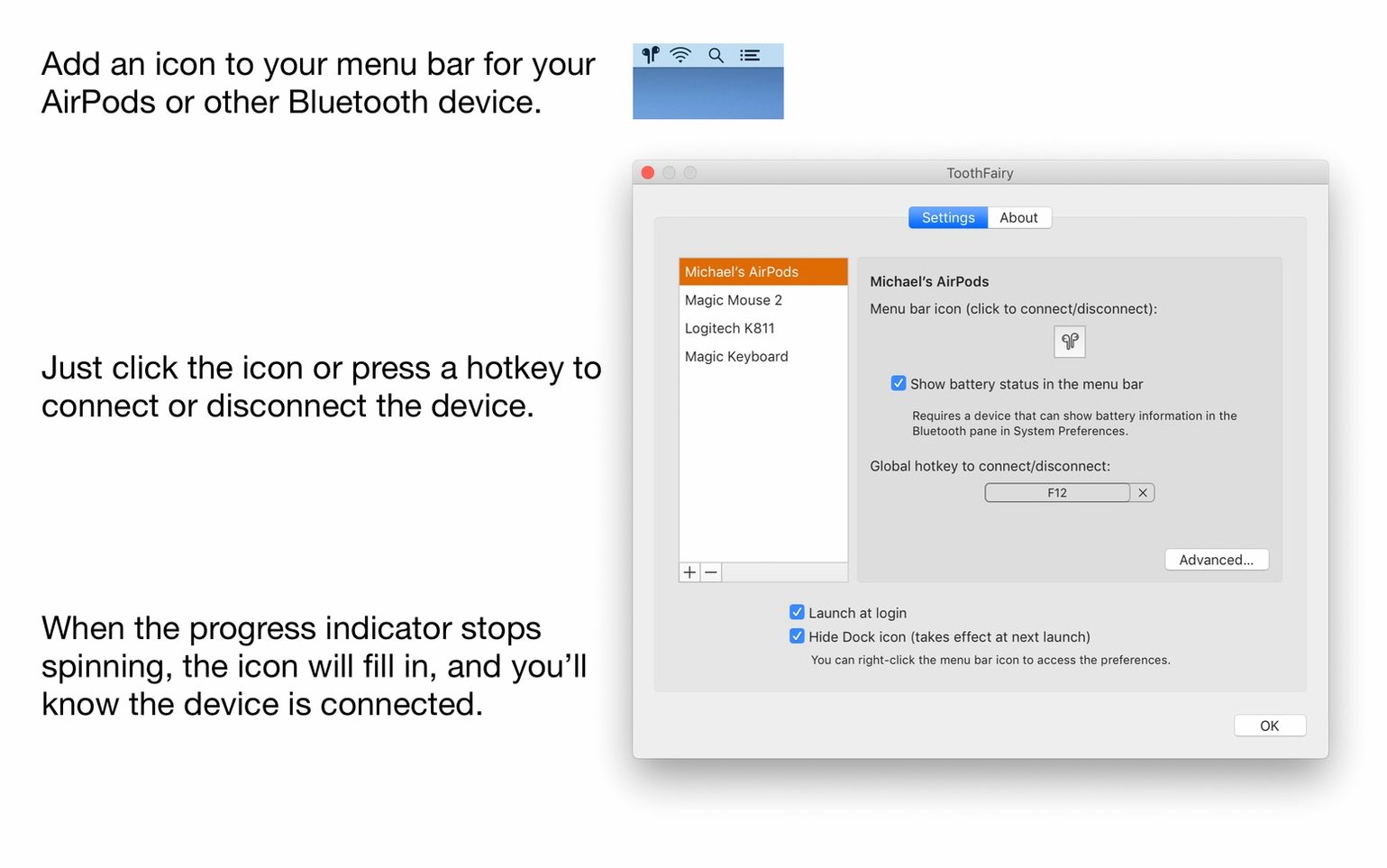
You already use the macOS Bluetooth menu to hop between headphones and speakers, but it’s a generalist — no battery readout, no per-device icon, no single-key trigger. ToothFairy lives in the same menu bar, yet it treats each gadget like a first-class citizen. Here’s where to start once you’ve paired your gear.
- Assign a global hotkey. Pick one key combo per device so you can connect or disconnect without touching the mouse. It’s the fastest way to switch audio to your AirPods or portable speaker.
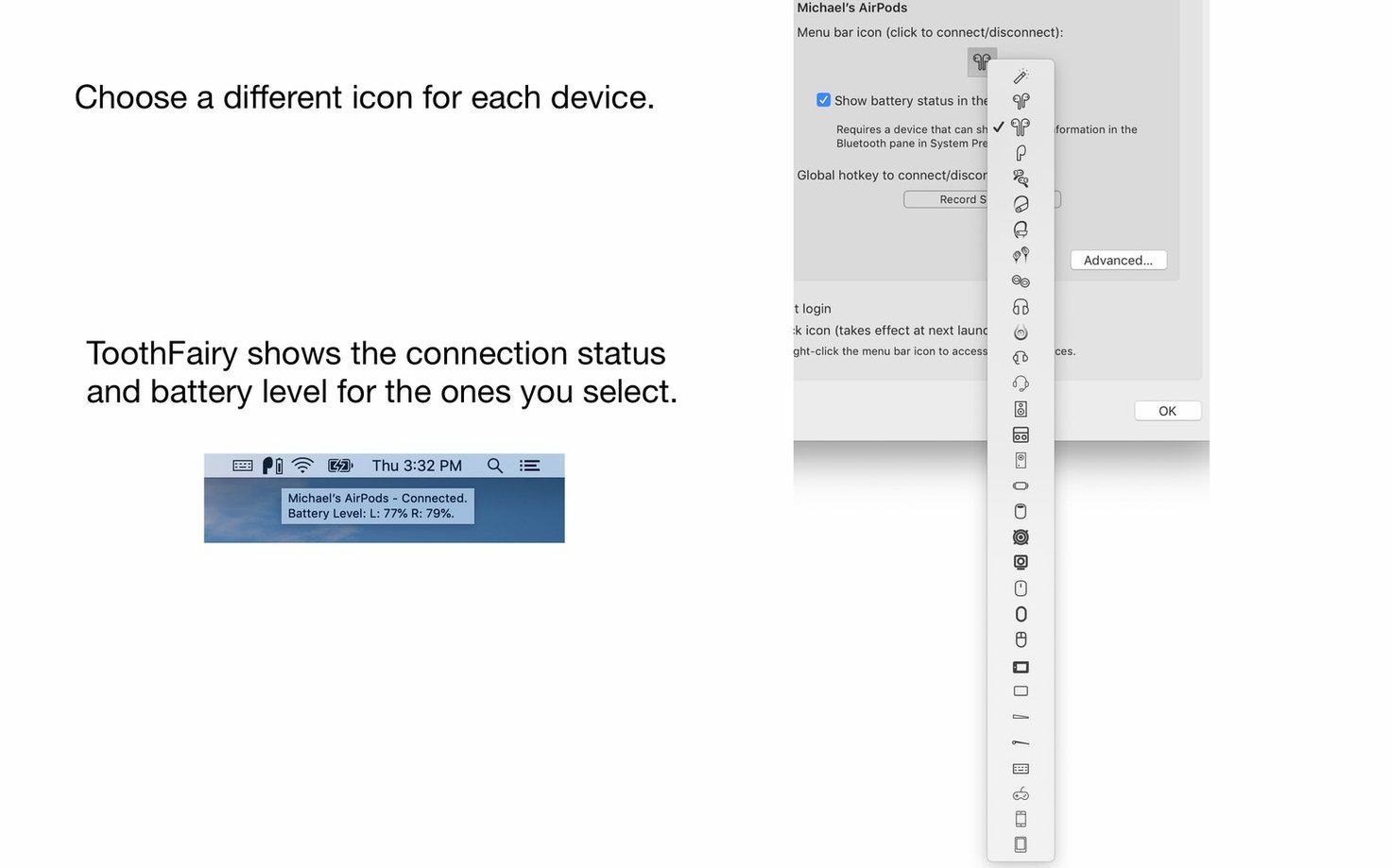
- Check battery at a glance. Enable the battery display for each device’s menu bar icon. You’ll see the charge level right next to the name, no extra clicks needed.
- Give each device its own icon. Choose from ToothFairy’s icon set or drop in your own image. When three Bluetooth gadgets live in your menu bar, visual distinction matters.
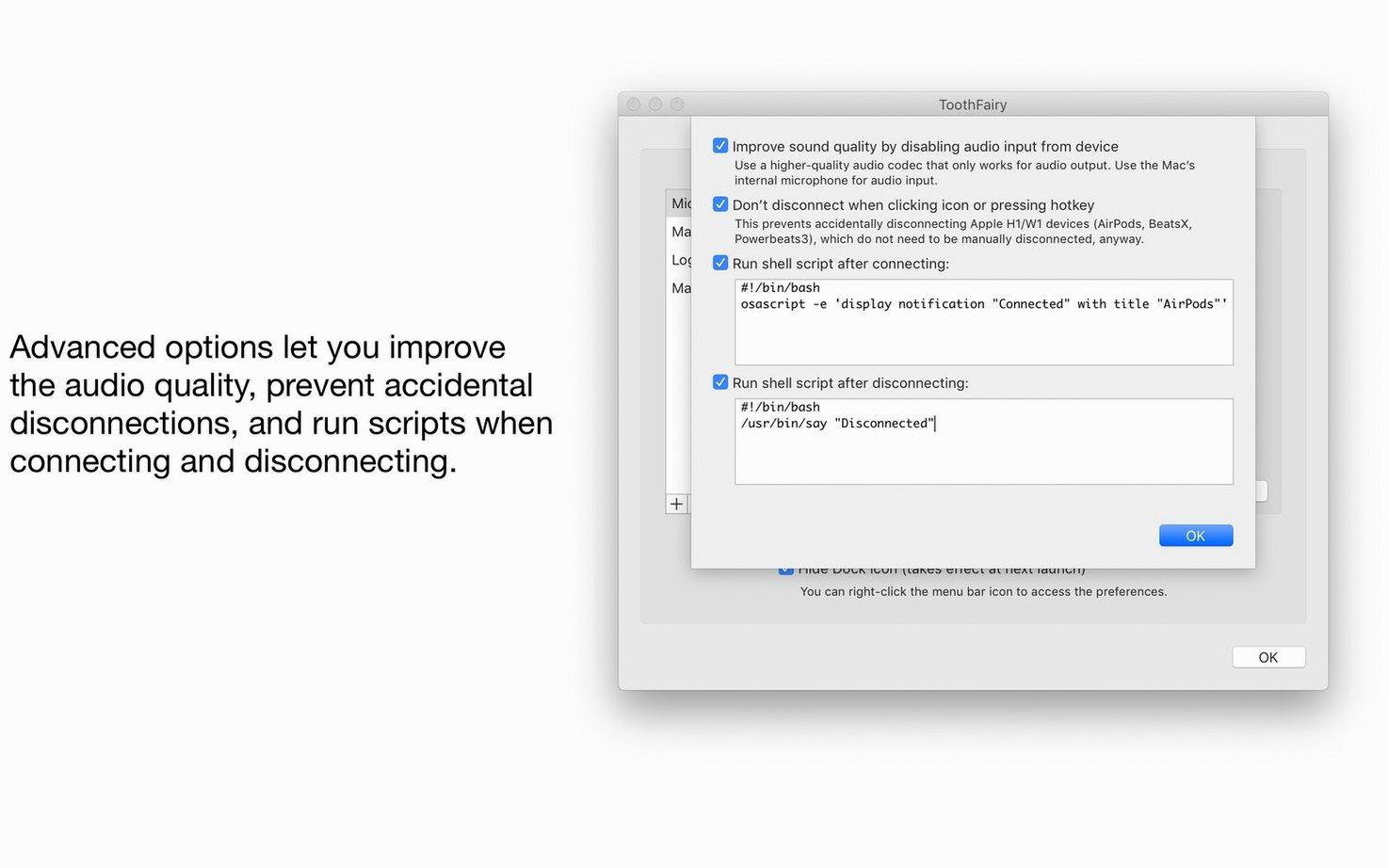
- Automate with shell scripts. Set a script to run when a device connects or disconnects — handy for pausing music, launching a recording app, or adjusting audio routing automatically.
- Switch to AAC for audio output. If your headphones support it, flip the codec setting to AAC for a noticeable lift in streaming quality.
Newcomers often overlook the scripts and codec tweak, but those are precisely what turn ToothFairy from a simple click-saver into a quiet automation hub. Try the hotkey first — you’ll wonder why Bluetooth switching ever needed a drag through the control center.
Skip the Dock with Auto-Launch on Login
Open ToothFairy’s preferences and head straight to the General tab. Tick “Launch at login” so the utility is always waiting in your menu bar — no point in a quick-connect tool you have to launch manually. Next, hop into the device settings for each gadget you’ve added. Under More Options, enable “Show battery level in menu bar.” The readout appears as a tiny percentage beside your custom icon, and it refreshes reliably for AirPods, Beats, and most modern headphones. While you’re there, decide whether you want the device to disconnect automatically when you quit ToothFairy — useful if you often close apps in batches and don’t want audio lingering on the wrong output.
The Advanced pane is where the real personality lives. Set your preferred global shortcut for each device — I keep mine on ⌃⌥F1 through ⌃⌥F3 so they never clash with anything else. If you’re the type who grabs headphones and walks away, look at the “When disconnected” script slot. A one-liner that pauses Spotify or stops a podcast player saves you from fishing your phone out of a bag later.
ToothFairy Works with Any Headphones, Not Just AirPods
ToothFairy vs. AirBuddy. AirBuddy leans hard into the iOS-style popover — you get a glossy panel with battery rings, animations, and a widget-like feel. It’s gorgeous, but it’s built almost entirely around AirPods and Beats. ToothFairy plays nicely with everything: gaming controllers, keyboards, cheap earbuds you grabbed at the airport. If your desk has mixed-brand Bluetooth clutter, ToothFairy’s broader reach wins. AirBuddy looks prettier; ToothFairy is the one you can actually script into your workflow.
ToothFairy vs. BlueSee. BlueSee is a free, open-source alternative that shows signal strength and basic device info. It’s a diagnostic tool more than a daily driver. You won’t get hotkeys, battery percentages in the menu bar, or shell-script hooks. ToothFairy replaces the friction of connecting; BlueSee mostly helps you debug why a connection dropped in the first place.
ToothFairy vs. the built-in macOS Bluetooth menu. Apple’s own menu connects devices and shows a generic battery bar for some — but no per-device icons, no keypress toggling, no AAC codec override. ToothFairy doesn’t replace the system menu so much as shrink it into muscle memory. Once you’ve assigned a hotkey, you stop opening menus at all. If you’ve ever explored a ToothFairy torrent macOS build because the system menu felt sluggish, the app itself is the cleaner fix: one click, one key, and your headphones are live before the track changes.
Version 2.8.8 adds a note about a macOS Tahoe 26 quirk: if a paired device doesn’t appear in the Bluetooth selector dialog when you try to add it inside ToothFairy, you’ll know it’s a system-level hiccup rather than a problem with the app itself.
- macOS: 10.13 or later
- Architecture: Apple Silicon, Intel 64-bit
Also on readers' docks
Sign in or create an account to leave a comment.
No comments yet. Tell me how it got on with your other devices.