
Download Termius for macOS
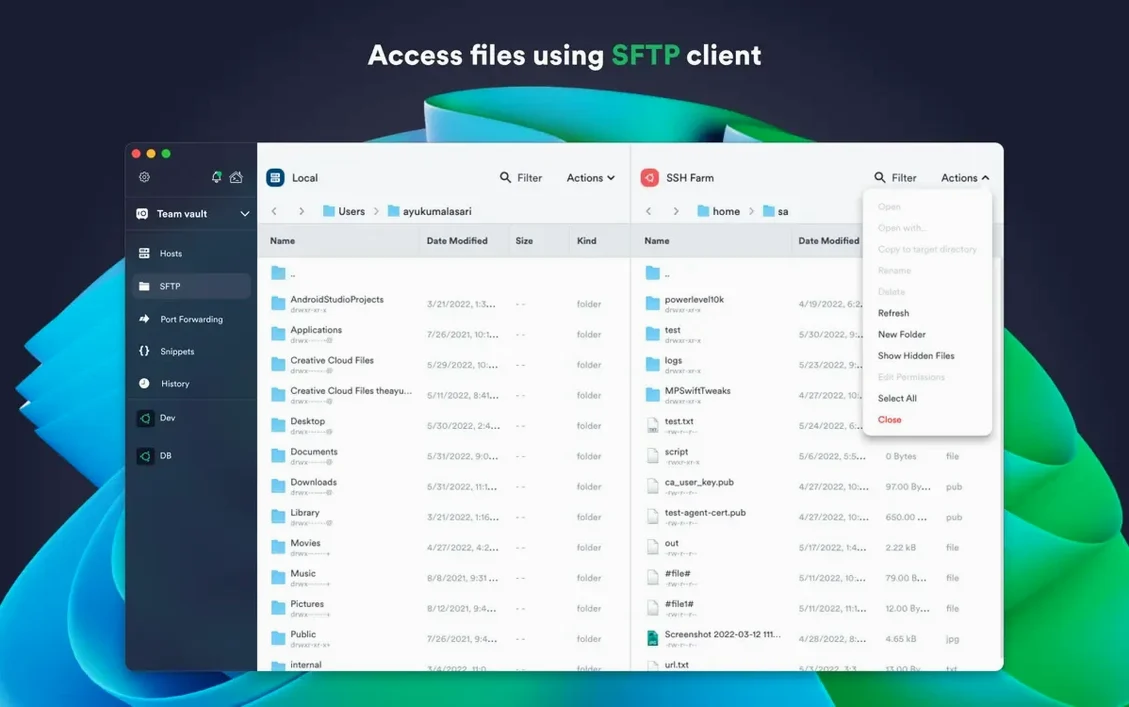
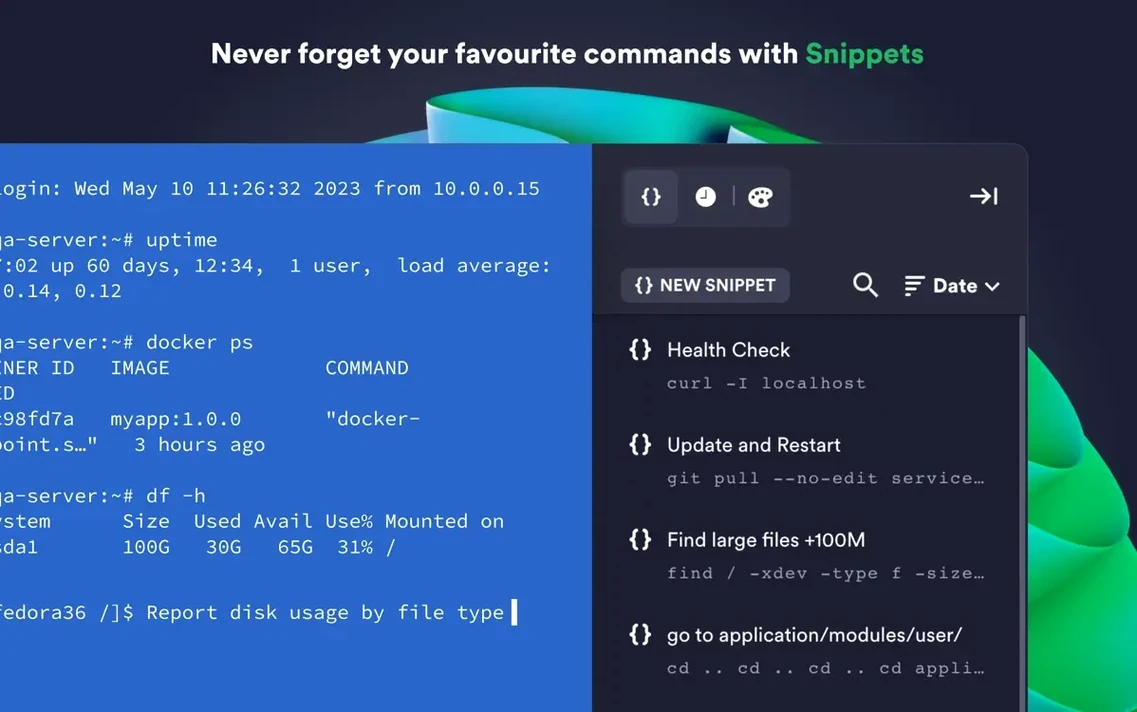
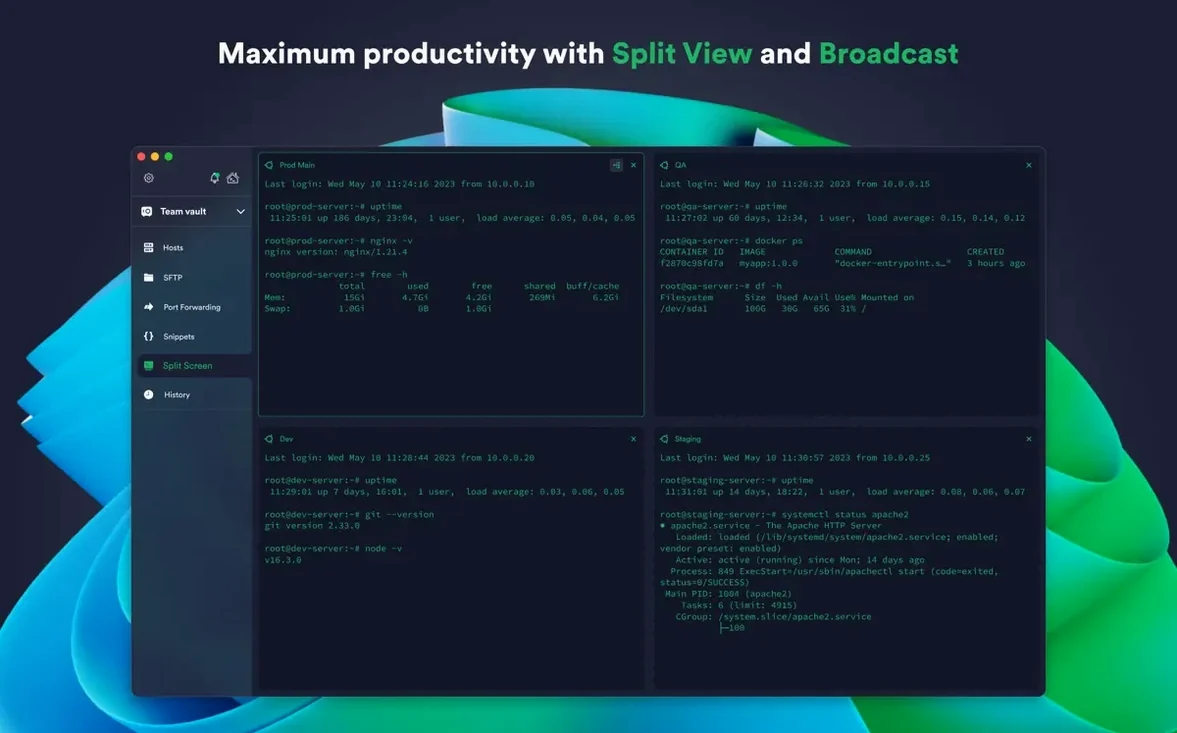
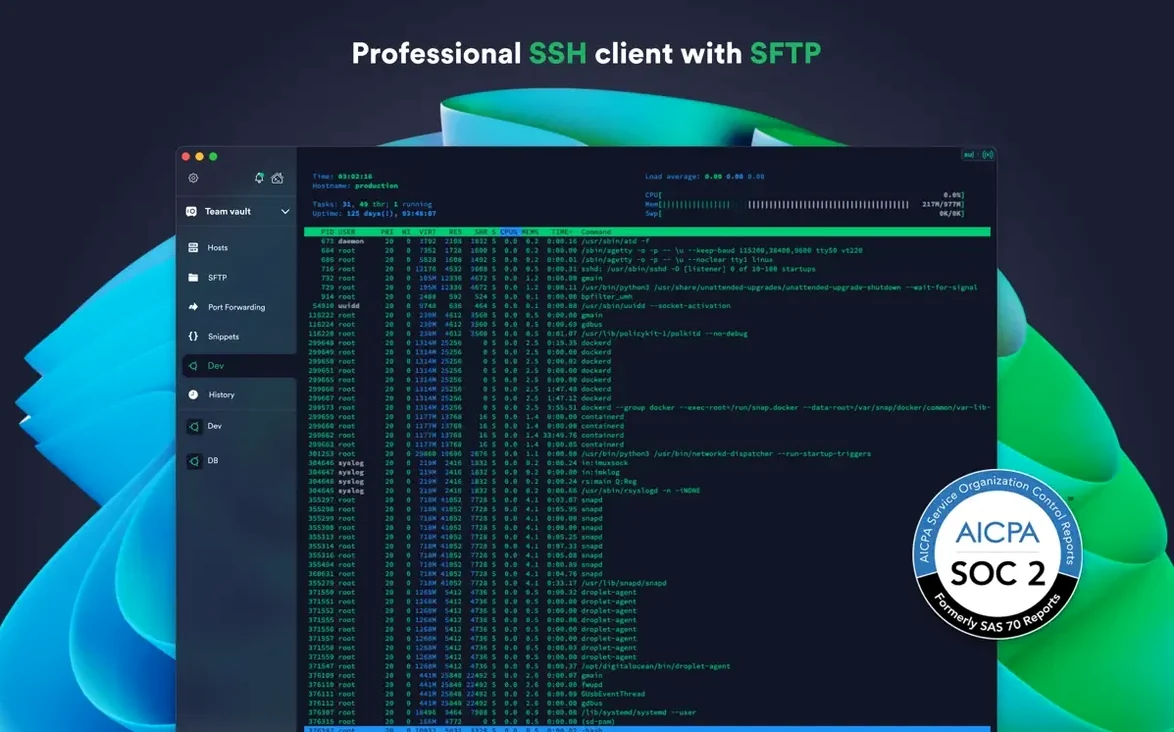
Per-connection terminal themes. That’s the kind of detail that makes hopping between a dozen Raspberry Pis and cloud instances feel less like reading a wall of text and more like glancing at a color-coded dashboard. Termius 9.35.4 keeps that while smoothing out the rough edges with a round of stability improvements. It’s the same app, just running more predictably when you least want a surprise — mid-session.
| Key Detail | What You Get |
|---|---|
| Version | 9.35.4 |
| Mac Support | Apple Silicon & Intel 64-bit |
| Requires | macOS 10.13 or later |
The fundamentals haven’t budged. Multiple sessions still live in a familiar tabbed interface with a split-view option, and the app still leans on modern crypto — ECDSA and ed25519 keys, plus the chacha20-poly1305 cipher. SSH agent forwarding keeps your keys local, and FIDO2 hardware-key authentication is there if you prefer a physical token. What I appreciate most is the shared command history and the ability to save those long, easily typo’d shell scripts for one-tap execution. It’s the little library of commands that travels with your Termius account. The desktop app plays the same tune whether you’re on macOS, Windows, or Linux, and the iOS and Android companions mean you can peek at a session from your phone without starting from scratch. A note for the cross-device crowd: the iCloud-style sync happens through a Termius account, so your snippets and host configs follow you around.
Per-Connection Terminal Themes for Instant Visual Context
Out of the box Termius works, but a few tweaks make it feel more like yours. The first stop is Appearance. The default theme is fine, but enabling per-connection terminal themes under Preferences > Terminal lets you assign a dark blue scheme to your production servers and a muted green to staging — instant visual context before you type a single command. While you're there, bump up the scrollback buffer from the default 10,000 lines if you regularly tail logs. I set mine to unlimited and never think about it again.
Next, head to Keychain and enable Touch ID if your Mac has it. This skips the master password prompt every time you launch the app without weakening encryption on your saved credentials. It’s a small thing that saves a surprising number of keystrokes over a week. Also worth toggling on: Keepalive under the SSH tab. The default interval is conservative, and on flaky Wi‑Fi you'll lose idle connections faster than you'd expect. Setting it to 30 seconds has kept my sessions alive through coffee breaks without any noticeable overhead.
If you manage hosts in bulk, turn on Host grouping by tag in the sidebar. Termius lets you tag hosts with multiple labels — “production,” “us-east,” “kubernetes” — and filtering by tag beats scrolling through a flat list of fifty IP addresses. Drag the tags into the order you actually use them; the app remembers.
Sleep-Resume Reliability Without Zombie Tabs
Version 9.35.4 specifically calls out stability improvements, and in practice that shows up where it counts: reconnecting after sleep. Earlier builds occasionally left a zombie tab that wouldn’t wake until you killed the session. This build has been clean through a week of lid-closing and network switching. Mosh connections, in particular, feel snappier to re-establish — the handshake completes in under a second on a decent connection, and the predictive local echo means you’re never staring at a frozen cursor while waiting for the remote end to catch up.
On an Apple Silicon Mac, Termius idles at around 120 MB of RAM with four tabs open to lightweight hosts. That number climbs predictably with SFTP transfers or heavy terminal output, but it releases memory when you close tabs — no gradual creep over hours. The app launches cold in about three seconds, which puts it in the same ballpark as native Terminal.app. CPU usage during active sessions stays in the low single digits. Running a 10,000‑line find over SSH barely tickles the activity monitor, and the scrollback rendering keeps up without lag. Intel Macs see similar behavior, though the animation of opening the sidebar stutters slightly on older integrated graphics — nothing that affects typing or session responsiveness.
One thing that’s easy to overlook: the encrypted cloud sync doesn’t phone home aggressively. Host configs and snippets sync within a few seconds of saving, and there’s no background process hanging around after you quit the app. If you’ve searched for a termius mac client that doesn’t feel like a web app in a wrapper, this is where the native build pays off.
Small Conveniences and Hidden Shortcuts
Termius packs a handful of details that aren’t advertised on the feature list but change how you move through the day. A few favorites:
- Command‑click a host in the sidebar to open it in a new tab without switching focus. Great for lining up sessions across a cluster before you start typing.
- Right‑click any tab and choose “Duplicate Session.” It opens a second connection to the same host — useful when you need one pane for logs and another for editing configs.
- Snippets support placeholders. Save a command like
ssh {{username}}@{{hostname}}and Termius prompts you for the values before executing. It’s a mini scripting layer without leaving the terminal. - The Cmd+Shift+K shortcut clears the current tab’s scrollback instantly, separate from the shell’s own clear. Handy when sensitive output is on screen and you want it gone without resetting the session.
- Drag a local file onto a host in the sidebar to start an SFTP upload to the remote home directory. No need to open the full SFTP pane for quick transfers.
The snippet library is the feature that grows more useful the longer you use it. After a month, you’ll have a dozen one‑liners for common tasks — Docker cleanup, log rotation checks, certificate expiry lookups — and they run with a double‑click. Combined with the shared history that follows your Termius account, it’s the closest thing to having your muscle memory travel across machines.
Version 9.35.4
- Stability improvements across the app.
- macOS 10.13 or later
- Apple Silicon or Intel 64-bit Mac
- Interface: English
Questions people ask
Does Termius support hardware security keys on Mac?
Yes, it includes FIDO2 hardware-key authentication to let you use a physical security key for logging in.
Can I save my frequently used commands?
Absolutely. You can save favorite commands and shell scripts in the app, then execute them with a single tap or click.
Does the Mac version handle multiple connections at once?
It does. You can run several SSH sessions simultaneously using the tabbed interface or split-view layout.
Also on readers' docks
Sign in or create an account to leave a comment.
No comments yet. Tell me how it got on with your other devices.