









Download Super Vectorizer Pro for macOS
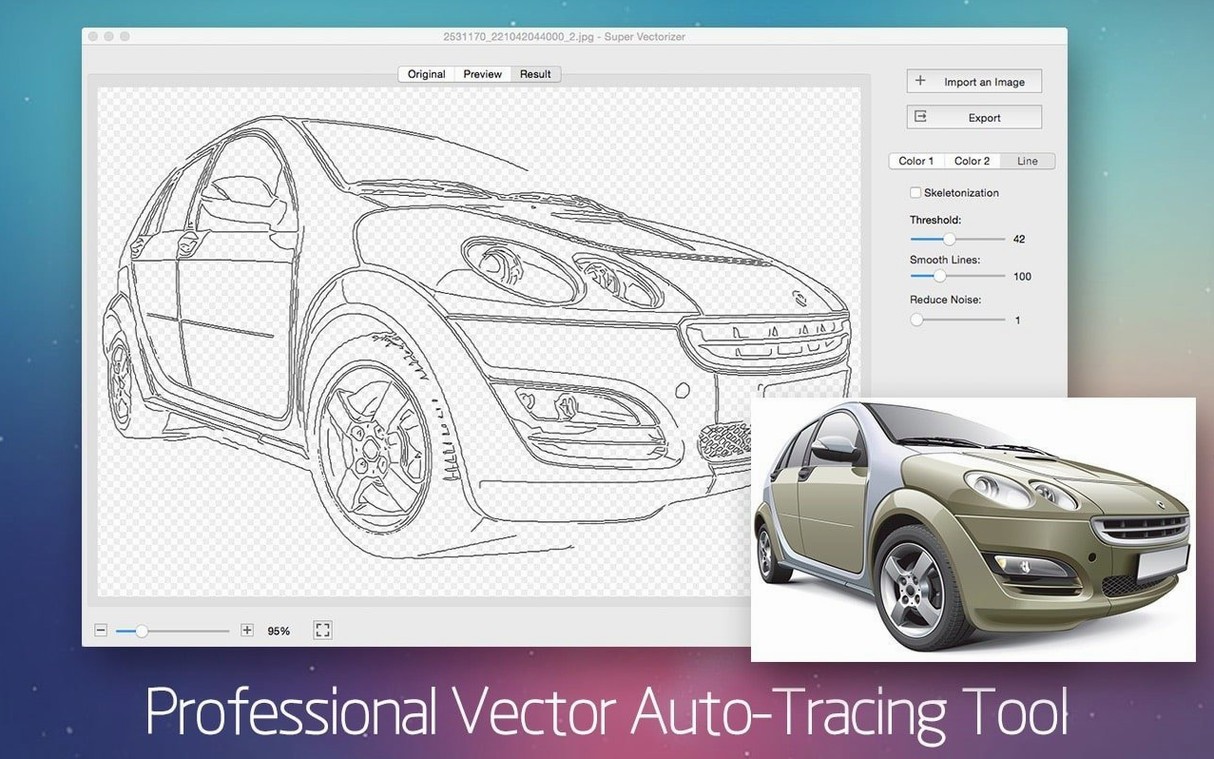
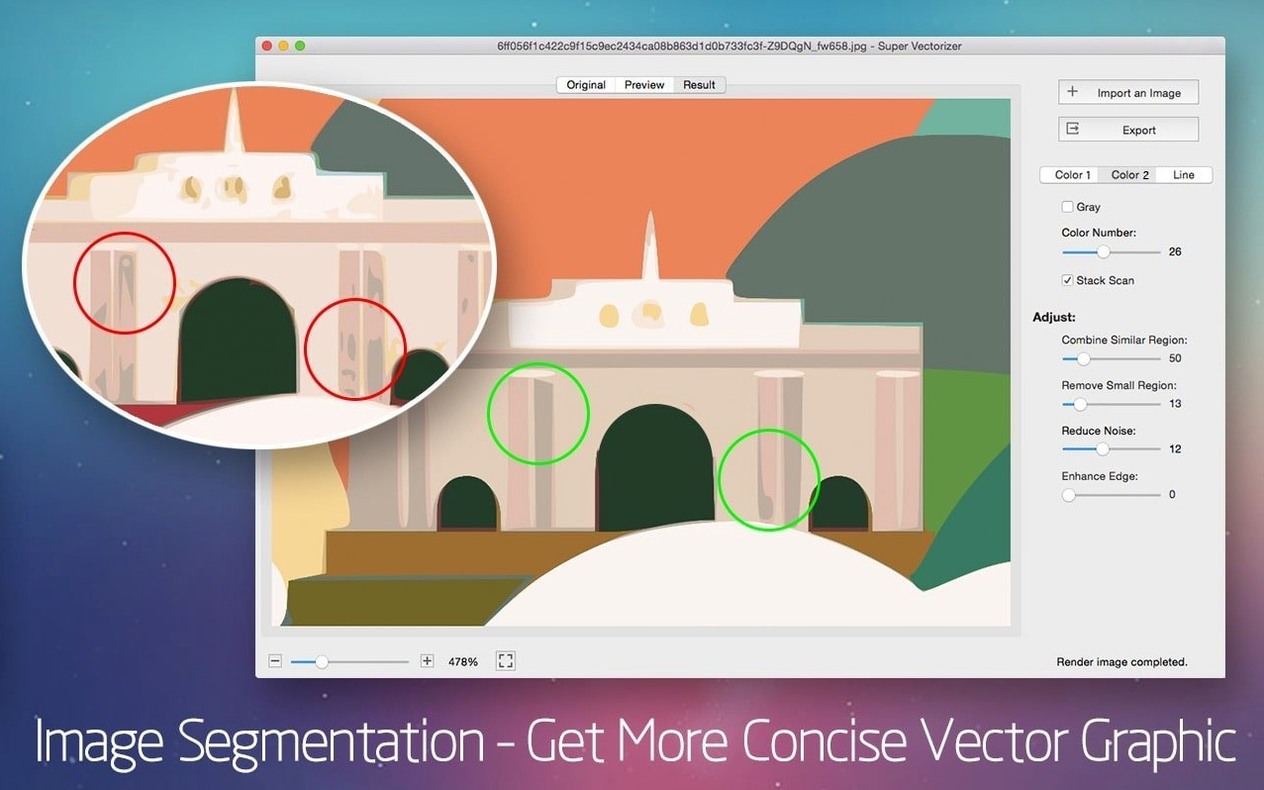
Version 2.3.3 keeps things steady — no flashy additions, just the same reliable tracing engine that slots in next to Illustrator, Corel, or whatever vector editor you already reach for. The real-time preview window is where it earns its keep, letting you tweak thresholds and see the vector result sharpen up before you commit to an export.
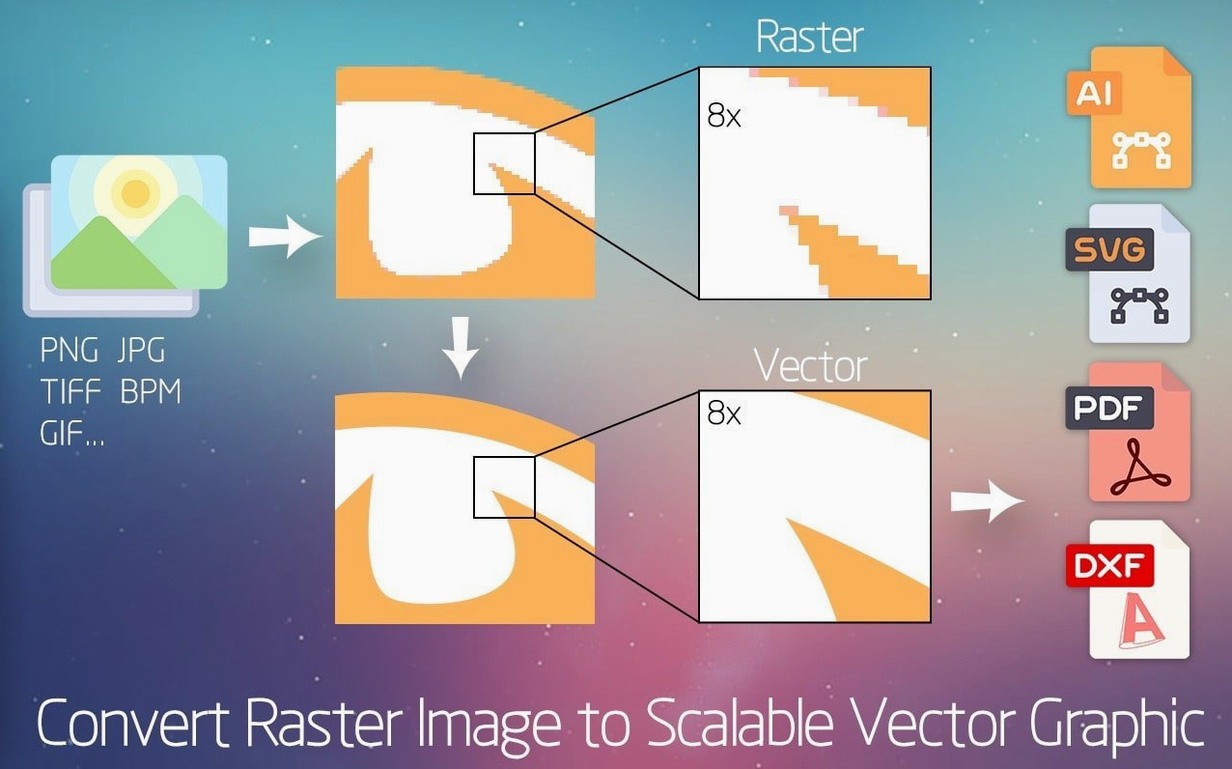
Output options cover the formats that matter: AI for Adobe workflows, SVG for web and mobile, DXF for CAD, and PDF when you need a universal handoff. I especially like how it handles logos with transparent backgrounds — drop a scanned napkin sketch in, trace it, and drag a clean SVG straight into your layout app without fussing over white boxes.
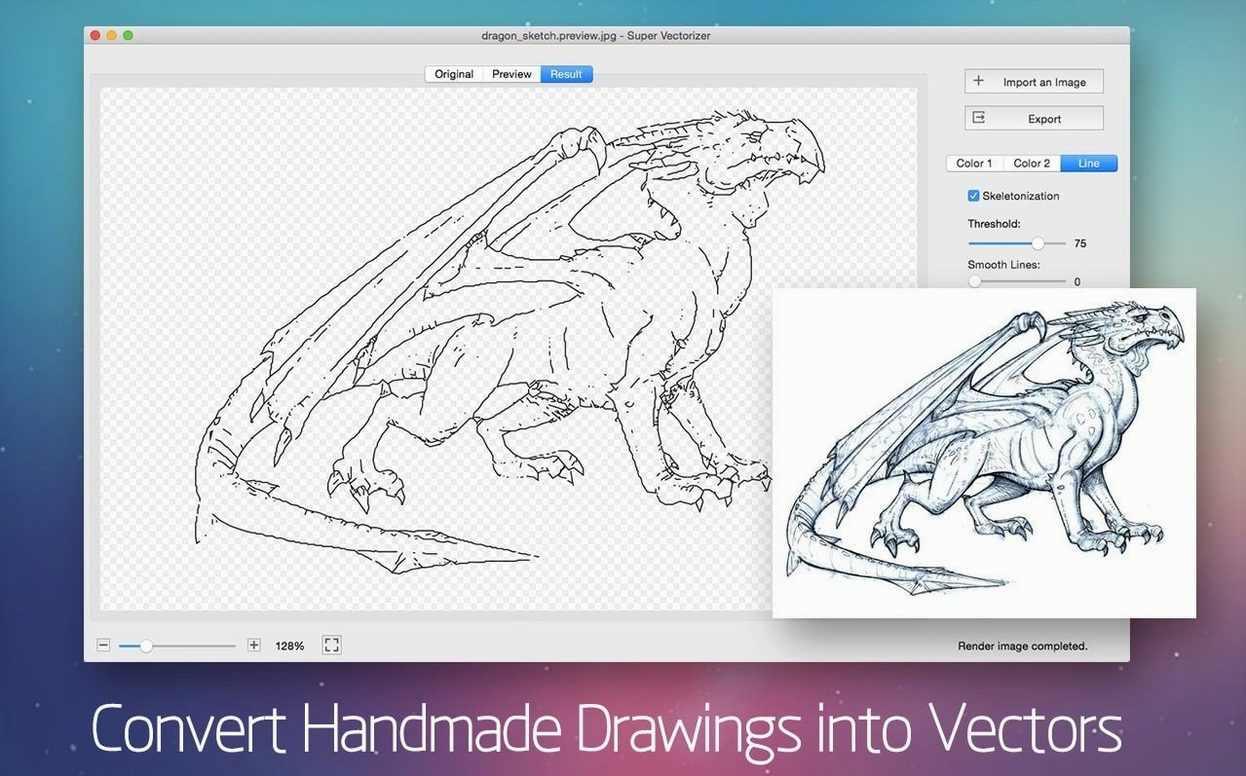
The skeletonization function is a quieter feature worth knowing about. When you need line art reduced to single-pixel strokes rather than filled shapes, it delivers exactly that. Pair it with the live preview and you can dial in the right balance between fidelity and simplicity fast.
If your Mac still runs an older OS, the Yosemite floor means this fits machines that newer tracing tools have left behind. It's not a full illustration suite — and it doesn't try to be — but as a dedicated bitmap-to-vector bridge between your image library and your main editor, it does one job without getting in the way.
A Logo Designer's Lunchtime Save
Picture a freelance brand designer with a client meeting in forty minutes. The client sent over a photo of their old storefront sign — low contrast, slightly angled, taken on a phone in 2016. They want the emblem cleaned up and dropped into updated stationery mockups. Popping the JPG into Super Vectorizer Pro and switching to the Logo tracing mode pulls out the mark's core shapes in seconds, ignoring the brick texture behind it. A quick slider nudge to boost edge sensitivity, a glance at the real-time preview to confirm the type stayed crisp, and the AI file lands on the desktop before the kettle boils. It's not about replacing a full day's redraw — it's about avoiding the panic of explaining why you need another week for a job that looked simple in the email.
Light memory footprint even on older Intel Macs
Launching cold takes about two seconds on Apple Silicon and not much longer on an older Intel MacBook Air I keep around. The app stays light — Activity Monitor shows it hovering under 200 MB of RAM even when chewing on a 40-megapixel TIFF, and CPU spikes during the actual trace settle back down immediately. That means you can leave it open alongside Affinity Designer or Illustrator without your Mac's fans staging a protest.
Stability has been uneventful, which is exactly what you want from a utility app. Batch conversions get warm but never trip over themselves, and I haven't coaxed a crash out of it yet by feeding it oddball formats like sixteen-bit PNGs or grayscale JPEG2000 files. The trade-off for that lightness is that there's no background processing — while a trace is running, the controls are locked, so you'll learn to hit the button and take a sip of coffee on larger files. On a typical 12-megapixel photo, the wait is under five seconds, which barely registers.
Compared to the Familiar Alternatives
Image Vectorizer (also Mac-native) shares a lot of DNA — similar format support, similar preview window, even a comparable skeletonization mode. Where Super Vectorizer Pro pulls ahead is the 64-color ceiling; Image Vectorizer tops out at 32, which matters when you're tracing illustrated maps or screen prints with subtle gradients. The interface in Super Vectorizer Pro also feels a touch more modern, with clearer labels on the tracing presets and a less cluttered export panel.
Adobe Illustrator's Image Trace is the obvious heavyweight. It's more powerful at the top end — more control over paths, corner precision settings that go deeper, and direct integration with the artboard. The downside is that it lives inside a massive application; firing up Illustrator just to vectorize a single icon feels like taking a freight truck to pick up groceries. Super Vectorizer Pro is the grab-and-go option that doesn't need a Creative Cloud login or a six-gigabyte install.
Inkscape's built-in tracer (via the command line or the basic UI) is capable but clunky on macOS. It chokes on large files more often, and the preview workflow involves trial-and-error exports rather than the live side-by-side view. For Mac users who want a dedicated, responsive tool that speaks the platform's design language, Super Vectorizer Pro fits the slot between Inkscape's rough-edged freebie and Illustrator's everything-but-the-kitchen-sink approach.
PNG transparency sometimes flattens to gray fill
One recurring hiccup: the app sometimes misreads transparency in PNGs, flattening a checkerboard background into a faint gray fill instead of leaving it empty. The fix is quick — flip the output background setting to Transparent manually in the export dialog rather than relying on auto-detection. Another grumble I've seen pop up is that the DXF export can produce splines instead of polylines when curves get aggressive, which trips up older CAD software. Switching the tracing mode from Photo to Line Art before exporting usually keeps the paths friendlier for drafting tools.
If the app refuses to open after installation — a Gatekeeper complaint that crops up on newer macOS builds — the workaround is straightforward. Mount the disk image, open Terminal, and drag the app into the window after typing a quick bypass command; press Enter, and it launches without a fuss. Some users searching for a super vectorizer pro crack or super vectorizer pro workaround find this step actually gets things running smoothly, and it's just standard macOS quarantine handling, nothing specific to the software. Once it's in your Applications folder, subsequent launches behave normally.
For anyone who's been hunting Sims 2 Super Collection Mac download or Sims 2 Super Collection Mac free download and ended up on a general Mac software kick, this is a very different beast — a focused graphics utility rather than a game collection — but the same "older Mac compatibility" appeal applies. And if you've ever grabbed a Super Duper torrent and discovered it runs surprisingly well when you check Gatekeeper settings first, you'll appreciate that Super Vectorizer Pro feels properly native, not a wrapped Electron app or a rushed cross-compile.
- macOS 10.10 or later
- Apple Silicon or Intel 64-bit Mac
Questions people ask
What file formats can Super Vectorizer Pro export?
It exports AI, SVG, DXF, and PDF files, covering most vector editors and CAD workflows on a Mac.
Can I keep a transparent background in the vector output?
Yes, the app supports transparent background output, which is handy for logos and icons you plan to drop onto colored layouts.
Also on readers' docks
Sign in or create an account to leave a comment.
No comments yet. Tell me how it got on with your other devices.
More in Mac Apps
See all Subtitle Studio
1.5.11 Mac Apps
31 MB
Subtitle Studio
1.5.11 Mac Apps
31 MB
 SuperDuper!
4.0.7 Mac Apps
10 MB
SuperDuper!
4.0.7 Mac Apps
10 MB
 Sublime Text
4.0 Build 4215 Mac Apps
54 MB
Sublime Text
4.0 Build 4215 Mac Apps
54 MB
 SwitchResX
4.14.2 Mac Apps
6 MB
SwitchResX
4.14.2 Mac Apps
6 MB
 TablePlus
6.8.0 Mac Apps
91 MB
TablePlus
6.8.0 Mac Apps
91 MB
 Tahoe Cache Cleaner
26.6.0.0.0 Mac Apps
143 MB
Tahoe Cache Cleaner
26.6.0.0.0 Mac Apps
143 MB
 Updated TechSmith Snagit
2026.4.3 Mac Apps
195 MB
Updated TechSmith Snagit
2026.4.3 Mac Apps
195 MB
 Techtool Pro
20.1.7 Mac Apps
318 MB
Techtool Pro
20.1.7 Mac Apps
318 MB