









Download Subtitle Studio for macOS
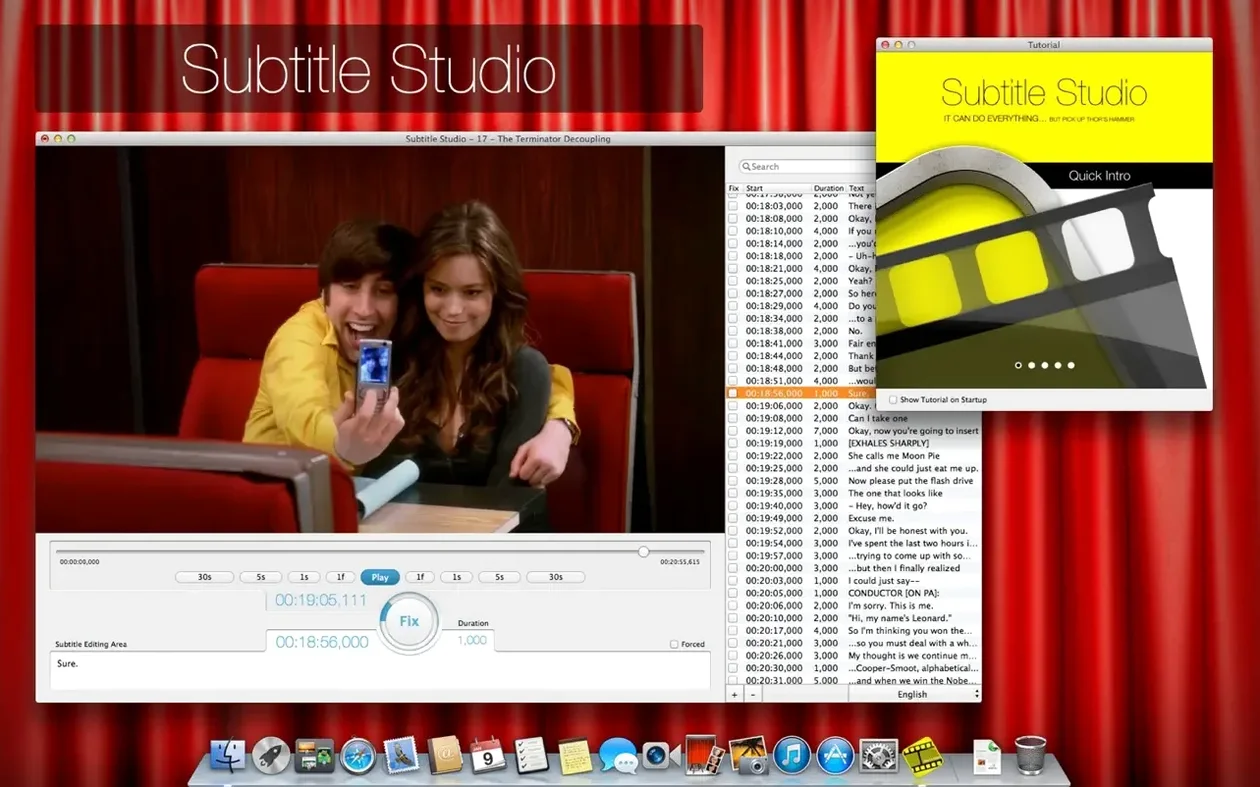
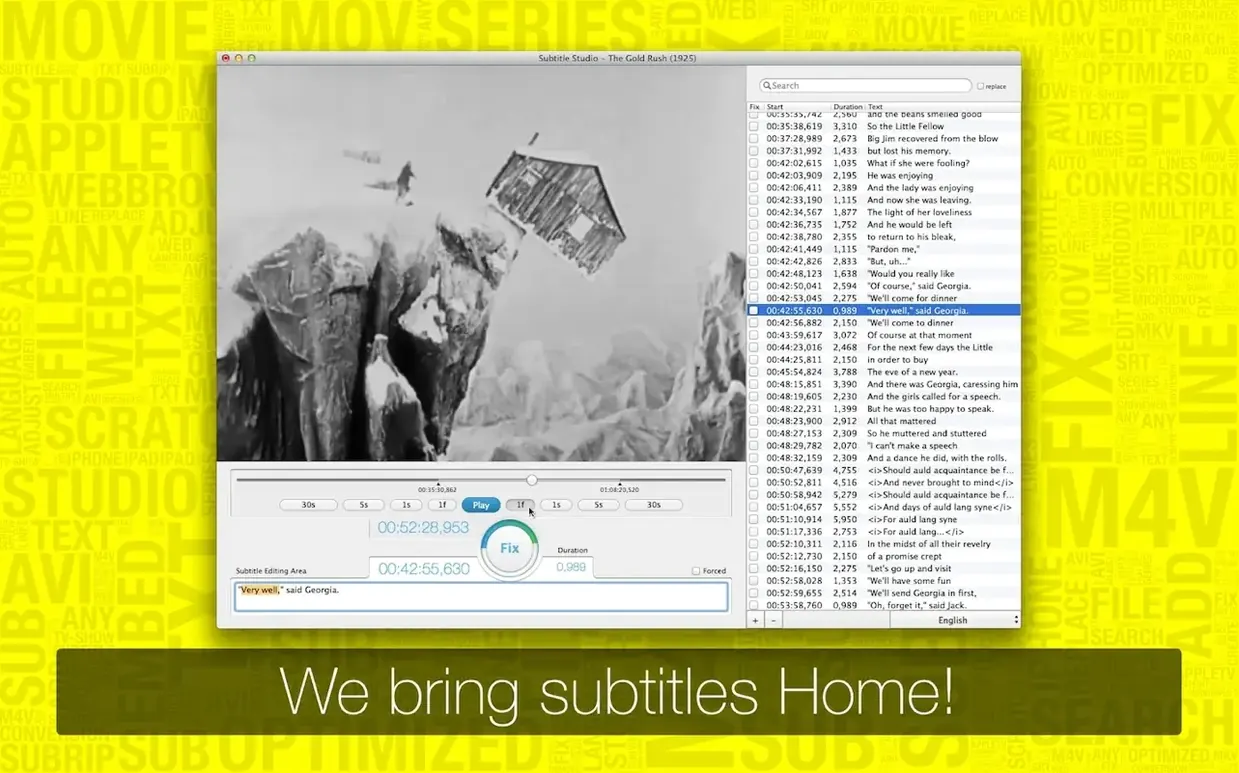
Getting subtitles into a video without a full editing suite can be awkward. Subtitle Studio 1.5.11 keeps the task simple: make the text, time it, and bake it into a file that plays everywhere.
What does Subtitle Studio do?
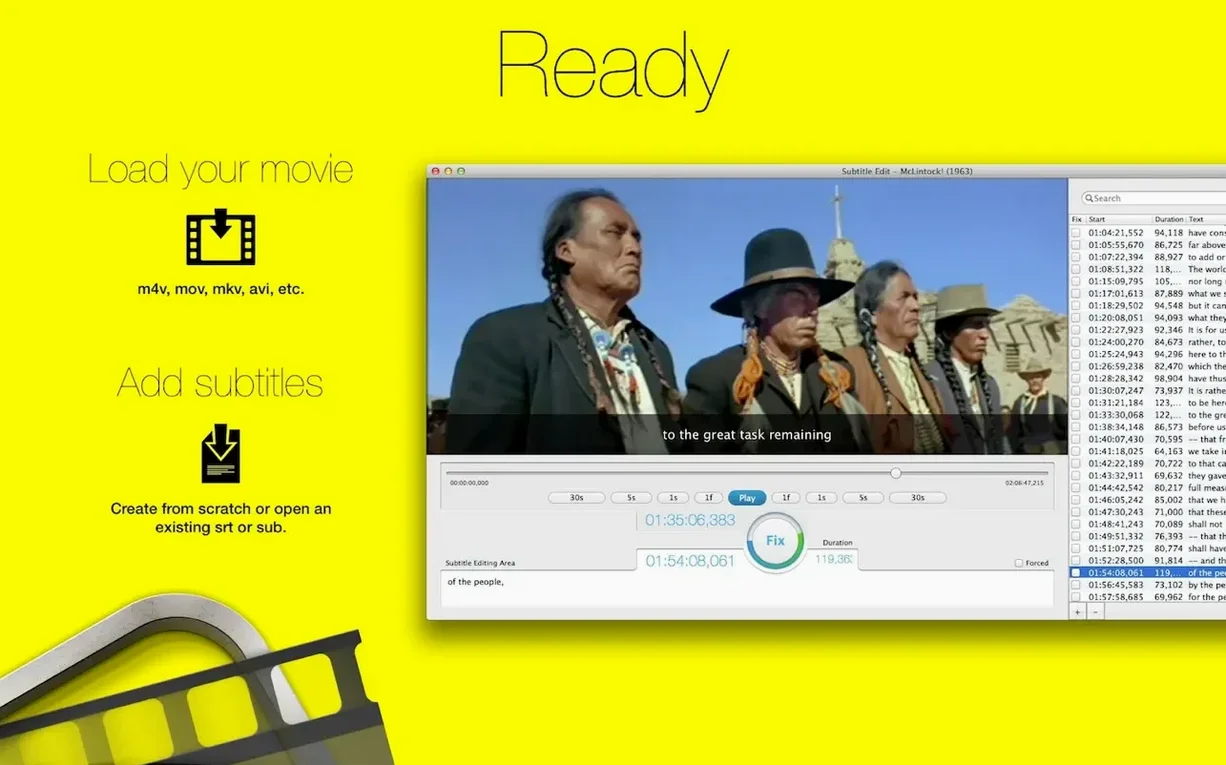
It's a subtitle editing tool for Mac. You can create new subtitles from scratch or import existing SubRip, SubViewer, and MicroDVD files to adjust the timing and wording.
Which file formats does it handle?
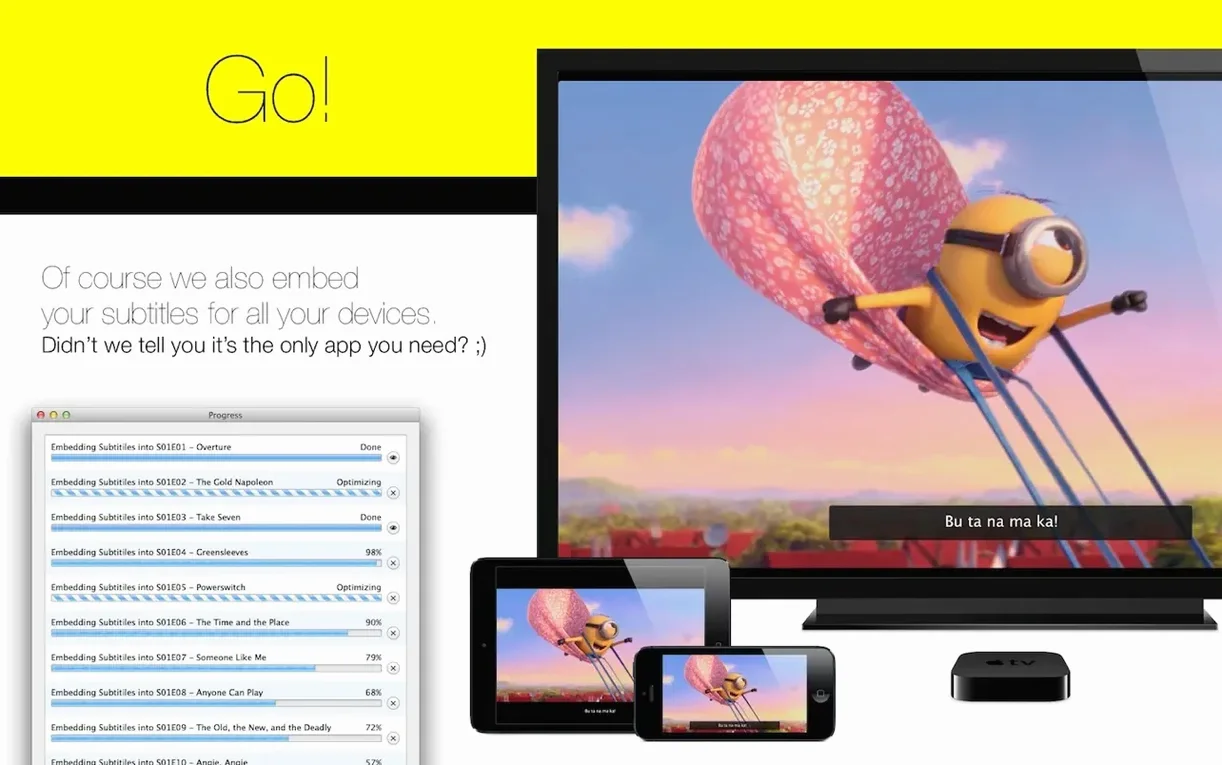
The app reads .srt, .sub, .txt, and .zip files when using its internal web search, and saves your work as SRT. For playback, it embeds subtitles into a new optimized M4V file.
Focused Subtitler for Apple Device Videos
Anyone preparing videos for Apple TV, iPhone, iPad, or other typical players. It suits people who want a focused subtitle tool rather than a full video editor.
A start-to-finish workflow: adding English subtitles to an interview clip
Say you've got a five-minute MOV interview you need to caption for a tablet kiosk. Open Subtitle Studio, drop the MOV onto the timeline, and hit the Create New Subtitles button. The app scans the video and gives you a clean, empty track to work with.
Play the clip and pause where the speech starts. Tap the Add Subtitle button — it stamps the in-point at your playhead position. Let the clip roll and tap again at the end of the sentence. Subtitle Studio sets the out-point automatically. Now type the spoken words into the text field below. The waveform display helps you spot pauses, so you're not guessing where one line ends and the next begins.
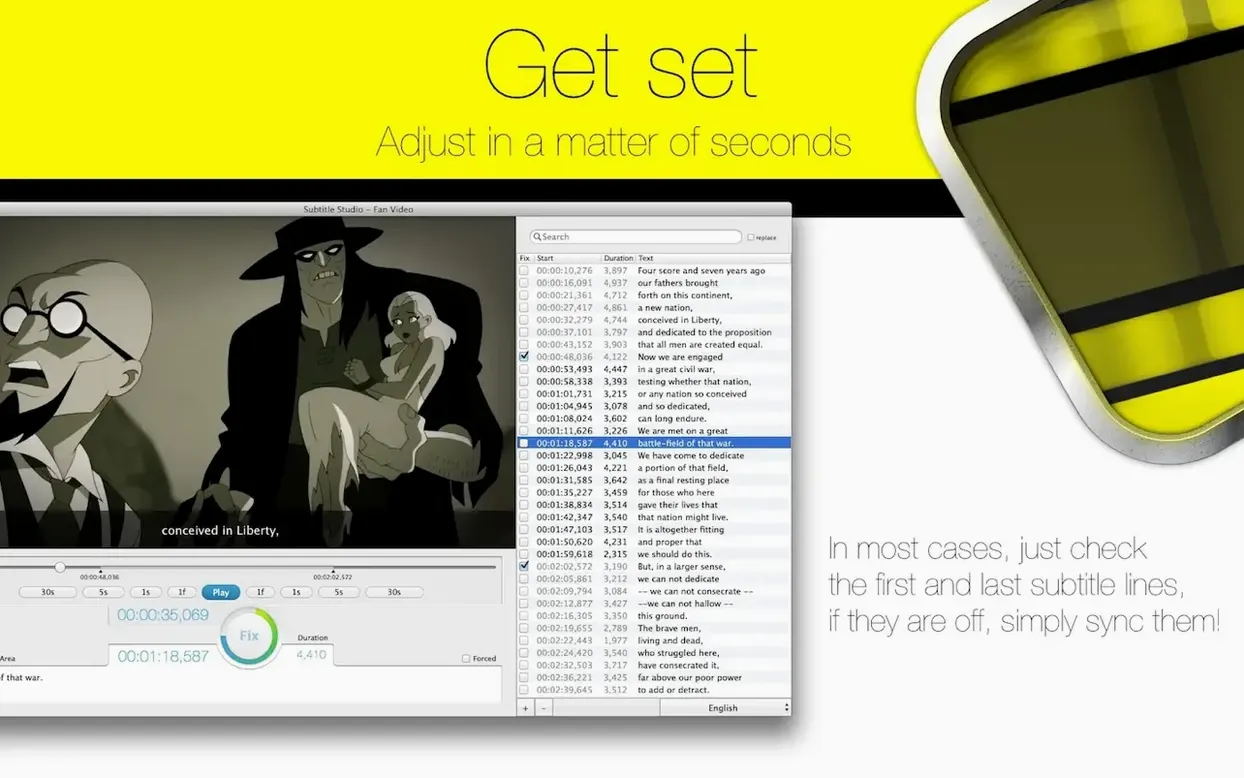
Work through the interview in passes: rough all the in-and-out points first, then play it back and tweak. Dragging the handles on the timeline bar is fast, and the Adjust Timing panel lets you nudge a subtitle forward or back by milliseconds with the arrow keys. Once you're happy, choose Embed Subtitles from the File menu, pick M4V as the output, and let the app encode a single file with the captions burned in. That file plays on an iPad straight from the Files app — no extra software needed.
Stutter-Free M4V Playback on Older Apple TVs
Version 1.5.11 tightened up the M4V encoding path quite a bit. Earlier builds occasionally produced files that stuttered on older Apple TV models; now the optimized M4V output is reliably smooth on everything from an iPhone to a fourth-generation Apple TV. The Tap2Sync feature — which lets you tap along with dialogue to set cue points — got more responsive, so the sync stays tight even when speech is fast. The internal web search for subtitle files also handles .zip archives more cleanly than before, extracting only the compatible SRT and SUB files and skipping the clutter.
If you use a subtitle studio mac download from late 2024 or early 2025, you'll notice the interface reacts faster when switching between language tracks. Multiple-language projects now remember which track you last edited, so you don't have to re-select it every time you open the file.
Small conveniences that save clicks
- Double-click a subtitle bar on the timeline to jump the playhead to its start — faster than scrubbing.
- Hold Option while dragging a subtitle's edge to ripple all subsequent subtitles forward or backward, keeping the rest of your sync intact.
- Right-click any subtitle and choose "Split at Playhead" to break a long caption into two without re-timing from scratch.
- The language selector in the sidebar lets you duplicate a subtitle track for a second language version; the timings copy over, and you only need to translate the text.
- When importing an SRT that was edited on Windows, Subtitle Studio silently fixes common encoding quirks — no more garbled apostrophes or em dashes.
- macOS 10.13 or later
- Intel 64-bit architecture
- Interface languages: English, German, Italian, French
Questions people ask
Can Subtitle Studio embed subtitles directly into a video?
Yes. It can embed subtitles into a new optimized M4V file that plays on Apple TV, iPhone, iPad, and other common players.
Which subtitle formats can I import?
You can import SubRip, SubViewer, and MicroDVD files, and the app also reads .srt, .sub, .txt, and .zip files when using internal web search.
Also on readers' docks
Sign in or create an account to leave a comment.
No comments yet. Tell me how it got on with your other devices.
More in Mac Apps
See all Super Vectorizer Pro
2.3.3 Mac Apps
8 MB
Super Vectorizer Pro
2.3.3 Mac Apps
8 MB
 Sublime Text
4.0 Build 4215 Mac Apps
54 MB
Sublime Text
4.0 Build 4215 Mac Apps
54 MB
 SuperDuper!
4.0.7 Mac Apps
10 MB
SuperDuper!
4.0.7 Mac Apps
10 MB
 SwitchResX
4.14.2 Mac Apps
6 MB
SwitchResX
4.14.2 Mac Apps
6 MB
 TablePlus
6.8.0 Mac Apps
91 MB
TablePlus
6.8.0 Mac Apps
91 MB
 Tahoe Cache Cleaner
26.6.0.0.0 Mac Apps
143 MB
Tahoe Cache Cleaner
26.6.0.0.0 Mac Apps
143 MB
 Updated TechSmith Snagit
2026.4.3 Mac Apps
195 MB
Updated TechSmith Snagit
2026.4.3 Mac Apps
195 MB
 SQLPro Studio
2026.238 Mac Apps
43 MB
SQLPro Studio
2026.238 Mac Apps
43 MB