Download RightFont for macOS
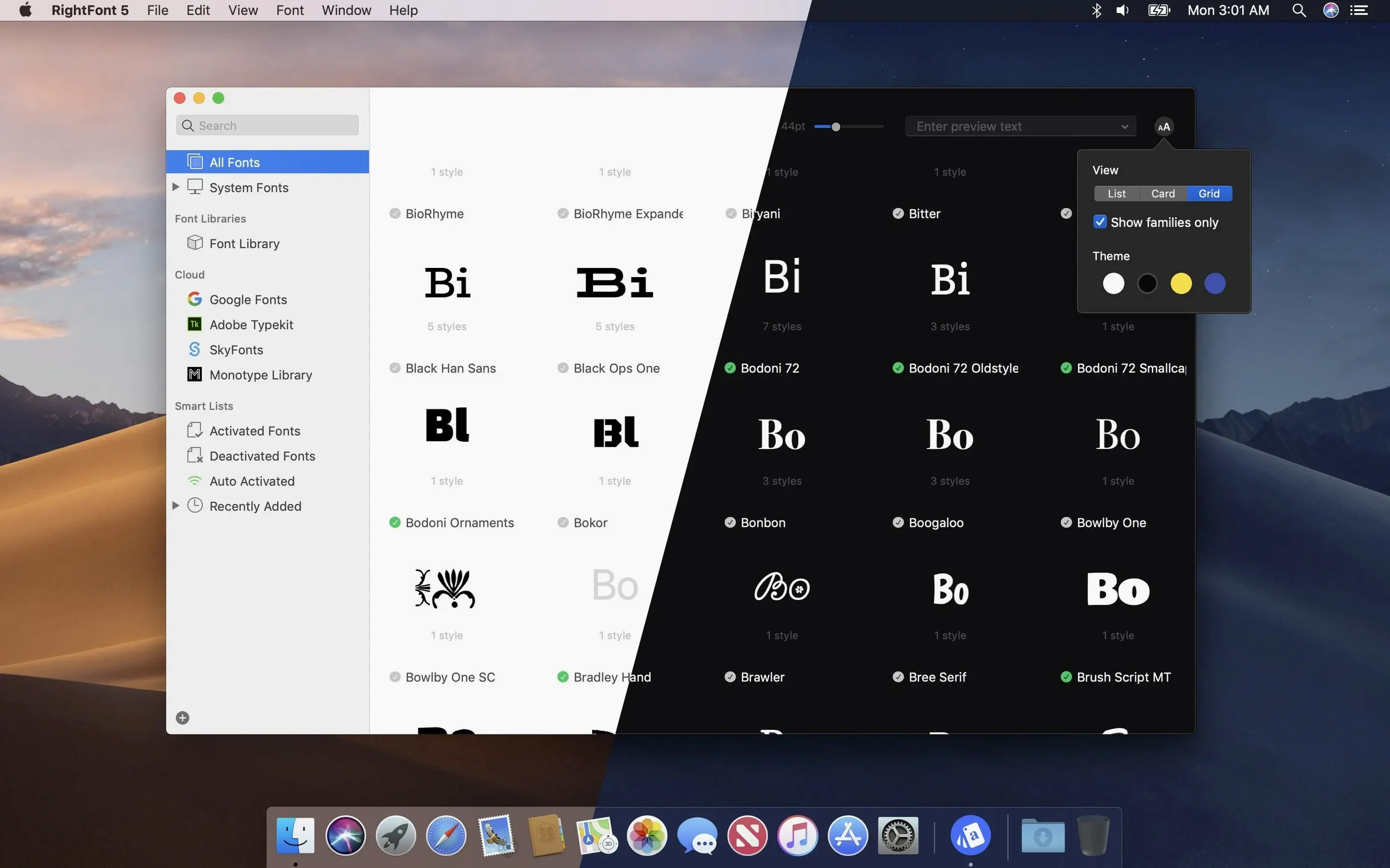
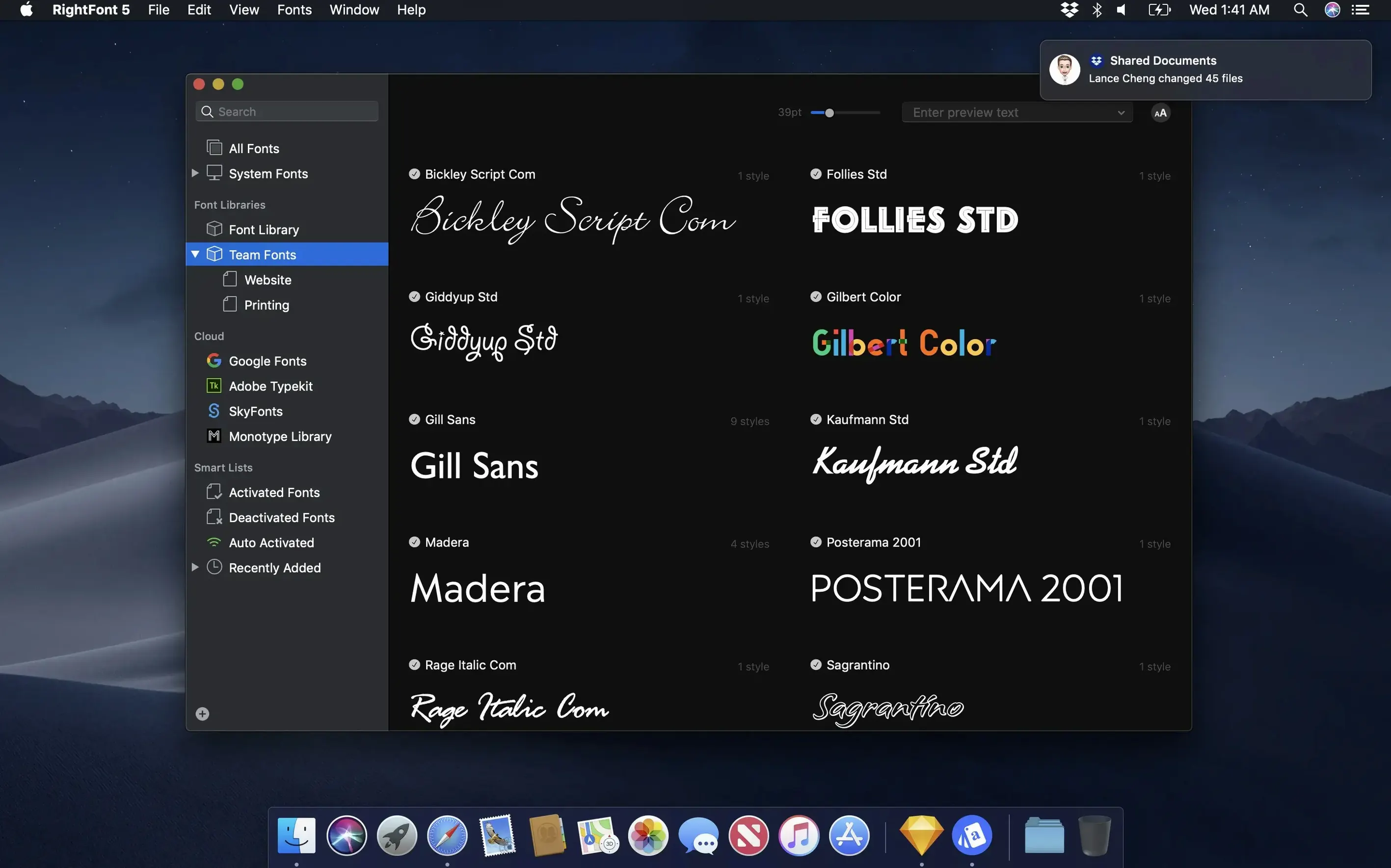
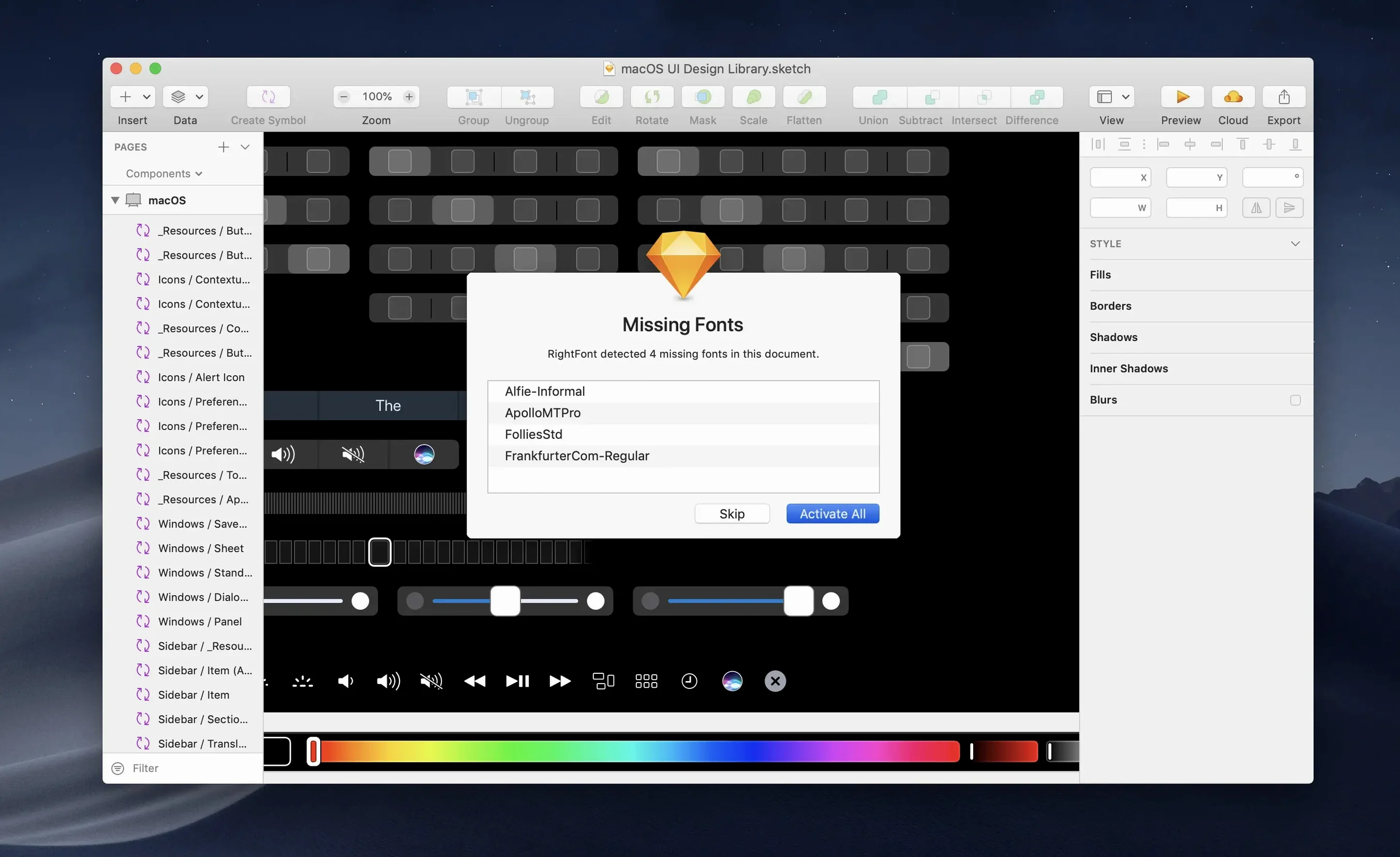
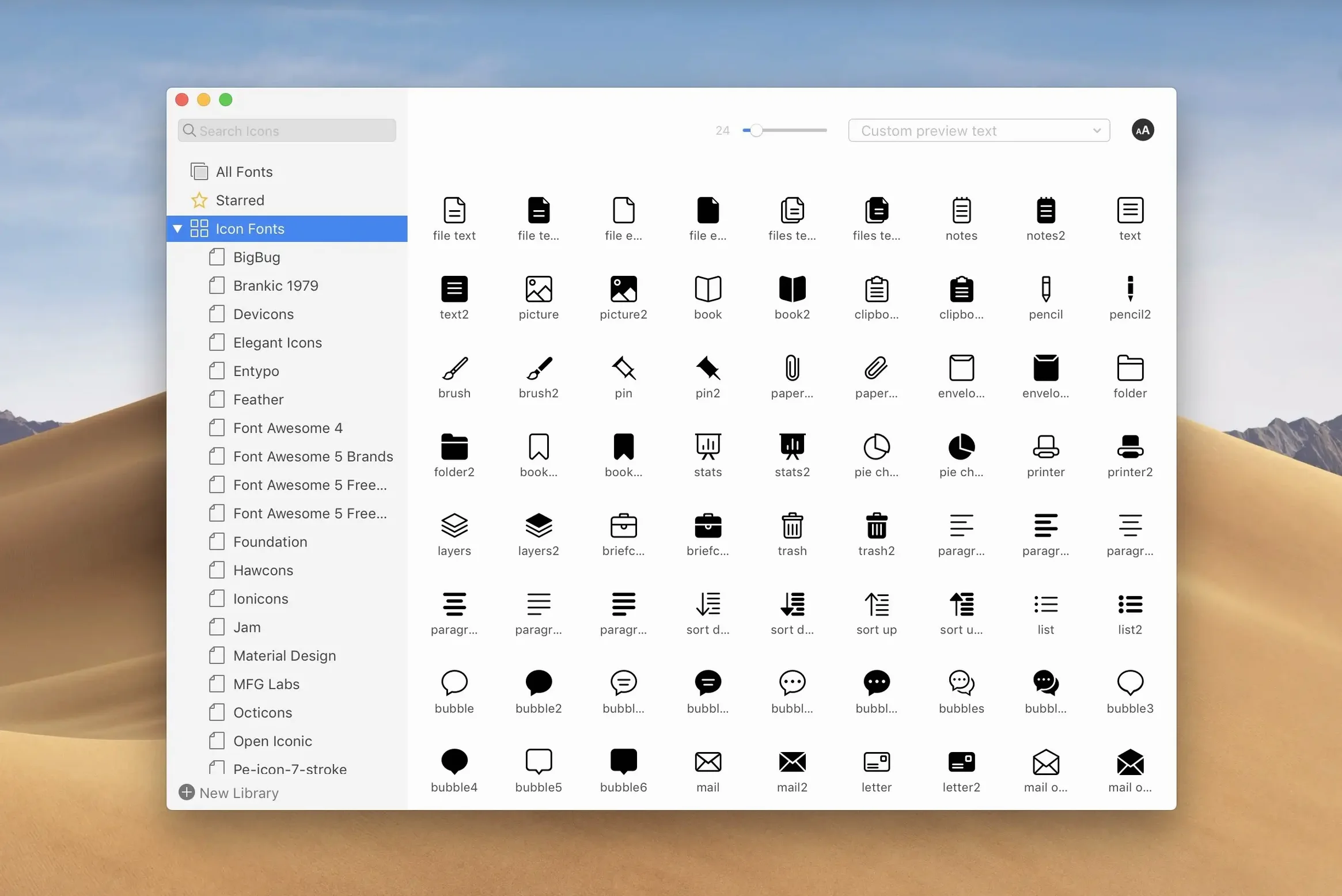
RightFont is a font manager built exclusively for Mac that helps designers keep thousands of typefaces organized, accessible, and ready to use. It lives quietly in your menu bar but opens into a full font library where you can preview families, filter by classification or weight, and create lists for different projects. The real draw is how it talks to the apps you already work in — fonts you activate in RightFont show up immediately in Adobe Illustrator, Photoshop, InDesign, and Sketch without restarting anything.
| Detail | Info |
|---|---|
| Developer | LIYI CHENG |
| Version | 10.2.1 |
| Mac support | Intel & Apple silicon |
| Minimum OS | macOS 11 |
What makes this feel like a native Mac tool rather than a port is the attention to small workflows. You can drag a font straight from the menu bar drop-down onto a text layer, or build sets of frequently used fonts that sync across machines when you move your library. The newest update tightens a few loose bolts — font imports are stabler, tag management behaves more predictably, and the import window now tells you clearly when it’s finishing up or skipping unsupported files. It’s the kind of app that fades into the background until you’re three typefaces deep in a client brief and need to compare weights without opening six folders.
How RightFont Fits Into a Real Mac Workflow
RightFont doesn't try to replace Finder — it slots in next to it. The menu bar helper means you can activate a font without leaving your layout app, and the auto-activation plug-ins for Adobe CC and Sketch keep things moving when you open a file that references typefaces you haven't installed yet. That's the piece most people underappreciate: you open a colleague's InDesign file, RightFont notices the missing fonts, and they light up in your library without you digging through old project folders.
It also plays nicely with macOS Font Book, but in a complementary way. Font Book handles system-level font validation and language tagging; RightFont picks up where that gets unwieldy — when you have 4,000 fonts and need to flip between client-brand sets on a Tuesday morning. You can drag font lists out as folders for archiving, and because the library is portable, designers who move between a studio iMac and a MacBook Pro keep their sets identical without cloud sync gymnastics. The app respects macOS sandboxing where it counts but doesn't get in the way of direct font file access.
One workflow worth mentioning: RightFont talks to Quick Look on macOS. Select a font in the library, hit spacebar, and you get the full glyph preview without opening a separate window. It's a small thing, but it saves time when you're comparing similar grotesks and need to see how the lowercase 'g' differs between four families.
Juggling Client Identity Systems Without the Manual Activation Churn
Brand designers and agency folks who juggle multiple identity systems are the obvious audience. When every client has three approved typefaces and you're switching between them five times a day, manually activating and deactivating fonts turns into a part-time job. RightFont's font lists — effectively project-based groupings — let you activate a whole set in one click and deactivate it when you move to the next brief. No leftover fonts clogging the system menu.
Type designers and foundry workers benefit in a quieter way. The classification and weight filtering is precise enough that you can browse your own test builds alongside retail releases, spotting rendering quirks without launching a separate specimen tool. And because RightFont shows search results as you type, someone comparing alternate glyphs across a sprawling superfamily doesn't lose their train of thought waiting for a results pane to populate.
Even casual Mac users who just like having a tidy system find value here. If you've ever scrolled through the Photoshop font menu past thirty-seven variations of a single family you installed for one wedding invitation, you know the pain. RightFont lets you keep fonts offline most of the time and activate only what you actually need. The menu stays clean, and apps launch faster without two thousand fonts loaded at login.
Treating RightFont as a Font Installer Instead of a Manager
The biggest trip-up is treating RightFont like a permanent font installer rather than a manager. New users sometimes activate a font, see it appear in their design apps, and assume the file has been copied into the system font folder. It hasn't — RightFont activates fonts from wherever they live on your drive. Move or rename that source folder, and the font vanishes. Keep your library in a stable location and resist the urge to tidy up behind the app's back.
Another common misstep is skipping the import progress details that version 10.2.1 improved. People drop a massive folder of fonts onto the window, see the count climbing, and close the app before the finalization stage finishes. That's how you end up with a partially indexed library where some families show missing weights. Let the import complete fully — the progress bar now distinguishes between "still working" and "wrapping up unsupported files," so you know exactly when it's safe to move on.
Tag management trips people up too, especially if they came from an older version. Subtags in 10.2.1 can be dragged back to the main Tags section, which is great — but beginners sometimes nest tags too aggressively (Sans-serif > Geometric > Brand A > Fall Campaign) and wonder why filtering gets tedious. Keep your tag hierarchy shallow and descriptive rather than mirroring your folder structure. The search field is fast enough that you rarely need more than two levels of organization.
On iPad and iPhone, RightFont doesn't offer companion apps — it's a Mac tool through and through. Some users expect iCloud syncing built in, but the intended approach is to keep your font library on a synced volume or external drive that multiple Macs can access. That's not a missing feature so much as a different philosophy: fonts are assets, not documents, and RightFont treats them accordingly.
Version 10.2.1 cleans up a handful of rough edges:
- Font imports are more reliable, and the progress window now shows a finalization stage plus a count of unsupported files.
- Tag management is smoother — subtags can be dragged back into the main Tags section.
- Fixes for Adobe Illustrator, QuarkXPress, and a macOS 27 issue are included.
- macOS 11 or newer
- Intel or Apple silicon Mac
Questions people ask
Does RightFont work with Adobe Creative Cloud apps?
Yes. RightFont activates fonts directly in Adobe Illustrator, Photoshop, and InDesign so they appear in your font menus without restarting the apps.
Can I use RightFont on an older Intel Mac?
Yes. It supports both Intel-based Macs and Apple silicon Macs, and requires macOS 11 or later.
Also on readers' docks
Sign in or create an account to leave a comment.
No comments yet. Tell me how it got on with your other devices.