Download PopClip for macOS
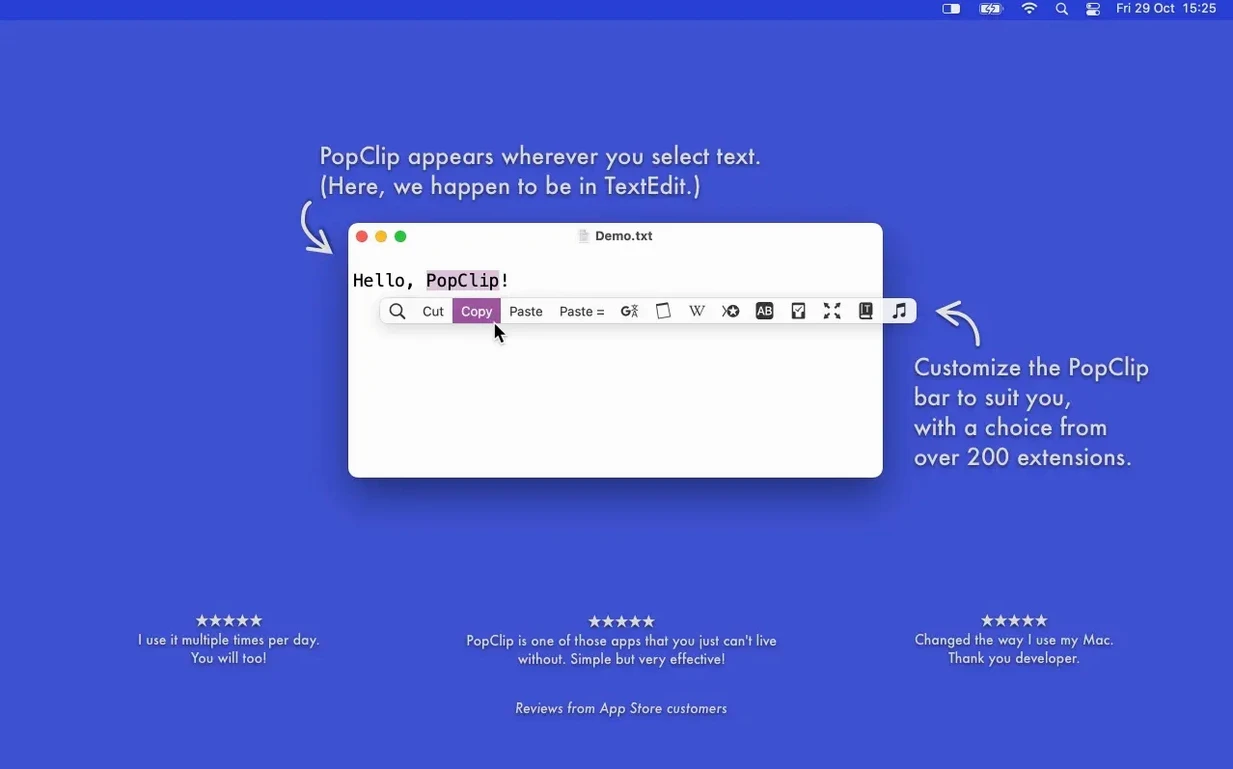
PopClip took a 30-year-old Mac concept—selecting text—and built a launchpad around it. Highlight a word, a link, or a paragraph, and a popover springs up with exactly the right action: copy, paste and match style, search the web, or fix a typo. No menubar trips, no right-click menus to scan.
What happens the moment text is selected?
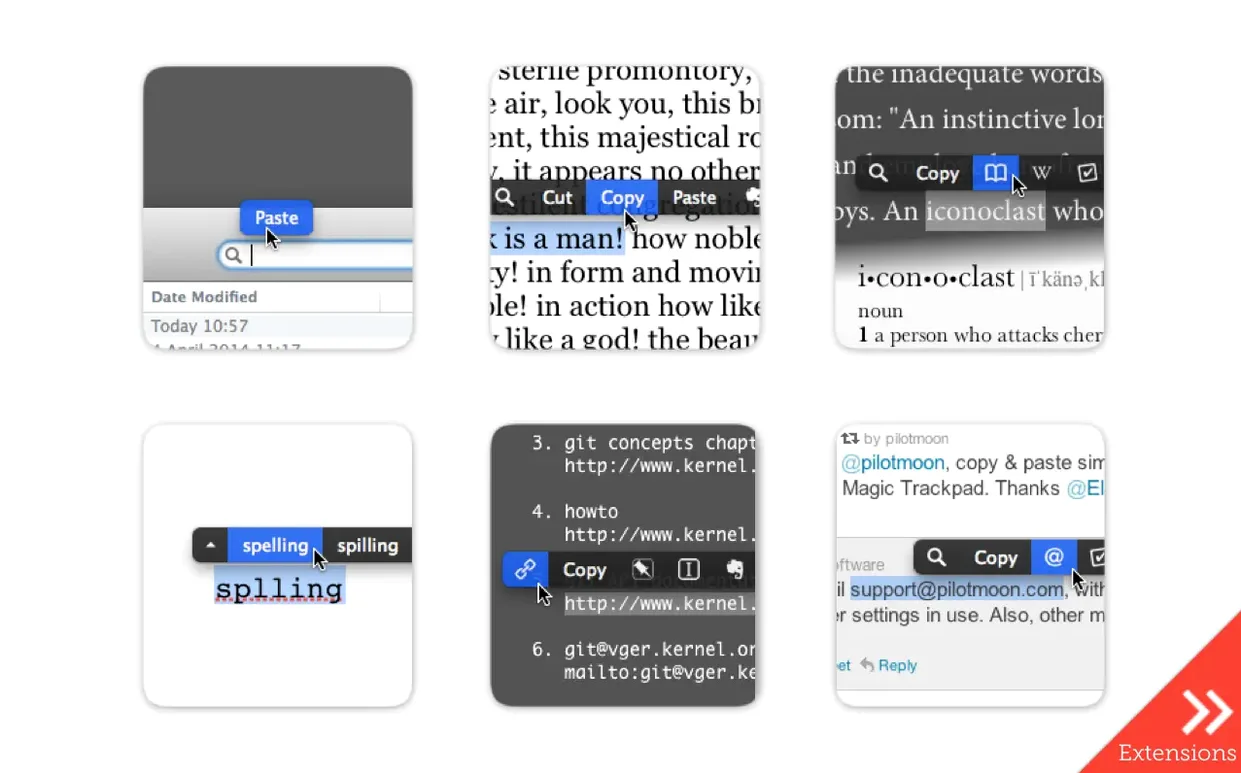
A compact row of action buttons appears right above the selection. The options change depending on what you've highlighted—a URL triggers a different set than a misspelled word. Actions include instant web search, dictionary lookup, and sending snippets straight to Evernote.
Can it fix spelling on the fly?
Absolutely. Select a misspelled word and PopClip offers spelling corrections inline, pulling suggestions from macOS. It's the fastest way to catch a typo without leaving the sentence you're writing.
What about translation and word count?
Extensions cover both. Highlight text in any app to get a quick translation, or select a block to see the word and character count immediately. Case conversion is right there too, alongside paste-and-style-matching that strips formatting in one tap.
Does it work across different Macs?
The app runs natively on Apple Silicon and Intel 64-bit Macs, requiring macOS 13.5 Ventura or later. The latest maintenance release, version 2026.8.1, landed on September 7, 2026, keeping things clean after the earlier 2026.7 update.
Little tricks tucked inside the popover
Most people install PopClip, love the basics, and never poke around the edges. A few hidden niceties make it feel twice as clever once you know them.
- Hold the Option key while the popover is visible and several actions flip to alternate versions. Copy becomes Copy as Plain Text, Paste becomes Paste and Match Style, and search actions switch engines on the spot.
- Re-select quickly after dismissing the bar—double-click a word, tap Escape, then double-click the same word again—and PopClip reappears. Handy when you dismissed it by accident and don't want to reach for the keyboard shortcut.
- Customize the popover delay in the preferences. The default near-instant appearance feels snappy, but a tiny lag of 0.2 seconds stops it from flashing up when you're selecting text just to copy manually.
- Drag-selection length matters. PopClip stays hidden for very long selections—over roughly 10,000 characters—so it never gets in the way when you're grabbing whole documents.
Where people stumble (and what actually fixes it)
PopClip plays nicely with most Mac apps, but not all. The snags are predictable once you recognize the pattern.
- It won't appear in some apps. Terminal, virtual machine windows, and a handful of specialized editors draw text in ways PopClip can't read. The quickest test: open TextEdit and select something. If the popover works there, the other app simply isn't compatible. No setting will force it.
- Extensions vanish after a restart. iCloud sync usually sorts this, but sometimes a Mac holds onto stale extension data. Open PopClip's preferences, toggle the extension off and on again, and wait a moment for iCloud to catch up. If you've just run a popclip download from the zip, a fresh launch normally pulls everything back.
- The bar overlaps your text. PopClip positions itself above the selection, but in full-screen apps or narrow windows it can land awkwardly. Adjust the popover offset in preferences—shifting it a few pixels vertically often clears the obstruction without any trade-off.
- Spelling suggestions don't match the app's language. PopClip inherits its dictionary from macOS system settings, not the frontmost app. If you're typing in French inside an English app, check your Language & Region preferences so the right dictionary kicks in.
A translator's afternoon, saved one phrase at a time
Imagine a freelance translator working through a dense German legal document in Pages. Every second paragraph contains a term that needs a quick dictionary cross-check, and the client's reference glossary sits in a separate Notes window.
Without PopClip, the rhythm breaks constantly: select, right-click, Look Up, wait for the dictionary panel, click back. With PopClip, a single selection triggers the dictionary extension, and a swipe across a full sentence feeds the translation extension without a single menu dive. When the glossary pops up a URL in Notes, selecting it opens the reference page immediately in Safari—no copy-paste, no tab juggling. Even the small act of stripping formatting from a phrase copied out of a PDF becomes one tap instead of a three-finger shortcut nobody remembers.
It's the kind of flow you don't notice until you sit down at a Mac without PopClip installed and wonder why everything feels sticky.
Version 2026.8.1, released September 7, 2026, is a maintenance and cleanup update that follows the PopClip 2026.7 release. No new extensions were added; the focus was purely on stability and tidying up.
- macOS 13.5 Ventura or later
- Apple Silicon or Intel 64-bit processor
Also on readers' docks
Sign in or create an account to leave a comment.
No comments yet. Tell me how it got on with your other devices.