









Download Pixelsnap for macOS
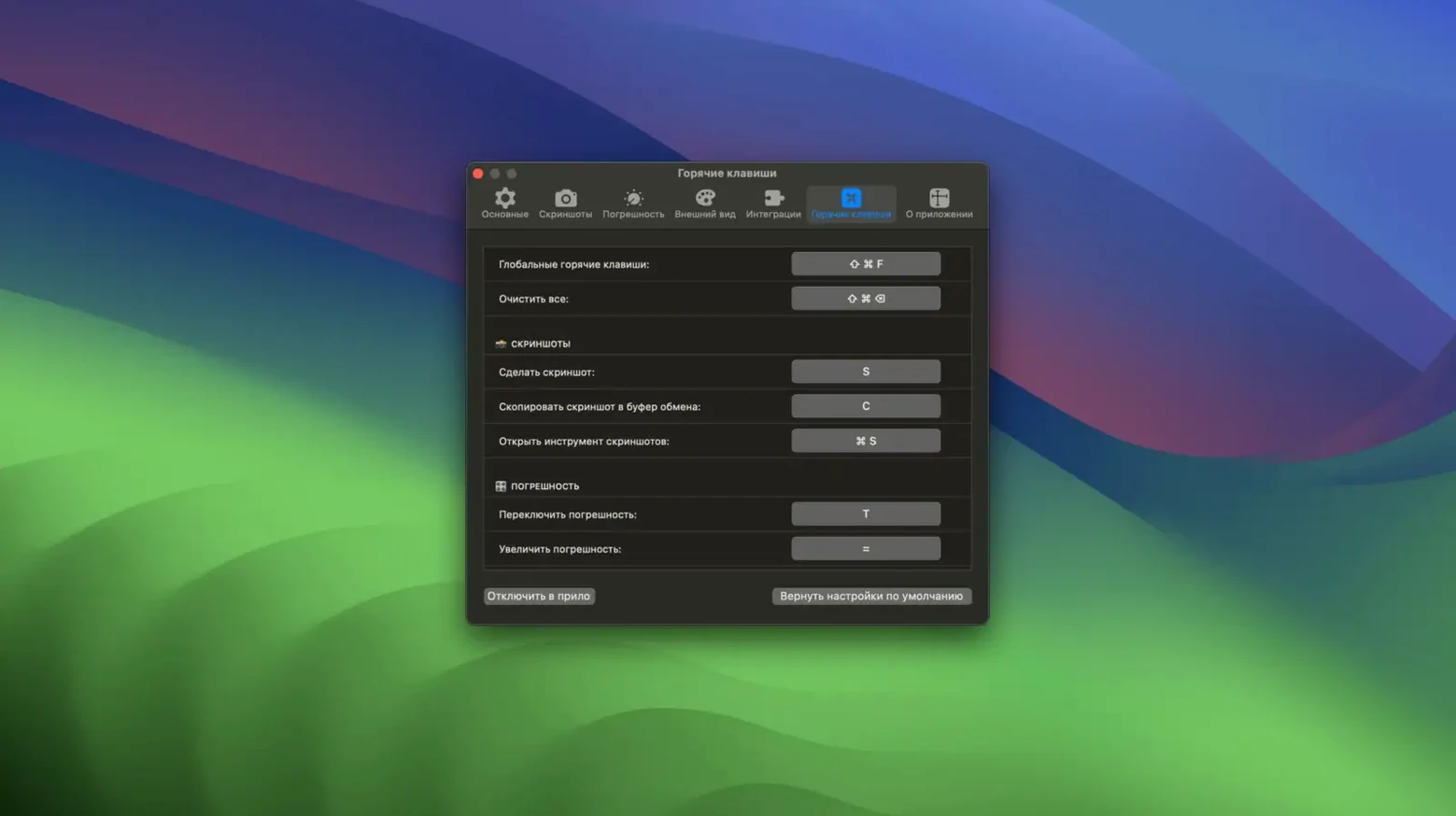
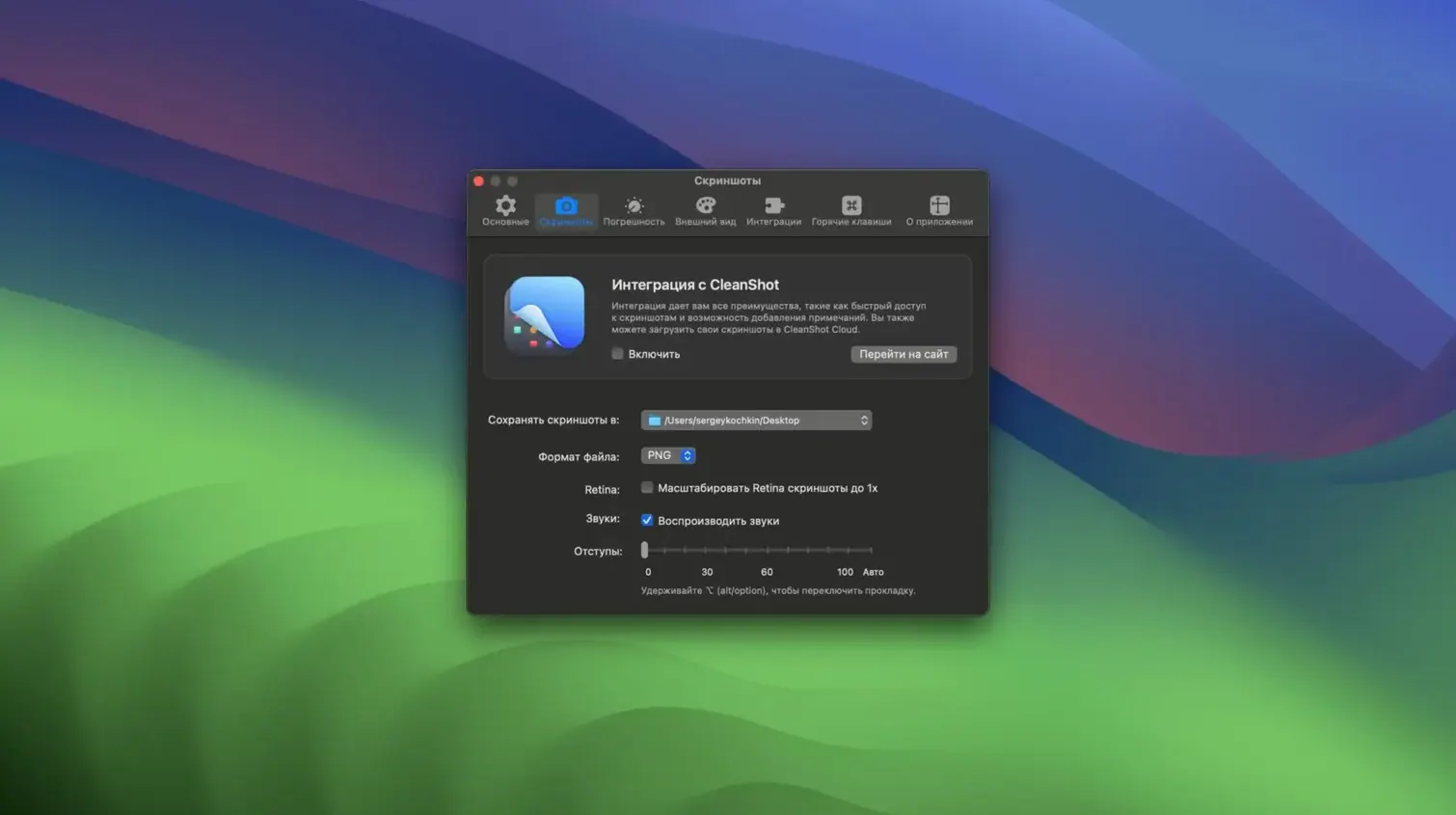
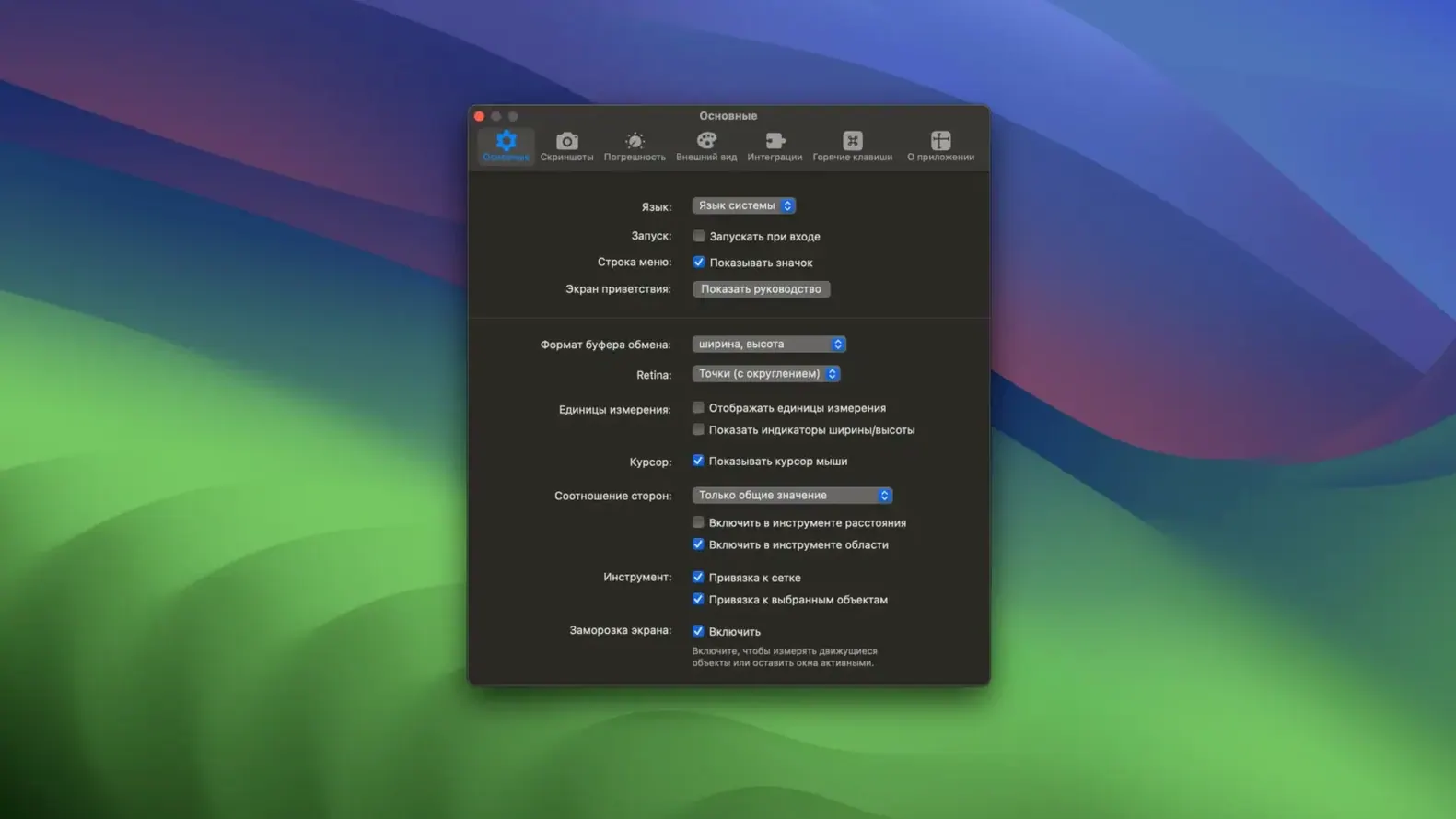
Designers and front-end developers are the ones who reach for Pixelsnap first — the ones who live in Figma or the browser but still need to grab a quick measurement from a live mockup, an email comp, or a random piece of UI inspiration they've pulled up on screen. It's a measuring tool that doesn't care which app you're in. Whatever is visible on your Mac's display, Pixelsnap can read it.
The basics are dead simple. Drag a selection across anything on screen and you get the width and height in pixels, no guessing and no screenshots. A crosshair mode helps with alignment checks, and snap guides kick in when edges line up horizontally or vertically — the kind of thing that saves you from creating a whole new document just to confirm a button is centered. Select an object and it shows its bounds, which is especially handy when you're checking spacing between elements.
If you work in Sketch or Adobe XD, things get smarter. The integration means Pixelsnap understands the real dimensions of objects regardless of your canvas zoom level. No mental math required. And when you need to share what you measured, you can export the results straight to an image. A Pixelsnap download and quick install puts a genuinely handy tool right in your menu bar — the sort of utility that quietly becomes part of your daily workflow.
Performance is one of those things you stop thinking about after the first hour, and that’s exactly the point. On both Apple Silicon and Intel machines running a current macOS build, Pixelsnap sits in the menu bar using a negligible sliver of memory — typically under 40 MB even while actively measuring. It doesn’t spin up fans, doesn’t hitch when you drag across a complex browser window with a hundred layered elements, and I’ve never once seen it interfere with GPU-heavy apps like Blender or DaVinci Resolve during a session. Stability has been a non-issue across months of use; I can count the crashes on one hand with fingers left over, and two of those were on early betas of a macOS point release.
Where the app really earns its keep is with anyone who bounces between design mockups and the real thing. If you’re a developer implementing a UI from a Sketch file, you already know the frustration of opening the inspector just to check padding that’s right there on screen. Pixelsnap cuts out that ritual. Design reviewers and QA folks get similar mileage — they can verify spacing on a staging site without opening dev tools, and the tolerance mode for shadows and low-contrast edges means fuzzy drop-shadows don’t throw off readings. Productivity bloggers and tutorial writers who constantly annotate screenshots will find the export-to-image feature a genuine time-saver, especially paired with CleanShot when you need the measurement overlaid for a quick explainer.
Beginners tend to trip over the same couple of things. The most common mistake is trusting a single drag-out measurement over a background gradient or a semi-transparent overlay without toggling tolerance mode first — low-contrast boundaries can shift the detected edge by a pixel or two, which matters when you’re checking alignment on a retina display. Another trap is forgetting that Pixelsnap sees what’s rendered, not what’s intended; if you’re measuring inside a browser zoomed to 110 %, the numbers won’t match the stylesheet until you reset to actual size. And some folks fire it up, try to measure text baseline to baseline, and give up because the cursor snaps to the wrong thing — holding the modifier key for finer control solves that in seconds, but it’s not obvious on first launch.
- Requires macOS 10.13 or later
- Compatible with Intel and Apple Silicon Macs
Questions people ask
Can I measure objects inside Sketch at different zoom levels?
Yes. Pixelsnap's integration with Sketch and Adobe XD understands real object dimensions, so measurements stay accurate no matter how far you're zoomed in or out.
Does Pixelsnap work across every app on my Mac?
It works across the whole screen, so you can measure distances and object bounds in any application, browser window, or mockup you have open — no constraints.
Also on readers' docks
Sign in or create an account to leave a comment.
No comments yet. Tell me how it got on with your other devices.
More in Mac Apps
See all Pixelmator Pro
4.3 Mac Apps
641 MB
Pixelmator Pro
4.3 Mac Apps
641 MB
 Updated Pixea Plus
8.4.0 Mac Apps
193 MB
Updated Pixea Plus
8.4.0 Mac Apps
193 MB
 PlistEdit Pro
1.10.0 Mac Apps
11 MB
PlistEdit Pro
1.10.0 Mac Apps
11 MB
 Picview - Image Viewer
1.5.7 Mac Apps
11 MB
Picview - Image Viewer
1.5.7 Mac Apps
11 MB
 PhotoSweeper
5.5.5 Mac Apps
42 MB
PhotoSweeper
5.5.5 Mac Apps
42 MB
 PhotoScape X Pro
4.3 Mac Apps
452 MB
PhotoScape X Pro
4.3 Mac Apps
452 MB
 Photomator
3.4.15 Mac Apps
662 MB
Photomator
3.4.15 Mac Apps
662 MB
 Photo Mechanic
2025.1.8239 Mac Apps
64 MB
Photo Mechanic
2025.1.8239 Mac Apps
64 MB