









Download PhotoSweeper for macOS
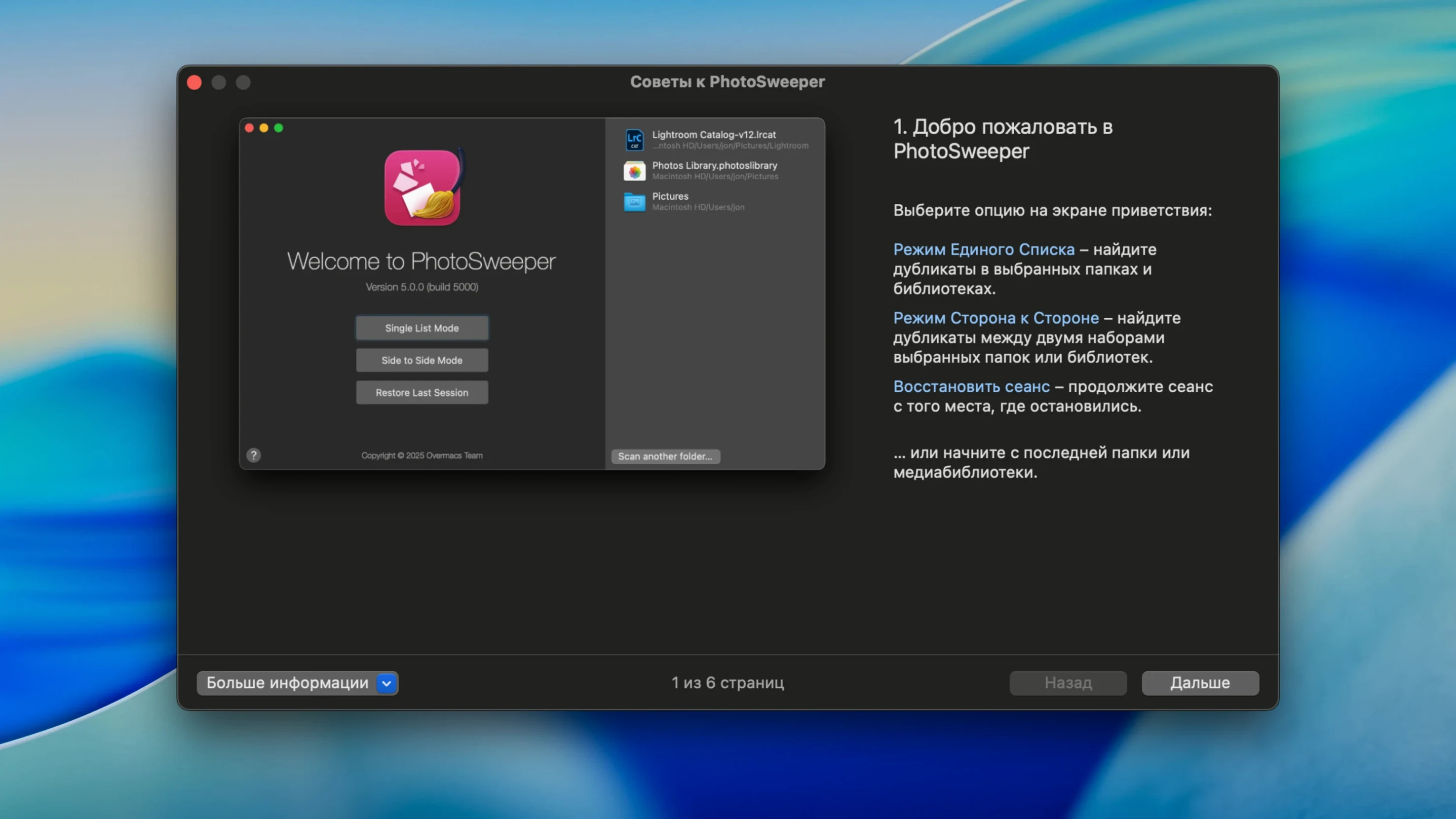
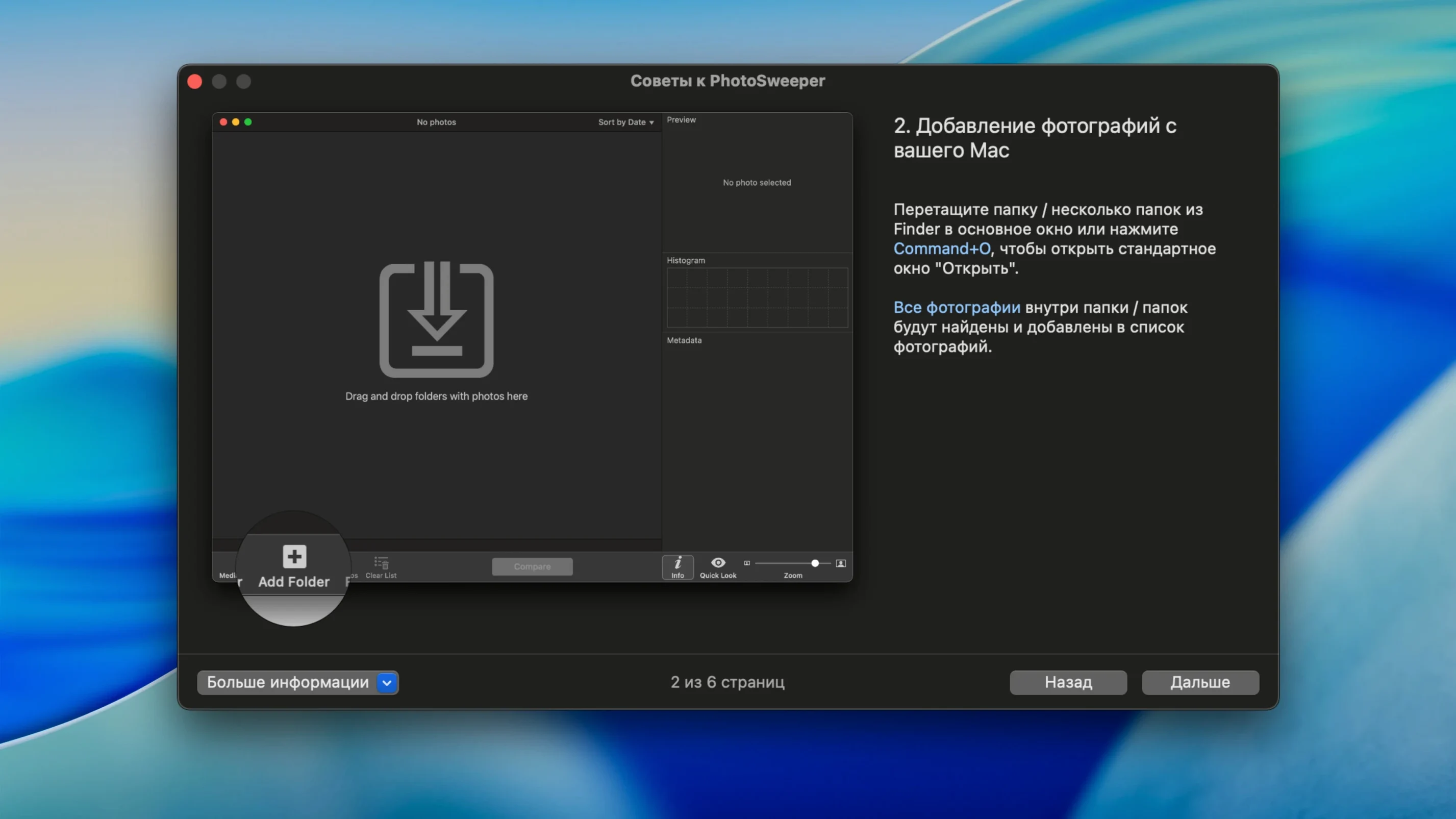
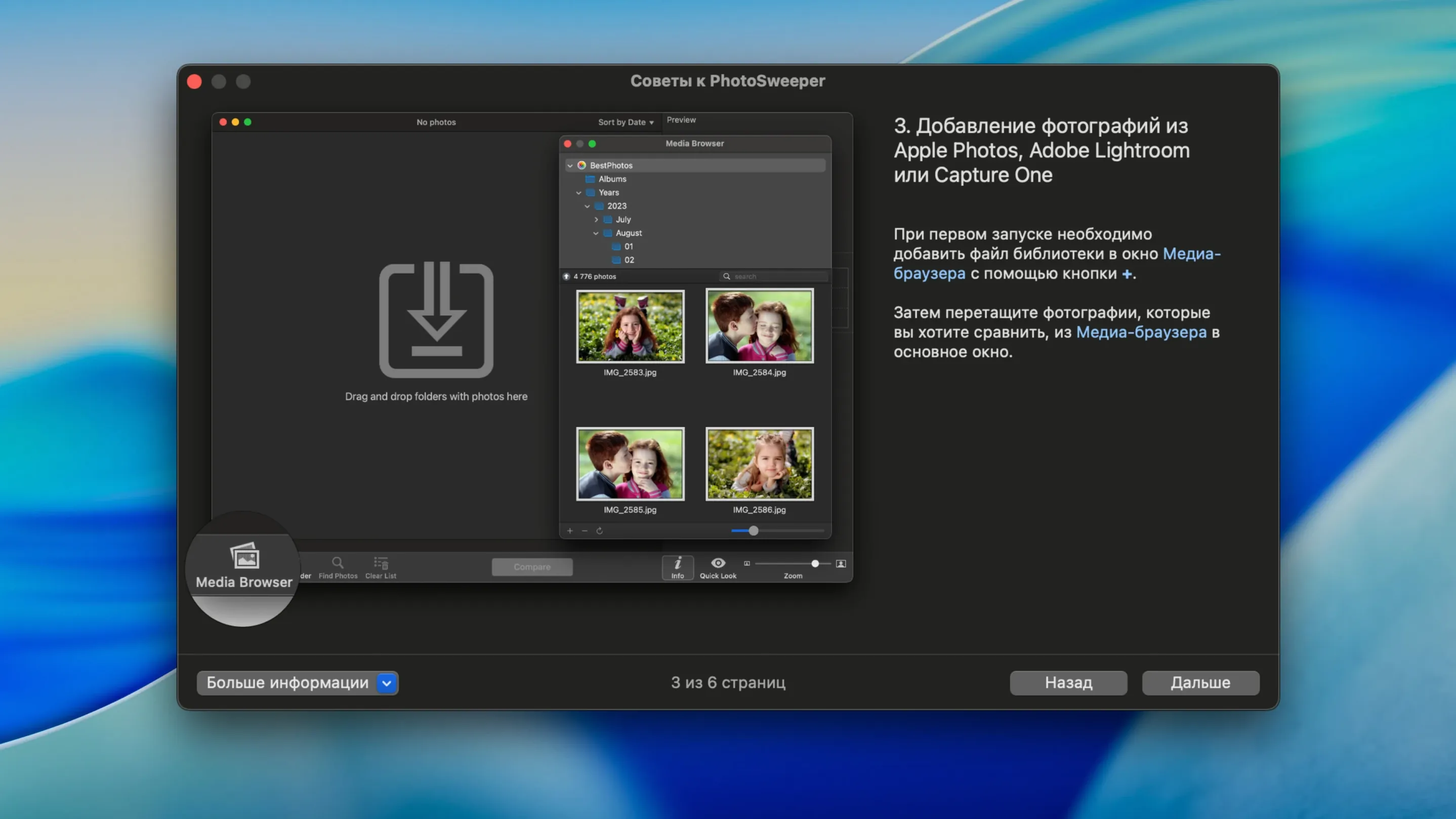
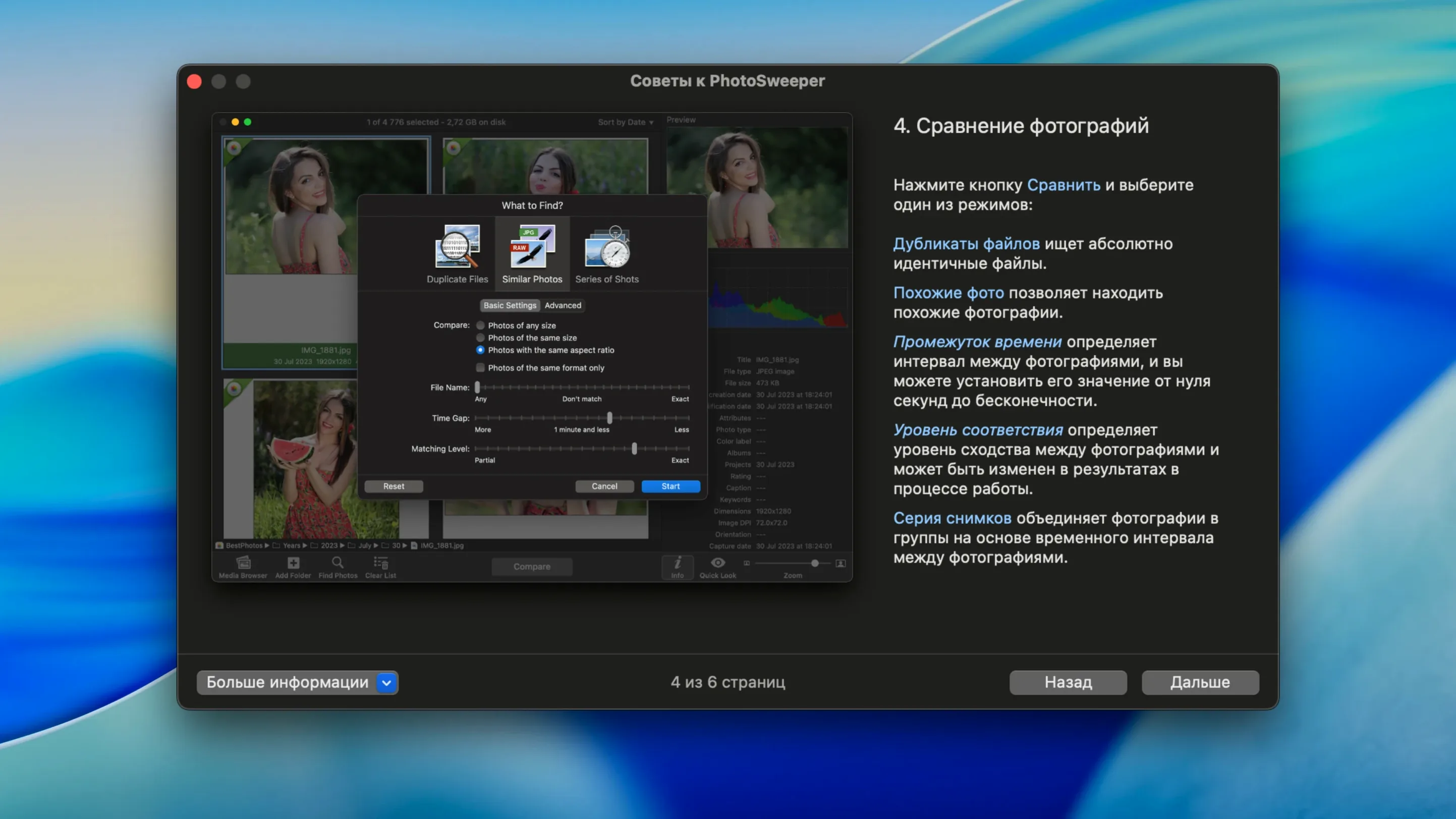
Your Mac's drive is a graveyard of burst-mode sequences, re-imported vacation shots, and edited copies you forgot to delete. Spotting the duplicates manually is a recipe for a headache—and a full SSD. That's where PhotoSweeper 5.5.5 steps in, turning a tedious cleanup into a surprisingly satisfying, one-sitting task.
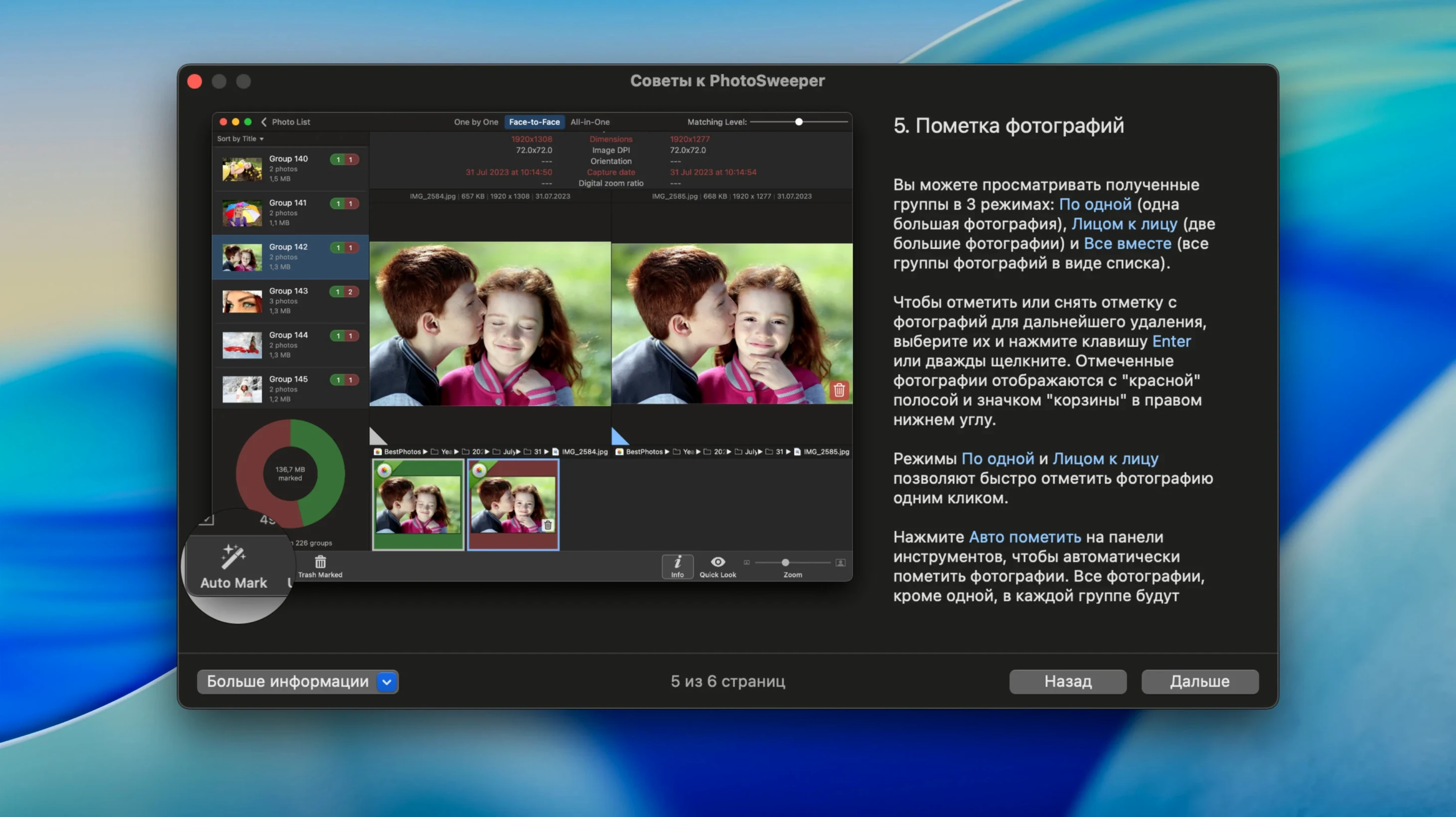
Let's say you've got a sprawling Apple Photos library mixed with loose folders on an external drive. You point PhotoSweeper at both locations. Instead of a simple filename match, it compares the actual image content. Within moments it groups genuinely identical images, but also resized versions and similar shots from the same burst. A histogram view and full EXIF metadata sit right beside each comparison, so you can verify the highest-resolution original before marking the rest for deletion.
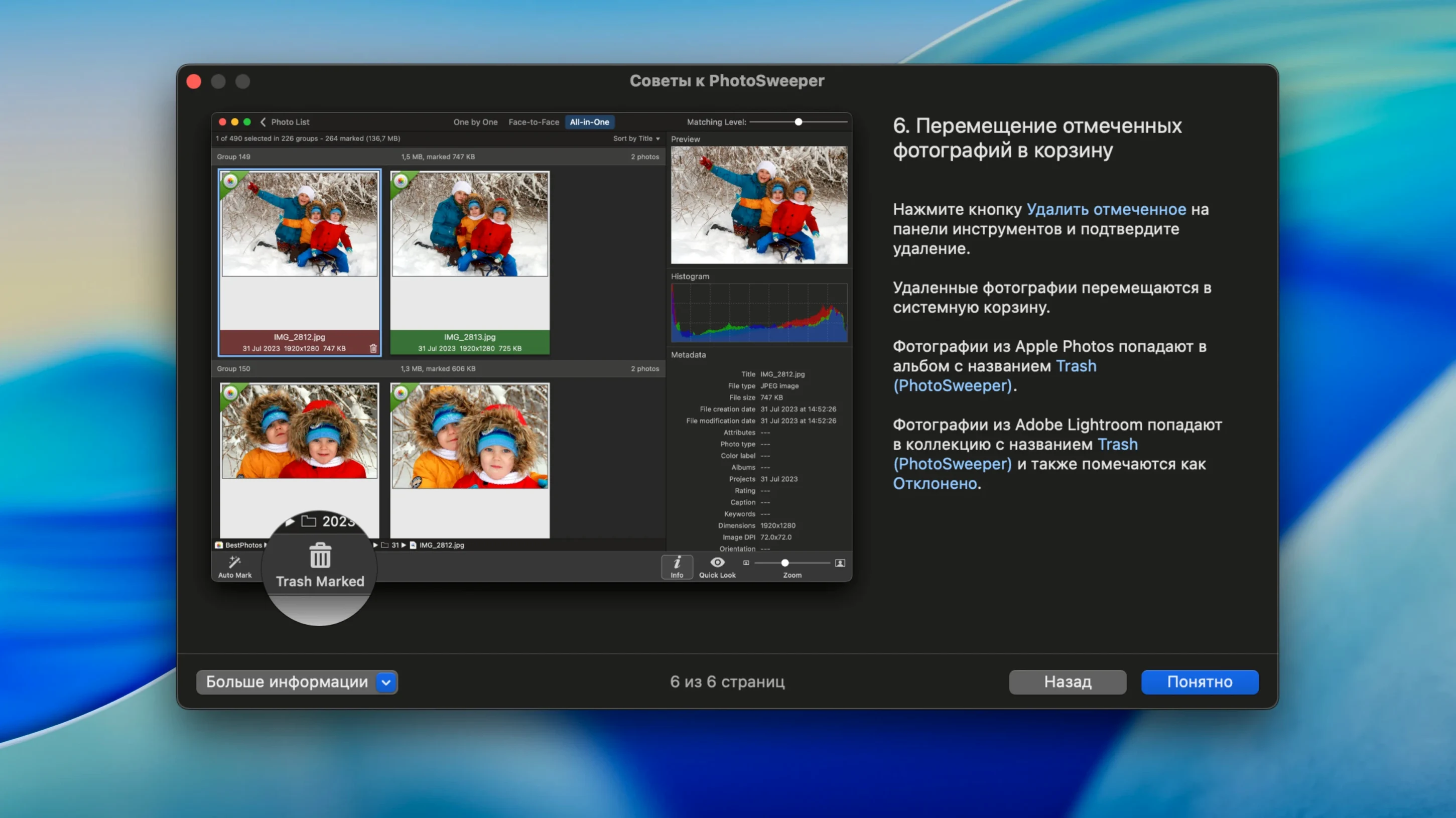
The three view modes make the final call easy. "Face-to-face" lets you compare two potential duplicates side-by-side, while "All-in-One" shows the whole group at once. You can set smart auto-marking rules—like keeping the file with the oldest date or the largest dimensions—and then trash everything else with one click. Its integration with Adobe Lightroom and Phase One Capture One libraries means the work stays clean even inside professional catalogs.
It's a straightforward tool for a specific, maddening problem. In under an hour, you can sweep through years of accumulated digital drift and recover a surprising amount of disk space.
Plenty of good tools get overlooked because their best features aren't on the main toolbar. PhotoSweeper has a few shortcuts I'd hate to lose now that I know about them. Dragging a folder directly onto the app's Dock icon adds it to the current scan without opening a file picker — small thing, but it saves a dozen clicks over a long cleanup session. Inside the browser, tapping the Space bar fires up Quick Look on any selected image, which is perfect when the thumbnail grid isn't enough to judge sharpness or exposure. And if you right-click a group in the results, you can copy the file path of any photo straight to the clipboard. That's a lifesaver when you realize you need to move rather than delete a specific duplicate.
There's also the option-click trick while marking: hold Option and mark one photo, and PhotoSweeper auto-marks every other duplicate in the group using your current ruleset. Combine that with a custom rule stack — say, prioritize smaller file size but newer date — and you can clear a thousand-duplicate scan in under two minutes without touching the keyboard much at all.
Tackling a holiday photo mess in 40 minutes
Imagine it's a slow Sunday afternoon and I've finally decided to tackle the family photo mess from the last three holidays. Here's how the next 40 minutes play out.
First, I drag my main Pictures folder and the Apple Photos library onto PhotoSweeper's media browser and hit Scan. While it crunches through about 8,000 images, I grab coffee — it's finished before the kettle boils. The results show 340 groups, most of them burst shots of my dog and old edited JPEGs from 2019. I switch to the "One by One" view and use the right-arrow key to walk through each group. Every time I spot an obviously lower-resolution edit or a blurry burst frame, I click it and move on. For the big clusters, I flip to "All-in-One," set an auto-mark rule that keeps the largest file, and let PhotoSweeper do the rest. Two clicks later, 280 duplicates head to the Trash. I export the kept files into a new "Cleaned" folder and call it a win.
Real-world scenario: the Lightroom tweaker
A wildlife photographer friend of mine lives inside Lightroom Classic and shoots in RAW+JPEG pairs by default. After a week in the field, his catalog contained thousands of near-identical frames — the same bird from slightly different angles, plus the JPEG accompaniments. He pointed PhotoSweeper at his Lightroom library with the "Ignore rejected Lightroom items" import option active, which immediately stripped out flagged rejects. Then he set the comparison sensitivity higher than default so only visually near-identical images grouped together, not just the exact pixel matches. The result? About 400 groups where the RAW file and its JPEG twin sat side by side. A single auto-mark rule targeting the smaller file size marked every JPEG in one pass, and he purged them from the catalog without ever leaving the app. What used to eat half a day of culling took a single coffee break.
PhotoSweeper 5.5.5 adds support for XMP sidecar metadata and improves reading for Adobe DNG images. Lightroom preview handling has been smoothed out, and new import options let you ignore hidden Apple Photos items and rejected Lightroom items. A handful of performance fixes and optimizations round out the update.
- macOS 10.15 or later
- Intel or Apple Silicon Mac
Questions people ask
Does PhotoSweeper work with my current photo library?
Yes, it works directly with Apple Photos, older iPhoto, Adobe Lightroom, and Phase One Capture One libraries without needing to export your images first.
Also on readers' docks
Sign in or create an account to leave a comment.
No comments yet. Tell me how it got on with your other devices.
More in Mac Apps
See all PhotoScape X Pro
4.3 Mac Apps
452 MB
PhotoScape X Pro
4.3 Mac Apps
452 MB
 Picview - Image Viewer
1.5.7 Mac Apps
11 MB
Picview - Image Viewer
1.5.7 Mac Apps
11 MB
 Photomator
3.4.15 Mac Apps
662 MB
Photomator
3.4.15 Mac Apps
662 MB
 Photo Mechanic
2025.1.8239 Mac Apps
64 MB
Photo Mechanic
2025.1.8239 Mac Apps
64 MB
 Permute
4.0.11 Mac Apps
84 MB
Permute
4.0.11 Mac Apps
84 MB
 Updated Pixea Plus
8.4.0 Mac Apps
193 MB
Updated Pixea Plus
8.4.0 Mac Apps
193 MB
 Perfectly Clear WorkBench
4.8.0.2871 Mac Apps
200 MB
Perfectly Clear WorkBench
4.8.0.2871 Mac Apps
200 MB
 Pixelmator Pro
4.3 Mac Apps
641 MB
Pixelmator Pro
4.3 Mac Apps
641 MB