Download Perfectly Clear WorkBench for macOS
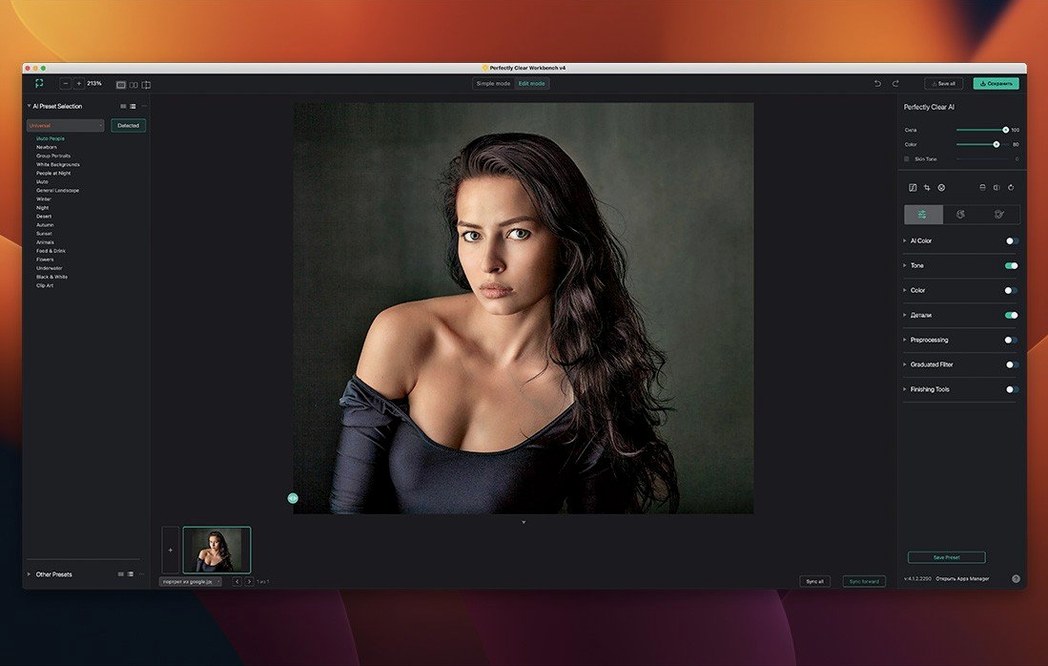
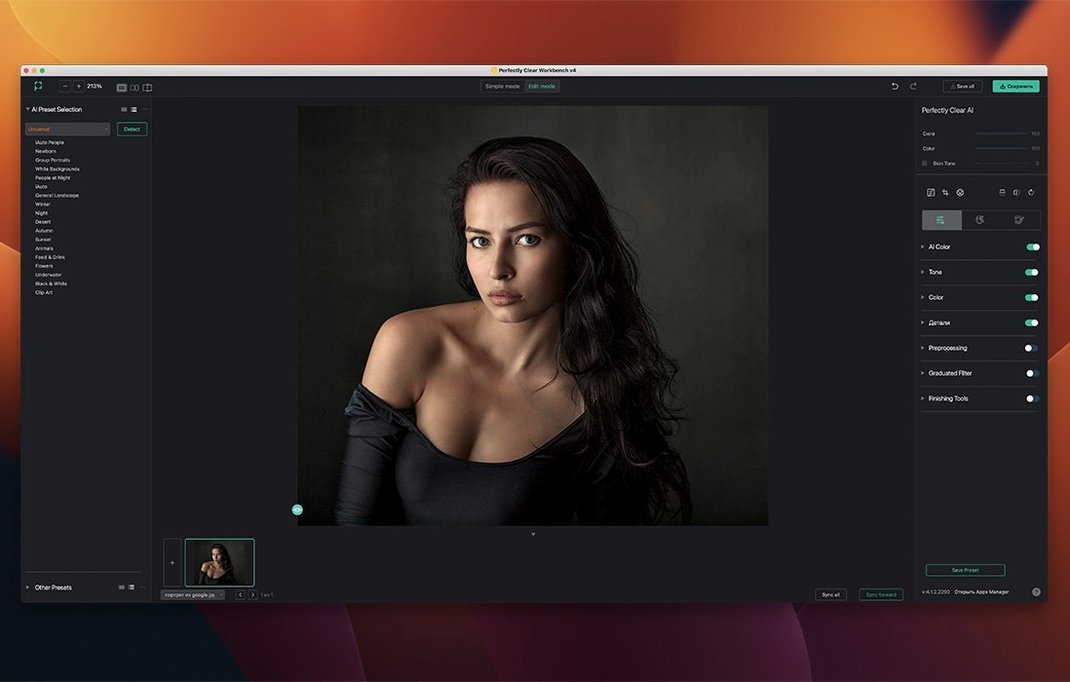
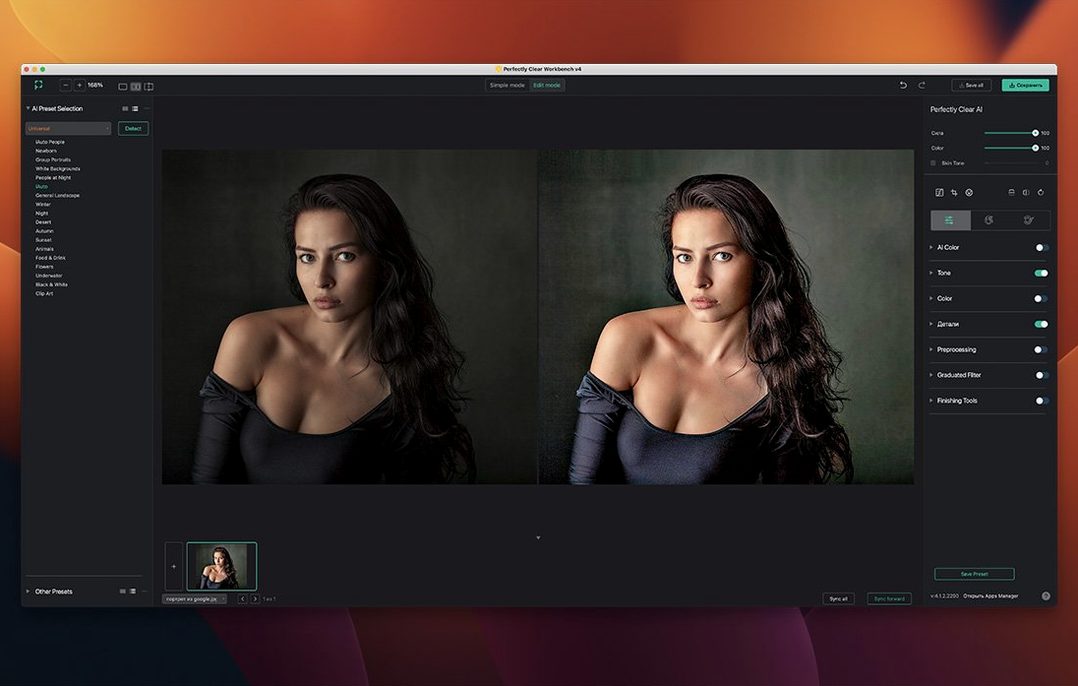
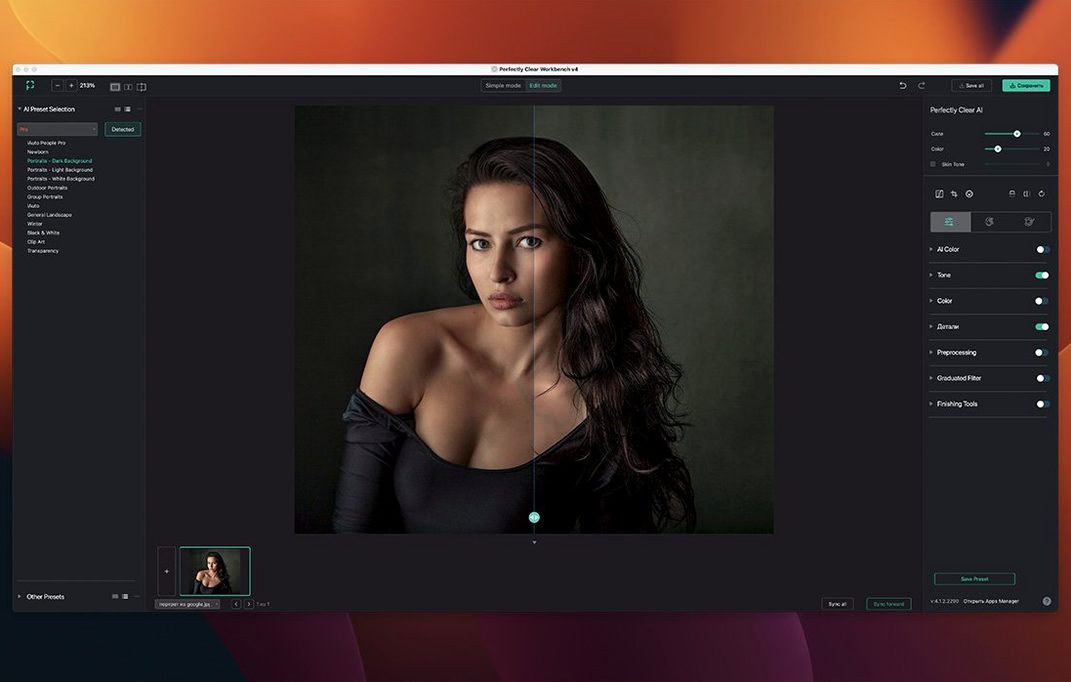
Getting a photo correction preset right without visual feedback is a guessing game. Perfectly Clear WorkBench closes that loop. It is the desktop sandbox where developers and photo lab operators can test Athentech's libraries on real images and export ready-to-use settings.
How do you turn a flat portrait into a balanced keeper?
Load a batch of RGB stills and head straight for the Face Aware exposure control. The face recognition library kicks in automatically, letting you adjust face regions to pull subjects out of murky shadows without blowing the highlights—ideal for group shots where faces sit at different depths.
What does the pre-processing section do?
It gives you an Input Looks stage and manual exposure correction before the main pipeline fires. You can set a Black Point, dial in Color Brightness, and apply early tonal fixes so the core corrections have a cleaner starting point.
How do you hand off a look to an API pipeline?
Once you are happy with the Light Diffusion and Vibrancy strength sliders, save the preset. Perfectly Clear WorkBench exports the exact processing instructions as an API-ready text file, so your server-side workflow uses the same settings you just tested.
Where does the histogram fit in?
The newly added histogram gives you real-time feedback as you push corrections. Watch the tonal spread shift while you tweak Color Brightness or Black Point; it is a sanity check that keeps your adjustments grounded in actual pixel data.
Inside a typical session
I fire up the app and drop a folder of Raw-converted TIFFs straight into the window. The interface wastes no time—everything sits in a single column on the right, and the histogram pops up immediately, a clean monochrome readout that already tells me the first image is underexposed by a stop and a half.
I click into the pre-processing section and pull the Black Point slider until the left edge of the histogram snugs up against pure black. Then I switch on Face Aware exposure. The face recognition library finds three faces in the frame—a bridal party shot where the maid of honor stood too far from the window light. I drag the face region box on her slightly, re-centering the detection, and her skin tone evens out without touching the bride beside her.
Next I push Light Diffusion to about 30 and nudge Vibrancy just enough that the floral arrangements stop looking tired. The histogram stretches nicely across the midtones, no clipping. I save the preset under "Wedding indoor window-light" and export the API text file. Thirty seconds from flat file to reusable correction.
A lab technician's afternoon
Imagine someone processing school portrait proofs for a district with eight hundred kids. Every gymnasium backdrop is a different shade of blue-gray, and the fluorescent lighting swings between warm and sickly depending on which building the photographer visited. This is where a Perfectly Clear WorkBench torrent macOS setup becomes the lab's secret weapon.
The technician opens a representative set of twenty images, corrects one with Face Aware exposure and a custom skin tone picker target, then exports the preset. That single text file now drives the entire batch through the SDK pipeline, applying consistent corrections across all eight hundred portraits. Face scaling stays one-click quick when a kindergartner's head fills half the frame and an eighth-grader's fills a quarter. The lab gets uniform output, and the technician gets lunch before noon.
The latest refresh overhauls how you interact with the app:
- A redesigned interface that puts the correction pipeline front and centre.
- New image correction tools joined the lineup, and existing ones got a polish.
- A live histogram now tracks your tonal adjustments in real time.
- Preset management was rebuilt from the ground up for faster saves and exports.
- macOS 10.15 or later
- Intel processor
- RGB images with 8-bit or 16-bit color depth
Also on readers' docks
Sign in or create an account to leave a comment.
No comments yet. Tell me how it got on with your other devices.