









Download PhotoScape X Pro for macOS
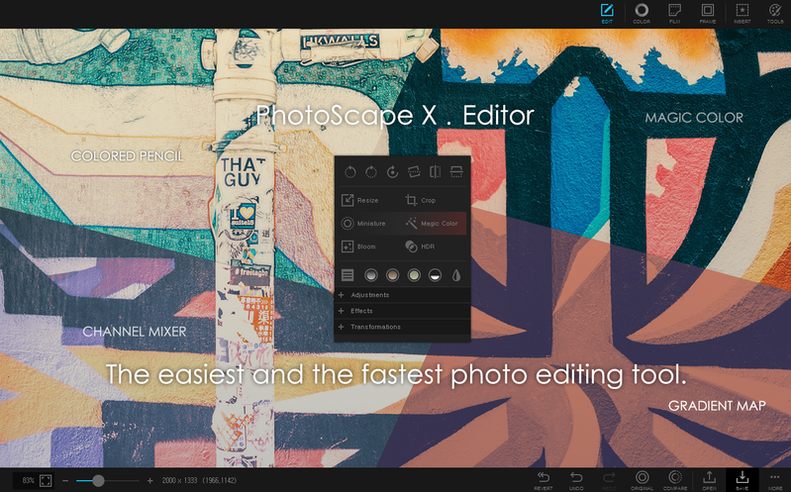
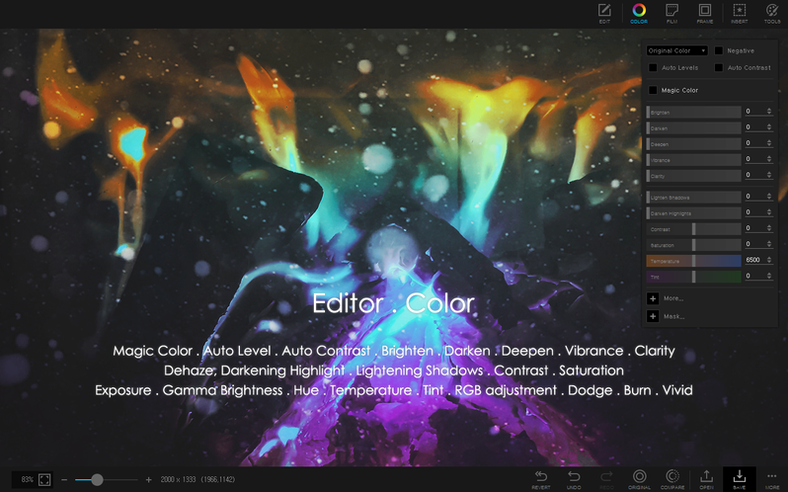
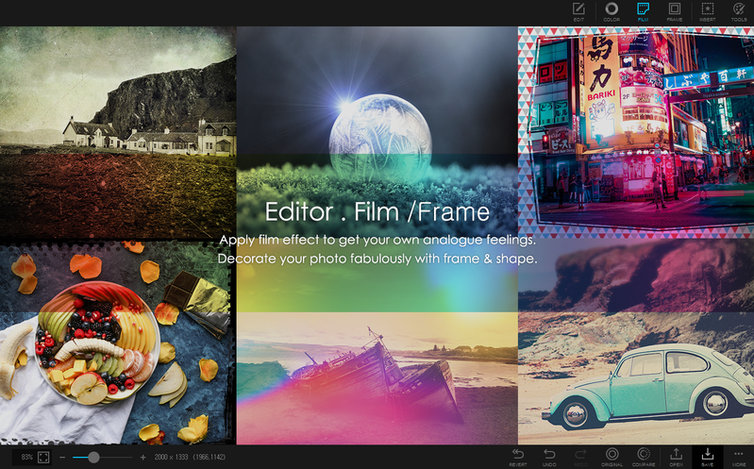
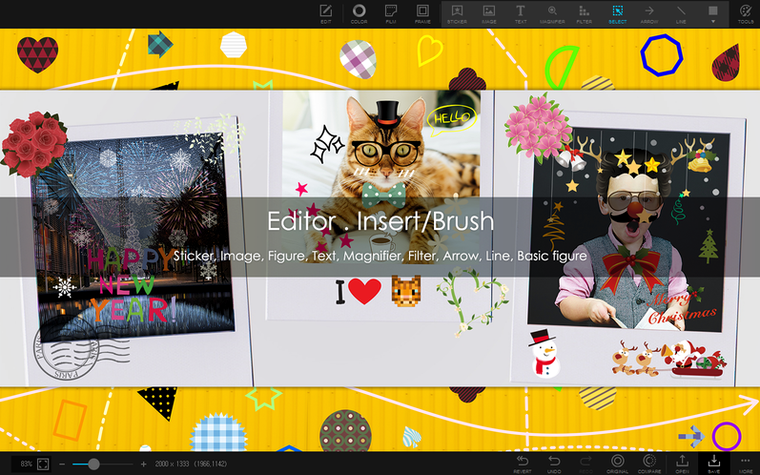
If your Mac runs macOS Ventura or later on Apple Silicon, PhotoScape X Pro slots right in. It’s the desktop Mac edition of the photo editor that pulls browsing, quick fixes, collage-making, and batch processing under one roof without making you juggle four different apps.
| What | Why it matters |
|---|---|
| Focus stacking & HDR merge | Blend multiple shots into one sharp or evenly-exposed image |
| 290+ frames, 240+ shapes, 1000+ stickers | Everything you need for a quick social post or a printed keepsake |
| Batch convert, resize & rename | Process a whole folder while you go grab a coffee |
The editing toolset covers the everyday list without feeling cramped. You get red-eye removal, a liquify brush for subtle reshaping, a clone stamp for tidying up distractions, and a healing brush that handles sensor spots or blemishes in a couple of clicks. The color picker stays handy when you want to match tones across a collage, and the split-photo tool makes triptychs or Instagram carousels dead simple. Screenshot capture is built right in too, so annotating and saving a screen grab never sends you hunting for another utility. When a project calls for a physical copy, the print layout options let you size things up without leaving the app. It all feels like a single, coherent workspace rather than a collection of bolt-on features.
A half-hour session, step by step
Last Tuesday I dumped a memory card onto my desktop and opened PhotoScape X Pro instead of my usual workflow. The browser landed right on the folder — no import dialog, no cataloging fuss. I tapped the spacebar and flicked through the morning's shots in fullscreen, flagging five keepers with a quick keystroke. One wide-angle shot of a greenhouse had a crooked horizon, so I switched into the editor and nudged it level with the straighten slider. Ten seconds, done.
Then I spotted dust specks across the sky. The healing brush painted them out at 80% hardness — small circles, one click each, no smudging. I punched up the greens with a filter from the 1000+ list, dialled it back to 40% opacity so it didn't look overcooked, and saved a copy. Two of the flagged shots had focus just slightly off at different depths, so I sent them into the focus stacking module. The merge took about eight seconds and delivered a single frame sharp from the roses in front to the brick wall behind.
With the clean images ready, I jumped into the collage tool, dragged four into a grid template, added a thin white frame from the 290 included, and placed a sticker in the corner — corny, but my niece would love it. I exported the collage as a JPEG, grabbed a screenshot of the weather radar with the built-in capture tool for a group chat, and called it a session. Twenty-six minutes, one app, no crashes.
The 80% Swiss Army Knife Between Preview and Photoshop
Does it replace Lightroom or Pixelmator Pro? Not exactly — think of it as the Swiss Army knife that lives between a basic preview app and a layer-based powerhouse. It handles the 80% of tasks you do every week: culling, quick edits, collages, batch renaming, and GIF-making. If you need advanced masking or CMYK proofing, you'll still keep a specialist around. For everything else, this does the job without a subscription.
Will my older Mac run it? Only if it runs macOS 13 Ventura or newer on Apple Silicon. Intel Macs aren't supported here, so check About This Mac before you download. Folks searching for photoscape x pro mac often miss that detail.
Is the batch processing reliable? I've thrown folders of 200 RAW-plus-JPEG pairs at it for format conversion and resizing, and it chewed through them without hanging. The rename tool uses sequential numbering or custom patterns, so your exports come out tidy.
Torrent Gatekeeper Blocks and the Clean Install Fix
Some people grab a photoscape x torrent and get it running smoothly by checking a couple of things first — allow the app in System Settings > Privacy & Security if Gatekeeper steps in, and make sure the bundle is complete before launching. The legit build lands in your Applications folder cleanly — open the disk image, drag the app over, and launch from Launchpad once copying finishes. If the app quits on open, check that you're on Ventura or later and that your Mac's chip is Apple Silicon; an Intel machine will bounce it without ceremony.
Another point of friction: the sheer number of filters and stickers can feel overwhelming at first. The editor loads them in expandable panels, but if the interface feels sluggish, try closing the sticker browser when you're not actively using it — rendering 1000+ preview thumbnails in real time eats a slice of GPU attention. The loupe view in the browser also trips people up: it activates with a long press, not a double-click. Once you learn that, reviewing sharpness before you commit to an edit becomes second nature.
Clipboard Snipping Into Messages and Keynote
PhotoScape X Pro works alongside the system clipboard and the Share menu, so you can copy a snipped region to paste straight into a Messages thread or a Keynote slide. Drag-and-drop from Finder into the collage or batch queues works as you'd expect — no intermediary dialog boxes. And because it reads standard image formats natively, files saved from the editor open fine in Preview, Quick Look, or any other viewer without embedded metadata headaches.
For those hunting a photoscape x pro torrent as a way to try before committing, the batch tools alone make it worth a look: you can resize a hundred product shots for a website while your raw processor handles the heavy color grading. It also pairs nicely with screenshot-heavy workflows — capture with the built-in tool, annotate with the brush and text tools, and share without ever opening a separate markup app.
- Maintenance fix for version 4.3
- macOS 13 Ventura or later
- Apple Silicon Mac
Questions people ask
What languages does PhotoScape X Pro support?
The interface runs in English, German, Spanish, Italian, French, Portuguese, Dutch, Polish, Japanese, Korean, Traditional Chinese, and Simplified Chinese.
Can PhotoScape X Pro do focus stacking?
Yes, it includes focus stacking and HDR merging tools for combining multiple exposures into one final image.
Does PhotoScape X Pro let me edit photos in batches?
It handles batch format conversion, resizing, and renaming so you can process multiple files at once.
Also on readers' docks
Sign in or create an account to leave a comment.
No comments yet. Tell me how it got on with your other devices.
More in Mac Apps
See all Photomator
3.4.15 Mac Apps
662 MB
Photomator
3.4.15 Mac Apps
662 MB
 PhotoSweeper
5.5.5 Mac Apps
42 MB
PhotoSweeper
5.5.5 Mac Apps
42 MB
 Photo Mechanic
2025.1.8239 Mac Apps
64 MB
Photo Mechanic
2025.1.8239 Mac Apps
64 MB
 Picview - Image Viewer
1.5.7 Mac Apps
11 MB
Picview - Image Viewer
1.5.7 Mac Apps
11 MB
 Permute
4.0.11 Mac Apps
84 MB
Permute
4.0.11 Mac Apps
84 MB
 Perfectly Clear WorkBench
4.8.0.2871 Mac Apps
200 MB
Perfectly Clear WorkBench
4.8.0.2871 Mac Apps
200 MB
 Updated Pixea Plus
8.4.0 Mac Apps
193 MB
Updated Pixea Plus
8.4.0 Mac Apps
193 MB
 Pixelmator Pro
4.3 Mac Apps
641 MB
Pixelmator Pro
4.3 Mac Apps
641 MB