









Download Paste for macOS
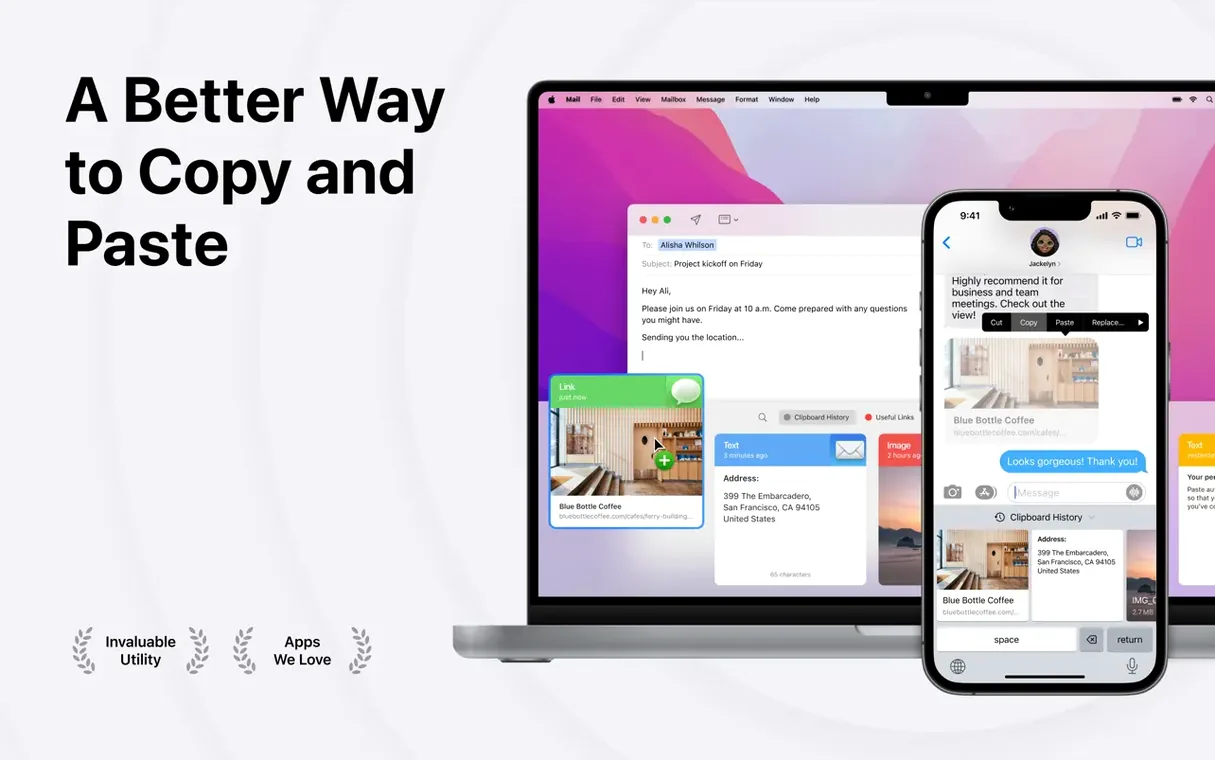
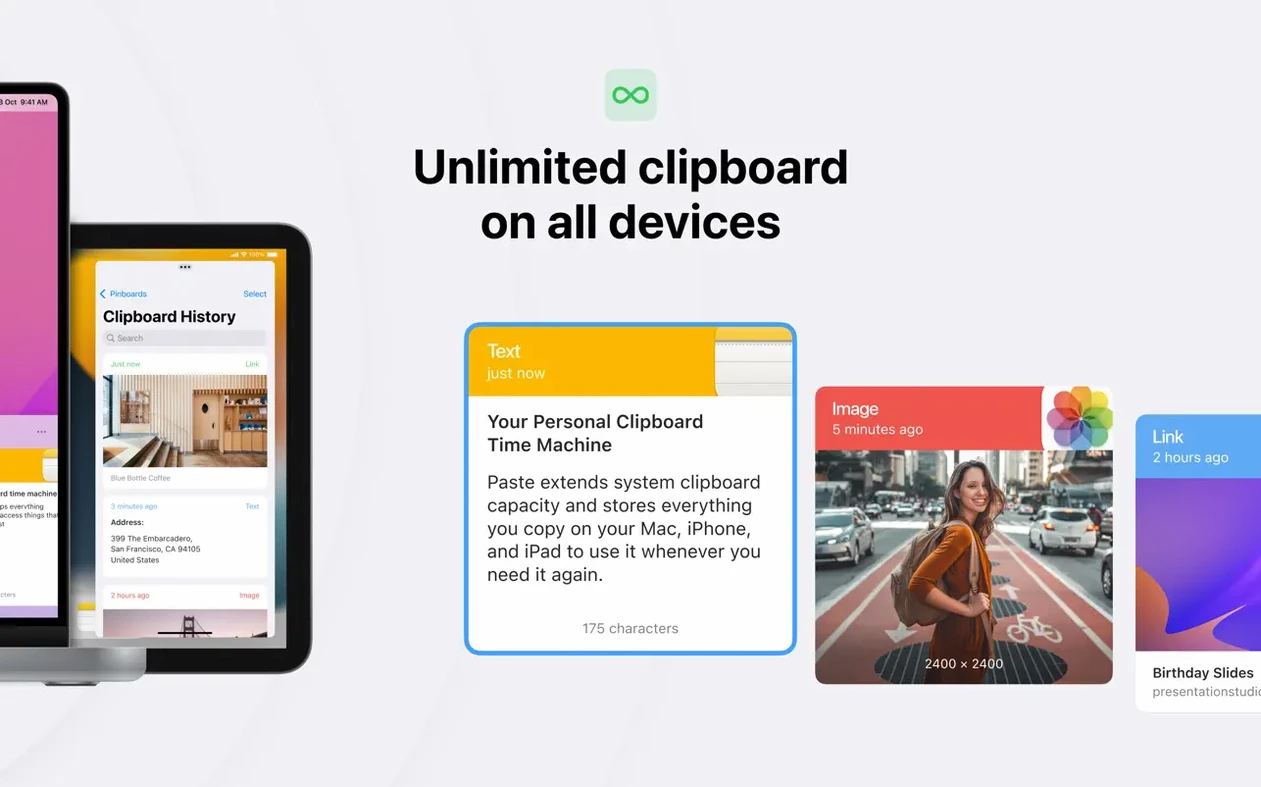
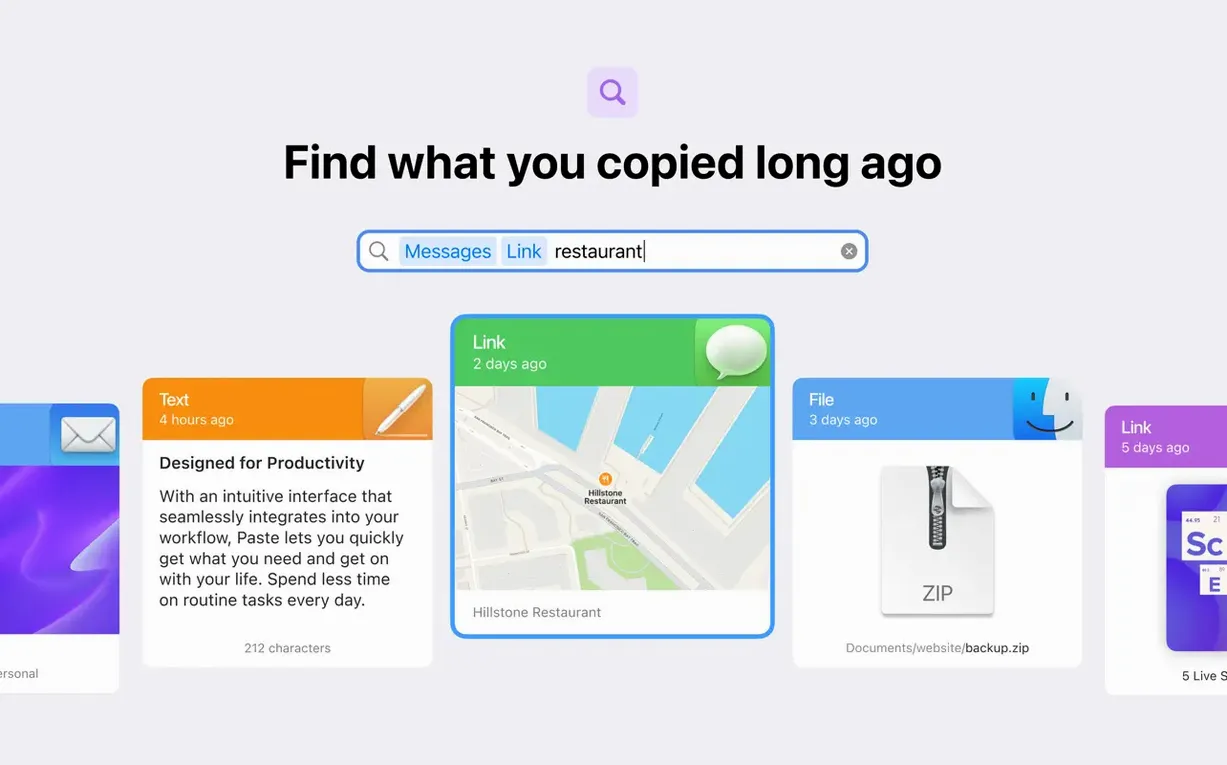
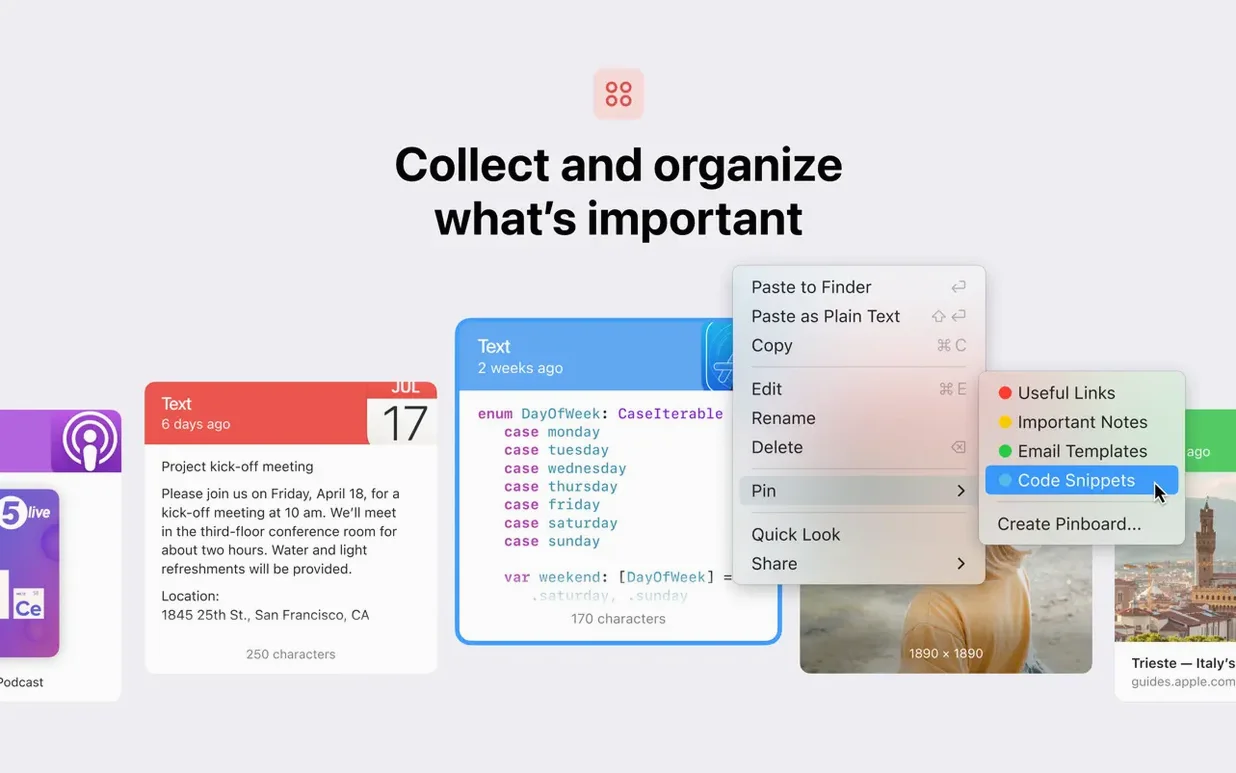
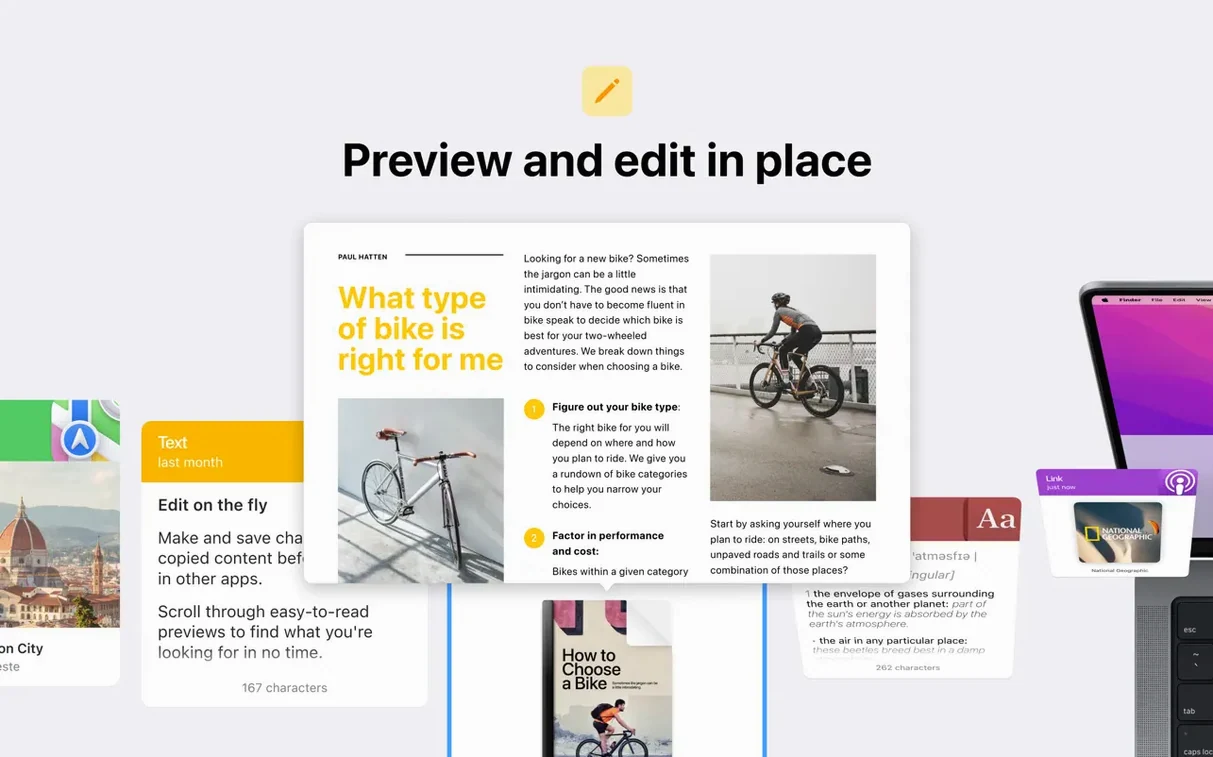

Designers juggling color swatches, developers moving code snippets, and writers who live by copy-paste all drift toward Paste sooner or later. It remembers everything you've copied—text, images, screenshots, links—and lines it up in a searchable history that lives in your menu bar.
Good for:
- Grabbing something you copied an hour ago without scrolling through a mess
- Pinning frequently used fragments so they never expire
- Copying and pasting several items in one go
- Keeping clipboard history in step across a Mac, iPhone, and iPad through iCloud
- AirDropping a clip to another Apple device nearby
Keep in mind:
- Requires macOS 13 or later—older machines won't make the cut
- Some features require additional activation within the app
- Sharing history with other people means your copied bits travel beyond your own devices
- Custom keyboard shortcuts take a little setup to feel natural
Search feels snappier in deep histories
Paste 6.6.2 doesn't ship with a splashy changelog, but a few refinements have settled into daily use in ways worth pointing out. The search bar got noticeably snappier when you're digging through a history that's hundreds of items deep—type a few characters and results narrow before you finish the word. That matters more than it sounds when you're mid-flow and the exact hex code or API key you copied three days ago suddenly matters.
Plain text pasting also feels more deliberate now. Previous versions sometimes tripped over rich text from web pages, leaving stray formatting in places it didn't belong. The current build strips styling more reliably when you invoke the plain-text shortcut, which keeps Slack messages and code editors free of surprise font sizes. iCloud sync latency between a Mac and an iPad has tightened too—pinboards update within a couple of seconds in my experience, rather than the five-to-eight-second lag that occasionally crept in during the 6.5 cycle.
One small but telling detail: custom keyboard shortcuts no longer conflict with system-level bindings as aggressively. Earlier versions would occasionally swallow Cmd+Shift+V before other apps could see it. That's mostly resolved now, though you may still want to pick a combo that nothing else on your Mac claims.
Lightweight Maccy vs. visual Paste vs. Copy 'Em's power
Mac users who outgrow the single-slot system clipboard usually end up comparing three names: Paste, Maccy, and Copy 'Em. Each pulls clipboard history into a searchable list, but the experiences diverge fast.
Maccy keeps things lightweight. It's open-source, sits quietly in the menu bar, and does exactly one job without iCloud, pinboards, or sharing features. If all you want is a scrollable list of plain-text clips with fast keyboard access, Maccy fits. It launches quicker and uses fewer resources, but it won't sync to an iPhone and won't store images beyond a quick preview. Paste feels almost luxurious by comparison—thumbnails, rich previews, cross-device pinboards—but some folks prefer Maccy's spartan approach.
Copy 'Em offers a middle ground. It syncs clipboard history across Macs via iCloud and handles images, files, and rich text. Where Paste pulls ahead is interface polish and the sheer number of list-management options. Copy 'Em's search works, but Paste's visual grid and color-coded snippets make scanning faster when you're a visual thinker. Paste also integrates more naturally with AirDrop and the sharing sheet, which Copy 'Em doesn't touch.
Neither alternative matches Paste's unlimited pinboards or its built-in sharing to other people. If your clipboard history is a solo affair, Maccy or Copy 'Em might cover you. If you bounce between devices and want your saved clips to feel like a library rather than a log, Paste earns its spot.
Where Paste fits among your other apps
Paste plays nicely with macOS in ways that start feeling essential once you notice them. Drag a clip straight from the history panel into a Finder window, a Figma canvas, or a Mail compose field—no paste command required. That little bridge between the clipboard tray and drag-and-drop workflows saves steps when you're assembling assets or moving text between apps that don't talk to each other directly.
Universal Clipboard deserves a mention because Paste complements it rather than replacing it. Apple's built-in handoff copies one item between nearby devices. Paste stores the backlog. So you might copy a URL on your iPhone, paste it on your Mac via Universal Clipboard, then realize you also need the paragraph you copied three items earlier—which Paste still has, even though the system clipboard moved on. Together they cover both the immediate and the historical.
Shortcuts integration runs deeper than expected. You can build automations that pull recent clipboard items into notes, append snippets to daily logs, or clear the history on a schedule. If you use Hazel or Keyboard Maestro, Paste's AppleScript support opens up even more—imagine filing clipped images into dated project folders automatically. It's one of those apps that grows sideways into your workflow the longer you keep it running.
- macOS 13 or later
- Apple Silicon or Intel 64-bit Mac
- Some features require additional activation within the app
Also on readers' docks
Sign in or create an account to leave a comment.
No comments yet. Tell me how it got on with your other devices.
More in Mac Apps
See all Updated PasteNow
2.35 Mac Apps
7 MB
Updated PasteNow
2.35 Mac Apps
7 MB
 Updated Parallels Desktop
27.0.3-58680 Mac Apps
186 MB
Updated Parallels Desktop
27.0.3-58680 Mac Apps
186 MB
 Updated Path Finder
26.1.10 Mac Apps
26 MB
Updated Path Finder
26.1.10 Mac Apps
26 MB
 Paragon NTFS
LAST Mac Apps
70 MB
Paragon NTFS
LAST Mac Apps
70 MB
 Pacifist
4.1.4 Mac Apps
38 MB
Pacifist
4.1.4 Mac Apps
38 MB
 Perfectly Clear WorkBench
4.8.0.2871 Mac Apps
200 MB
Perfectly Clear WorkBench
4.8.0.2871 Mac Apps
200 MB
 Permute
4.0.11 Mac Apps
84 MB
Permute
4.0.11 Mac Apps
84 MB
 OpenIn - Advanced Link Handler
4.5.1 Mac Apps
16 MB
OpenIn - Advanced Link Handler
4.5.1 Mac Apps
16 MB