









Download Paragon NTFS for macOS
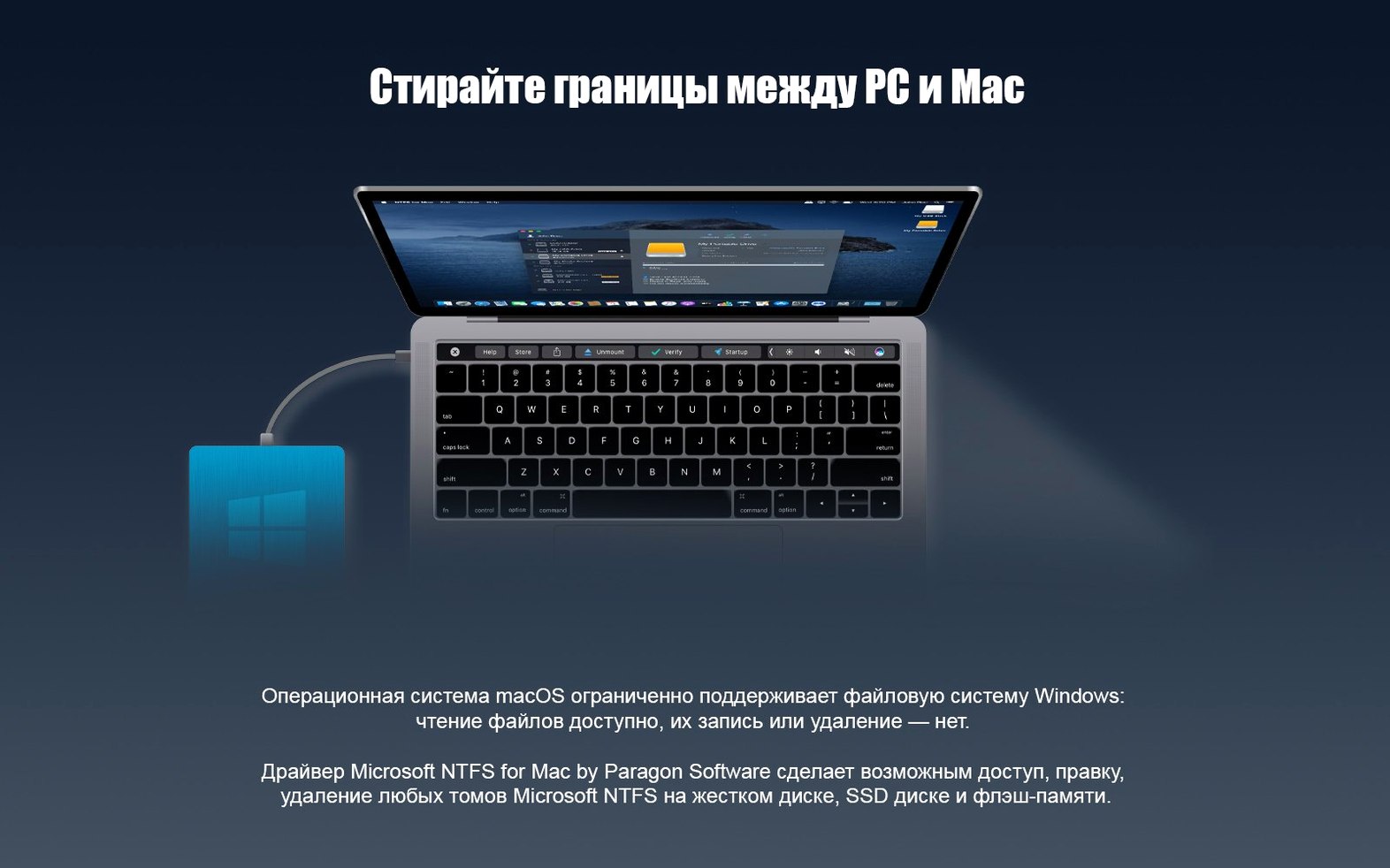
Students juggling campus Windows labs and a personal MacBook, editors moving footage on a drive from a DIT station, anyone who lives between two operating systems — they all hit the same wall. You plug in a portable SSD or a friend’s thumb drive, and macOS sees the files but refuses to let you write a single byte. That’s the NTFS gap, and a driver like Paragon NTFS for Mac steps in to close it.
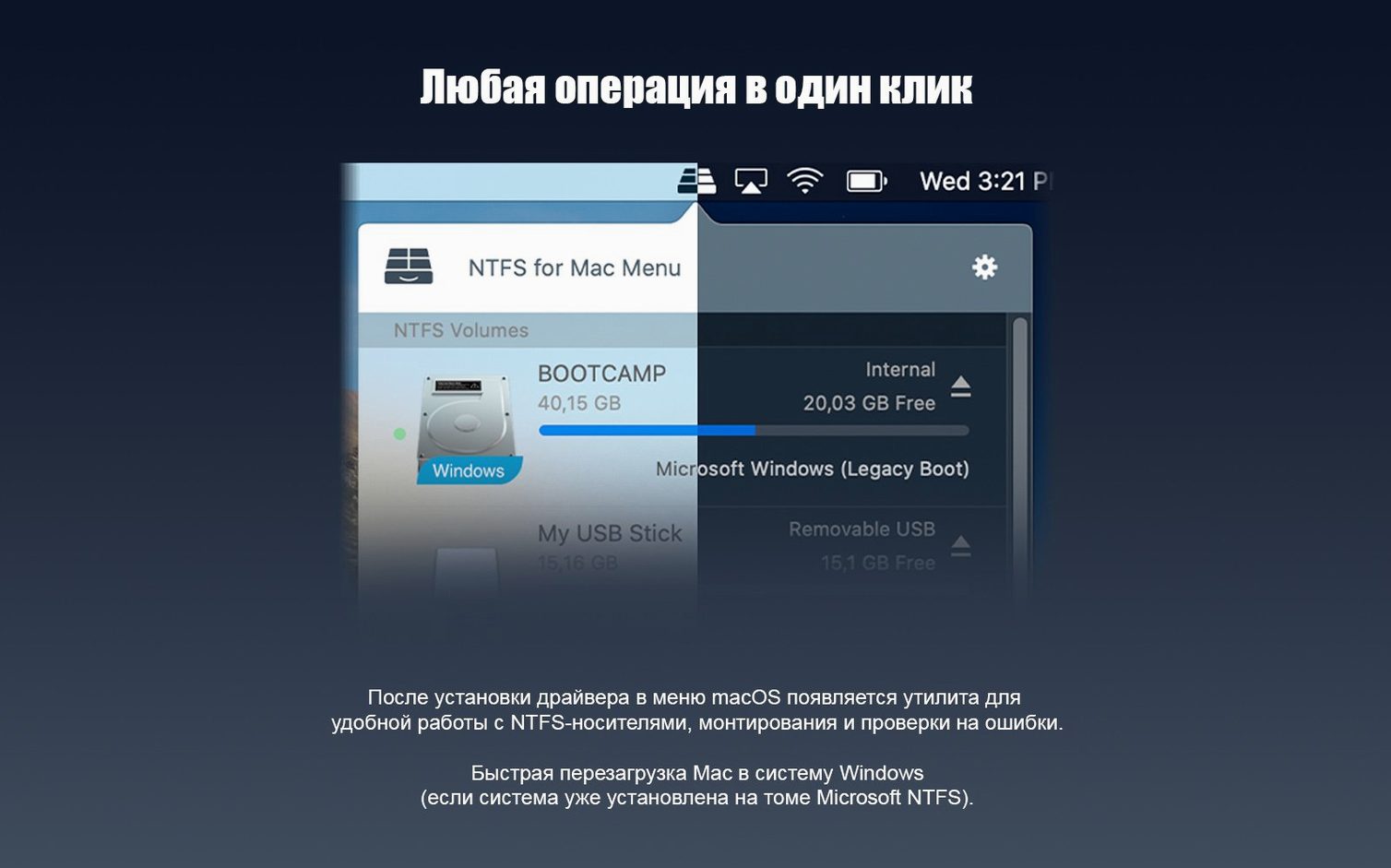
Once installed, the utility works quietly in the background. The workflow stays refreshingly simple:
- Connect any NTFS-formatted disk, enclosure, or media. It shows up in Finder just like any other volume.
- Open, edit, copy, or delete files right there — no importing, no special app window.
- Create brand-new folders and drag in whatever you need. The driver handles the translation instantly.
Version 15 modernized the engine room without touching the surface. A rewritten driver core made volume handling faster and less prone to hiccups with large transfers, while Windows 10 system compression support arrived so compressed files from a PC read and write correctly on the Mac side. The localization list grew long — fifteen interface languages, from Finnish to Traditional Chinese — and it still supports macOS all the way back to Sierra. Not every tool needs to look different to work better.
Video Editors and the Cache-Folder Shuttle
Not every Mac user needs NTFS write support daily, but for a few groups it stops being a nice-to-have and becomes part of the furniture. Video editors who shuttle project files and cache folders between a Mac edit suite and a Windows render box notice it first — those chunky media drives arrive formatted as NTFS more often than not, and read-only access grinds a workflow to a halt. Musicians and audio engineers hop between Pro Tools on a Mac and Sound Forge on a PC, often carrying sample libraries on pocket-sized NTFS SSDs. IT folks and support techs plug into unfamiliar drives all day; being able to pull logs, drop in drivers, or reorganize a backup without reformatting saves real minutes that stack up fast.
Students deserve a mention too. Campus computer labs rarely run macOS, so a group project folder living on an NTFS stick becomes a headache the moment someone opens it on a personal MacBook. With the driver in place, that friction disappears — you grab the files, do your work, and hand them back without a second thought. Even home users with mixed-device households, where a gaming PC lives next to a Mac mini media server, stop having to think about which drive was formatted where.
Driver-Level Write Access Without Disabling SIP
macOS knows how to read NTFS out of the box — it just refuses to write, a conservative choice Apple has stuck with for years. Paragon NTFS doesn't fight that system; it extends it at the driver level so Finder, Quick Look, Spotlight, and Time Machine all behave as if the volume were native. This matters more than it sounds. Because the driver hooks in low, apps that expect plain file-system access — Final Cut Pro reading event media, Lightroom Classic building previews, Terminal running rsync — never need to know they're touching an NTFS volume. No import dialogs, no watch folders, no workarounds.
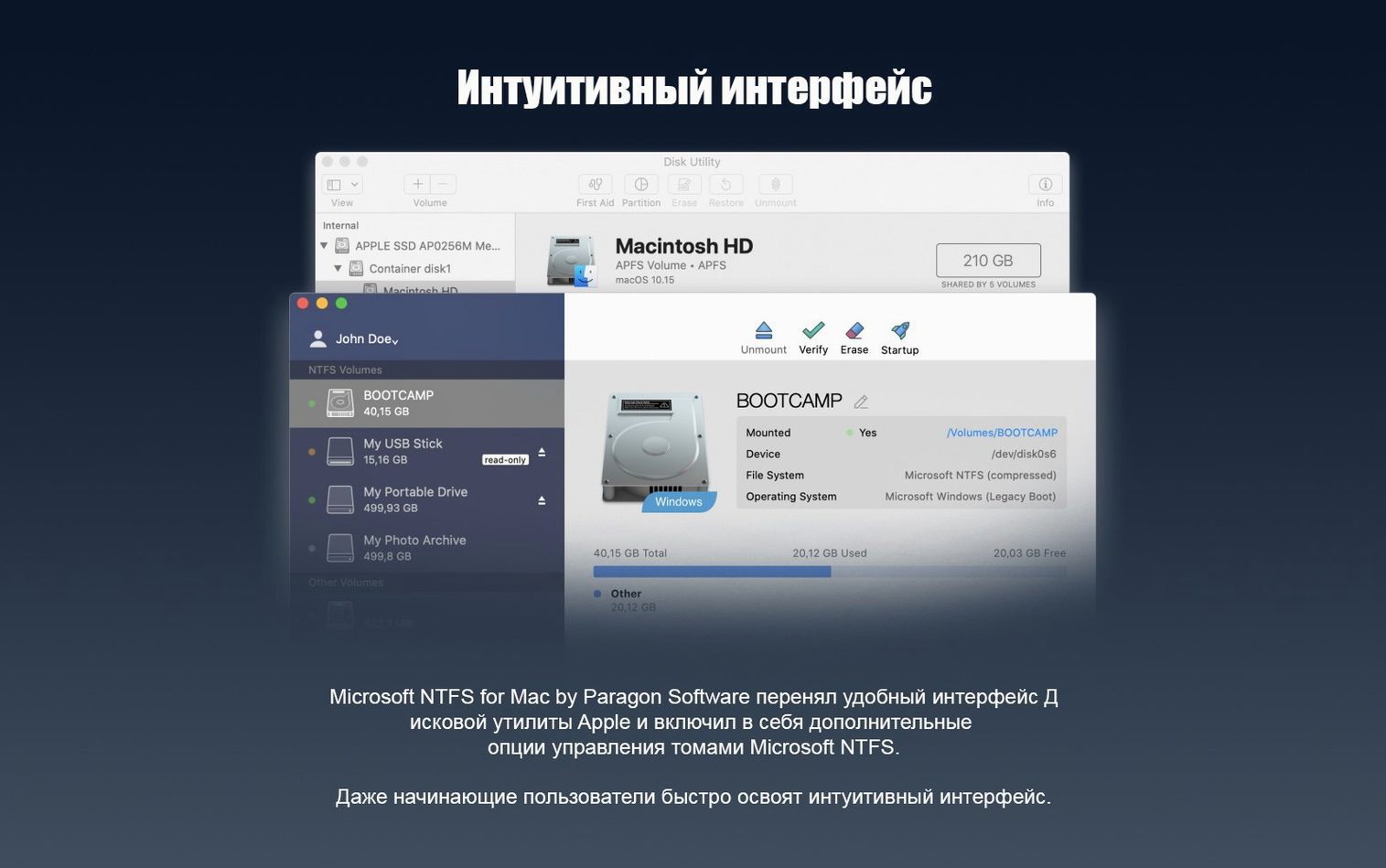
It also plays nicely with disk utilities that other tools might trip over. You can run Disk Utility to check the volume's health, use Carbon Copy Cloner or SuperDuper to clone to and from NTFS targets, and mount drives encrypted with BitLocker (read-only for the encrypted container, but the NTFS layer inside still writes once unlocked). Parallels Desktop and VMware Fusion users often point virtual machines at NTFS partitions directly, and the driver keeps those shared folders alive without Windows needing to mediate.
One quiet integration is with Finder tags and comments. Since the driver presents the volume as a standard POSIX mount point, tagging files and adding Spotlight comments sticks across sessions — handy when you're organizing a sprawling external archive from both platforms.
Eject Without the 'Drive in Use' Nag
Most people install the driver, forget it's there, and miss a few tricks that make life smoother:
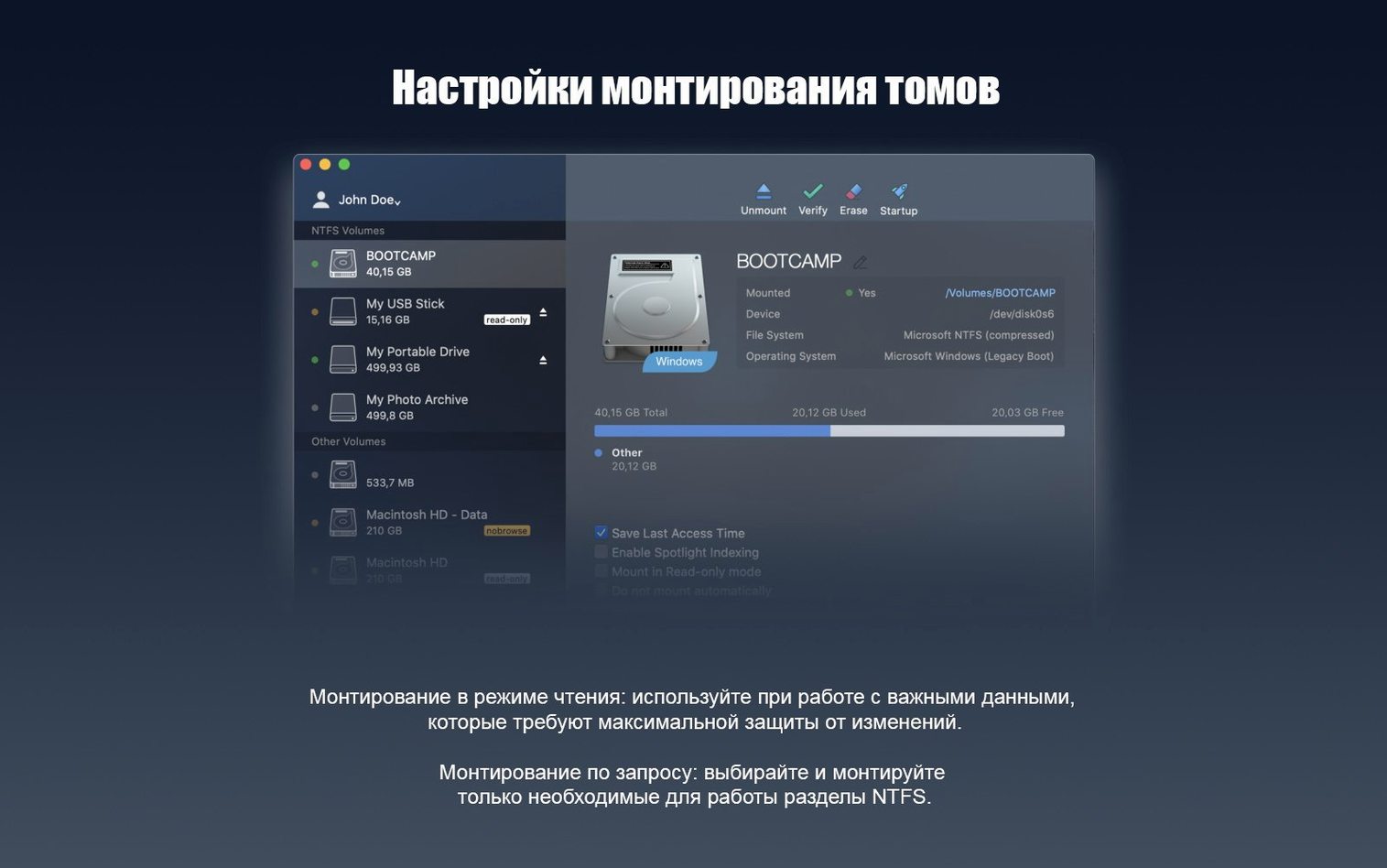
- Eject reminders work better. Because the driver manages caching properly, macOS rarely complains that a drive is "in use" when you try to unmount it — a frequent irritation with other NTFS solutions that hold file handles open longer than necessary.
- Disk image mounting doesn't break. If you have an NTFS-formatted sparse bundle or a raw disk image, double-clicking it in Finder mounts it with full write access, no extra steps. This is great for encrypted archives you carry across machines.
- Ownership and permissions are preserved. Files copied from a Windows machine keep their security descriptors intact. When the drive goes back to a PC, shared folder permissions still apply — something that gets flattened if you transfer via exFAT instead.
- Quick Look previews populate faster after the first mount. The driver's metadata caching means thumbnail generation and file-info lookups speed up noticeably on subsequent connections, especially on mechanical hard drives where seeking around is expensive.
- You can rename volumes in Finder. Click the drive name, type a new one, hit Enter. It sticks, and the label shows up correctly when the drive is plugged into a Windows machine later.
60 GB Copies That No Longer Stall
The jump to version 15 came with engine changes that, while not flashy, eased a few long-standing pain points. The rewritten driver core meant large sequential writes — think copying a 60 GB Blu-ray rip or a virtual machine disk image — stopped stalling midway, a behavior some users on older builds had learned to work around by splitting transfers into smaller chunks. That alone changed the rhythm of archiving projects from a Mac to an NTFS backup drive: set it, walk away, and expect it to finish.
Windows 10 system compression support closed a subtle but real gap. Before it landed, compressed files from a PC's system drive showed up on the Mac side as unreadable blobs or with garbled names. After the update, they decompress transparently on read and recompress on write, matching the behavior Windows users expect. Anyone who's ever grabbed a config file or a document from a Windows laptop's drive and found it broken on their Mac knows the relief that brings.
Apple Silicon support came without drama — a clean universal binary that runs natively on M-series chips from day one of that transition. Rosetta 2 never enters the picture, so battery life and thermals stay where they should on MacBooks. And while the interface hasn't changed, the installer got quieter: fewer authorization prompts after the initial setup, and background updates that don't demand attention unless something needs a restart. The localization expansion to fifteen languages made the utility genuinely usable for international teams sharing drives across offices where English isn't the default.
For anyone who has searched for a paragon ntfs for mac free workaround before realizing the driver approach is what actually sticks, version 15 represents the point where the tool matured past its early quirks. It is less about new features and more about the kind of reliability you stop noticing — which, for something that handles your data, is exactly the right kind of update.
Version 15 focused on quiet performance gains:
- A new driver core delivers faster, more reliable handling of NTFS volumes, especially during big file operations.
- Support for Windows 10 system compression means compressed files from a PC behave properly on the Mac.
- macOS 10.12 or later
- Intel and Apple Silicon Macs
Questions people ask
Can I use Paragon NTFS to work with compressed files from a Windows 10 PC?
Yes, version 15 added full support for Windows 10 system compression, so compressed files on an NTFS volume read and write correctly on your Mac.
Also on readers' docks
Sign in or create an account to leave a comment.
No comments yet. Tell me how it got on with your other devices.
More in Mac Apps
See all Updated Parallels Desktop
27.0.3-58680 Mac Apps
186 MB
Updated Parallels Desktop
27.0.3-58680 Mac Apps
186 MB
 Pacifist
4.1.4 Mac Apps
38 MB
Pacifist
4.1.4 Mac Apps
38 MB
 Paste
6.6.2 Mac Apps
28 MB
Paste
6.6.2 Mac Apps
28 MB
 Updated PasteNow
2.35 Mac Apps
7 MB
Updated PasteNow
2.35 Mac Apps
7 MB
 OpenIn - Advanced Link Handler
4.5.1 Mac Apps
16 MB
OpenIn - Advanced Link Handler
4.5.1 Mac Apps
16 MB
 Updated Path Finder
26.1.10 Mac Apps
26 MB
Updated Path Finder
26.1.10 Mac Apps
26 MB
 One Switch
1.35.4 Mac Apps
7 MB
One Switch
1.35.4 Mac Apps
7 MB
 ON1 Photo RAW
2026.5.2 v20.5.2.19304 Mac Apps
1.1 GB
ON1 Photo RAW
2026.5.2 v20.5.2.19304 Mac Apps
1.1 GB