








Download ON1 Photo RAW for macOS
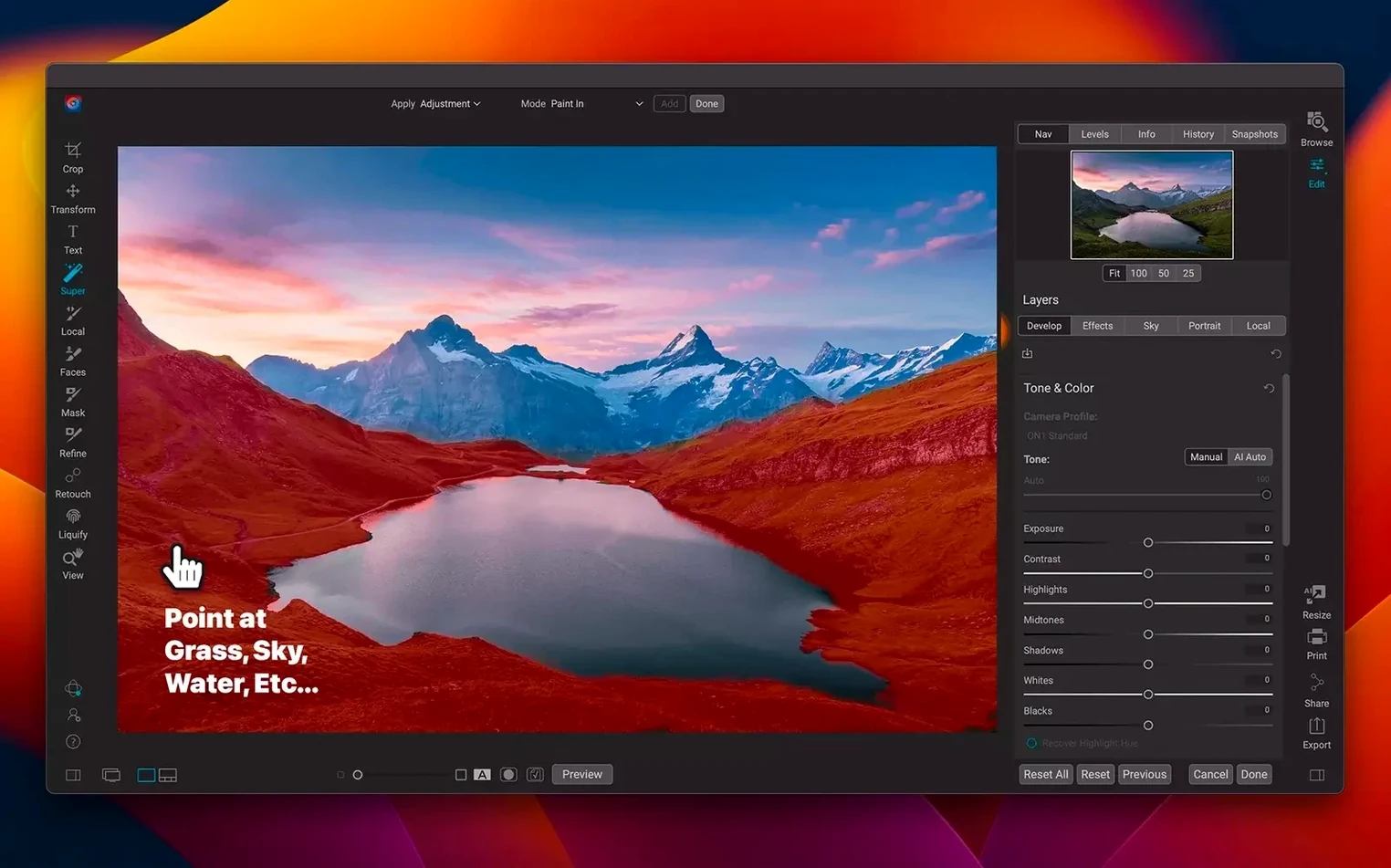
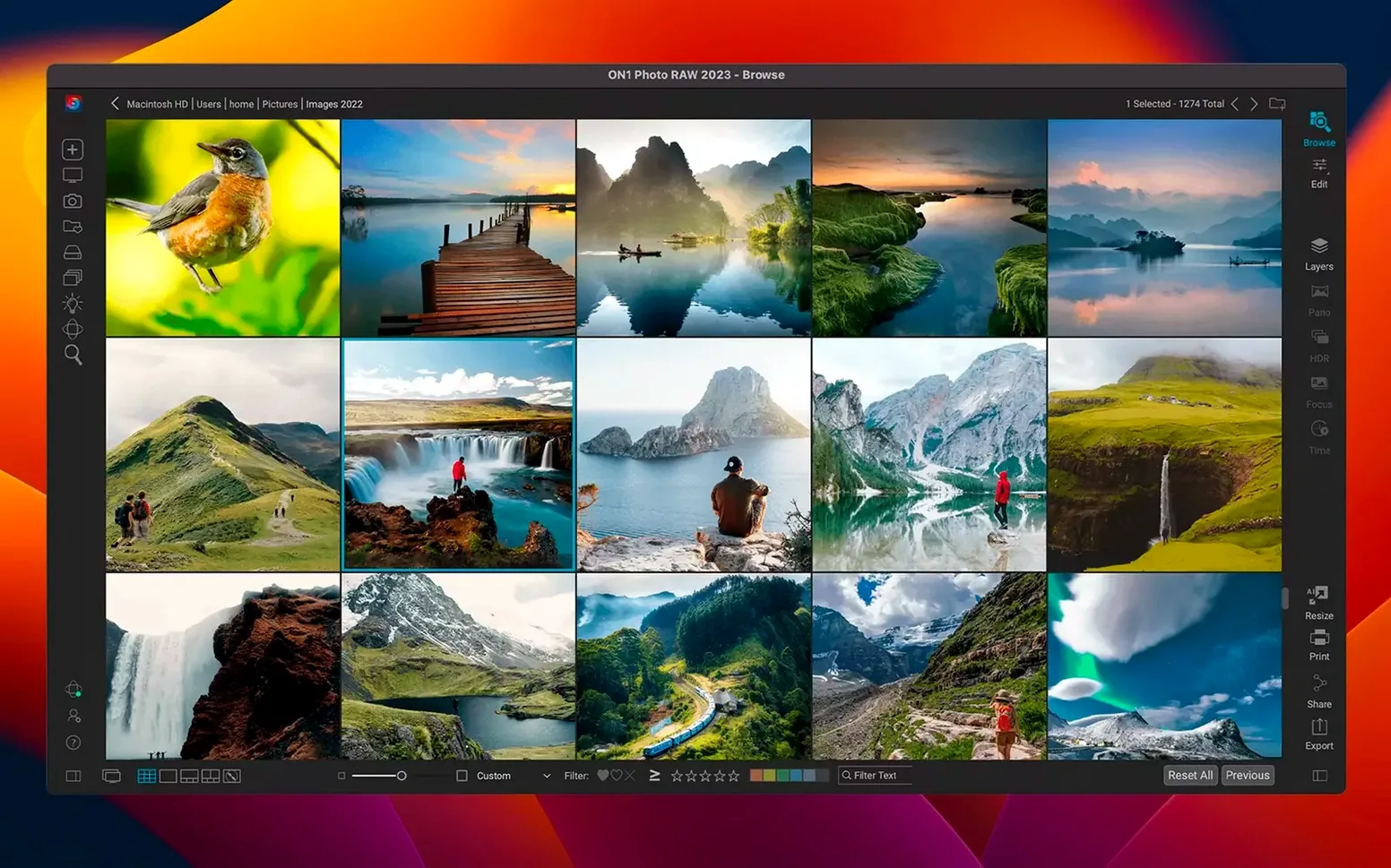
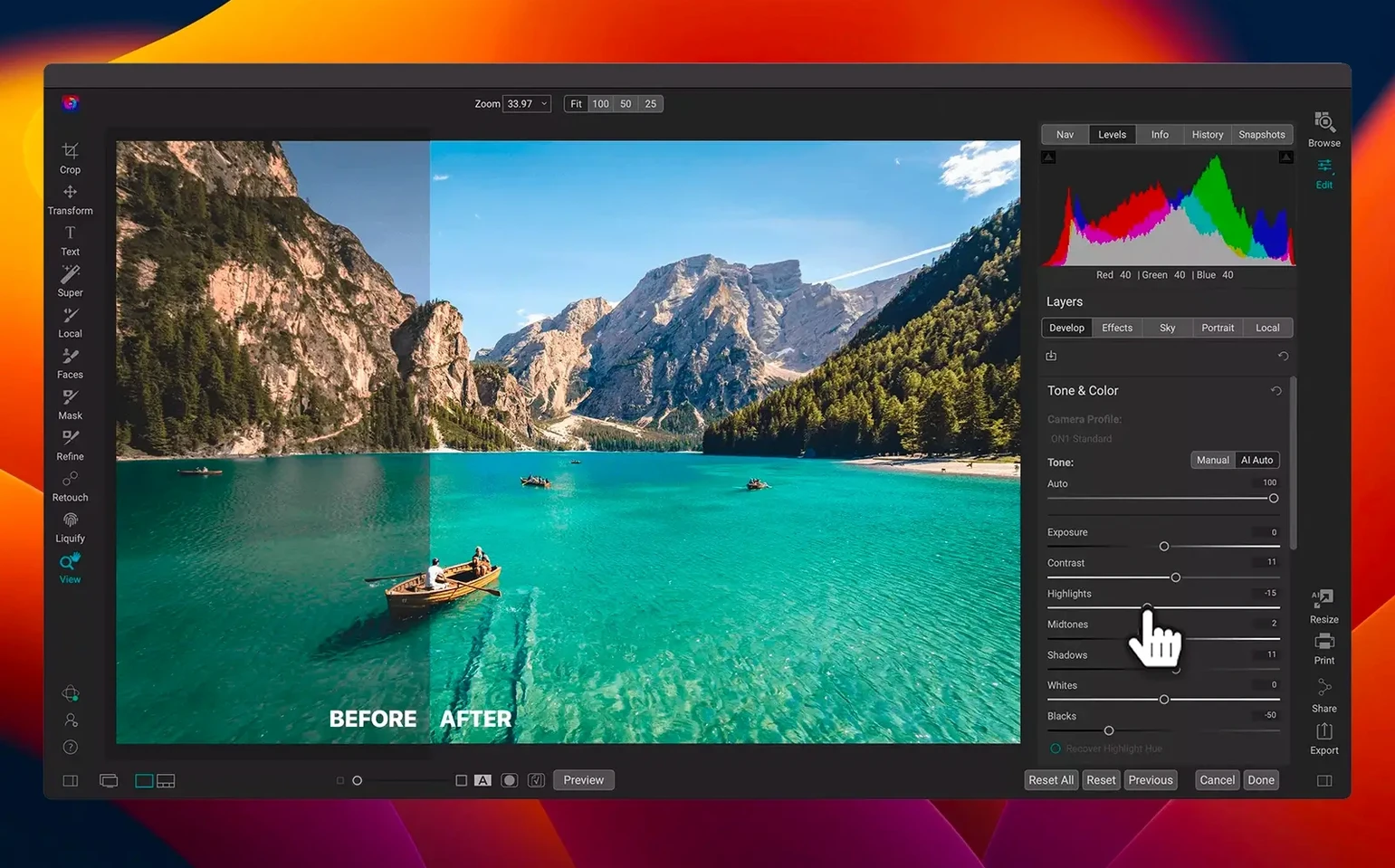
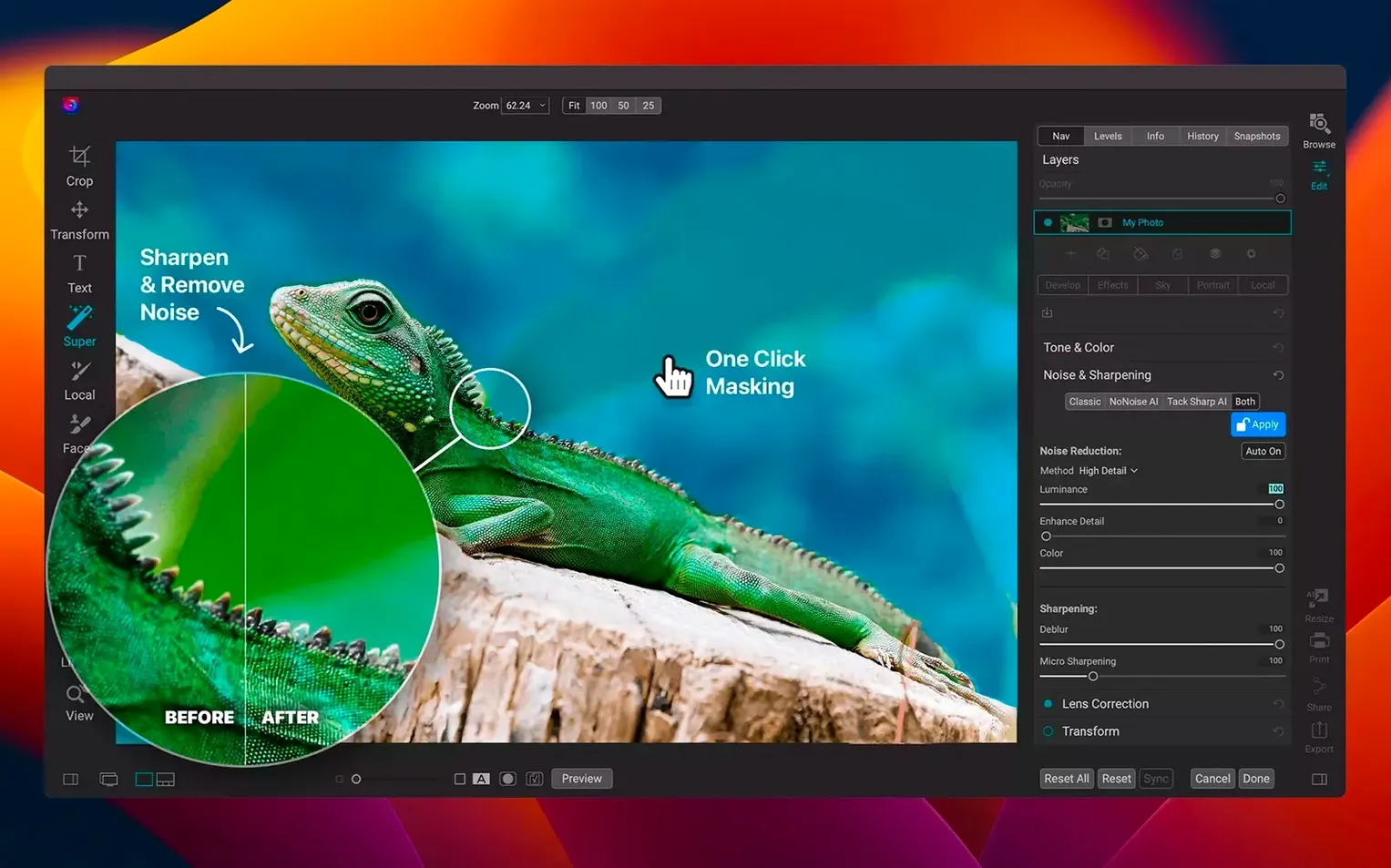
Faster filters hit the moment you load a raw file. The 2026.5.2 update lands as an all-in-one photo editor and organizer that lives entirely on your local machine. Here's what you need to run it.
macOS 13 Ventura — the lowest OS version the app will launch on
Apple Silicon & Intel 64-bit — runs natively on both architectures, no Rosetta required
Standalone app — one download handles viewing, organizing, editing, and sharing
Local workflow — files stay on your Mac
Small Touches That Add Up Fast
Some of the best bits in ON1 Photo RAW hide just beneath the surface. You'll breeze past them for weeks until you stumble on a keyboard shortcut or a right-click menu item that changes how you move through a session. A few worth knowing:
- Tap
Ffor full-screen preview — the interface melts away and leaves just your image on a dark background. Hit it again to return. Great for culling. - Right-click any slider to reset it to its default. No hunting for tiny reset arrows.
- Hold
Optionwhile dragging a mask to see the mask overlay in black and white. You'll catch soft edges you'd otherwise miss. - The Browse module remembers your last folder across restarts. Open the app and your working directory is already there.
- Drag-and-drop from Finder onto the dock icon opens files directly in Browse, bypassing the catalog prompt entirely.
Cmd+Shift+Eexports the current image with the last-used settings. No dialogs, no re-confirming — one keystroke and the file lands on disk.
None of these show up in a splash screen. They're the kind of things you learn by watching someone else edit, then wonder how you lived without them.
A Real Workflow: One Raw File, Start to Finish
Let's walk a straightforward edit — the kind you'd do on a Saturday morning with a coffee nearby and a card full of shots from the day before.
Insert your SD card and point the Browse module at it. ON1 Photo RAW shows thumbnails for raws without importing them first. Cull the obvious misses with X (reject) and keepers with P (pick). Filter to show only picked images, then hit Edit on the one that matters.
You land in the Develop module. The new lens profile for your glass loads automatically — distortion and vignetting vanish before you touch a slider. Pull the Highlights down about 30 points to recover a blown sky, then nudge Shadows up to open the foreground. Switch to the Tone & Color pane and set the white balance with the eyedropper on a neutral grey patch. All of this takes under a minute.
Now the fun part. Move to Effects and add a Dynamic Contrast filter — keep the radius small so it sharpens detail without haloing edges. Drop a subtle vignette on top, then switch to Local Adjustments and paint a gradient mask across the sky to deepen the blues. Hold Option as you refine the mask edges so the transition stays invisible.
Export with Cmd+Shift+E. A full-resolution JPEG with your edits baked in lands in a subfolder next to the raw. The whole thing from card insertion to finished file runs maybe eight minutes. That's the promise of an all-in-one editor — you never leave one window.
Where ON1 Photo RAW Fits In the Mac Ecosystem
This isn't a cloud app, and that shapes how it plays with everything else on your Mac. Because files stay local, Finder tags and Smart Folders keep working. Tag a batch of edited exports with a client name in Finder, and a Smart Folder collects them automatically — ON1 never needs to know about it.
Drag a finished TIFF into an Apple Note for a quick client mood board. The image embeds natively. No export-upload-download dance required.
If you use Shortcuts, build a quick action that watches an export folder and renames files with a date prefix. ON1 writes the file, Shortcuts catches it, and your naming convention applies itself. It's a lightweight automation that doesn't touch the editor's internals.
For deeper retouching beyond what the layered editor handles, round-trip through an external pixel editor. Right-click any image in Browse, choose Edit In, and pick your app. ON1 hands off a rendered file, waits for you to save, then updates the catalog thumbnail. You keep the raw intact and the edits non-destructive.
The app also respects macOS color management. Wide-gamut displays show P3 color without banding, and soft-proofing in the Develop module uses whatever ICC profile your printer expects. Photographers who print at home will appreciate that the preview matches the paper output more closely than a generic sRGB view.
Recovering from a stalled catalog rebuild
No photo editor runs flawlessly on every machine, and ON1 Photo RAW has a few known friction points that pop up in forums and user groups.
The catalog can feel slow to rebuild. If you rename a folder outside the app — in Finder, for instance — Browse shows broken thumbnails. The fix is simple: right-click the parent folder in Browse and choose Refresh Folder. It rescans and re-links everything. Avoid renaming source folders in Finder; do it inside Browse instead.
Some users report the app beachballing on launch. Nine times out of ten, a corrupted preferences file is the culprit. Quit the app, navigate to ~/Library/Application Support/ON1, and drag the preferences plist to the desktop. Launch again. If it opens cleanly, trash the old plist and reconfigure your workspace once. Annoying, but it works.
Masks can get jittery on Intel Macs with large files. If you're painting a mask on a 50-megapixel raw and the brush lags, drop the preview quality one notch in Preferences > Performance. The mask tools stay smooth and the final render is unaffected. Apple Silicon machines rarely hit this, but it's worth knowing on older hardware.
Export presets sometimes forget their folder paths after a version update. Always check your export destination the first time you run a new build. A quick re-save of the preset locks the path back in.
If all else fails, a clean reinstall cures most gremlins. The installer is straightforward, and your catalog file lives separately from the application bundle, so your organization and edits survive intact.
If your machine ticks those boxes, you get a capable raw processor with new lens profiles and a snappier filter system in the latest build.
The 2026.5.2 update brings two practical improvements:
- Filters respond more quickly during editing sessions
- Fresh lens profiles improve correction accuracy for more glass
- macOS 13 Ventura or later
- Apple Silicon or Intel 64-bit processor
Questions people ask
Does ON1 Photo RAW work on Apple Silicon Macs?
Yes, version 2026.5.2 runs natively on Apple Silicon as well as Intel 64-bit Macs.
What is the minimum macOS for ON1 Photo RAW 2026?
You need macOS 13 Ventura or later to install the current version.
Also on readers' docks
Sign in or create an account to leave a comment.
No comments yet. Tell me how it got on with your other devices.
More in Mac Apps
See all One Switch
1.35.4 Mac Apps
7 MB
One Switch
1.35.4 Mac Apps
7 MB
 OpenIn - Advanced Link Handler
4.5.1 Mac Apps
16 MB
OpenIn - Advanced Link Handler
4.5.1 Mac Apps
16 MB
 OmniPlayer: MKV Video Player Pro
2.1.22 Mac Apps
78 MB
OmniPlayer: MKV Video Player Pro
2.1.22 Mac Apps
78 MB
 Pacifist
4.1.4 Mac Apps
38 MB
Pacifist
4.1.4 Mac Apps
38 MB
 OmniGraffle Pro
7.26 Mac Apps
73 MB
OmniGraffle Pro
7.26 Mac Apps
73 MB
 Paragon NTFS
LAST Mac Apps
70 MB
Paragon NTFS
LAST Mac Apps
70 MB
 Updated Parallels Desktop
27.0.3-58680 Mac Apps
186 MB
Updated Parallels Desktop
27.0.3-58680 Mac Apps
186 MB
 Paste
6.6.2 Mac Apps
28 MB
Paste
6.6.2 Mac Apps
28 MB