









Download NotchBox for macOS
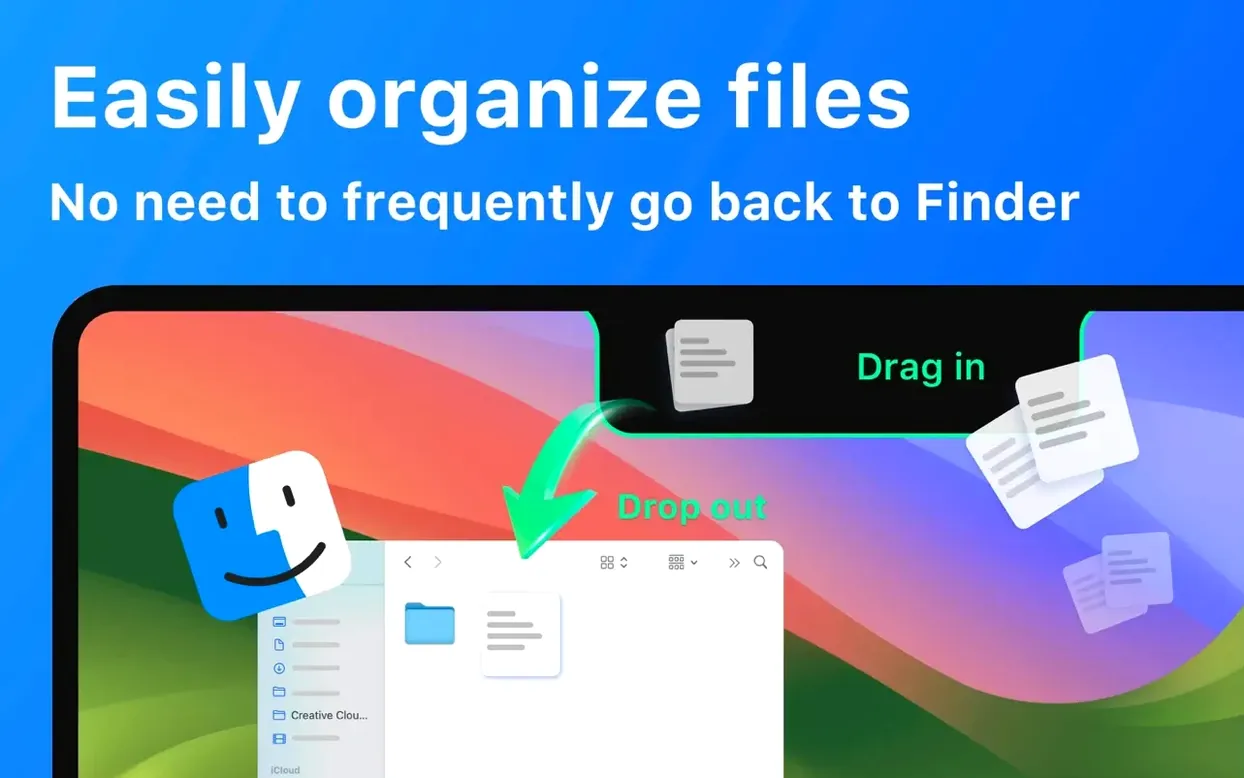

1. Send a file by dragging it to the notch
Most people start with AirDrop. Grab any file from the Finder and drop it right onto the notch area — NotchBox turns that strip into a share target, so you can fling a photo or document toward your iPhone or another Mac without opening a separate window.
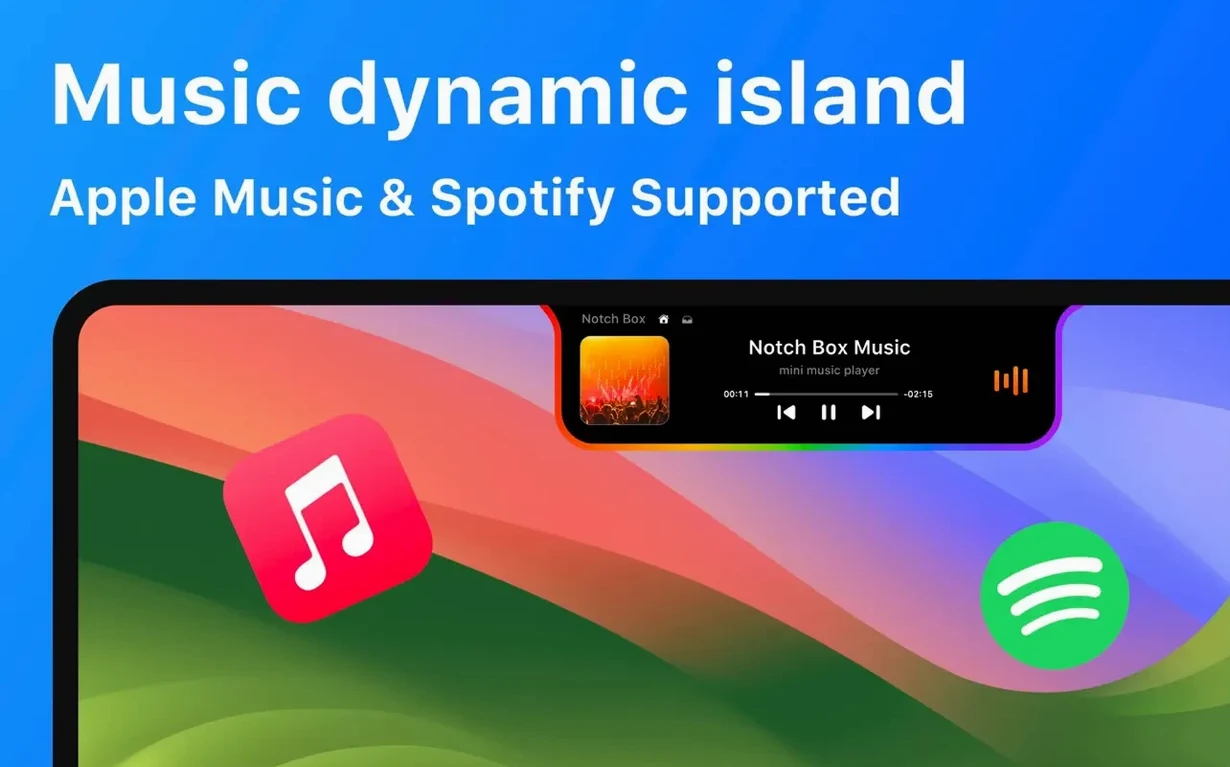
2. Play something and glance at the controls
Open Spotify or Apple Music and start a track. The notch becomes a mini player. A click shows the song name and artist; a swipe lets you skip or pause. It’s the fastest music access you’ve never had.
3. Set a quick countdown timer
Click the notch and pick the timer. Set 15 minutes for a break or 5 for a tea steep — it runs silently in the background and nudges you when time’s up, no separate clock app needed.
4. Check your Wi‑Fi at a glance
While you’re up there, tap to see current network speed and signal strength. It’s a small diagnostic that saves you hunting through System Settings just to confirm the connection is solid.
After those four moves, you’ve seen most of what NotchBox does — it’s a compact control strip that lives where you’d normally ignore. Fans of Dynamic Island on iPhone will feel right at home, and anyone running macOS 13 or later on Intel or Apple Silicon can give it a spin.
AirDrop failures when dragging to the notch
NotchBox is light on its feet, but a few wrinkles pop up often enough to mention. The most common: dragging a file onto the notch and nothing happens. Nine times out of ten, AirDrop isn't awake on the receiving device — turn it on and set visibility to Contacts Only or Everyone, and the transfer flies through. Another gotcha is music controls going blank mid-track. That usually means NotchBox lost its permissions hook; hop into System Settings > Privacy & Security > Automation and re‑grant access to Spotify or Apple Music, then restart the app.
Some people grab the notchbox download and expect the camera mirror to fire up immediately. On first launch, macOS will ask for camera permission — if you dismiss that dialog, the feature stays dark. Re‑enable it under Privacy & Security > Camera, and the tiny self‑view appears right away. Clipboard history sometimes shows empty entries after a reboot; clicking the notch and tapping the clipboard icon once usually re‑indexes it.
40–60 MB memory footprint through a workday
During a full workday — Slack threads, Figma files, a dozen Safari tabs — NotchBox stays nearly invisible in Activity Monitor. On an M-series Mac it idles around 40–60 MB of RAM, and CPU spikes are rare except during an active AirDrop transfer. Even then, it's a blip. I've seen it hold steady through macOS updates and multi‑monitor shuffles without a single crash, though the Wi‑Fi speed readout occasionally lags by a second or two on congested networks.
Where it shines is launch speed. Click the notch icon and the panel appears with zero bounce — no warm‑up animation delay, no beachball. That responsiveness makes it feel native, like something Cupertino might have shipped. It's also well‑behaved during sleep/wake cycles; I haven't caught it misplacing dragged files or resetting the countdown timer after the Mac naps.
Bartender, Dropover, and Alcove tackle different angles
If you've already searched for notchbox for mac alternatives, you've likely bumped into Bartender, Dropover, and Alcove. They each nibble at the same problem from different angles.
- Bartender is a menu bar organiser first. It hides icons behind a collapsible area, which cleans up the top strip but adds zero notch interactivity — no file dropping, no music widget, no timer. It's great for tidying, useless for turning the notch into a tool.
- Dropover is the closest cousin. You drag files to a floating shelf that appears when you shake the cursor, then share or move them. It's smooth and reliable, but it doesn't use the notch at all — it floats a window wherever your pointer sits. NotchBox eliminates that extra step by making the notch itself the shelf.
- Alcove is a newer notch‑centric launcher. It adds a compact app switcher and media controls to the notch, similar to NotchBox. What it misses: file drop targets, AirDrop integration, a camera mirror, and network stats. NotchBox covers more ground without feeling cluttered.
Each of those apps does one or two things with polish. NotchBox bundles more utilities into a single click target — and if you've gone through a notchbox download mac to try it yourself, the difference is immediate: it turns dead space into a control panel you'll actually reach for.
- macOS 13 or later
- Apple Silicon or Intel 64-bit
Questions people ask
Does NotchBox work on a Mac without a notch?
Yes, it works on any Mac running macOS 13 or later — it simply anchors to the menu bar area instead of a physical notch.
Which music services can NotchBox control?
It supports Spotify and Apple Music, letting you skip, pause, and see current track info right from the notch.
Also on readers' docks
Sign in or create an account to leave a comment.
No comments yet. Tell me how it got on with your other devices.
More in Mac Apps
See all Updated Nook X
2026.10.24 Mac Apps
36 MB
Updated Nook X
2026.10.24 Mac Apps
36 MB
 Updated NotchNook
1.6.12 Mac Apps
41 MB
Updated NotchNook
1.6.12 Mac Apps
41 MB
 Nik Collection
9.0 Mac Apps
3.5 GB
Nik Collection
9.0 Mac Apps
3.5 GB
 OmniGraffle Pro
7.26 Mac Apps
73 MB
OmniGraffle Pro
7.26 Mac Apps
73 MB
 Navicat Premium
17.3.12 Mac Apps
333 MB
Navicat Premium
17.3.12 Mac Apps
333 MB
 OmniPlayer: MKV Video Player Pro
2.1.22 Mac Apps
78 MB
OmniPlayer: MKV Video Player Pro
2.1.22 Mac Apps
78 MB
 ON1 Photo RAW
2026.5.2 v20.5.2.19304 Mac Apps
1.1 GB
ON1 Photo RAW
2026.5.2 v20.5.2.19304 Mac Apps
1.1 GB
 One Switch
1.35.4 Mac Apps
7 MB
One Switch
1.35.4 Mac Apps
7 MB