Download Nik Collection for macOS
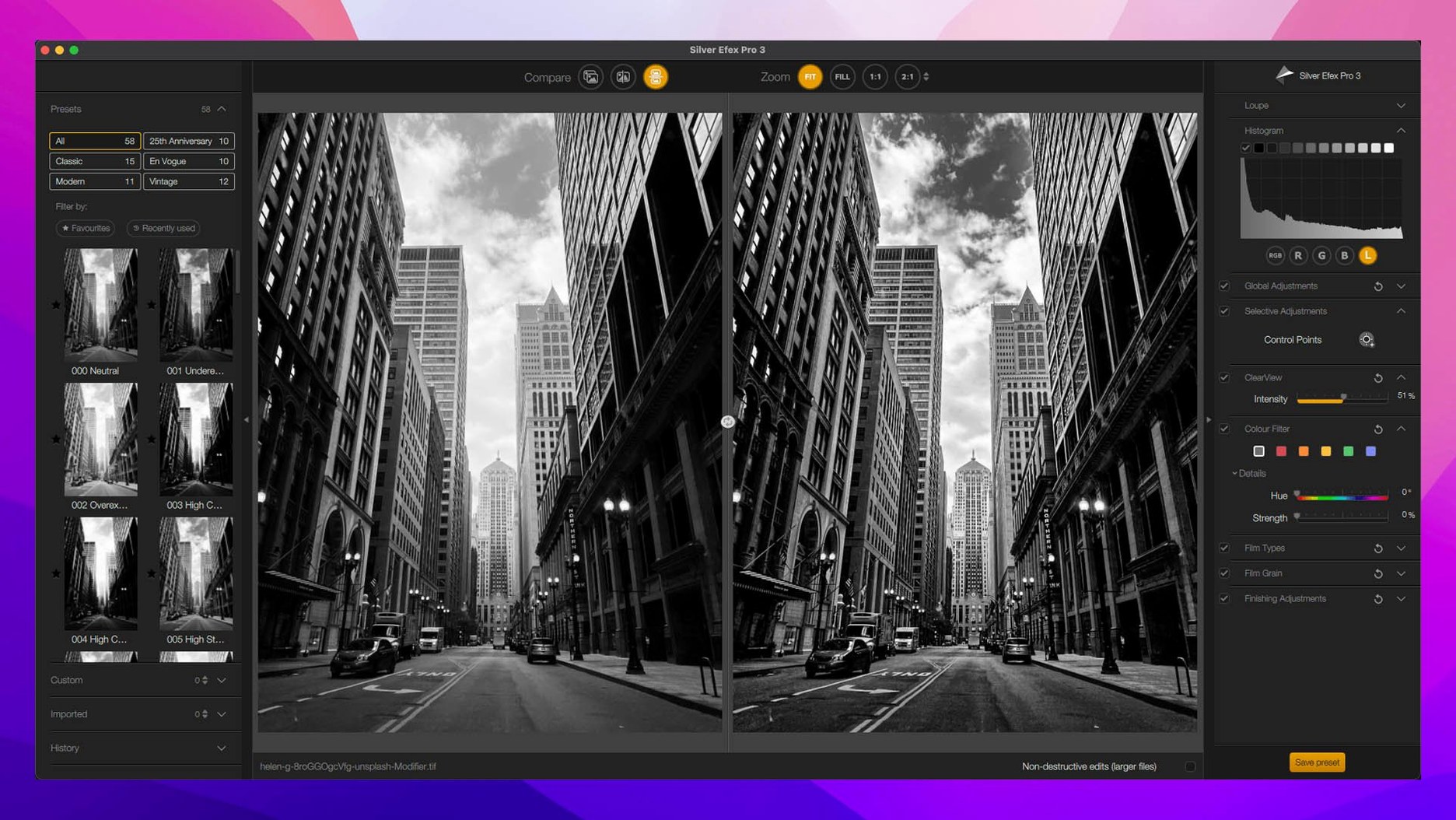
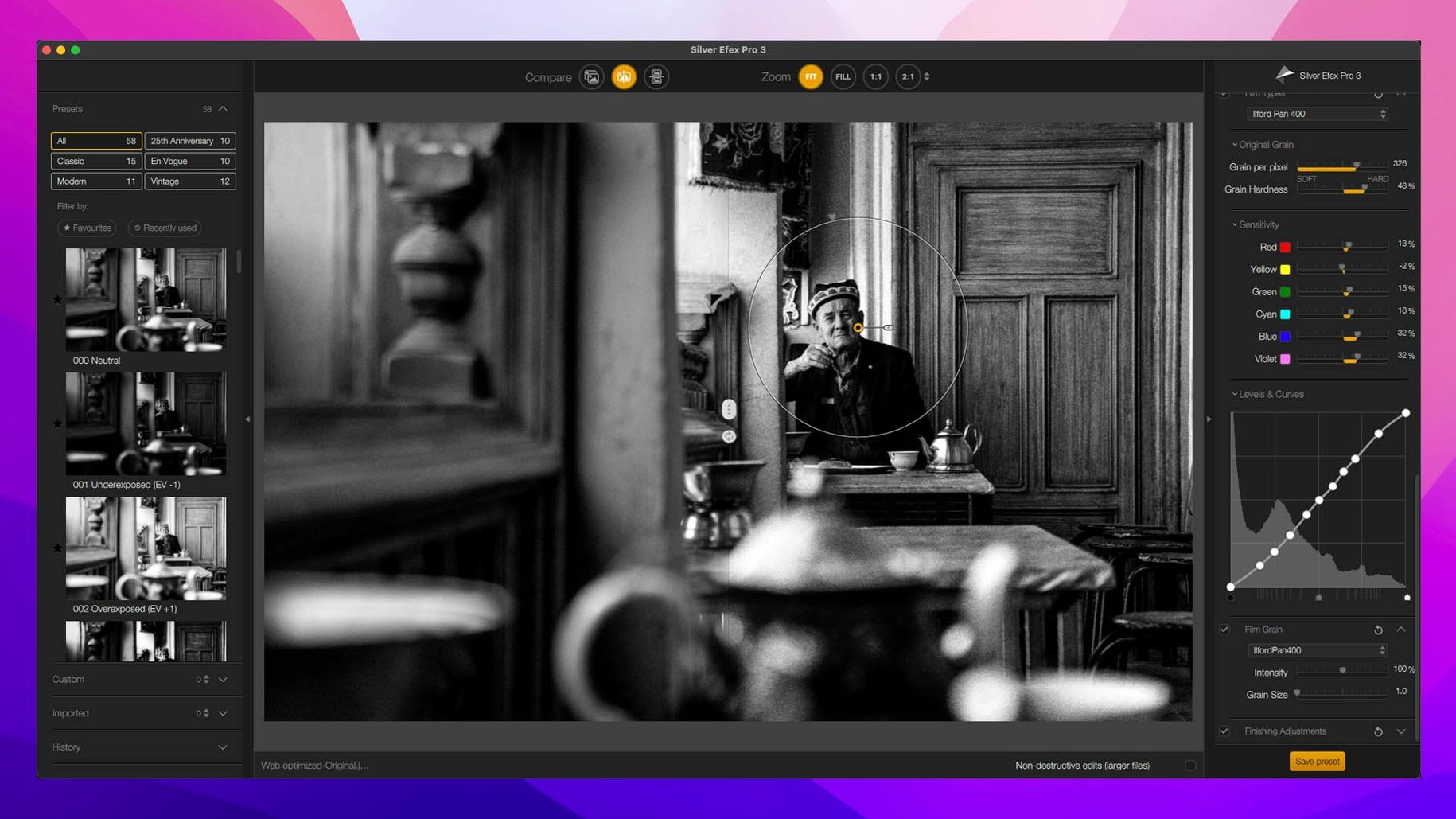
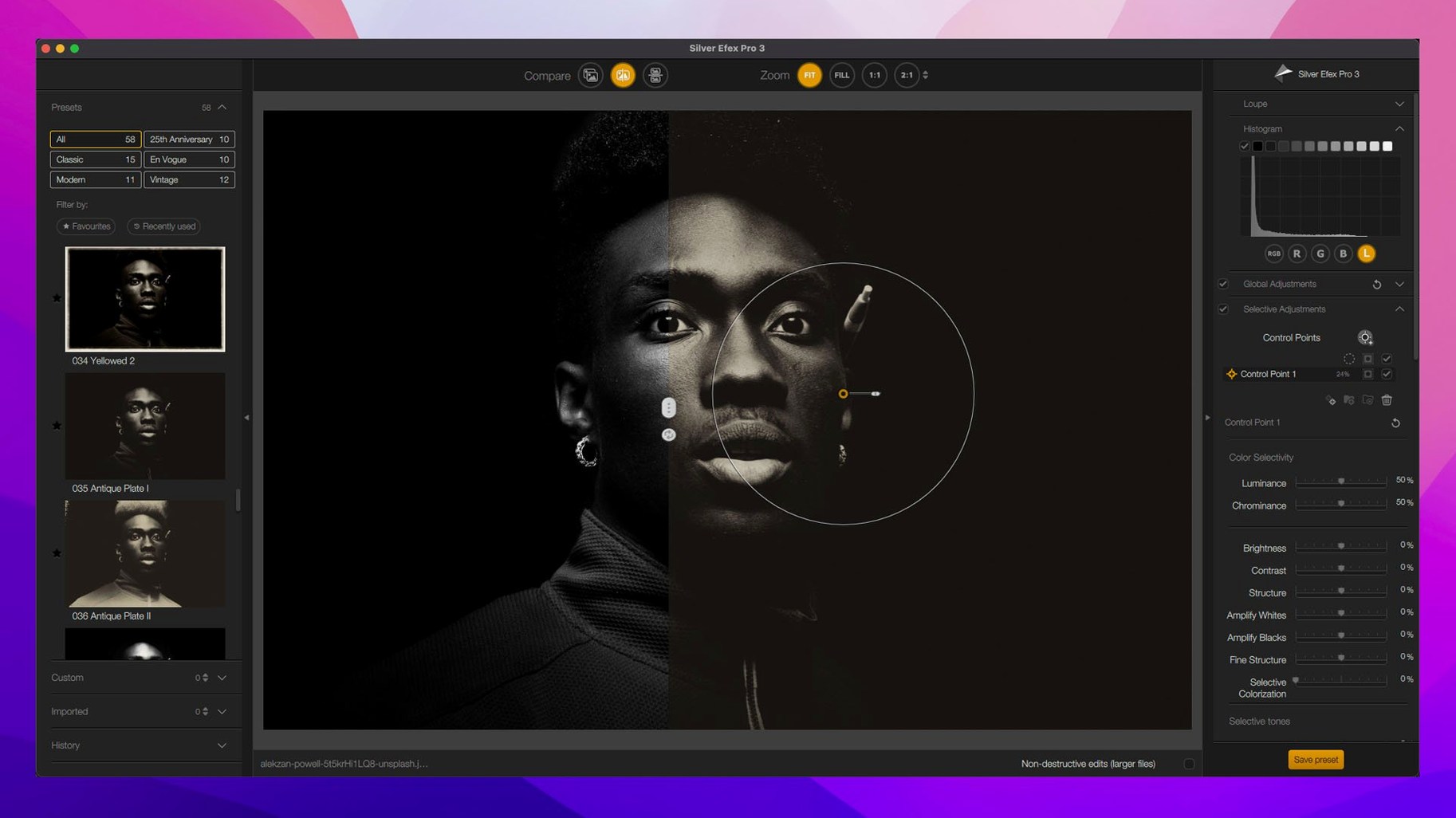
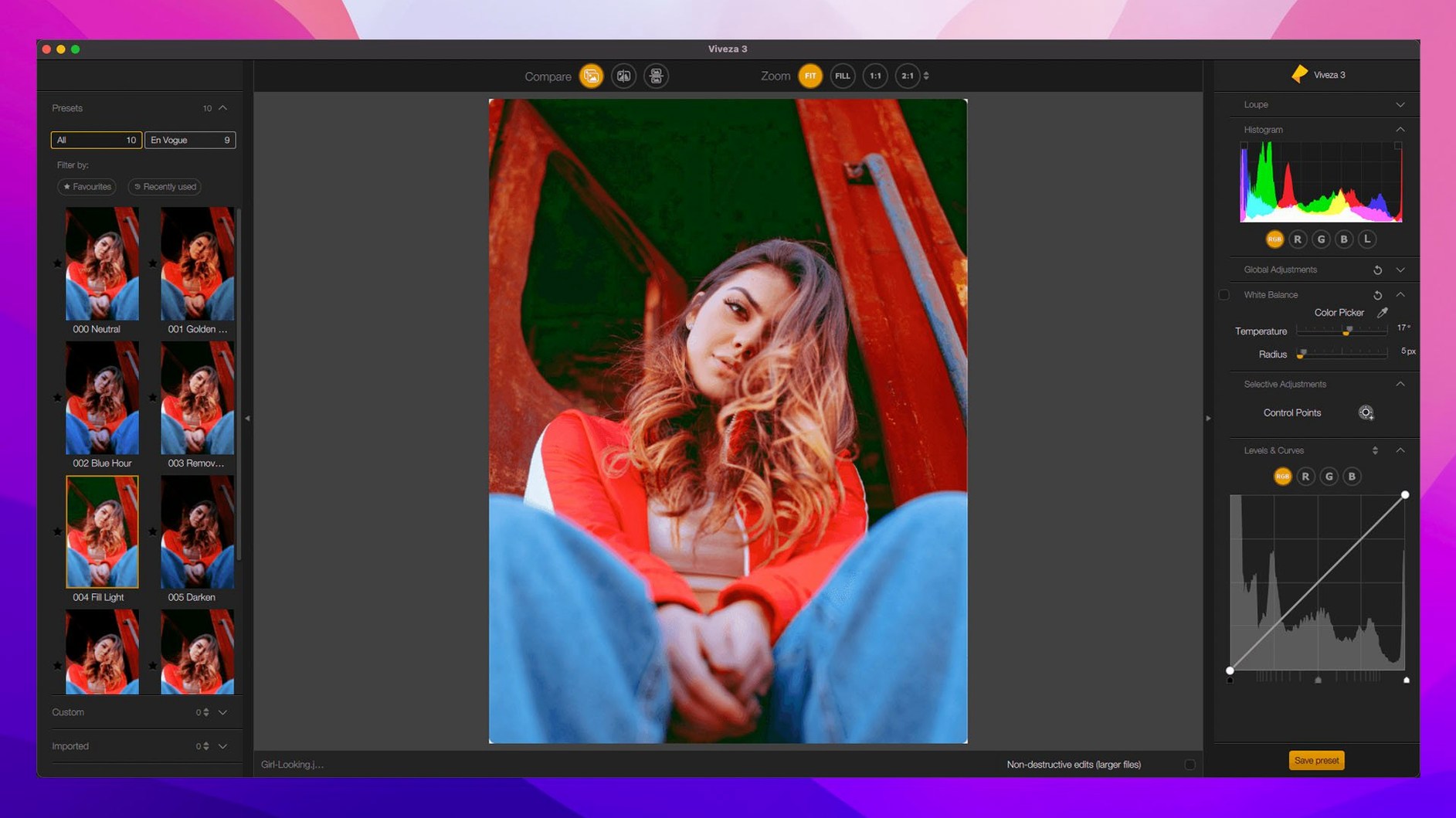
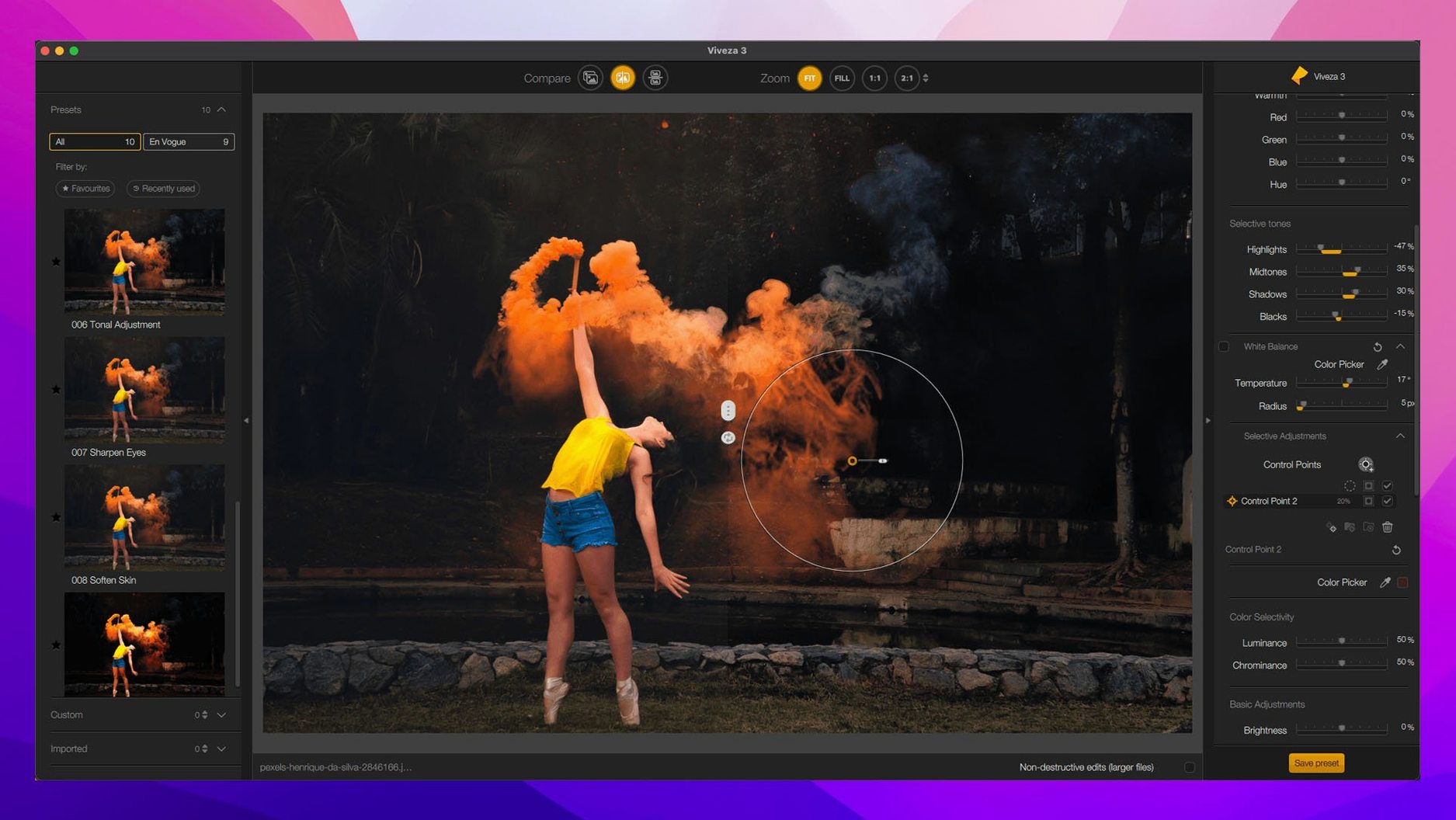
The Nik Collection for Mac is a suite of plugins built to slip into Adobe Photoshop, Lightroom Classic, Affinity Photo, and DxO PhotoLab — not to replace them. Where the host apps give you a canvas and broad controls, Nik hands you a set of focused, opinionated tools that have grown with photographers who already know the difference between a quick edit and a finished print.
Sharpener Pro is the quiet workhorse for anyone who prints. It does 16-bit sharpening that respects paper stock and viewing distance, not just screen zoom. Viveza handles local adjustments without forcing you into complex layer stacks, and the new copy-paste of local adjustments between images in version 9 means you can carry a delicate dodge-and-burn recipe across a whole shoot in seconds. The real center of gravity, though, sits in Color Efex Pro — 52 filters that you stack and blend until the image starts to breathe, plus the new Color Grading tool that pulls cinematic control into a stills workflow.
Nik Collection 9 pushes harder into masking territory that used to demand a trip into Photoshop’s channels. Depth Masks and AI Masks let you isolate subjects or planes of focus without painting a single stroke, and Mask Overlays show you exactly what you’re affecting. The new creative effects — Chromatic Shift, Glass Effect, and Halation — lean into the analog nostalgia that Silver Efex Pro and Analog Efex Pro have traded on for years, but with a precision that pure film emulation rarely gives you.
This is a toolkit for photographers who already have opinions about their edits. If you know why you’d reach for a red filter in black-and-white conversion or want sharpening that respects output media, the Nik Collection fits into a practiced hand. It doesn’t hold your hand — it just gets out of the way faster than before.
Piling On Filters at Full Blast Right Away
New users often treat the suite like a magic button rather than a layered toolkit. The biggest stumble: opening Color Efex Pro, picking a single filter, slamming the strength slider to 100%, and wondering why the result looks overcooked. These filters are meant to stack — a light Pro Contrast underneath a subtle Bleach Bypass, maybe a touch of Glamour Glow at 15% opacity. Building that stack takes two minutes and saves you from the plastic look that screams "first-timer."
Another classic is ignoring the Selective tool entirely. Applying an effect globally when it only needs to touch the sky or the subject's skin is the fast track to muddy edits. Drag the control point, check the mask overlay, and let U Point technology do the blending — it's what separates this suite from slapping an Instagram filter on your raw file. And speaking of U Point: beginners often place one control point and stop. Place a few more with narrower radius settings, and Viveza or Color Efex Pro suddenly becomes a precision tool rather than a blunt instrument.
The third trap is leaving Sharpener Pro at its defaults for every image. Output sharpening for a glossy 8x10 needs different parameters than a matte 16x20, and skipping that twenty-second tweak undermines the whole point of using a dedicated sharpening plugin in the first place.
Filter Previews Render in Under Two Seconds
On both Apple Silicon and Intel Macs running macOS 13.3 or later, the plugins launch quickly from within Lightroom Classic or Photoshop — rarely more than a beat or two before the interface draws. Once you're inside, filter previews in version 9 benefit from the new Preset Hover Preview, which renders near-instantly on M-series chips and stays snappy enough on Intel machines that you won't reach for your phone while waiting. Memory usage is reasonable: each plugin session adds about 400–600 MB of RAM while active, freeing up cleanly when you commit and return to your host app.
Stability holds up well across long editing sessions. I've thrown twenty-layer Color Efex Pro stacks at 45-megapixel files without a crash, though Silver Efex Pro occasionally hesitates for a second when switching between complex presets with heavy grain emulation. One quirk worth knowing: leaving multiple Nik plugins open simultaneously while Lightroom churns through exports can cause a brief beachball, but closing unused plugin windows before batch processing avoids it completely.
When a Plugin Won’t Launch from Lightroom’s Menu
The most frequent headache is a plugin refusing to launch from Lightroom Classic's Photo menu. Nine times out of ten, the fix is simple: quit Lightroom, reopen it, and try again — the plugin sometimes loses its handshake after a macOS update. If that fails, check that your host app is running natively on Apple Silicon, not under Rosetta, since the Nik Collection's ARM build expects a native environment.
Users of the nik collection for mac sometimes report that Depth Masks produce jagged edges on fine details like hair or foliage. The workaround isn't obvious but works reliably: switch to a manual refinement brush at 50% hardness and paint along the problem edge with a small radius. AI Masks handle those tricky transitions better, but when they stumble, the manual fallback takes under a minute.
For anyone running into activation hiccups after installation, the fix is typically a clean removal of preference files rather than reinstalling the whole suite. And if you're hunting for a nik collection torrent or nik collection 8 torrent because a previous version gave you trouble with macOS compatibility, version 9's updated architecture has smoothed out the Ventura-and-later rough edges that plagued earlier builds.
Nik Collection 9 brings a handful of tools that feel overdue and a few creative effects that are just plain fun. Here’s what landed:
- A new Color Grading tool tucked inside Nik Color Efex for cinematic control over stills.
- Depth Masks and AI Masks that make complex selections without manual painting.
- Creative effects including Chromatic Shift, Glass Effect, and Halation.
- Mask Overlays so you can see precisely what’s affected by your adjustments.
- The ability to copy and paste local adjustments between images.
- macOS 13.3 or later
- Works on both Intel and Apple Silicon Macs
- Compatible host application (Adobe Photoshop, Lightroom Classic, Affinity Photo, or DxO PhotoLab)
Questions people ask
Which host apps does the Nik Collection work with on a Mac?
It integrates directly with Adobe Photoshop, Lightroom Classic, Affinity Photo, and DxO PhotoLab as a plugin suite.
What new masking tools does Nik Collection 9 bring?
Version 9 introduces Depth Masks and AI Masks for isolating subjects or focus planes quickly, plus Mask Overlays to visualize exactly what is selected.
Also on readers' docks
Sign in or create an account to leave a comment.
No comments yet. Tell me how it got on with your other devices.