
Download Navicat Premium for macOS
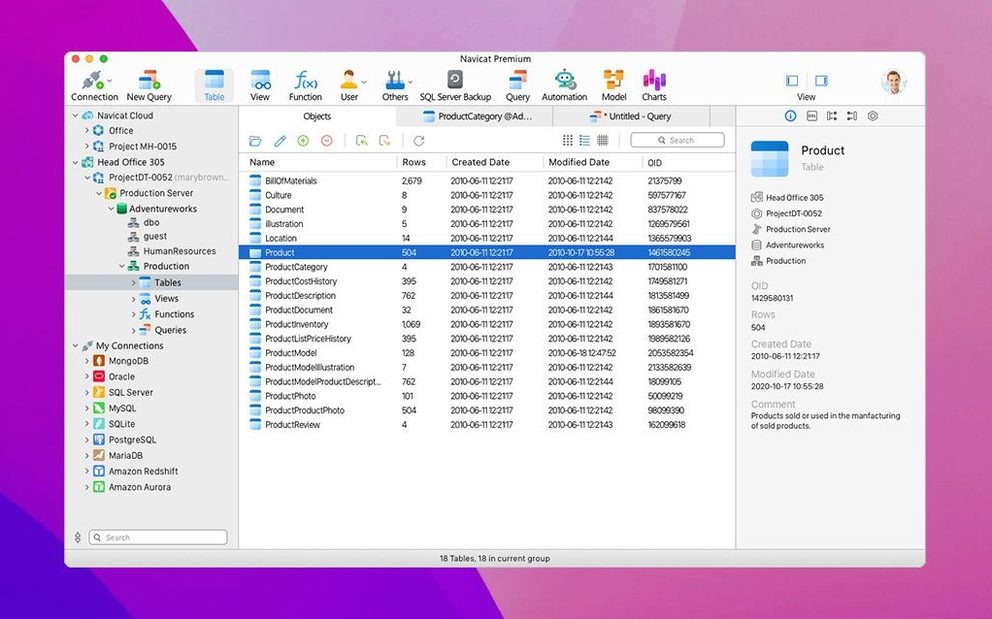
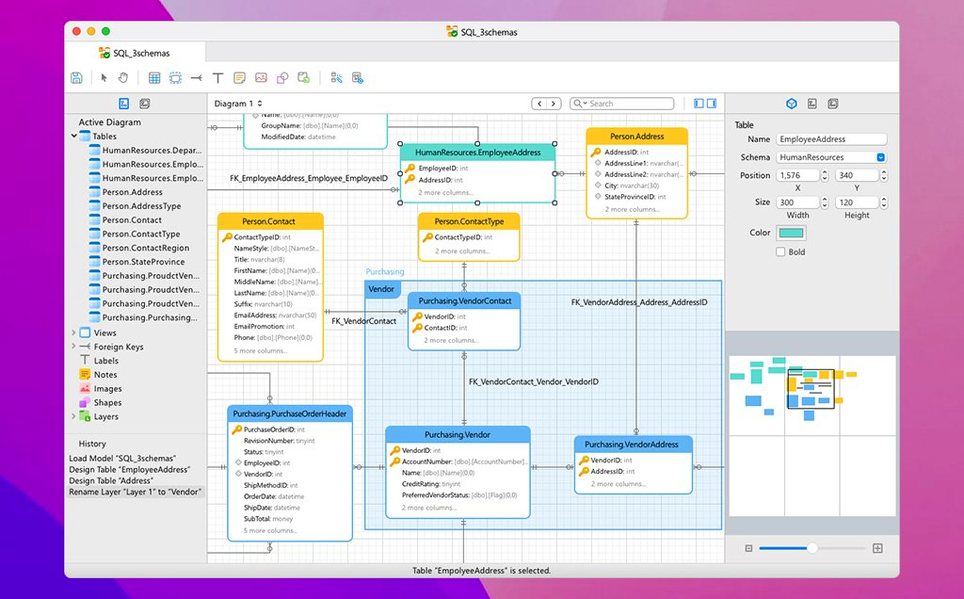
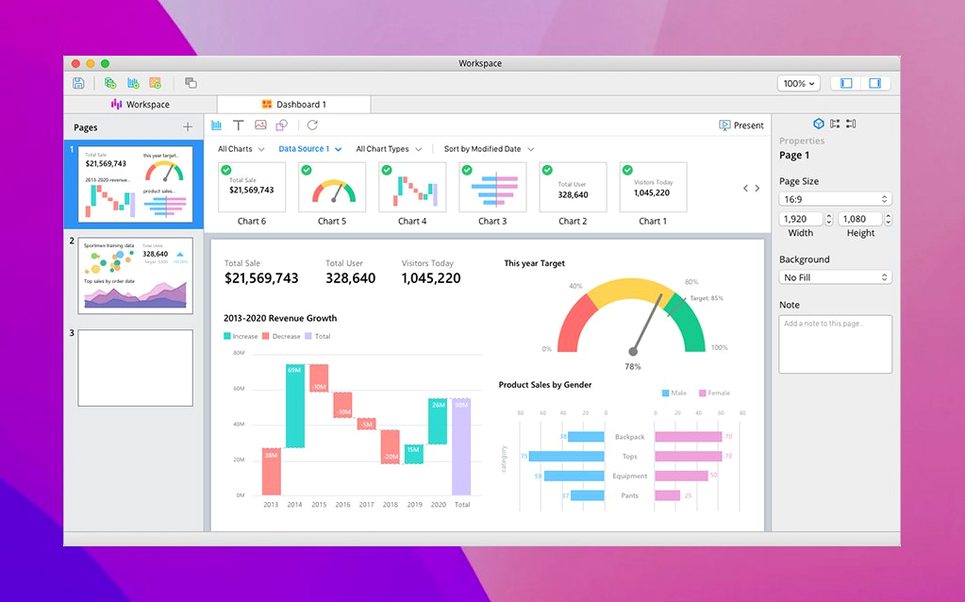
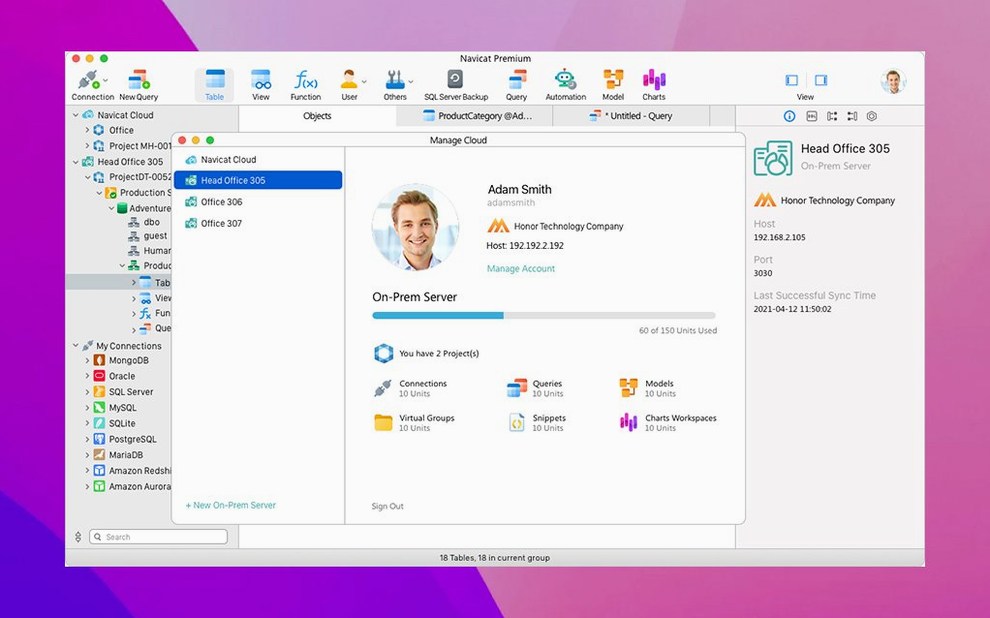
If your daily routine has you hopping between a MySQL client, then a separate tool for PostgreSQL, and maybe a third for SQLite, you know the friction. Navicat Premium 17.3.3 exists exactly for that — it pulls connections to MySQL, SQLite, Oracle, and PostgreSQL into a single unified workspace on your Mac. Instead of juggling different apps with different keyboard shortcuts and quirks, you get one editor, one set of data modeling tools, and one report wizard that speaks all four database languages. The current release for macOS lands at version 17.3.8, which is a maintenance update with bug fixes and improvements that keep things humming along. Under the hood, the same solid foundation from 17.3.3 remains intact: stored procedures, events, triggers, functions, and views all work across supported engines, and you can migrate or synchronize data between them without exporting CSV files in a panic. Unicode support, HTTP Tunnel connections, and granular security configuration for access rights are baked in, so it handles the messy, real-world stuff databases throw at you. Part of the broader Navicat family, the Premium edition really earns its name when you stop thinking about your databases as separate islands and start treating them as one fleet you can steer from the same dashboard.
| What it does | Key details |
|---|---|
| Database connections | MySQL, SQLite, Oracle, PostgreSQL — simultaneously |
| Core tools | Data modeling, report wizard, SQL Minifier, data sync |
| Current macOS version | 17.3.8 (maintenance release) |
| Languages | 10 languages including English, German, Japanese, and Russian |
The real comfort here is consistency. Whether you're writing a complex Oracle query or tweaking a lightweight SQLite database, the interface and the shortcuts don't shift under your fingers. The data migration and synchronization tools make cross-database work feel less like a hack and more like a planned feature, and the inclusion of a report wizard means you can produce output without leaving the app.
When your work straddles two or more database types
Not every Mac user needs a multi-database tool. If you live entirely inside one database engine and never touch another, a dedicated single-platform client might feel lighter. But the moment your work straddles two or more database types — say, a production PostgreSQL server and a local MySQL instance for testing — the Premium edition clicks into place. Database administrators who manage heterogeneous environments find the unified security configuration and backup tools especially practical, since they can audit access rights across engines without switching mental models. Developers building applications that pull from multiple backends appreciate the shared query builder and the fact that the SQL console behaves the same whether you're connected to Oracle or SQLite. Data engineers tasked with migrating between systems lean hard on the import/export wizard and the cross-engine synchronization, which handles schema differences without requiring a stack of intermediate scripts.
The tool also subtly rewards people who think visually. The ER data model tools and the report wizard appeal to anyone who needs to communicate database structure to a team or produce client-facing summaries, and having those features live inside the same application as the raw SQL console means less time exporting diagrams to external apps. If your work involves scheduled maintenance — overnight backups, periodic data syncs — the job scheduler becomes a quiet workhorse you'll miss the moment it's gone.
Loading large result sets without second-guessing lag
On Apple Silicon and Intel Macs alike, the app loads connections quickly and doesn't bog down when you have a handful of database tabs open. The interface renders large result sets without the kind of lag that makes you second-guess your query, and switching between the data modeler, the query builder, and the raw console stays fluid. Memory use climbs predictably with the number of open connections, but it releases resources cleanly when you close a database tab — no creeping background processes that survive a session restart.
The maintenance release at version 17.3.8 addresses stability quirks from earlier builds, and in practice that translates to fewer unexpected disconnects during long-running operations like data synchronization or batch exports. SSH Tunnel and HTTP Tunnel connections hold steady even across spotty network conditions, which matters if you administer remote servers over café Wi-Fi. The SQL Minifier and database search tools feel snappy, never turning a quick formatting operation into a coffee-break wait.
Does one license replace all your individual Navicat apps
Does it replace all the individual Navicat apps I already own? For MySQL, SQLite, Oracle, and PostgreSQL, yes — the Premium edition rolls those functions into one application. If you also work with MongoDB, MariaDB, SQL Server, Redis, or Snowflake, you'll still want the separate Navicat tools or a different client, since those aren't bundled here. Think of Premium as the relational-database hub, not the every-engine-ever solution.
How does it handle cross-engine migrations without breaking things? The data transfer tools map compatible data types between MySQL, Oracle, and PostgreSQL automatically, and they flag incompatibilities before anything gets written. You can preview the target schema and tweak column mappings before committing, which catches the kind of type-coercion surprises that derail naive export-and-import workflows.
Is it sluggish with very large databases? The query engine handles large result sets responsively, and pagination keeps the interface from choking when you run SELECT * on a table with millions of rows. Backup operations for MySQL InnoDB tables are optimized, though full-database backups on multi-gigabyte Oracle instances will still take the time you'd expect — the bottleneck is the database server, not the client.
What about the activation process on macOS? Mount the disk image and run the Open Gatekeeper friendly script; when Terminal prompts you, press Enter to bypass Gatekeeper, then drag the app into the Applications folder. If a sign-in window appears on first launch, closing it is fine — the application works without it.
Build 17.3.12 delivers the latest wave of quiet corrections and database engine tune-ups across the entire toolkit.
- macOS 11 (Big Sur) or later
- Apple Silicon or Intel 64-bit processor
Questions people ask
Can Navicat Premium move data between different database types?
Yes, it supports data migration and synchronization between MySQL, SQLite, Oracle, and PostgreSQL databases, so you can transfer tables and records without manual export-import routines.
Also on readers' docks
Sign in or create an account to leave a comment.
No comments yet. Tell me how it got on with your other devices.