









Download Movavi Video Editor for macOS
Performance polish for Intel Macs
No splashy new tools this time around — the 22.4.1 update is a maintenance release that sharpens performance and squashes a few bugs. The editor already handles the basics well, and this version keeps things running smoothly on Intel Macs from macOS 10.13 onward.
A quick editing workflow
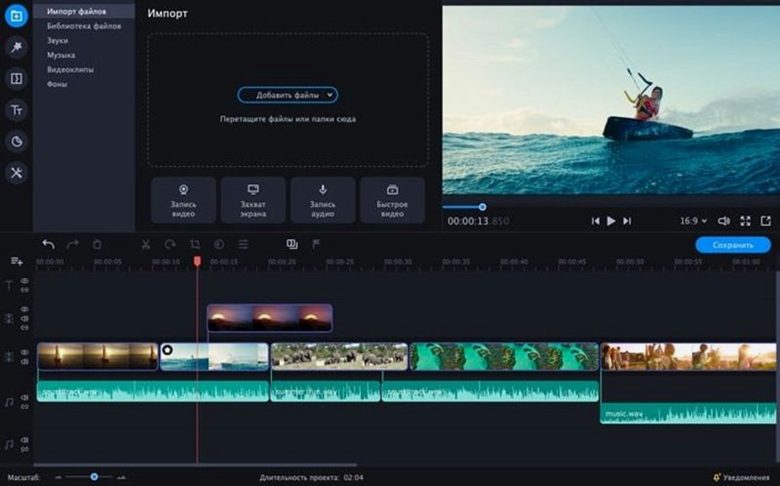
- Bring in your clips. Drag video and photos straight onto the timeline. The interface doesn’t overcomplicate things — everything lives in one main window.
- Trim and rearrange. Split out the bits you don’t want, then shuffle scenes around. Slow motion and reverse playback are one-click options, which is handy for highlight reels or a quick laugh.
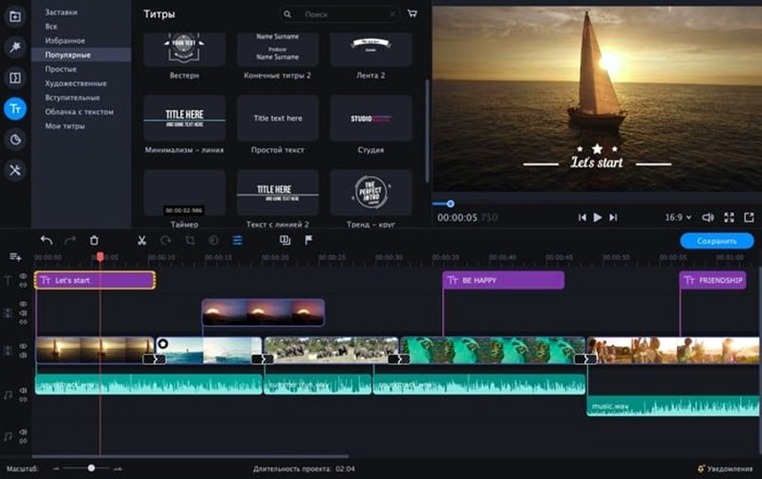
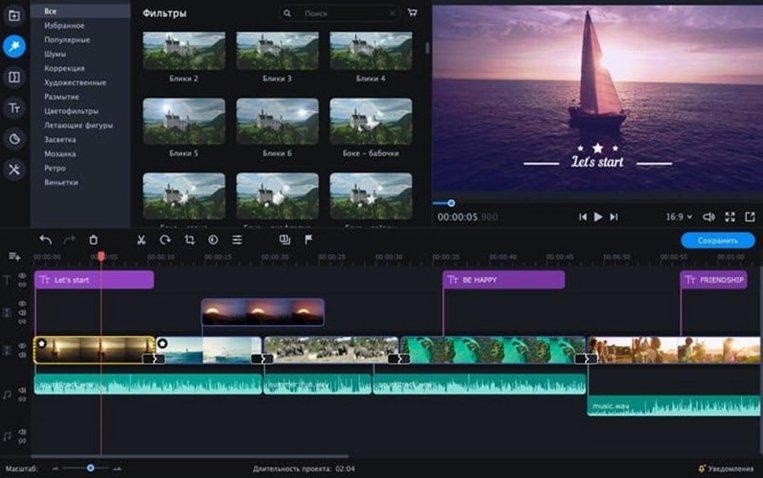
- Add effects and intros. Browse the built-in library for filters, transitions, and ready-made title cards. The AI tools handle things like background removal without manual keyframing.
- Export for wherever it’s going. Pick a preset that fits your destination — social clips, a business presentation, or a family movie file.
This is an editor for people who want a presentable video without learning a timeline full of dials and nodes. It won’t replace a pro NLE, but it covers what most casual projects actually need: clean cuts, a bit of polish, and a fast path from footage to finished file.
What your first video project actually looks like
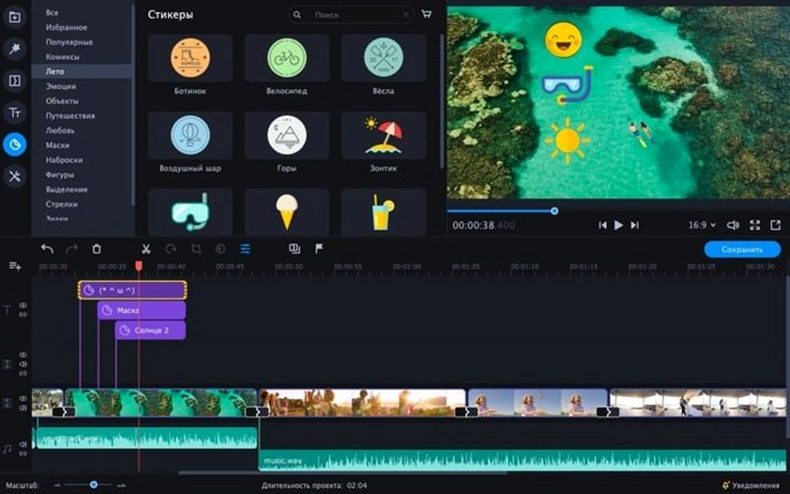
Take a small-business owner putting together a product demo for Instagram. She's got three phone clips of the item from different angles, a handful of photos, and a voice memo she recorded in a quiet-ish room. In Movavi Video Editor, she drops everything onto the timeline in under a minute. A quick trim snips the awkward start of the voice memo. She applies a ready-made intro from the library — it adds the product name with a gentle zoom — then drags a colorful sticker onto the corner of the frame for the last five seconds. The audio tools clean up the room hum with a couple of clicks. Fifteen minutes after opening the app, she exports a clip that looks deliberate, not rushed. No manual syncing, no node graphs, just a video that matches the energy of her brand.
Assign a fast scratch disk before editing
New editors often jump straight into cutting, then wonder why playback stutters or exports take forever. Spend ten minutes on these, and the rest goes smoother.
- Point the app to a fast scratch disk. In preferences, set the temporary files folder to a drive with plenty of free space — preferably an SSD. This keeps timeline scrubbing responsive, especially with 4K phone footage.
- Check the default project length. A still image dragged onto the timeline might default to five seconds. If you want slideshows with a snappier rhythm, change that to three seconds in settings before you import anything.
- Disable snap if it fights you. Magnetic snapping is on by default — great for clean cuts, annoying when you need to nudge a clip by a few frames. Hold
Optionwhile dragging to temporarily disable it, or turn it off in the timeline menu if you prefer free placement.
Split clips instantly with the S key
The interface keeps most tools within reach, but a few shortcuts aren't labelled anywhere obvious. Once you know them, they become muscle memory.
- Split at playhead. Press
Sto slice a clip exactly where the playhead sits. Much faster than reaching for the razor tool every time. - Ripple delete. Remove a section and close the gap in one move with
Shift + Delete. Regular delete leaves a hole you then have to drag closed. - Copy effects between clips. Right-click a clip with filters applied, choose "Copy effects," then right-click another clip and "Paste effects." No need to rebuild the same color grade or blur across multiple shots.
- Quick chroma key activation. Drop a green-screen clip onto the track above your background, select it, and click the chroma key icon in the toolbar. Use the eyedropper on the green area — the editor handles edge cleanup automatically, though dragging the tolerance slider fine-tunes it if there's spill on hair or clothing.
Switch export presets to YouTube or Vimeo
Out of the box, a few defaults lean conservative. Tweaking these early prevents frustration later.
- Export quality presets. The default h.264 setting works, but if you're uploading to YouTube or Vimeo, switch the preset to match — the encoder optimizes bitrate allocation differently for streaming platforms, and the file size difference is negligible.
- Timeline track height. Small tracks are hard to work with. Drag the track header border upward, or find the track size option in the view menu. Taller waveforms make audio editing far less guesswork.
- Auto-save interval. Movavi auto-saves, but the interval might be set to ten minutes. If you're working quickly on a laptop that could run out of battery, drop it to five or even three minutes.
- Interface language. The app ships with English, German, Spanish, Italian, traditional Chinese, simplified Chinese, Korean, Dutch, Polish, Portuguese, Turkish, French, and Japanese. Changing it takes seconds in preferences — no restart required — which is handy if you share the Mac with a multilingual household.
One more thing worth knowing: the ready-made intros are fully editable text layers. Double-click the placeholder words and type your own. The animation keeps its timing and easing — you just swap the message. That alone saves building title animations from scratch, especially when someone wants a movavi video editor plus torrent workflow that produces polished results without a subscription-shaped clock ticking in the corner. Some folks hunting around for a movavi mac torrent or a movavi video editor torrent find that the built-in content covers a lot before they even touch third-party assets. The sticker packs and animated overlays fill gaps that other editors expect you to source yourself, and while the 22.4.1 release doesn't add new packs, what's already there handles most social-media moods — playful, professional, and everything between. If a Movavi crack Mac search brought you here, the real conversation is about what the app does once it's running: it turns scattered footage into something watchable on a lunch break, and that's the feature that matters.
- macOS 10.13 or later
- Intel Mac
Also on readers' docks
Sign in or create an account to leave a comment.
No comments yet. Tell me how it got on with your other devices.
More in Mac Apps
See all Movavi Video Converter
22.5.0 Mac Apps
79 MB
Movavi Video Converter
22.5.0 Mac Apps
79 MB
 Movavi Video Suite
22.4.1 Mac Apps
294 MB
Movavi Video Suite
22.4.1 Mac Apps
294 MB
 Movavi Screen Recorder
23.1.1 Mac Apps
110 MB
Movavi Screen Recorder
23.1.1 Mac Apps
110 MB
 Updated Movist Pro
2.21.0 Mac Apps
60 MB
Updated Movist Pro
2.21.0 Mac Apps
60 MB
 Updated MouseBoost Pro
5.3.0 Mac Apps
17 MB
Updated MouseBoost Pro
5.3.0 Mac Apps
17 MB
 Mp3tag
1.14.1 Mac Apps
13 MB
Mp3tag
1.14.1 Mac Apps
13 MB
 Mountain Duck
5.3.2 Mac Apps
187 MB
Mountain Duck
5.3.2 Mac Apps
187 MB
 m’s HalfTone
1.5.3 Mac Apps
6 MB
m’s HalfTone
1.5.3 Mac Apps
6 MB