Download Mela for macOS
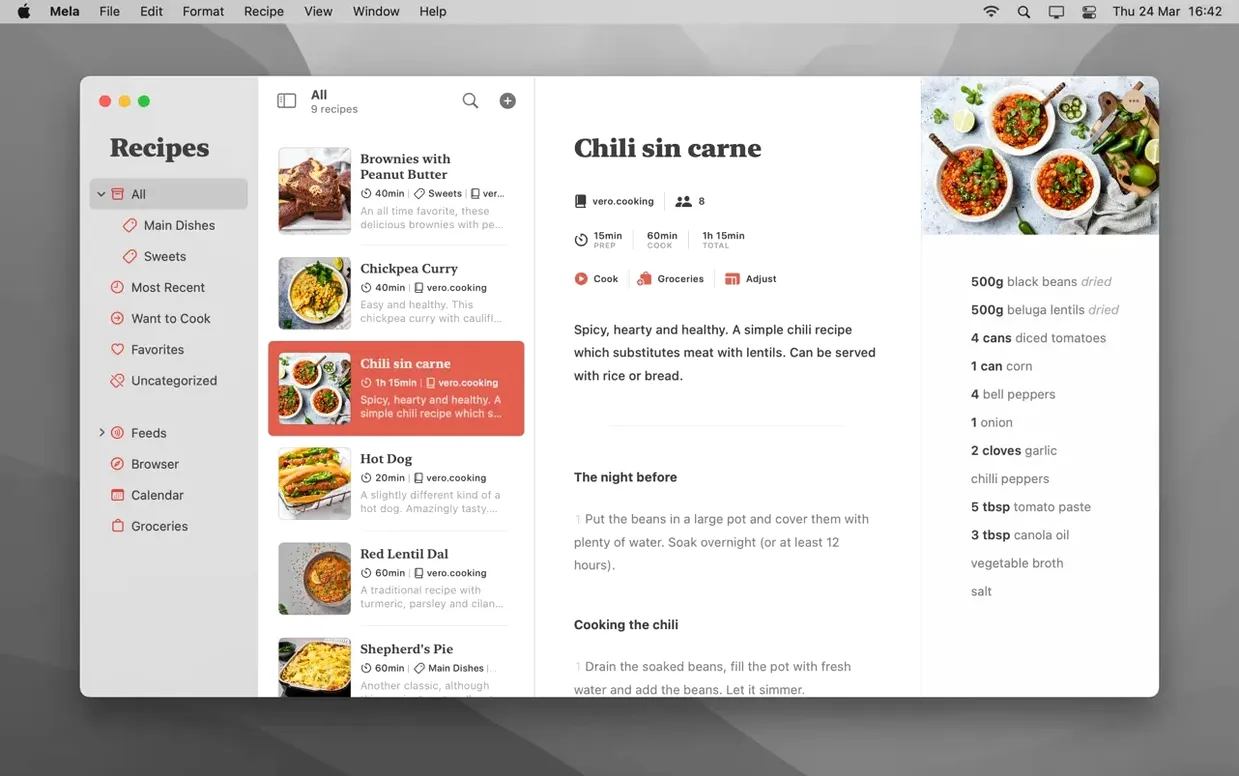
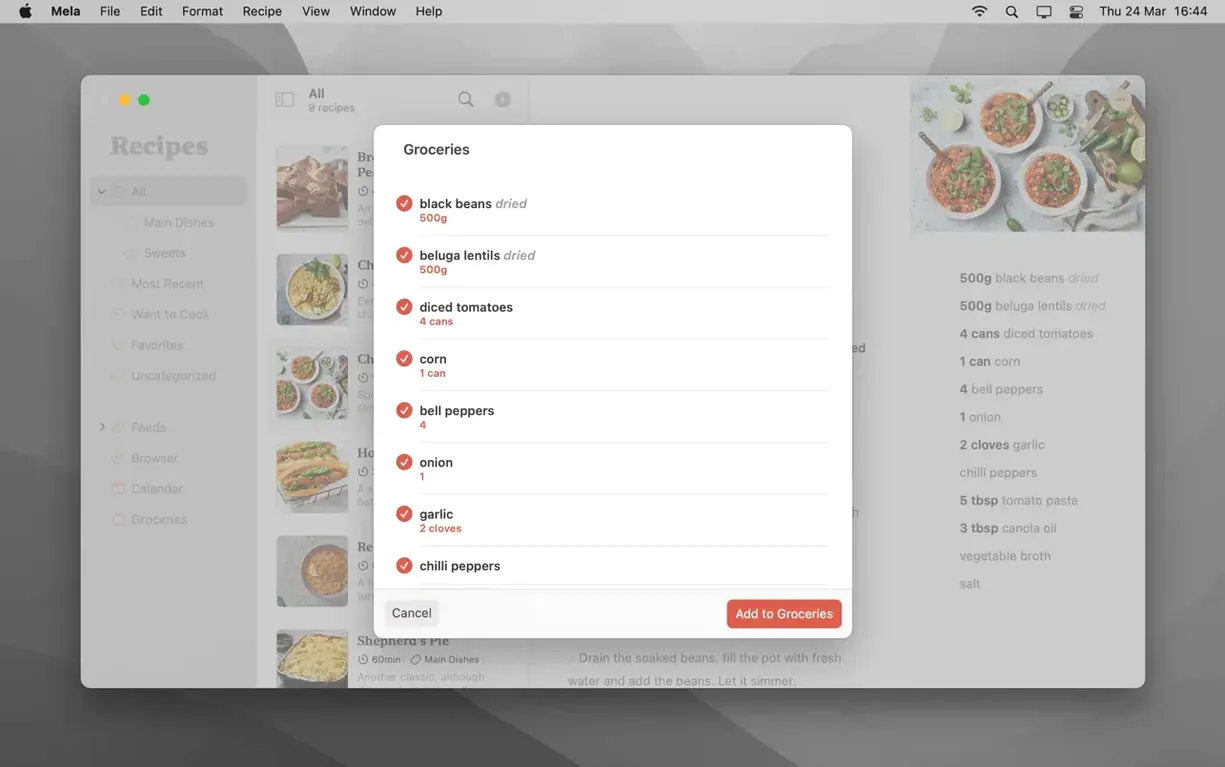
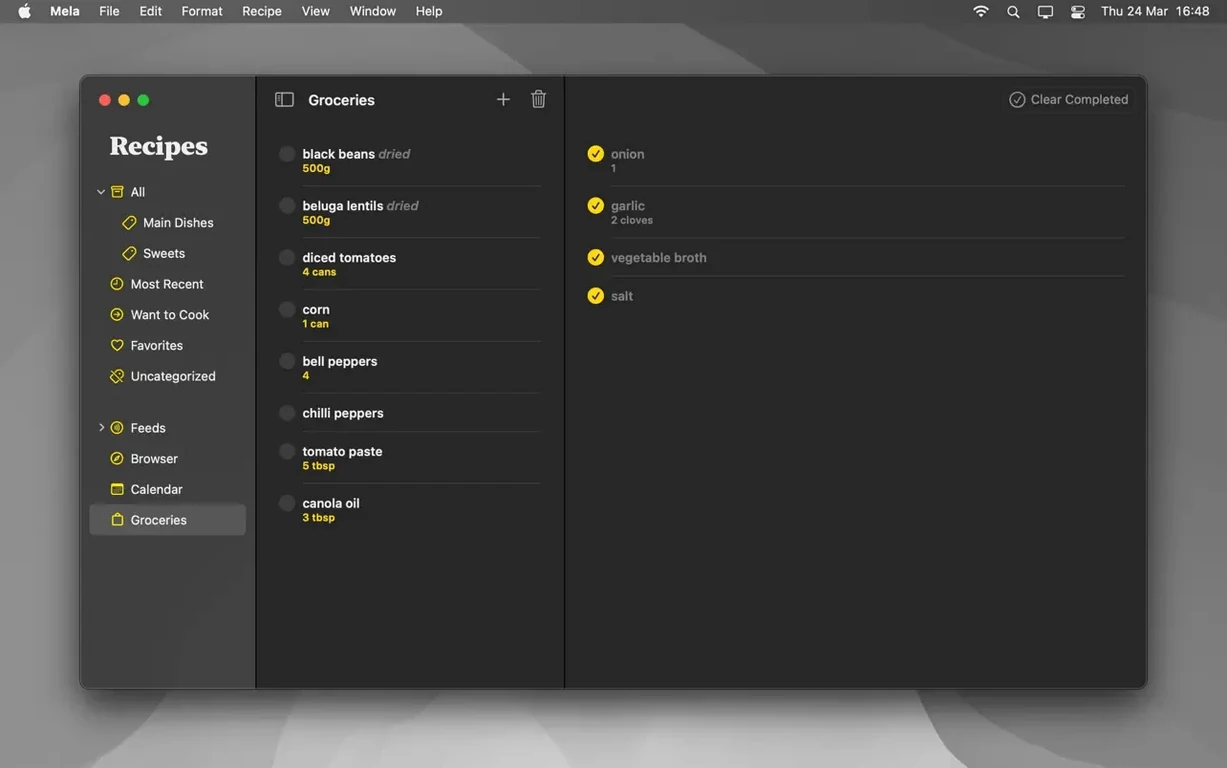
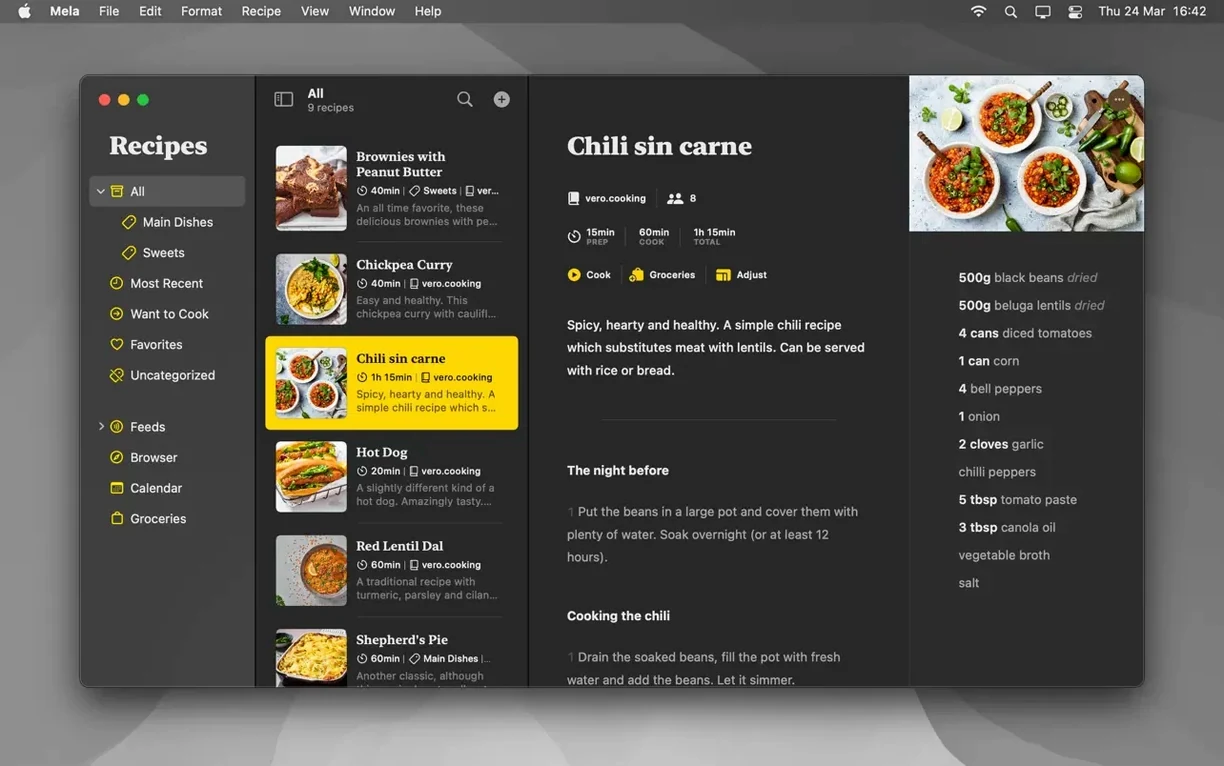
Over 100 saved recipes, zero duplicates. That’s the quiet promise Mela makes the first time it syncs across your devices — and it delivers. As a newcomer, the app feels less like a filing cabinet and more like a kitchen notebook that follows you around.
Extract a Clean Recipe from Any Food Blog
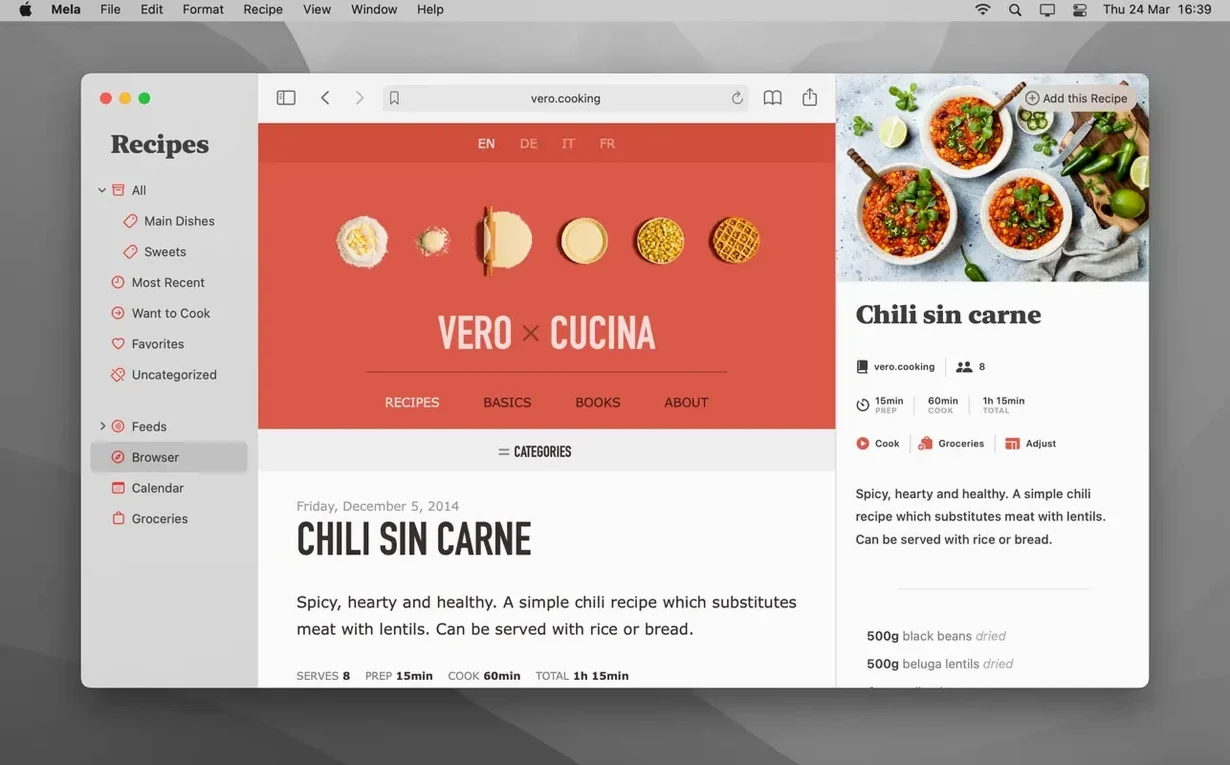
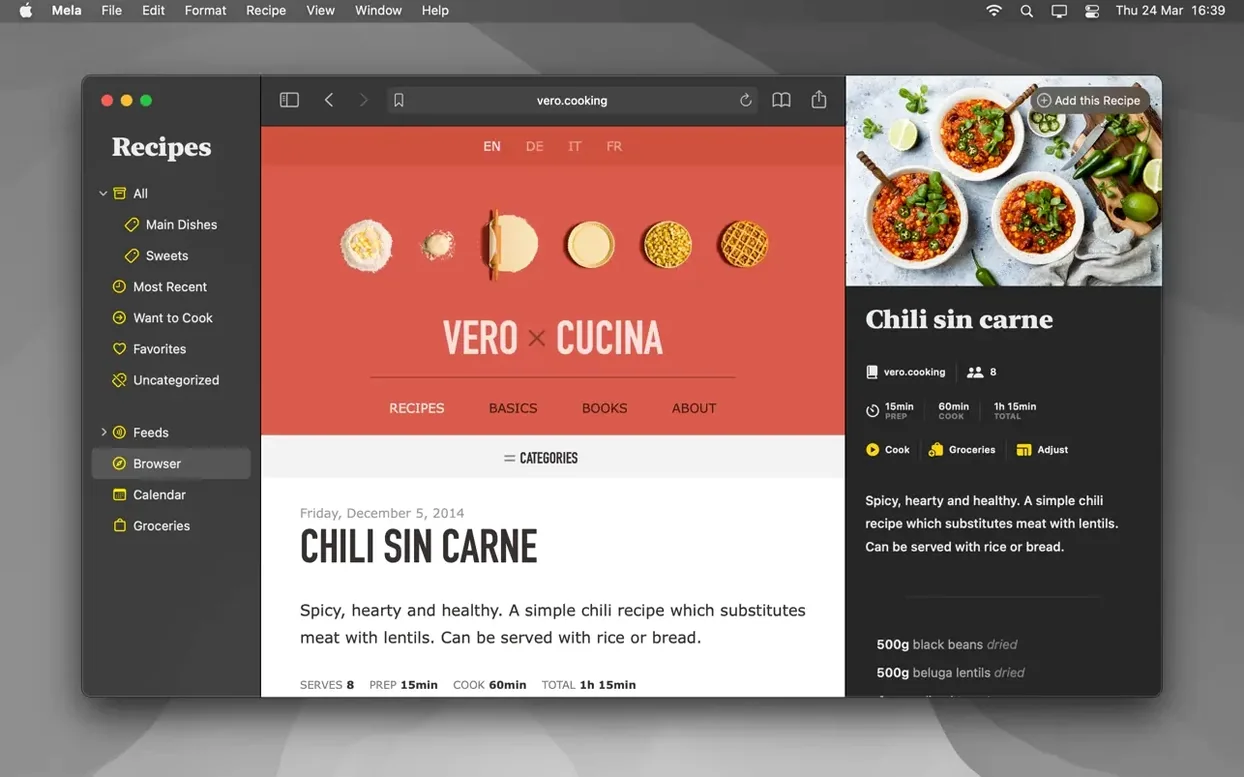
- Let Mela grab a recipe from the web. Open the in-app browser, find a food blog you trust, and tap the recipe button in the toolbar. Mela detects the recipe on the page and pulls it into a clean, readable format — no scrolling past someone’s life story.
- Mark a few dishes as Want to Cook. It’s the digital equivalent of dog-earing a cookbook page. Those recipes collect in their own list, ready for Saturday morning inspiration.
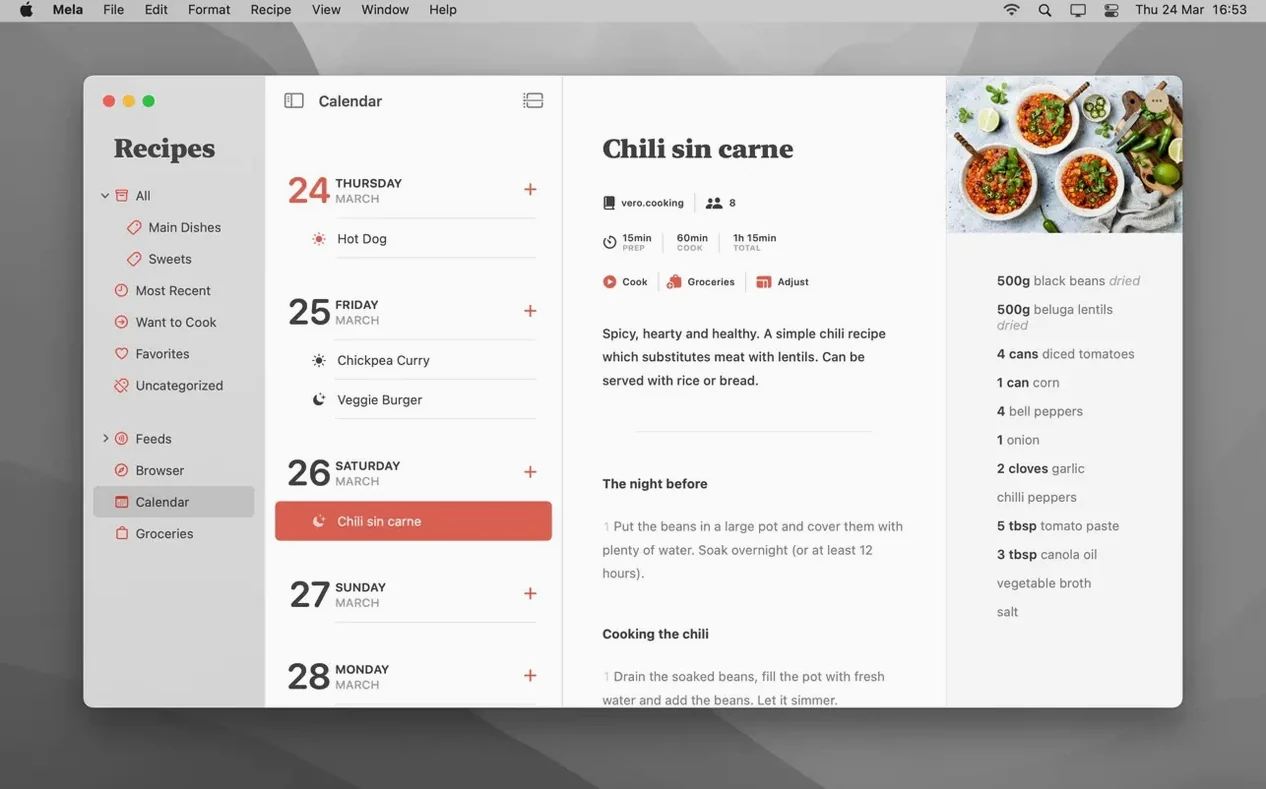
- Drop a recipe onto the calendar. Mela ties into Calendar.app, so Tuesday’s taco plan shows up right alongside your dentist appointment. Drag, drop, done.
The Sync Situation
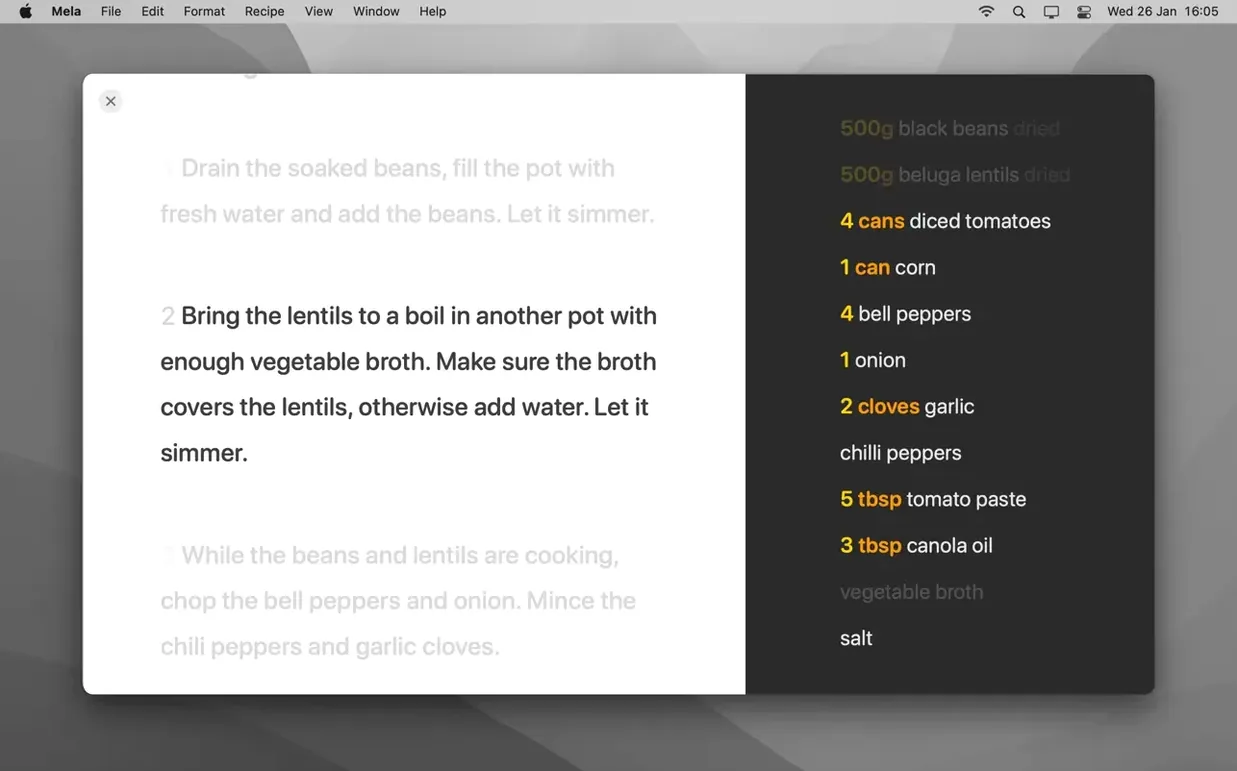
Everything runs through private iCloud syncing — no third-party accounts, no social features you didn’t ask for. Your recipe library stays yours, but you can share a library with another iCloud user if you’re cooking as a team. When it’s time to actually cook, the cooking mode bumps up the text size so you can read gnocchi instructions from across the counter without squinting.
People sometimes ask whether Mela can handle recipe discovery on its own — the answer is yes, but in a specific way. It isn’t a social network full of trending dishes. What it does is let you subscribe to recipe blogs directly inside the app, then browse their latest posts in Mela’s own recipe viewer. The feed stays clean, stripped of ads and newsletter pop-ups, and any recipe you like gets saved with one tap. You build your collection from the sources you already trust, not from an algorithm.
Another question that comes up is about the meal planning side. Mela doesn’t generate meal plans or suggest what to eat — that’s still your job. What it does well is get out of the way. You open the calendar, drag a recipe onto Wednesday, and suddenly Wednesday has a plan. The calendar belongs to Calendar.app, so any other app that talks to it sees the same meal. If you share a family calendar, your partner spots “spinach pie” without installing anything extra. The integration is lightweight, but that’s what keeps it reliable.
Keep the Recipe On-Screen for the Import Button to Work
The most common early misstep is treating the in-app browser like Safari. New users sometimes navigate away from a recipe page, tap the recipe button, and scratch their heads when nothing happens. Mela needs the recipe on screen — it reads the page structure, not your browsing history. Stay on the page with the ingredient list visible, and the detection works nearly every time.
Another hiccup involves shared libraries. The feature needs macOS 12 or later, and both people have to be signed into iCloud with sharing enabled. Skipping that step — or trying it with a macOS 11 Mac on one end — leads to a library that simply never appears. It’s not broken, just picky about the setup.
Beginners also overlook the scanner. If you’re working from a physical cookbook, you can point your iPhone at the page and Mela grabs the text with OCR, then parses it into a recipe. The trick is holding the phone steady and making sure the lighting doesn’t cast a shadow across the ingredient list. A blurry scan turns “1 tsp salt” into something less appetizing.
Who Clicks with Mela Right Away
Home cooks who collect recipes from a half-dozen food blogs tend to settle in fastest. The subscription feature and the browser extension — which lets you save a recipe from Safari without opening Mela first — mean recipes land in one place without a lot of manual copying. If you’ve got a folder of bookmarked recipe links and a pile of scribbled notes, Mela tidies that up in an afternoon.
People who share cooking duties with a partner or roommate also find a natural fit. The shared library turns “what should we make?” into a single list both people can browse and add to. Because it’s iCloud-based, there’s no separate login to remember, and the calendar integration means meal responsibilities quietly show up where both people already look.
If you’re the kind of cook who wants to mark a dish as a Favorite, flag a dozen others as Want to Cook, and then forget about them until a rainy Sunday — Mela’s organization system doesn’t fight you. Categories keep things tidy, but the app doesn’t force a tagging system or a rigid taxonomy. It’s relaxed enough that casual cooks stick with it, and structured enough that a 200-recipe collection never feels chaotic.
- macOS 11 or later
- Apple Silicon or Intel 64-bit Mac
Also on readers' docks
Sign in or create an account to leave a comment.
No comments yet. Tell me how it got on with your other devices.