Download MediaInfo for macOS
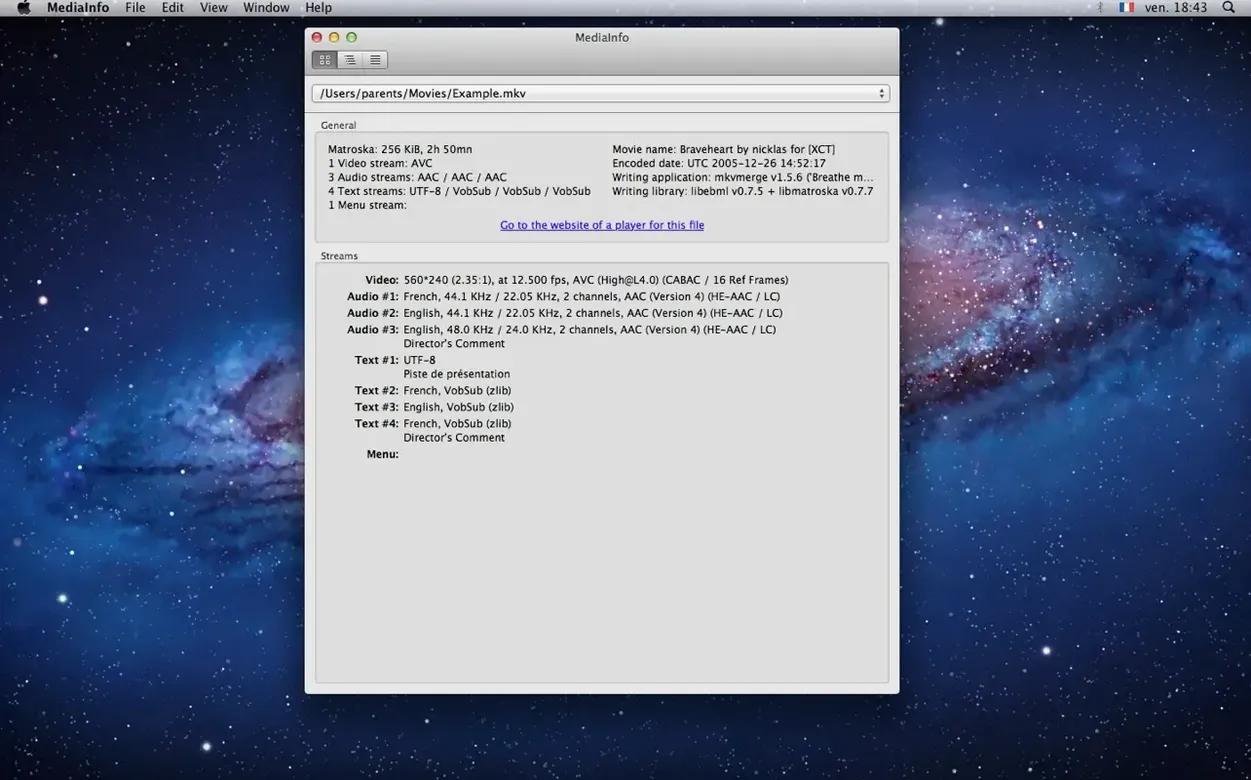
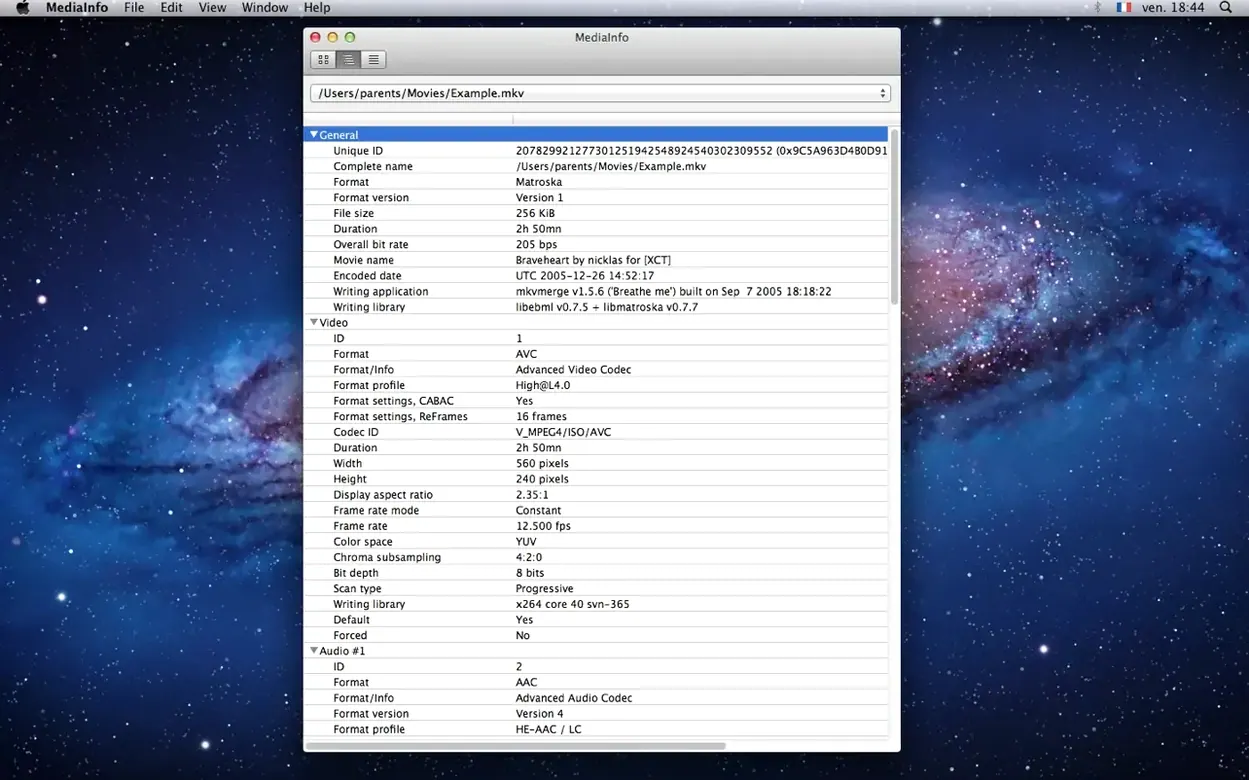
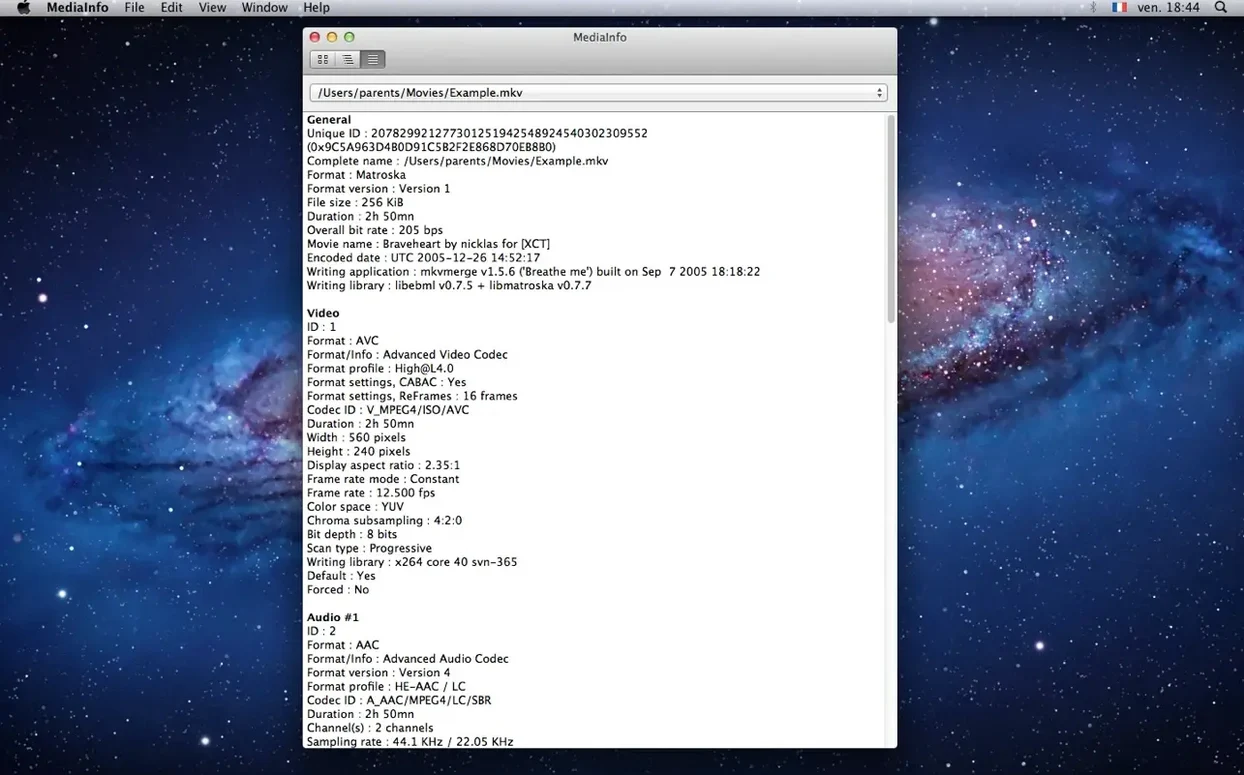
Check codec identifiers and sample rates
Drop in a file and you'll see the codec identifier, sample rate, bit depth, and channel layout right away. The tree view makes it easy to drill into the container format, overall bitrate, and any attached tags without getting lost.
Pull out chapter lists
Swipe through the view and you'll spot the chapter count and a full list of chapter points. Handy when you're prepping a file for editing and need to know the exact timecodes baked into the container.
Export a report as JSON or XML
Grab the data you need by exporting to text, JSON, XML, or EBUCore. It's a quick way to hand off technical specs to a teammate or log details for a project.
A wall of parameters does not mean something is broken
Rookies often treat the tree view like an error log. They open a file, see a wall of parameters, and panic because something looks wrong. Most of the time it is not wrong — it is just thorough. A blank field for Writing application or a 0 in a tag slot does not mean the file is broken; it means that metadata was never written in the first place. Learn to skim, not scrutinize every line.
Another slip: dragging in a folder and expecting a batch report. The GUI version inspects one file at a time. If you need to scan a whole directory, the command-line interface is the right tool, but plenty of newcomers never realize a CLI version exists alongside the app.
Some folks also miss the export menu entirely and resort to screenshotting the window. A quick trip to the File menu saves a proper JSON or XML report that is searchable and shareable — far more useful than a pixelated grab.
Catching mismatched frame rates and chroma before the timeline
Video editors who juggle footage from different cameras lean on it hard. They check frame rates, chroma subsampling, and scan order before anything hits the timeline — mismatched clips cause headaches later, and MediaInfo spots the oddball before it becomes a render queue disaster.
Audio technicians use it to verify sample rates and channel layouts on deliverables. A 48 kHz stereo file that somehow got exported as 44.1 kHz surround is a delivery reject waiting to happen; a two-second check with MediaInfo catches it.
Archivists and librarians live in the container-format and bitrate details. They are the ones exporting EBUCore reports and logging codec identifiers for long-term preservation. For them, the app is less a curiosity and more a daily logging tool.
Developers working with ffmpeg or custom encoding pipelines pull it up constantly. They compare encoder settings, confirm profile levels, and debug why a transcode drifted from its intended spec. The JSON export slots neatly into their scripting workflow.
Blank window fix via Files and Folders permissions
- File won't open, or the app stays blank. Usually a permissions hiccup on newer macOS versions. Grant the app access to the file's location via System Settings > Privacy & Security > Files and Folders, then relaunch.
- The view is overwhelming. Switch from tree view to the plain text sheet. It flattens the data into a linear readout that is easier to scan quickly. You can flip back to tree view for deeper dives later.
- Export contains fields you do not need. There is no built-in field picker, so the cleanest fix is post-processing your JSON or XML with a quick script. Most users who hit this snag are developers anyway — a few lines of Python or jq strip the noise.
- Drag-and-drop stops working after an update. A rare glitch that typically clears when you restart the app or log out and back in. If it persists, the command-line version works as a reliable fallback for quick lookups.
The mediainfo download mac experience is straightforward as long as you remember the GUI is for single-file peeks and the CLI handles bulk work. Once that distinction clicks, most friction disappears.
Bumped the internal MediaInfo engine up to version 26.05, which squashes a handful of bugs and generally keeps the inspection results as accurate as ever. Nothing flashy on the surface—just a solid maintenance update so your file details stay reliable.
- macOS 10.10 or later
- Apple Silicon & Intel 64-bit
Questions people ask
What file formats can MediaInfo read on Mac?
It reads a wide range of video and audio container formats, pulling up technical and tag data for virtually any common media file you throw at it.
Can I use MediaInfo from the command line on Mac?
Yes, a separate command-line version is available from the developer if you prefer working in Terminal or need to script batch analysis.
What view modes does the GUI offer?
You can browse information in a simple text view or a structured tree view that groups codec, container, and audio track details.
Also on readers' docks
Sign in or create an account to leave a comment.
No comments yet. Tell me how it got on with your other devices.