









Download Folx Pro for macOS
Browser download windows are fine for grabbing a PDF, but the moment you queue up a few large files or need a well-seeded Linux ISO, they fall apart. A lost connection means starting over, and there's no smart way to pause things overnight without keeping your Mac awake.
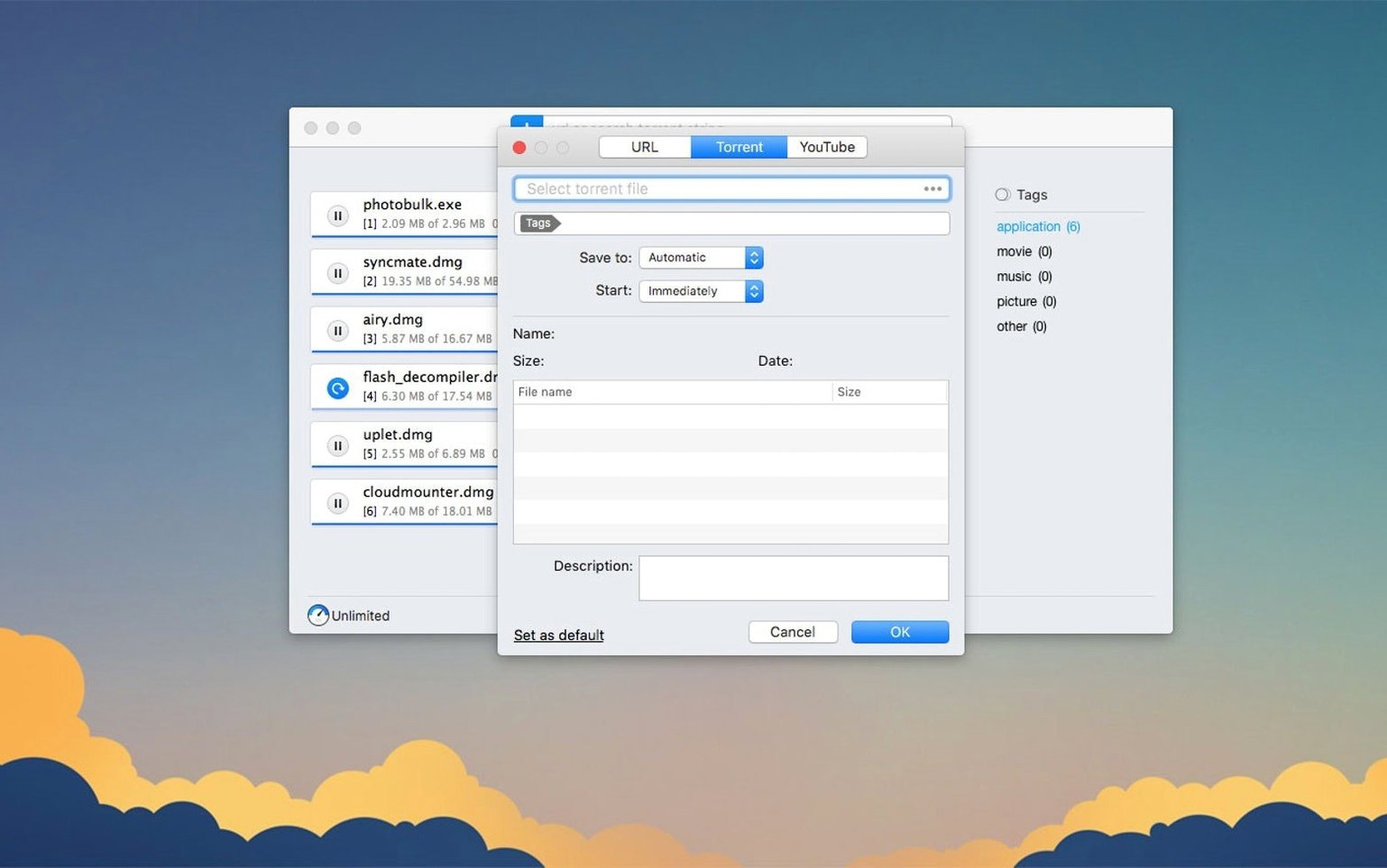
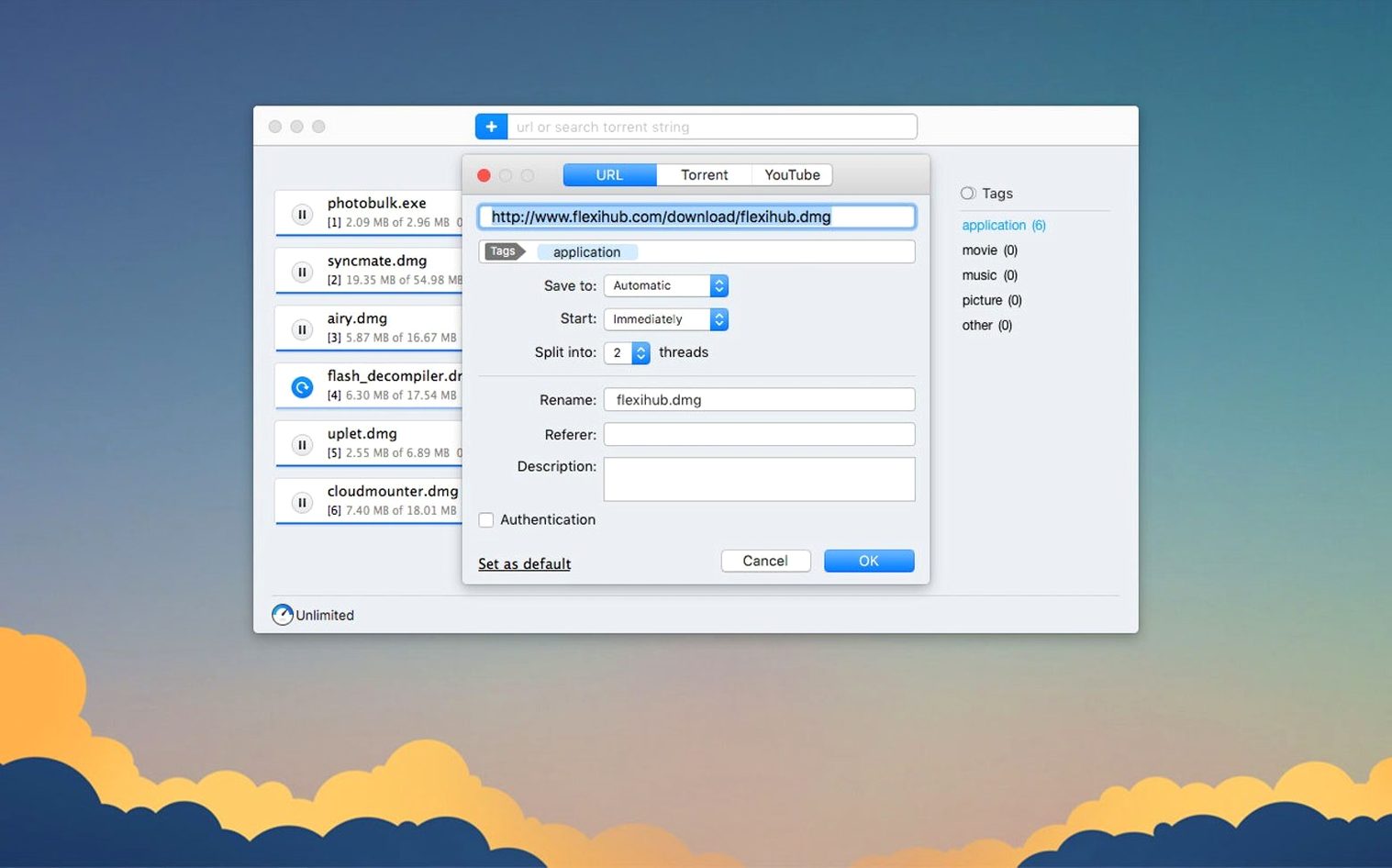
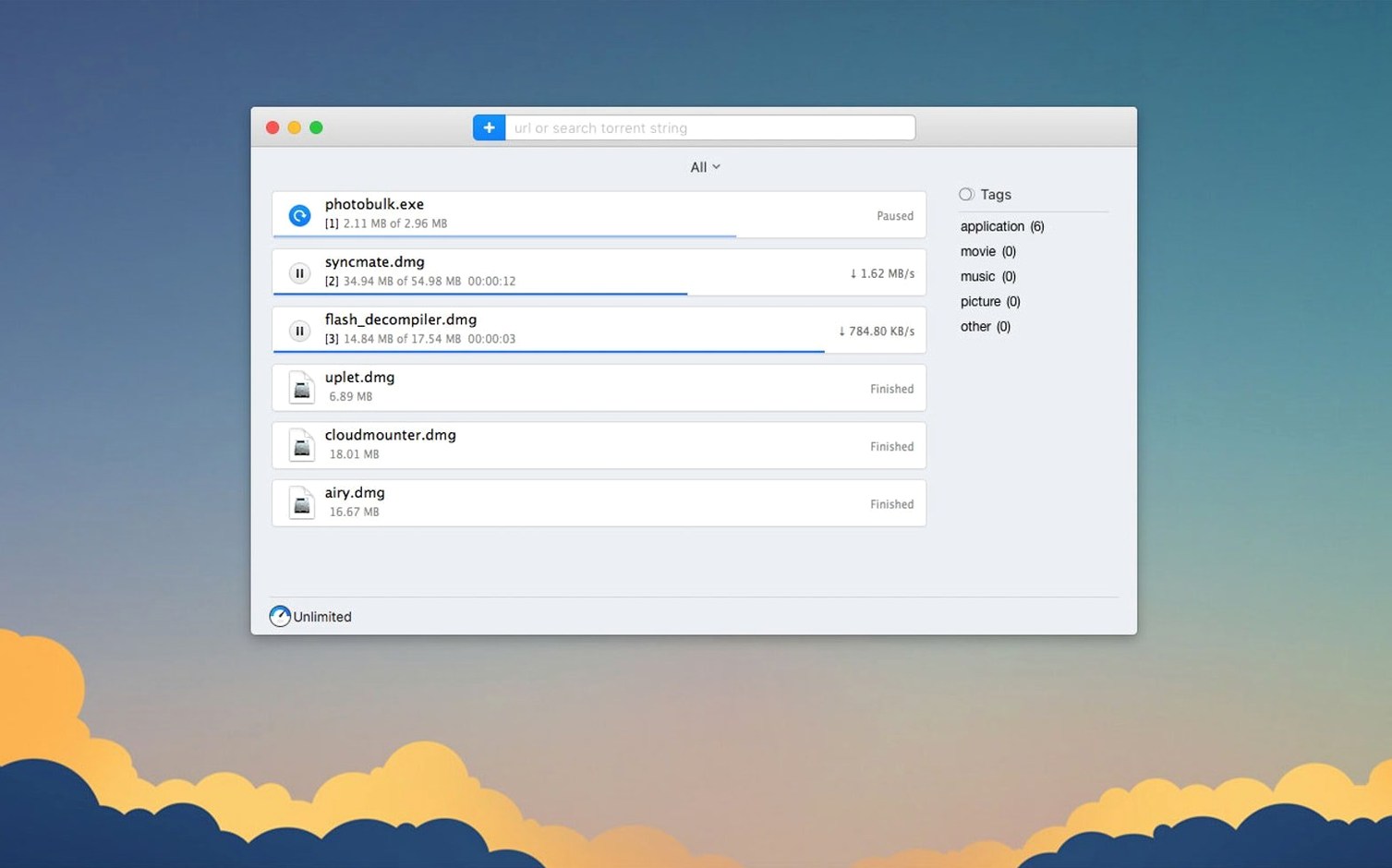
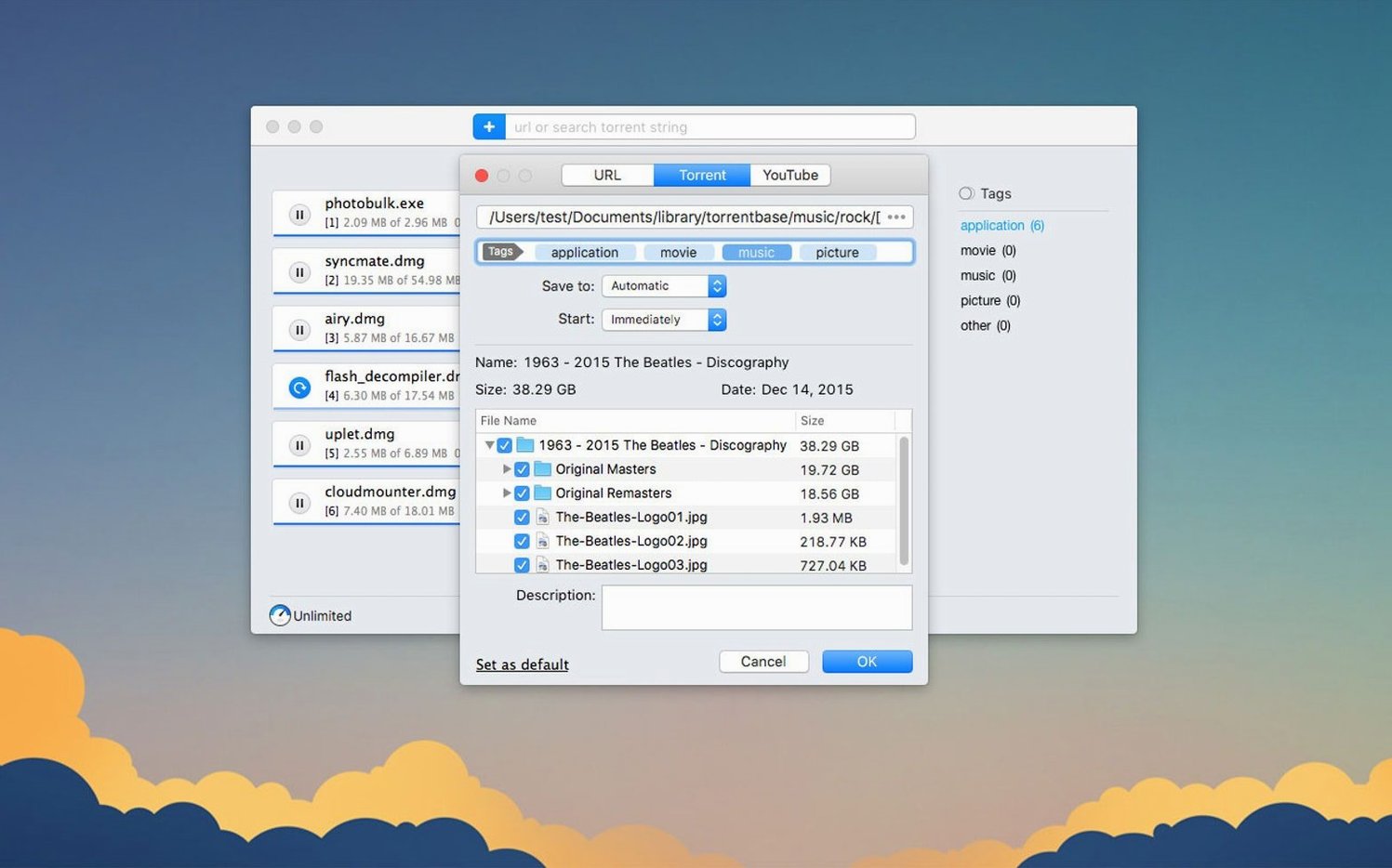
Folx Pro sweeps all of that into a single, organized window. I started my morning by pasting a magnet link for a Creative Commons film, then dragged in a handful of direct MP4 links from a work project. Instead of fighting for bandwidth, I told Folx to split each direct download into five threads and scheduled the torrent to start after 11 p.m. The app respected both without a hiccup—the direct files raced down while the torrent sat patiently in the queue.
The built-in search comes in handy when I'm hunting for openly shared music. Typing an artist name pulls results straight from within the app, and you can sort them by seed count with a single click to separate the ghosts from the healthy swarms. For YouTube links, I pasted a URL and Folx let me pick the save quality and rename the output file before it even touched my drive, which saved me a trip to Finder later.
It's refreshing to have a download manager that treats torrents as a first-class citizen rather than an afterthought, especially when you can mix and match download types in the same queue. If you regularly juggle direct links and magnet links and want to stop babysitting them, Folx slots into the menu bar and just gets on with it.
Idles at 90–120 MB, Stays Out of the Way
After a week of using Folx Pro 5.34 as my daily download hub, the first thing I noticed is how little I noticed it. The app idles around 90–120 MB of RAM with a handful of completed tasks in the list, and CPU use barely registers unless it's actively splitting a 20-thread direct download across a fast connection. On an Apple Silicon Mac, the native ARM build launches in under two seconds and feels snappy even when the torrent list grows past 50 items.
I threw a 9 GB torrent at it alongside three simultaneous direct downloads and watched Activity Monitor out of curiosity. Memory crept to about 180 MB, the fans stayed silent, and the queue kept chugging while I edited photos in Pixelmator Pro without a stutter. That's the real test for a download manager—staying out of the way when your Mac is already busy—and Folx passed it comfortably.
Torrent speeds matched what I get from other clients on the same swarm, and the 20-thread splitting for direct links genuinely shaved minutes off large file transfers from servers that throttle single connections. One thing I appreciate: you can cap the global download rate with a slider that actually sticks between restarts, so I set mine to 80% of my line speed and forgot about it.
Rough Edges and Quick Fixes
No app is frictionless, and Folx has a few spots where newcomers tend to trip. The most common snag I've seen in forums is magnet links that sit at "connecting" without ever grabbing metadata. The fix that works nine times out of ten is hopping into Preferences > Network and toggling the DHT and peer exchange checkboxes off and back on, then restarting the task. It forces Folx to refresh its node list, and the download usually picks up within a minute.
Another head-scratcher is the built-in torrent search returning zero results when your connection is fine. This almost always traces back to the proxy settings under Preferences > Proxy. If you've enabled SOCKS5 or HTTP proxy for torrent traffic, some search backends may fail to respond. Either switch the proxy to direct-only for searches or temporarily disable it while browsing. The 5.34 update improved proxy handling across the board, but it's worth knowing this quirk still lingers with certain providers.
If you're searching for a folx pro download and the app seems sluggish after importing a batch of magnet links, check whether you've accidentally left the "Verify downloaded data on completion" option on for every task. It's a good safety net for critical files, but running hash checks on a dozen simultaneous completions can peg your disk for a few minutes. I turn it on per-task via the right-click menu instead of globally.
Lastly, users who source folx torrent mac files and notice selective downloads not sticking should confirm they've expanded the torrent in the task list and unchecked unwanted files before hitting start. The 5.34 improvements to selective downloading make this more reliable than before, but changing selections mid-download can still confuse the task until you pause and resume it.
Archive.org Magnet Crashes Are Finally Fixed
The jump to version 5.34 brought fixes that matter more in daily rhythm than in a changelog. The crash when adding certain magnet links is gone—I'd hit it occasionally with magnet URIs from archive.org, and now they snap into the queue instantly. Torrent search doesn't randomly bail out anymore either, which makes the built-in browser feel trustworthy again for quick lookups.
Behind the scenes, the team reworked how completed torrent tasks are stored and tracked. In practice, this means the app no longer loses track of finished torrents when you move their files in Finder; it updates the path gracefully instead of throwing a red error icon. If you've ever used a Folx Pro Mac torrent setup across an external drive and an internal SSD, you'll feel this improvement immediately—the task list stays clean after disk swaps.
Selective file downloading within torrents got quieter improvements too. Previously, unchecking a folder inside a torrent often left small placeholder files behind. Now the skipped files genuinely stay off the disk, which keeps media directories tidy when you only want three songs from a 40-track live set.
The minimum macOS bump to 10.13 means High Sierra is now the floor, so folks on older machines will need to stay on a previous build, but the trade-off is a leaner codebase that uses modern networking APIs. For anyone running a current Mac, the stability gains are worth the cutoff.
Version 5.34.14042, released June 3, 2026, brings a round of polish to the torrent engine alongside a higher macOS floor.
- Improved torrent downloading and task storage.
- Better behavior when a proxy is enabled.
- Selective file downloading within torrents is smoother now.
- Fixed a crash when adding some magnet links.
- Fixed a crash during torrent search.
- Minimum macOS requirement is now 10.13 or later.
- macOS 10.13 or later
- Apple Silicon and Intel Macs
Questions people ask
Can Folx Pro handle both torrents and regular downloads?
Yes, it's a combined download manager and torrent client. You can queue up direct HTTP links, magnet links, and torrent files all in the same window.
Does Folx let me download YouTube videos?
It does. Paste a YouTube URL and Folx can grab the video, letting you choose the available save quality and rename the output file before downloading.
Can I schedule downloads for later?
Absolutely. You can set specific start times for any download or torrent, which is perfect for running large transfers overnight without manual intervention.
Also on readers' docks
Sign in or create an account to leave a comment.
No comments yet. Tell me how it got on with your other devices.
More in Mac Apps
See all Folder Preview Pro
3.1 Mac Apps
9 MB
Folder Preview Pro
3.1 Mac Apps
9 MB
 FontLab
8.4.3.8984 Mac Apps
131 MB
FontLab
8.4.3.8984 Mac Apps
131 MB
 Updated ForkLift
4.7.7 Mac Apps
19 MB
Updated ForkLift
4.7.7 Mac Apps
19 MB
 Updated FotoMagico
6.11.0 Mac Apps
75 MB
Updated FotoMagico
6.11.0 Mac Apps
75 MB
 Find Any File
2.6.1 Mac Apps
14 MB
Find Any File
2.6.1 Mac Apps
14 MB
 Fusion Studio 21
21.0.4 AIO Mac Apps
3.1 GB
Fusion Studio 21
21.0.4 AIO Mac Apps
3.1 GB
 Updated Final Cut Pro
12.4 CS Mac Apps
6.2 GB
Updated Final Cut Pro
12.4 CS Mac Apps
6.2 GB
 FileMaker Pro
21.0.1 Mac Apps
397 MB
FileMaker Pro
21.0.1 Mac Apps
397 MB