









Download Find Any File for macOS
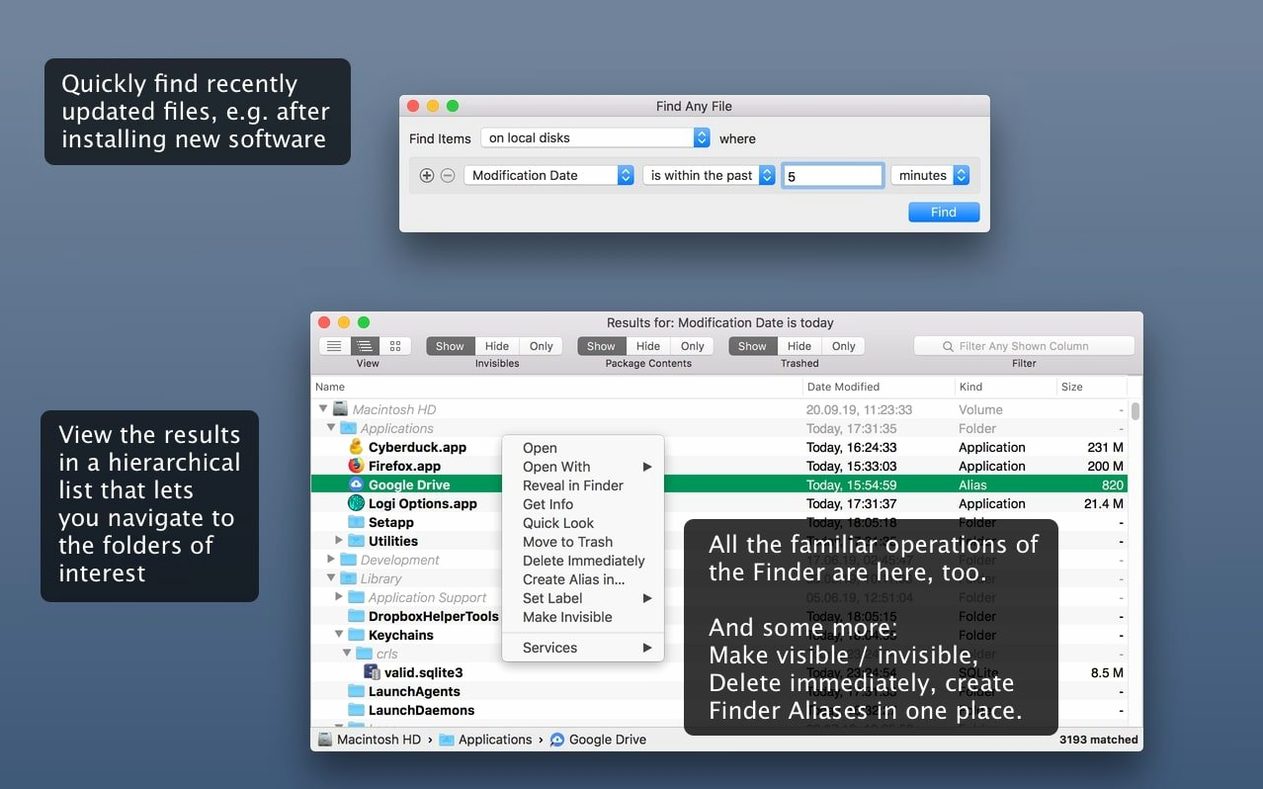
The hierarchical folder view is where Find Any File really earns its keep. Instead of a flat list of matches, you see results nested inside their actual folders, which makes it way easier to spot exactly which copy of a file you’re looking at—especially handy when you’ve got multiple versions scattered across a server volume.
Direct disk reads instead of a Spotlight index
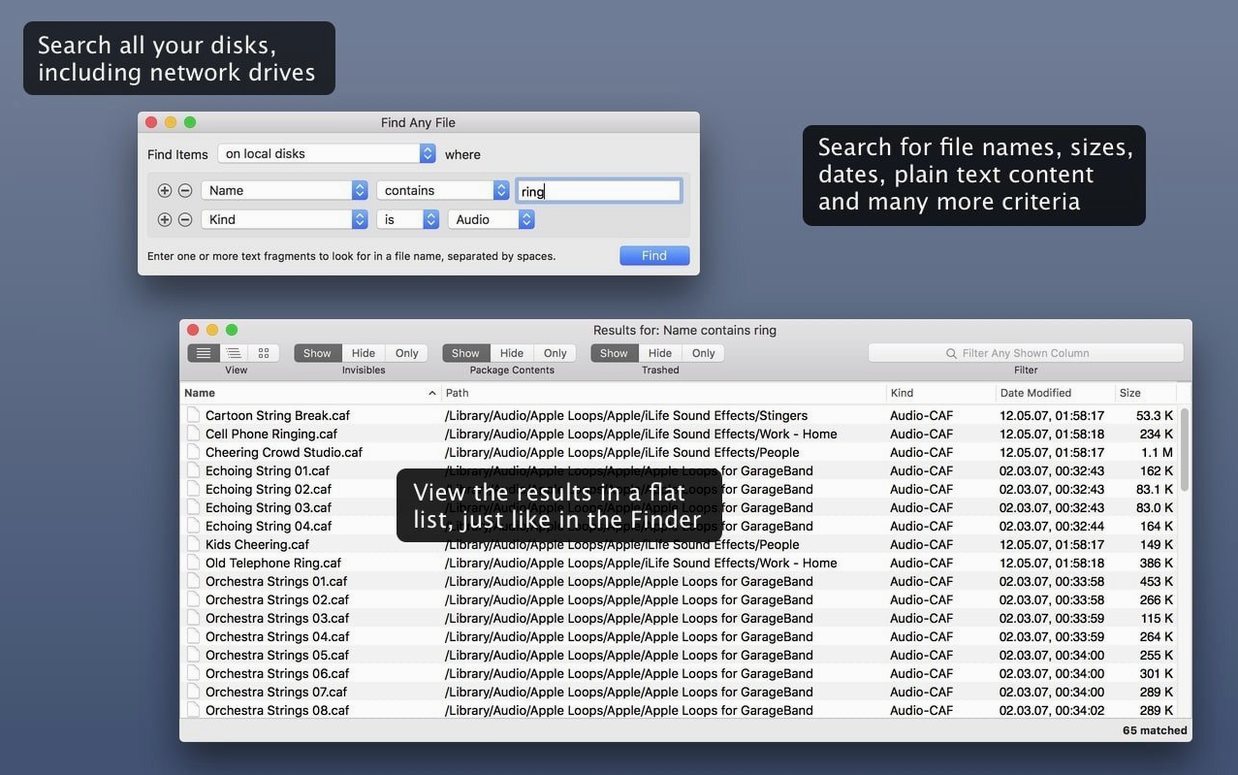
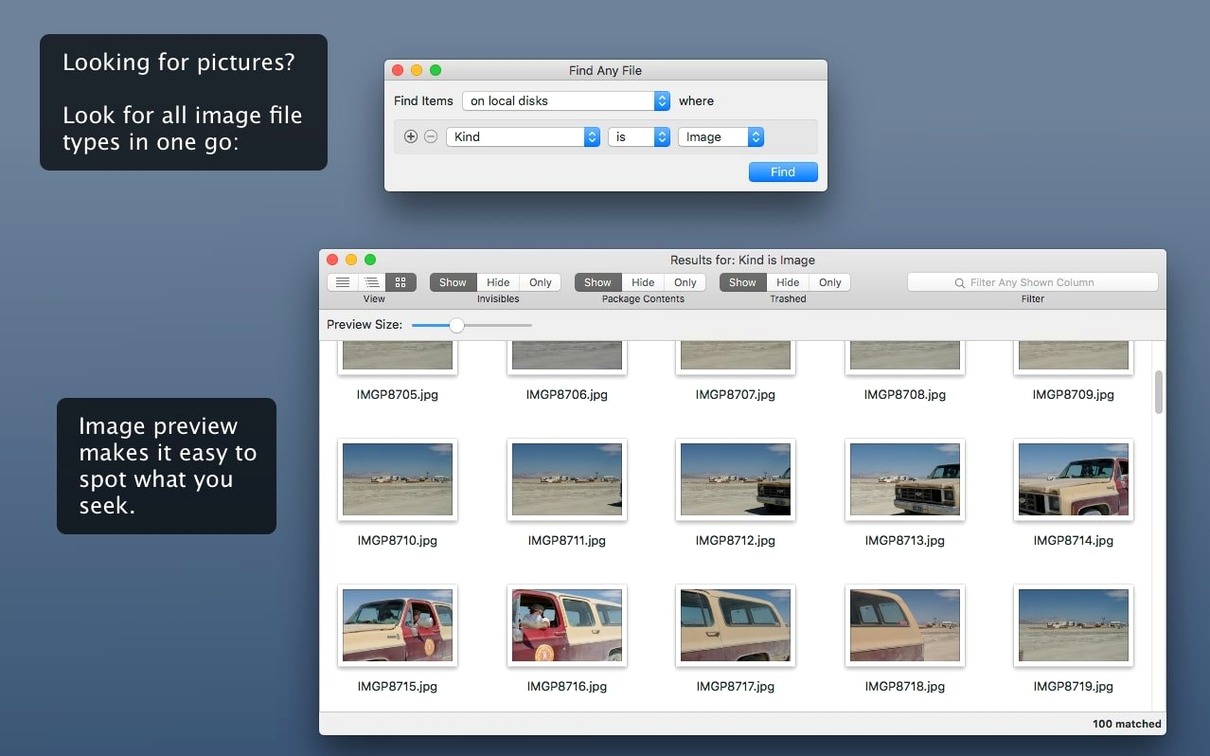
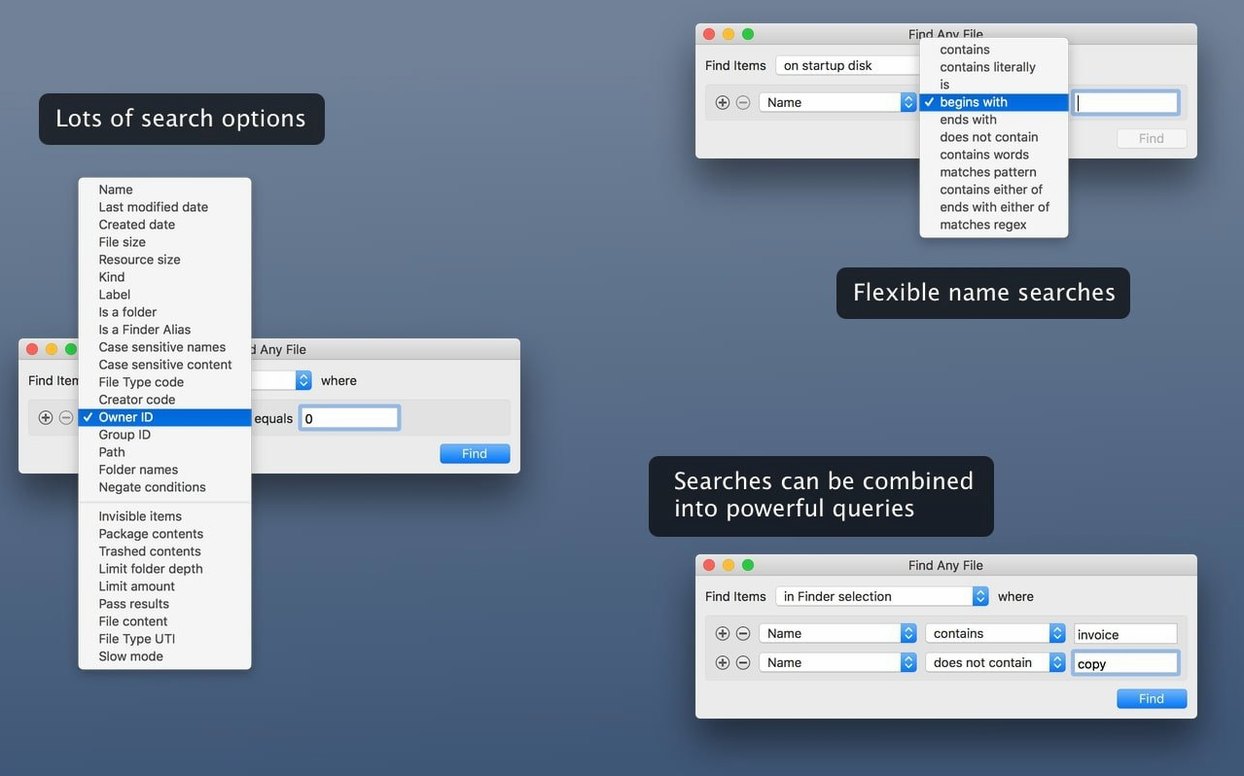
Find Any File, or FAF as users call it, is a Mac search tool that reads disks directly rather than leaning on a pre-built database. That one difference changes the whole game. It can find files on drives Spotlight doesn’t touch—network shares, external enclosures, and other oddball volumes. You can hunt by name, last-modified date, file size, or even plain text tucked inside documents. Version 2.6.1 runs on macOS 10.11 all the way up to the latest releases, and the 2.6 update brought AppleScript support alongside new columns for Comments, Trashed, and Hidden items.
Empty Finder searches meet their match
Anyone who’s ever watched the Finder search bar spin and come up empty will get it immediately. This is for people managing sprawling file servers, digging through old backup drives, or troubleshooting when a file they know is there simply won’t surface. If you prefer a tool that shows you the folder reality rather than an abstract results grid, Find Any File feels like common sense.
A photographer’s late-night rescue
Imagine a wedding photographer at 11 p.m., staring at a client email asking for one raw file from a shoot two years ago. Spotlight finds nothing—the external archive drive isn’t indexed. She mounts the disk, launches Find Any File, sets the date range to that weekend and the file extension to .cr3, and within seconds the whole folder tree appears, the missing shot sitting exactly where she left it. She drags it to the desktop and goes to bed. No database rebuild, no waiting, just a direct disk read that works when the clock is ticking.
Pre-install jitters about resource drain
Does it replace Spotlight completely?
No, and it isn’t meant to. Spotlight still handles email messages, PDF metadata, and Word document content far better. Find Any File is the companion you reach for when Spotlight draws a blank—network drives, system folders, or files buried inside app bundles that the indexer simply skips.
SSD and Apple Silicon put drag to rest
Because it reads the disk directly instead of querying an index, a deep scan on a big mechanical drive can feel a bit heavier than a Spotlight lookup. On modern SSDs and Apple Silicon machines, though, the difference shrinks to barely noticeable. You can always pause a search or narrow the criteria if things get busy.
Can it search inside files, or just names?
It digs into plain text content—think logs, scripts, CSV files, and raw text dumps. Formatted documents like Word files or PDFs with complex layouts aren’t its strength; that’s where Spotlight’s indexer has the edge.
Does it handle server volumes well?
That’s one of the main reasons people pick it up. SMB shares, AFP volumes, even some NAS setups that Spotlight ignores entirely—Find Any File treats them like any other disk and reads the directory structure directly.
Hierarchical folder view gives FAF the edge over EasyFind
EasyFind comes from the same family of direct-disk search tools and shares the no-index philosophy. EasyFind feels a little more approachable with its single-window design and operator-based filters, but it lacks the hierarchical folder view that makes Find Any File so practical when you’re sifting through dozens of similarly named results across nested directories.
Tembo takes a different path. It sits on top of Spotlight’s index and tries to make the built-in search smarter with grouped results and quicker filtering. It’s genuinely helpful for everyday office document hunts, but it inherits Spotlight’s blind spots—if a volume isn’t indexed, Tembo won’t see it at all. Find Any File ignores that limitation entirely.
HoudahSpot is the power user of the Spotlight-based crowd, with intricate criteria builders and saved search templates. It’s fantastic when you need to construct a complex query against a well-indexed drive. The trade-off is the same: no index means no results. Find Any File’s brute-force approach wins whenever you’re outside Spotlight’s comfort zone—bootable clones, old archives, or system folders the indexer politely declines to touch.
Version 2.6 brought a few welcome additions:
- AppleScript support for automating searches.
- New result columns for Comments, Trashed, and Hidden attributes.
- More reliable detection of Finder comments in search results.
- macOS 10.11 or newer
- Works on both Intel and Apple Silicon Macs
Questions people ask
Does Find Any File search inside files?
Yes, it can search for plain, unformatted text inside files, which helps when you’re hunting by content rather than file name.
Also on readers' docks
Sign in or create an account to leave a comment.
No comments yet. Tell me how it got on with your other devices.
More in Mac Apps
See all Updated Final Cut Pro
12.4 CS Mac Apps
6.2 GB
Updated Final Cut Pro
12.4 CS Mac Apps
6.2 GB
 FileMaker Pro
21.0.1 Mac Apps
397 MB
FileMaker Pro
21.0.1 Mac Apps
397 MB
 Folder Preview Pro
3.1 Mac Apps
9 MB
Folder Preview Pro
3.1 Mac Apps
9 MB
 Folx Pro
5.34 Mac Apps
30 MB
Folx Pro
5.34 Mac Apps
30 MB
 FontLab
8.4.3.8984 Mac Apps
131 MB
FontLab
8.4.3.8984 Mac Apps
131 MB
 Updated ForkLift
4.7.7 Mac Apps
19 MB
Updated ForkLift
4.7.7 Mac Apps
19 MB
 Updated FotoMagico
6.11.0 Mac Apps
75 MB
Updated FotoMagico
6.11.0 Mac Apps
75 MB
 Updated Exposure X7
7.3.2 Mac Apps
551 MB
Updated Exposure X7
7.3.2 Mac Apps
551 MB