









Download Elmedia Player Pro for macOS
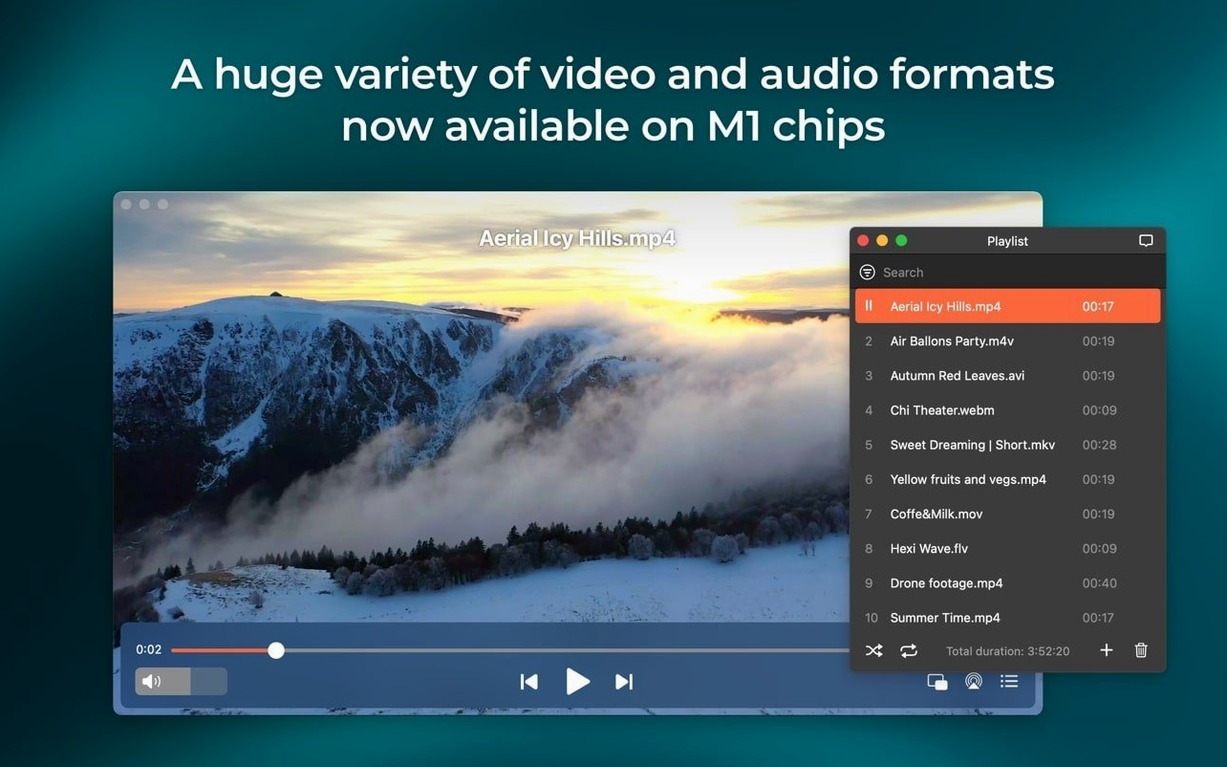
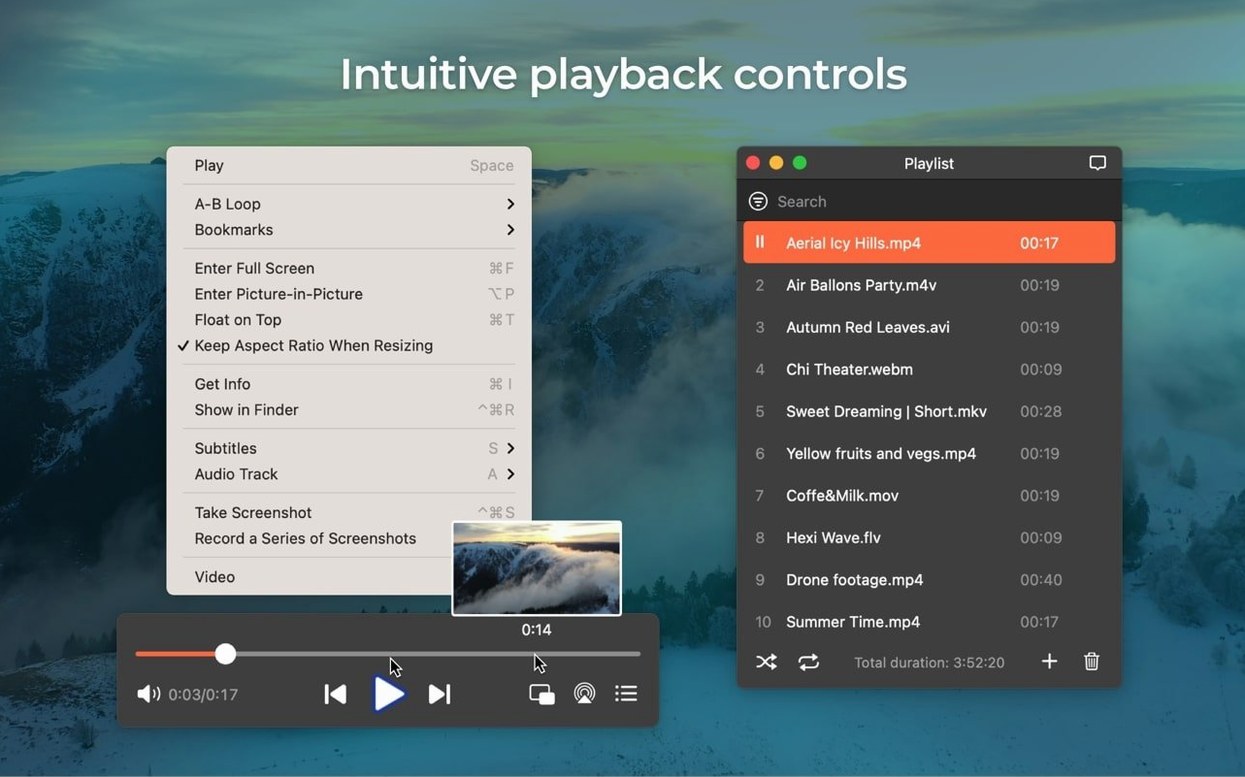
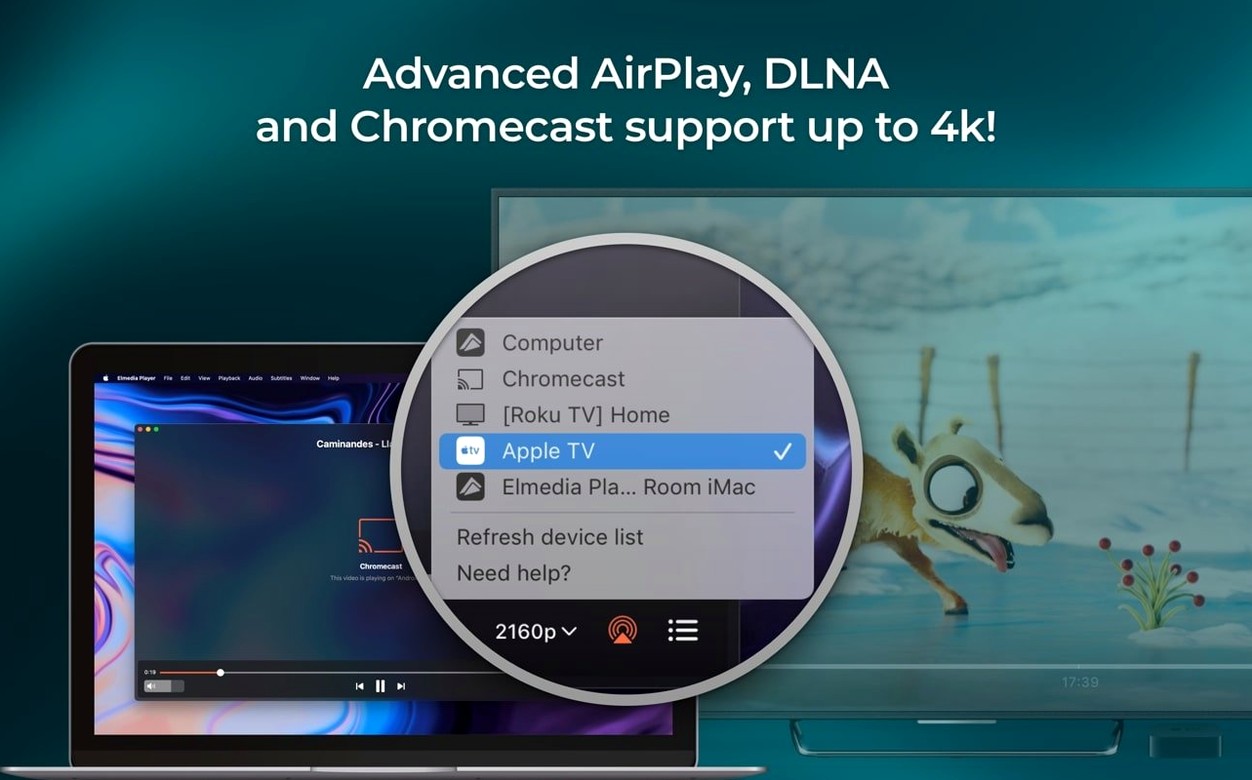
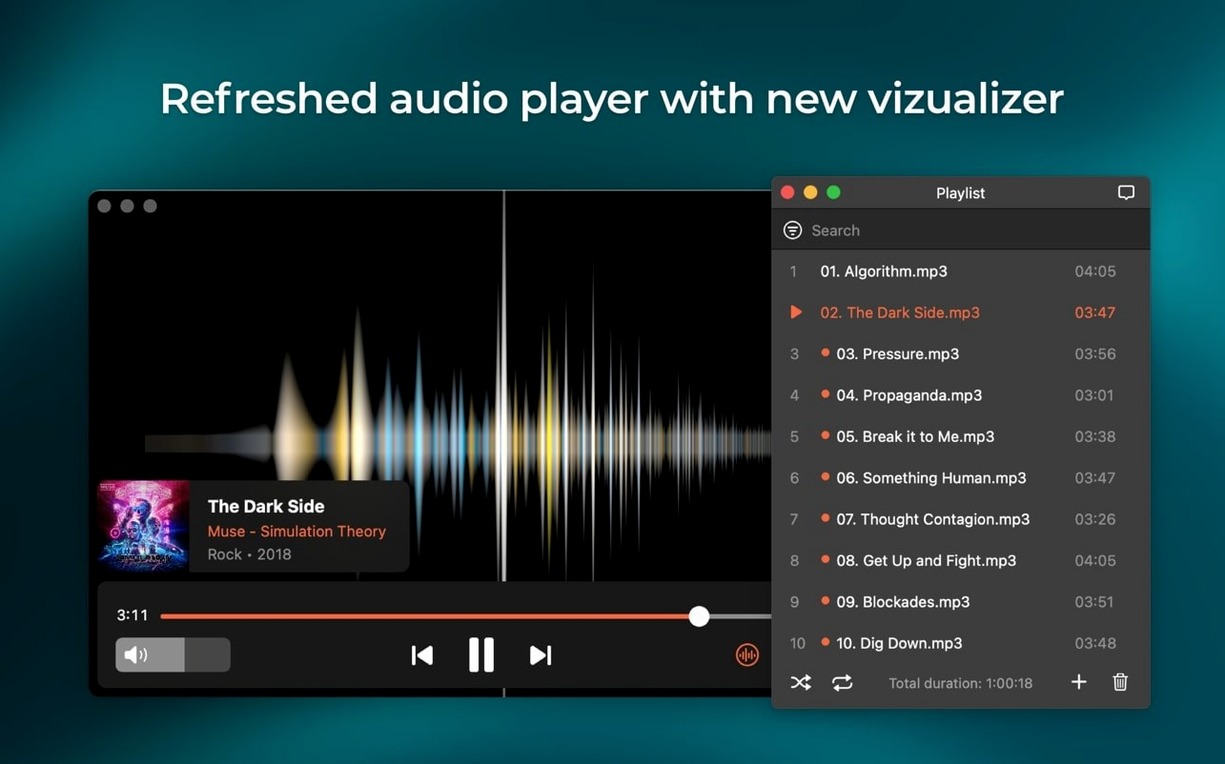
Version 8.24 landed with a handful of welcome fixes and a neat addition: M4B audiobook support. It also plays nicer with macOS 26 and won't let your Mac doze off mid-stream anymore. A couple of streaming bugs got squashed, so casting to certain devices is back to being reliable.
Why it earns a spot in the dock
- Format flexibility. FLV, SWF, WMV, AVI, MOV, MP4, MP3, FLAC, MKV — the list goes on. You stop worrying about file extensions and just hit play.
- Streaming that fits your setup. AirPlay support lets you beam video or audio to speakers, an Apple TV, or another Mac running Elmedia. RTMP stream downloads are built right in, too.
- Audio the way you want it. Output through headphones, HDMI, or S/PDIF with passthrough for AC-3 and DTS on DVDs. Multichannel setups get 2, 4, or 8-channel options.
- Smooth HD playback. Hardware-accelerated decoding keeps things crisp without hammering the processor.
Little tools that stick
Grab a screenshot mid-scene without fussing with third-party utilities. The player handles local files and network streams with the same straightforward interface. If your library is a mix of old SWF projects, high-bitrate MKVs, and new M4B audiobooks, Elmedia pulls them all into one reliable window.
In daily use, the player stays out of the way when it should and responds quickly when you need it. I keep it running alongside a dozen Safari tabs, Mail, and Notes on an M1 Mac, and it rarely nudges memory pressure into the yellow. Opening a 4GB MKV feels nearly instant — the file appears on screen before I can move my hand back to the trackpad. Scrubbing through a two-hour video with hardware decoding enabled is smooth, no stuttering or audio drift, which isn't something I take for granted after using other players that choke on high-bitrate H.264 files.
Stability holds up across long sessions too. I've queued six hours of mixed-format video for background playback while working, and it never beachballed or dropped a stream. The one crash I triggered came from feeding it a corrupted SWF file from 2008, which honestly felt like a fair outcome. CPU usage during hardware-accelerated playback hovers around 6-8% on Apple Silicon, and even software-decoded 1080p clips rarely push past 15%. Battery drain on a MacBook Air is modest enough that a two-hour film knocks off maybe 25%, about what you'd expect from any well-optimized video app.
Where new users trip up
First-time users often miss that the player treats local files and network streams differently in the interface. Dragging a URL onto the window doesn't always behave like dragging a file — you're better off pasting it into the Open URL dialog or using the built-in browser. Skipping that step leads people to think streaming is broken when the window stays blank.
Another common stumble is AirPlay setup. The Mac and the target device need to be on the same network, but so does the Bonjour discovery service. If you've tinkered with firewall rules or use a VPN that routes local traffic oddly, Elmedia won't see your Apple TV until you straighten that out. Also, the audio passthrough option for AC-3 and DTS remains off by default. Home theater enthusiasts sometimes assume it's handling surround sound automatically and wonder why their receiver shows stereo — flip the switch in playback preferences and it lights right up.
People occasionally discover an elmedia player pro crack floating around download boards and assume they're getting the full feature set. These modified bundles can work fine if you know what to check—just verify AirPlay handshake permissions, confirm macOS version compatibility, and make sure M4B chapter markers are recognized before committing to your library. The version on this site works cleanly with macOS 26 and doesn't carry the weird glitches that come from tampered binaries.
Sleep prevention now keeps long casts alive
The jump to 8.24 tightened a few things that annoyed longtime users. The sleep prevention improvement might sound minor on paper, but if you regularly cast a playlist to speakers and wander off, your Mac now stays awake reliably instead of killing the stream halfway through. Before the fix, certain device combinations triggered a sleep timeout despite the streaming activity — it was inconsistent enough to be maddening.
Streaming fixes addressed two specific pain points: some Samsung and LG TVs dropped the connection after a few minutes, and the device list occasionally threw an error when you opened it before the network scan finished. Both are resolved. The M4B addition is the star here — audiobook chapters now appear in the playlist panel, and bookmarks persist between sessions. If you've been juggling a separate audiobook app for one format, Elmedia now handles it alongside your video library.
Toggle sleep setting for uninterrupted casting
Out of the box the defaults are sensible, but a few tweaks make daily use noticeably smoother. Head into preferences after installation and adjust these:
- Enable "Prevent computer from sleeping during playback." Tucked under the playback tab, this stops your Mac from dimming the screen during a film or cutting off a long audio queue. The 8.24 update made it smarter about streaming scenarios too.
- Turn on hardware acceleration if available. Most Macs handle this fine, but it's not always auto-detected. You'll find it under video preferences — it drops CPU usage dramatically on HD and 4K files.
- Set screenshot format to PNG. The default is TIFF, which eats disk space unnecessarily. PNG gives you lossless frames at a fraction of the size, and you can switch to GIF if you're grabbing short sequences for reference.
- Configure audio output channels explicitly. If you use external speakers or an AV receiver, set the channel count to match your hardware (2, 4, or 8) instead of leaving it on automatic. Pair this with enabling AC-3/DTS passthrough if your audio path supports it over HDMI or S/PDIF.
- Adjust subtitle font and size. The stock font size is a bit small on high-resolution displays. Bumping it up two points and choosing a heavier weight makes subtitles readable without squinting, especially on a MacBook screen.
One last tip for anyone who grabs an elmedia player mac crack from alternative sources: those builds often skip the codec licensing that makes hardware acceleration work properly. To get smooth playback, head into Preferences → Video and confirm hardware decoding is enabled, then test a high-bitrate file—when everything's dialed in, the player breezes through just like the PRO version. Stick with a clean build and the settings above, and the player earns its place without drama.
- Added support for M4B audiobook files.
- Improved compatibility with macOS 26.
- Improved preventing the Mac from sleeping while streaming.
- Fixed streaming to certain devices.
- Fixed errors when opening the list of devices for streaming.
- Requires macOS 10.12 or later.
- Runs natively on both Intel and Apple Silicon Macs.
Also on readers' docks
Sign in or create an account to leave a comment.
No comments yet. Tell me how it got on with your other devices.
More in Mac Apps
See all Element 3D
2.2.3 Mac Apps
320 MB
Element 3D
2.2.3 Mac Apps
320 MB
 DynamicLake Pro
1.8 Mac Apps
115 MB
DynamicLake Pro
1.8 Mac Apps
115 MB
 Dynamic Wallpaper Engine
25.4 Mac Apps
26 MB
Dynamic Wallpaper Engine
25.4 Mac Apps
26 MB
 Updated Exposure X7
7.3.2 Mac Apps
551 MB
Updated Exposure X7
7.3.2 Mac Apps
551 MB
 DxO PureRAW 6
6.4.1 Mac Apps
968 MB
DxO PureRAW 6
6.4.1 Mac Apps
968 MB
 DxO PhotoLab
9.10.0 Mac Apps
2.3 GB
DxO PhotoLab
9.10.0 Mac Apps
2.3 GB
 DVDFab
12.0.8.2 Mac Apps
413 MB
DVDFab
12.0.8.2 Mac Apps
413 MB
 Updated Duplicate File Finder Pro
9.2.1 Mac Apps
37 MB
Updated Duplicate File Finder Pro
9.2.1 Mac Apps
37 MB