








Download Element 3D for macOS
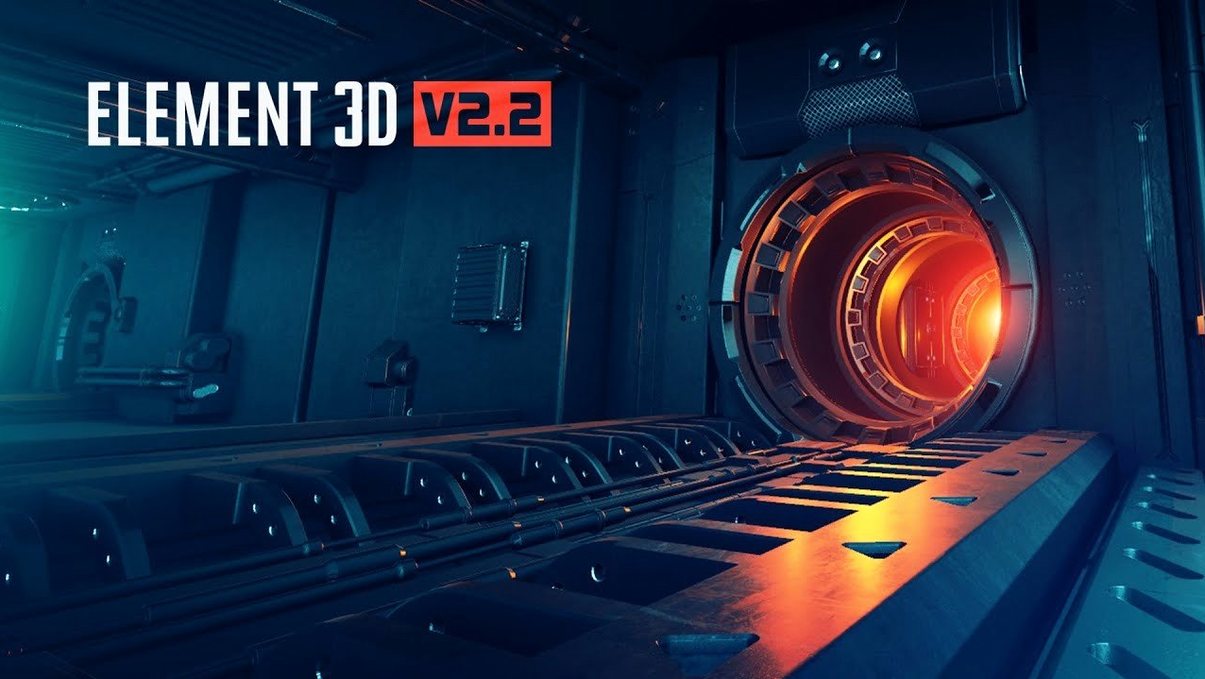
After Effects has decent 3D layers, but when you need actual models, reflections, and particle replication inside your comp, it hits a wall. That's where Element 3D from Video Copilot slots in: a full OpenGL 3D engine that lives right inside AE.
Building a shattered title sequence
Here's one way I'd approach a kinetic text shatter — no pre-renders, all inside After Effects.
- Set up the 3D scene. Apply Element 3D to a solid. In the Scene Setup, import your letter models as OBJ files and assign them to separate 3D object groups. The help files mention up to 5 independent groups, which is plenty for splitting "before" and "after" states of each letter.
- Dial in the replicator. In the 3D Object Groups control, switch from single model to a particle replicator. Scatter copies of your letters across a spherical field, adjust the particle count, and add random rotation. The object-based particle system handles this without bogging down the timeline.
- Animate the transition. Keyframe the particle position and rotation back to zero over a few frames. The scattered shards snap into place as the intact title, and the improved OpenGL renderer gives you real-time feedback as you scrub.
- Add materials and lighting. Tweak the physical shader with some metallic reflection and drop in an environment map. A couple of AE lights in the comp tie it all together.
It's a fast way to get cinematic 3D motion without leaving your After Effects timeline. Motion designers who already think in AE keyframes will feel right at home.
Spinning five glossy product screens from raw OBJs
I open a project that needs a product lineup — five devices, glossy screens, the kind of spin that makes marketing people lean forward. The models are OBJ files a colleague handed off from Cinema 4D. I drop a solid onto a fresh comp, apply Element 3D, and the Scene Setup window opens. No waiting. The interface is dense but logical once you've clicked through it a couple of times.
I assign each device to its own group. The help files mention five independent 3D groups, so I've got one per product with room to spare. Group one gets the laptop; I drag the OBJ straight into the slot. Group two gets the tablet. The OpenGL engine kicks in immediately — the viewport is responsive even with high-poly models, and I can orbit, zoom, and nudge things around without a pre-render in sight.
Next I want a particle field of smaller icons swirling in the background. I create a third group, load a tiny OBJ of an app icon, and switch the replicator on. A few hundred instances scatter into a rough sphere. I pull the particle count slider, tilt the distribution, and keyframe the rotation so they drift gently. Scrubbing the timeline gives me near-instant feedback. No render queue, no RAM preview gymnastics.
Materials come last because I know the lighting will shift them. I apply a brushed metal shader to the laptop body — the physical shader handles reflections convincingly enough for client work — and a glossy screen material with a subtle environment map. I place two AE lights in the comp: a warm key and a cool rim. The models react. The specular highlights glide across the screens as I animate a slow camera move. Within forty minutes I've got a sequence that would have taken half a day bouncing between apps.
Staying in After Effects with C4D assets
Element 3D doesn't try to replace a full 3D suite. It works best when you stay inside After Effects but need something solid. Models come from Cinema 4D via OBJ export, or from any package that writes OBJs — Blender, Maya, even some CAD tools in a pinch. The plug-in reads the geometry and you're off.
On the macOS side, it plays nicely with AE's native 3D camera and lights. If you've already got a camera move keyframed for other layers, Element 3D picks it up. The depth of field and motion blur integrate through AE's own renderer, so your 3D objects sit in the same visual space as your 2D type and footage.
I often stack it with standard AE effects. A glow on top of a particle group, some chromatic aberration, a subtle lens flare — all applied as layer effects above the Element 3D solid. It's not a closed sandbox. The render order makes sense: Element draws the objects, then AE processes the effects stack on top.
The Intel architecture requirement means you're running it on a Mac with an Intel chip or through Rosetta; the plug-in is 64-bit x86 and expects that environment. In practice, I've had it running smoothly on older Intel MacBook Pros as long as the model complexity stays reasonable. The OpenGL engine does the heavy lifting, and it's been tuned well enough that you're not fighting for frames during layout.
Stuff people wonder about beforehand
Do I need to know 3D software? Not deeply. If someone hands you OBJ files, you can load them and go. Building your own models from scratch is a different story — that still happens in a dedicated 3D app. But the plug-in's job is to bring those models into AE and let you animate, replicate, and shade them without ever touching the original modeling environment.
Is the particle system just for explosions and debris? That's the obvious use, but the replicator handles subtle work too. I've used it to scatter raindrops on a window, populate a bookshelf with random spines, and create glowing data nodes for a tech explainer. The object-based approach means you're distributing actual 3D models, not flat sprites, so they catch light and cast shadows properly.
How does it handle heavy scenes? The OpenGL renderer is efficient, but it's still real-time 3D inside a compositing app. You'll feel poly counts and high particle numbers eventually. The trick is working in draft mode for layout, then switching to full quality for final renders. The improved engine in version 2.2.3 handles reflections and shadows better than earlier builds, so you can keep more of those features live while you work.
What about updates and compatibility? Version 2.2.3 is an update over the 2.2 release, and it's current. People searching for an Element 3D Mac download or wondering about an Element 3D Mac torrent should know that the plug-in ships as a standard After Effects plug-in package — installation follows the same pattern as any AE plug-in: drop it in the right folder, follow the included activation instructions, and it shows up in the Effects menu.
Some folks chase an Element 3D crack or an Element 3D torrent because they want to test the water first, and I get the instinct. The plug-in is part of a professional toolchain where stability matters, and many users find that a properly set up installation respects the activation steps and stays out of your way. If you're deep in motion graphics and tired of round-tripping to an external 3D app just to animate a product turntable or a particle reveal, this is the kind of tool that changes how you schedule a project.
Version 2.2.3 updates the OpenGL 3D rendering engine inside this object-based particle plug-in, keeping things snappy as you work.
- Intel architecture
- Adobe After Effects
Also on readers' docks
Sign in or create an account to leave a comment.
No comments yet. Tell me how it got on with your other devices.
More in Mac Apps
See all Elmedia Player Pro
8.24 Mac Apps
157 MB
Elmedia Player Pro
8.24 Mac Apps
157 MB
 DynamicLake Pro
1.8 Mac Apps
115 MB
DynamicLake Pro
1.8 Mac Apps
115 MB
 Dynamic Wallpaper Engine
25.4 Mac Apps
26 MB
Dynamic Wallpaper Engine
25.4 Mac Apps
26 MB
 DxO PureRAW 6
6.4.1 Mac Apps
968 MB
DxO PureRAW 6
6.4.1 Mac Apps
968 MB
 Updated Exposure X7
7.3.2 Mac Apps
551 MB
Updated Exposure X7
7.3.2 Mac Apps
551 MB
 DxO PhotoLab
9.10.0 Mac Apps
2.3 GB
DxO PhotoLab
9.10.0 Mac Apps
2.3 GB
 DVDFab
12.0.8.2 Mac Apps
413 MB
DVDFab
12.0.8.2 Mac Apps
413 MB
 Updated Duplicate File Finder Pro
9.2.1 Mac Apps
37 MB
Updated Duplicate File Finder Pro
9.2.1 Mac Apps
37 MB