
Download coconutBattery Plus for macOS
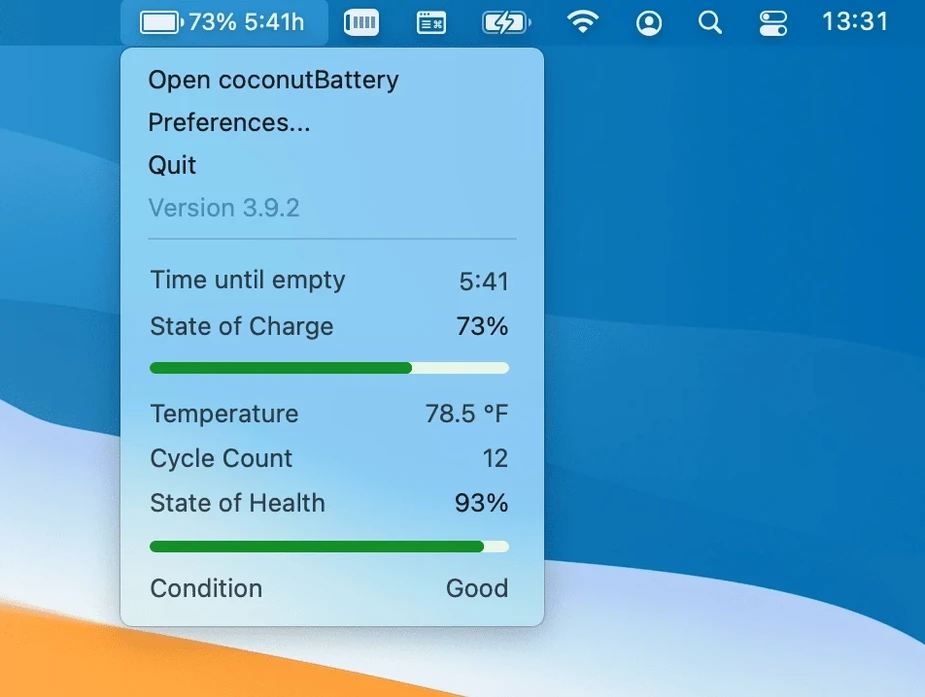
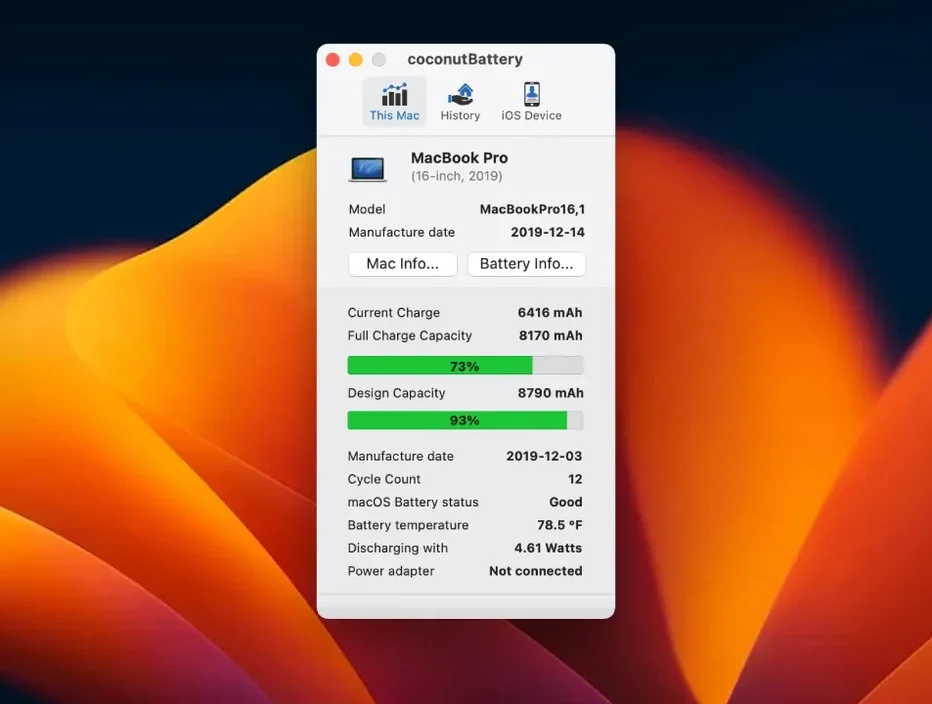
Anyone who keeps a MacBook past its first year eventually starts glancing at the battery menu bar icon with a little more suspicion. That's the crowd coconutBattery Plus was built for — people who want the full story, not just a percentage. It pulls back the curtain on charge, maximum capacity, battery age, and even the device's manufacturing date, all from a clean single window.
Check your battery's birth certificate
Open the app and you'll see more than the current charge level. It surfaces the battery's age and the Mac's age side by side, so you know exactly how much time has passed since they left the factory.
Save a snapshot for later
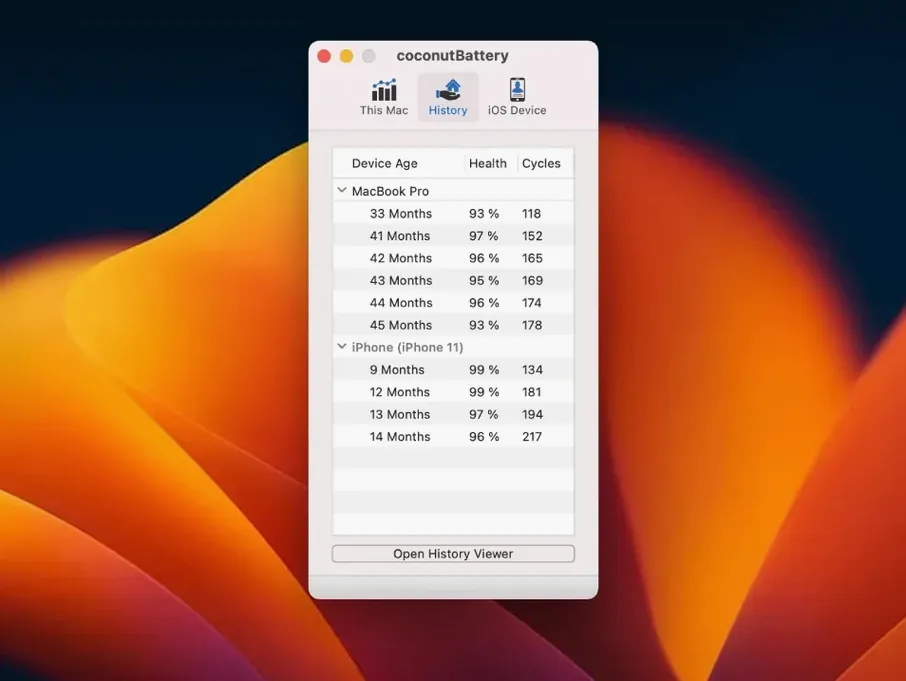
Battery wear happens so gradually it's hard to notice. coconutBattery Plus can save your current health information right now, giving you a baseline to compare against next month or next year — useful when you're wondering if that shorter runtime is real or imagined.
Dig into the quality details
Beyond the headline numbers, the tool displays manufacturer info and battery quality data that macOS normally keeps to itself. It's the kind of detail that helps when you're diagnosing an aging machine or checking a second-hand purchase before you hand over any cash.
When a battery replacement is cheaper than a new Mac
Long-term MacBook owners who plan to keep a machine for three, four, or even five years are the natural audience here. When you're outside AppleCare and debating a battery replacement versus a new laptop, coconutBattery Plus gives you concrete numbers instead of gut feelings. The cycle count and maximum capacity trend tell a story that a simple "Service Recommended" warning never will.
Second-hand buyers get a lot of value too. Plug in a used MacBook and you can pull up the battery's full history — manufacturing date, charge cycles, and whether the capacity has already dipped below 80%. That five-minute check has saved more than a few people from a machine that looks pristine but needs an immediate $200 battery service.
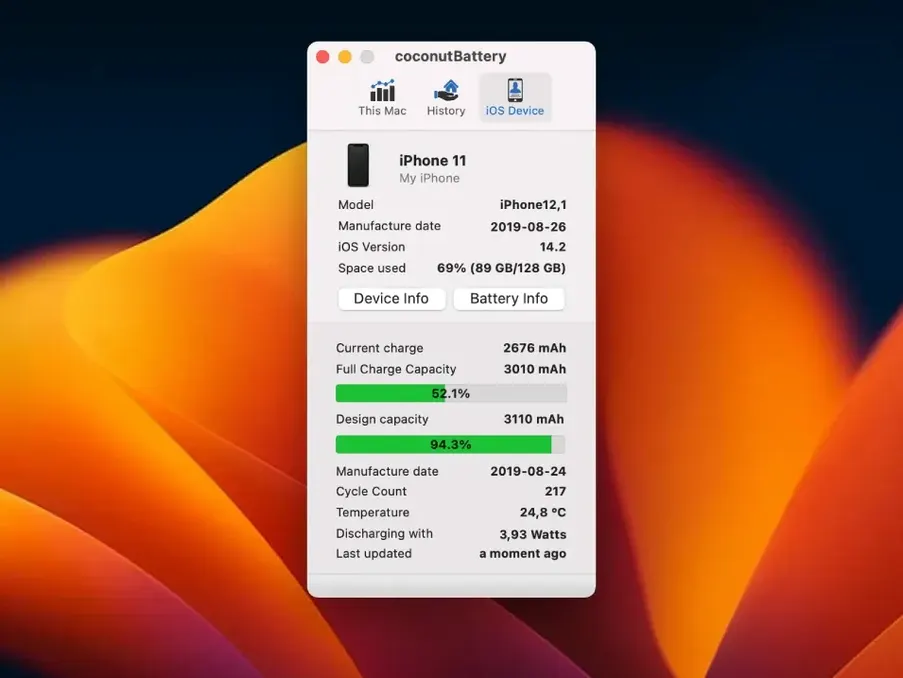
And if you live with an iPhone or iPad in the same ecosystem, the app pulls in their battery stats through a wired connection. One window, every device's health at a glance, no digging through iOS settings menus.
What 4.4 quietly improved
The jump to version 4.4 brought macOS Tahoe and iOS/iPadOS 26 support, which keeps everything running smoothly on the latest betas and public releases. That's table stakes for a utility like this, and it arrived on time.
More interesting for daily use is the new USB device connection details tucked into the Advanced Details section. If you've ever plugged in an iPhone and wondered why it wasn't showing up, that extra layer of connection info helps troubleshoot the handshake between your Mac and the device — no more guessing whether the cable or the port is the culprit.
The battery manufacturer display got a fix too. On some Mac models the field was blank or showed incomplete data; now it reports correctly, which matters when you're comparing original batteries against third-party replacements.
Three settings to tweak right after install
Once you've dragged the app into Applications and launched it, a few adjustments make it more useful day to day. Head into the preferences panel and enable automatic saving for battery health snapshots — that way you build a history without remembering to click save every week.
Next, turn on iOS device notifications so you get a gentle nudge when a connected iPhone or iPad drops below a certain capacity threshold. It's easy to ignore your phone's battery health until it's too late, and this puts the reminder where you'll actually see it.
Finally, switch the menu bar display from percentage to mAh remaining if you prefer precision over the vague icon. The raw number drops predictably under load, while the percentage can sit at 100% for an hour and then tumble — mAh tells you what's really happening.
Version 4.4 arrives with support for macOS Tahoe and iOS/iPadOS 26, plus a couple of practical fixes:
- Added support for macOS Tahoe and iOS/iPadOS 26.
- USB device connection details now appear in Advanced Details.
- Fixed how battery manufacturer information displays on Mac.
- macOS 12 Monterey or later
- Works on Intel and Apple Silicon Macs
- Interface: English
Also on readers' docks
Sign in or create an account to leave a comment.
No comments yet. Tell me how it got on with your other devices.