
Download Cocktail Sequoia Edition for macOS
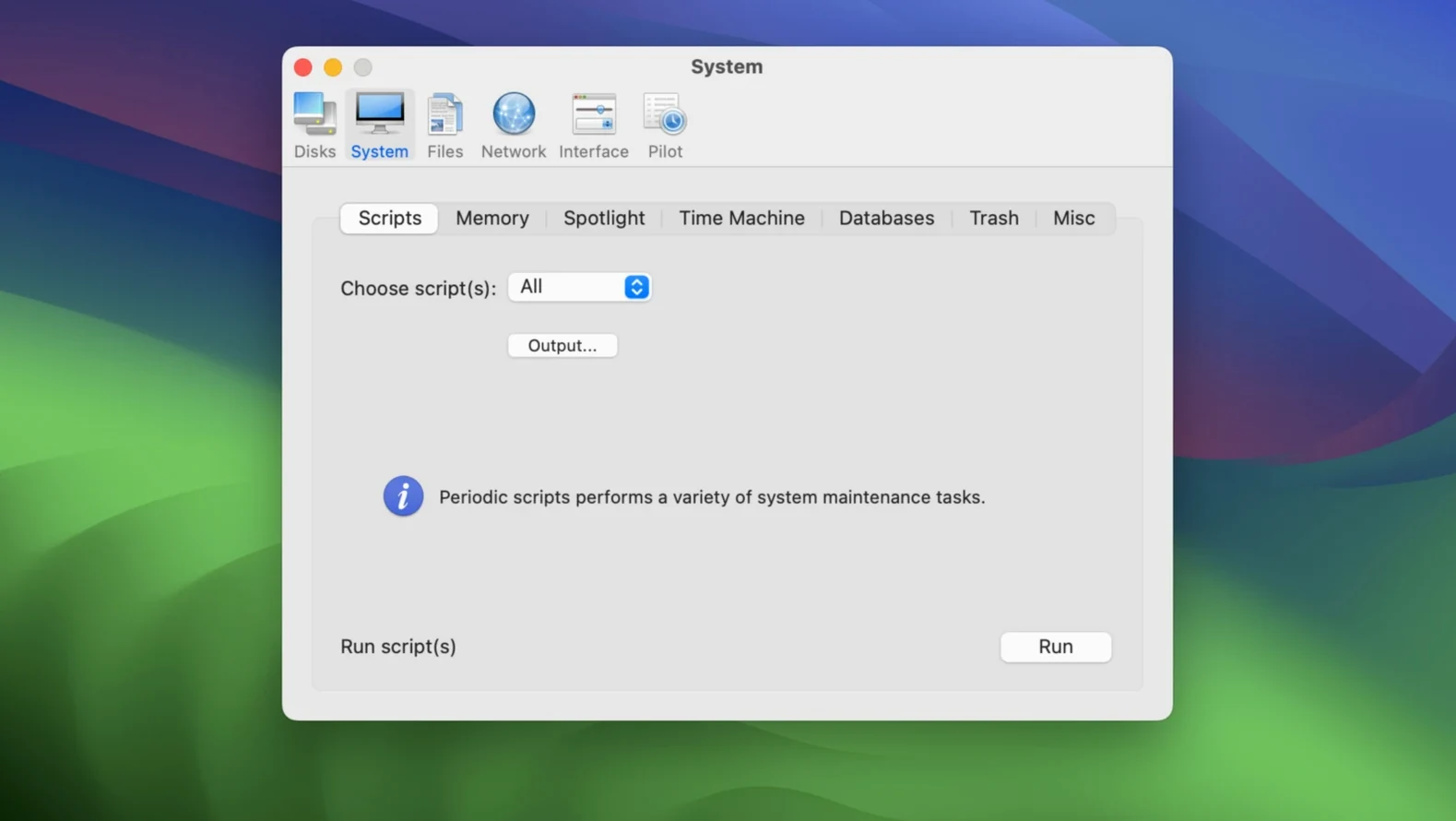
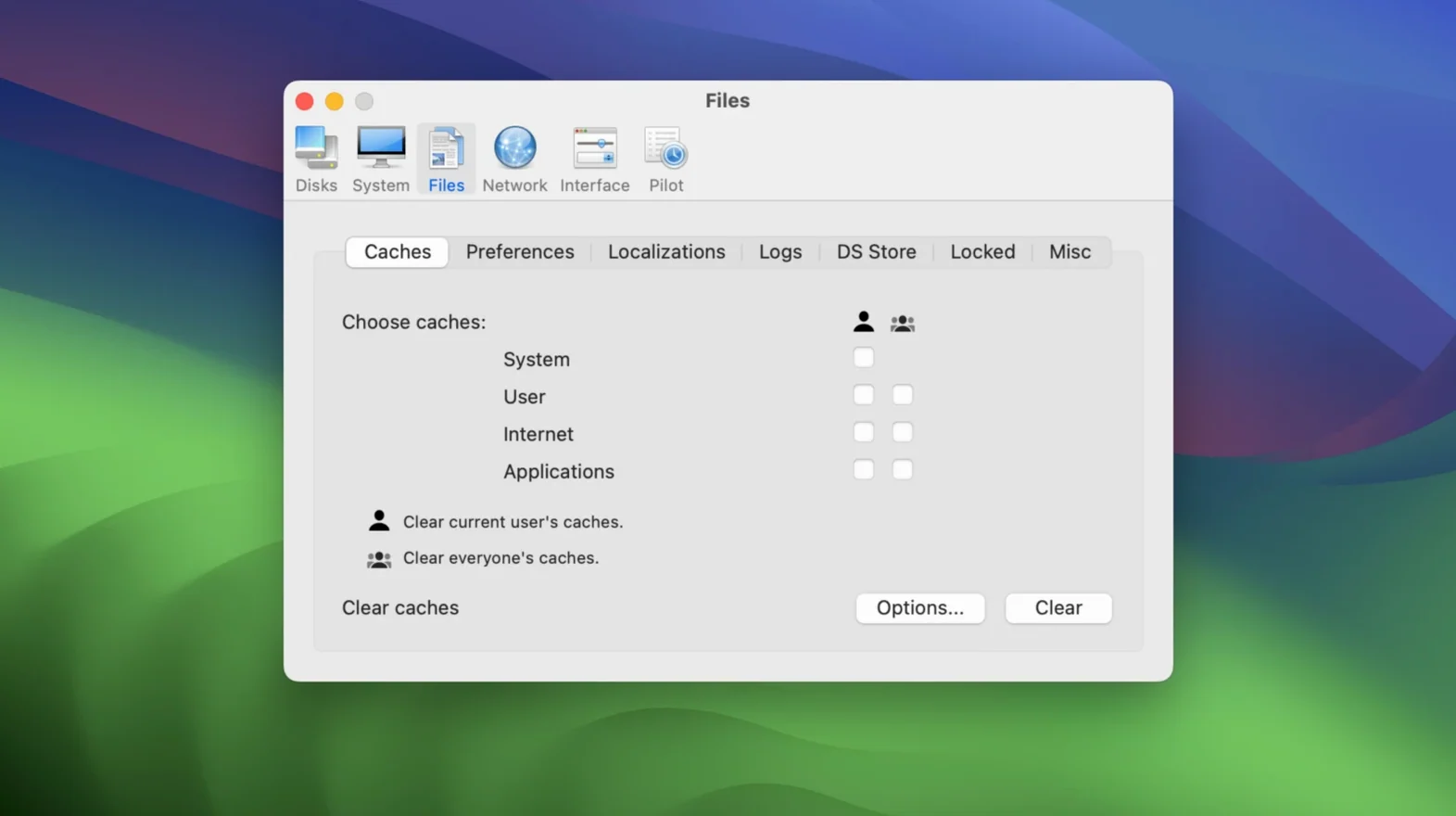
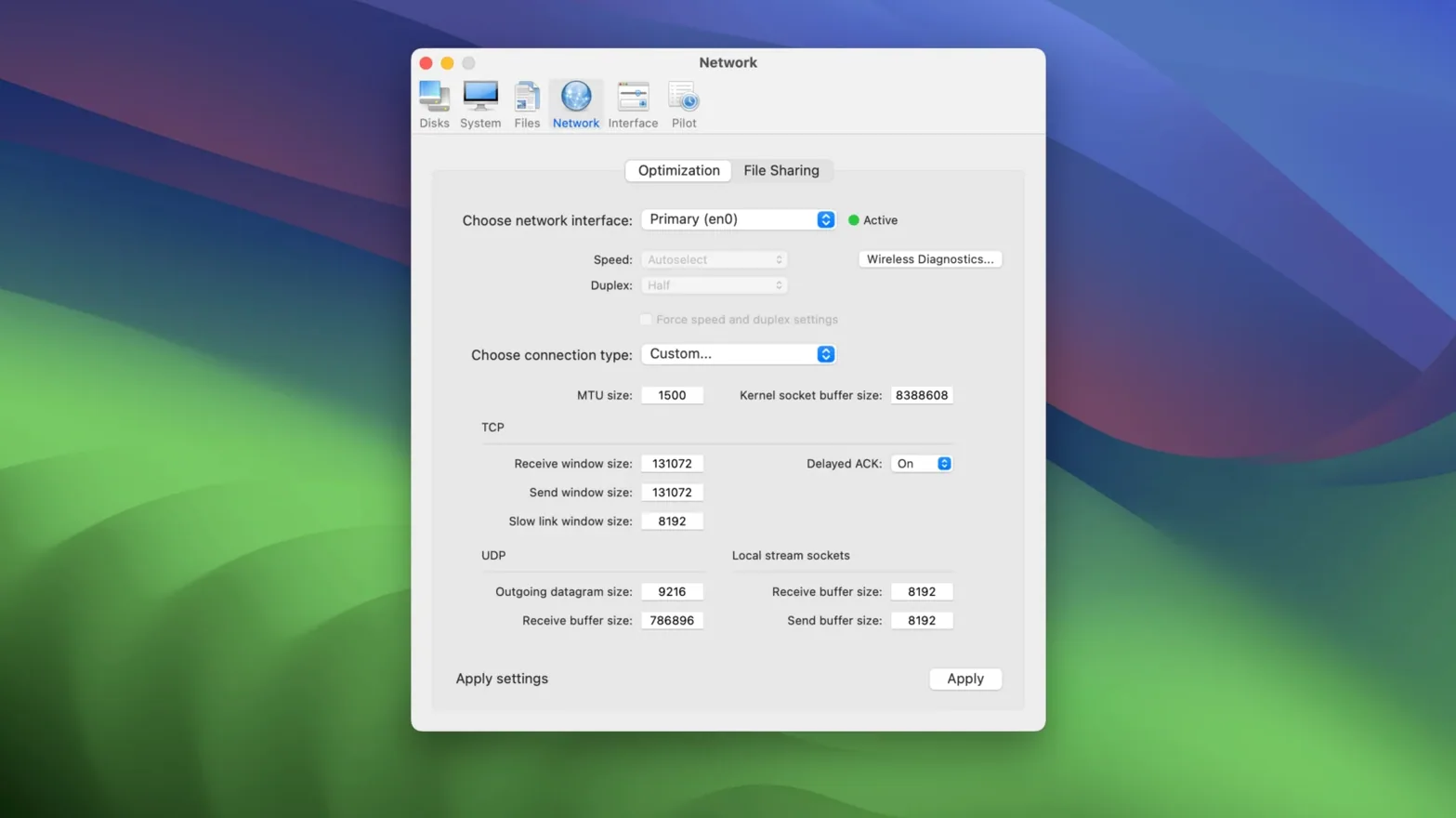
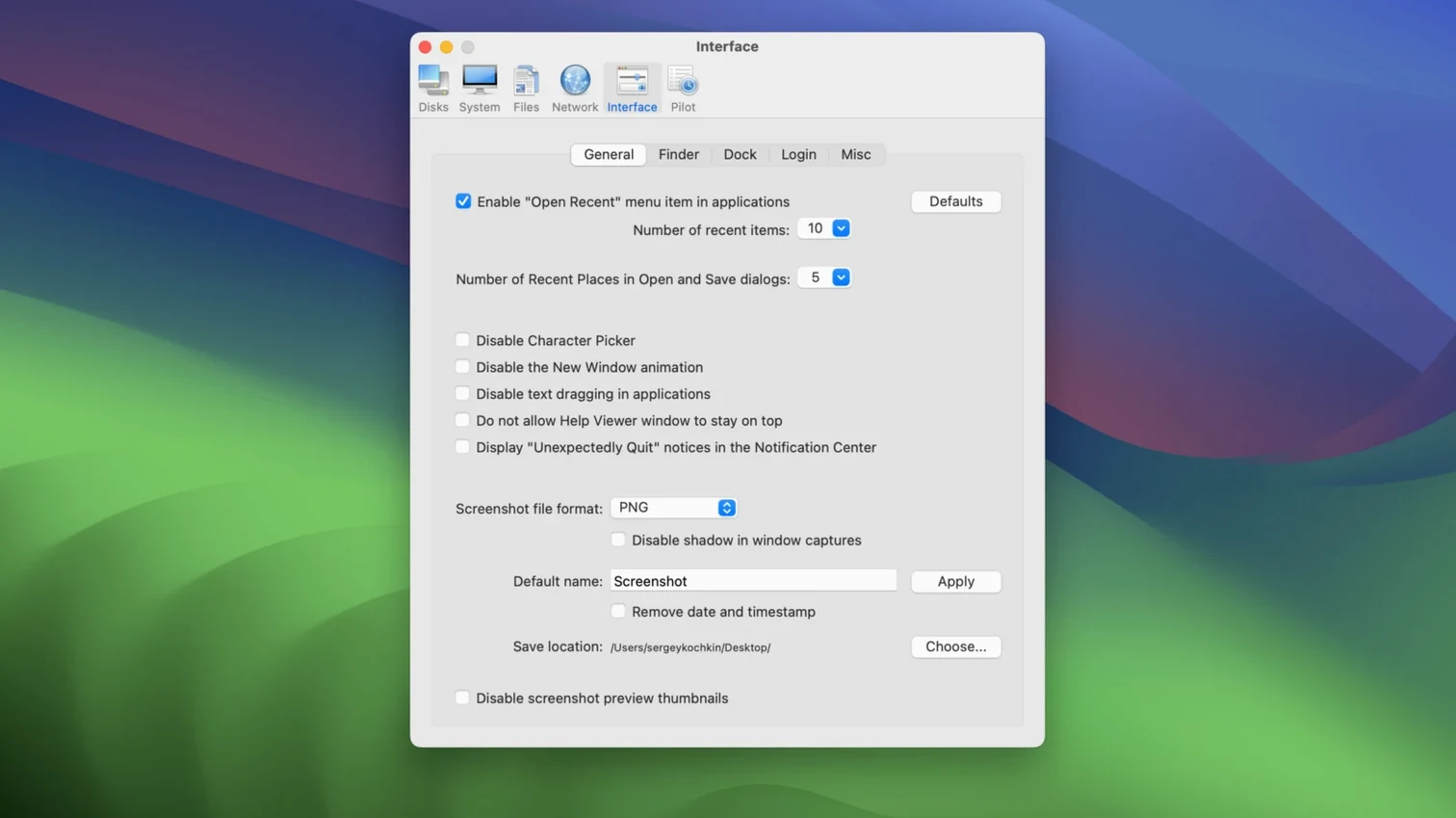
If your Mac runs macOS Sequoia on an Intel processor, Cocktail Sequoia Edition 18.7.1 slots right in. It’s a general-purpose utility from maintain that handles the cleaning, repairing, and optimizing tasks most of us forget about until something feels sluggish.
Filling the maintenance gap your other tools ignore
Cocktail doesn’t try to replace your antivirus, your backup routine, or the disk checks you rarely run. It lives in the gap between those — clearing system caches, rebuilding Launch Services, and fixing permissions that drift over time. The interface keeps things straightforward, so you won’t spend an afternoon clicking through tabs you don’t understand. Previous editions are kept separate for older macOS versions, which tells me maintain cares about stability over flashy cross-version promises.
The single-click habit
What makes Cocktail stick in my setup is the Pilot mode. One click runs a batch of chores I’d otherwise schedule separately. It’s the kind of thing you fire off while grabbing coffee, and the Mac feels fresher afterward. No companion apps for iPad or iPhone — this one’s a desktop native through and through, and that focus shows in how lightly it sits on the system.
Predictable, forget-it’s-running performance on Intel
After a few weeks of running Cocktail 18.7.1 on an Intel Mac with Sequoia, the word that keeps coming back is predictable. It doesn't hog CPU during scans, and memory use stays low enough that I forget it's running. The cache-clearing routines feel snappier than in earlier editions — Sequoia's tighter permissions model seems to have pushed the developer toward cleaner file paths, and the app responds accordingly.
Stability hasn't been a concern. No crashes during Pilot runs, no half-finished jobs that leave you wondering what got touched and what didn't. I've thrown it at full system caches, user caches, font caches, and the DNS cache in one go, and it finished without a hiccup. Resource-wise, you're looking at a utility that respects the machine it lives on — exactly what you want from something poking around in system internals.
A workflow: prepping for a large export session
Here's a scenario I run into often. I'm about to batch-export a stack of edited photos, and the Mac's been awake for days with browsers, messaging apps, and preview windows piling up swap and temp files. Cocktail fits in like this:
- Clear the decks. I open Cocktail and switch to the Disks tab. A quick check of the system volume, then I run the cache cleaner — system caches, user caches, and the browser cache for whatever I've been using heavily.
- Memory and swap. Over in System, I purge inactive memory and rotate the swap files. On Intel Macs with limited RAM, this often frees a surprising chunk of breathing room before the export queue kicks in.
- Pilot as a finisher. I switch to Pilot, tick the options that matter — caches, logs, temporary files — and let it run. The whole sequence takes under three minutes.
- Restart and go. Cocktail offers a restart option when it's done. I take it, log back in, and launch the export with a fresh system state. The difference isn't placebo; large file writes hit the disk with fewer pauses.
It's not glamorous, but it's become part of my pre-heavy-lift ritual, and the consistency is what keeps me coming back.
Where Onyx and CleanMyMac leave off
Plenty of Mac maintenance tools circle the same drain, but a few stand out when you put them next to Cocktail.
Onyx covers similar ground — cache cleaning, permission fixes, disk checks — and it's been around forever. The interface is busier, and the sheer number of checkboxes can feel like a cockpit before you learn where everything lives. Cocktail's five-category layout and Pilot mode feel more approachable when you just want the job done.
CleanMyMac X wraps maintenance in a glossy, animated package with malware scanning and app uninstallation thrown in. It does more, but it also sits heavier on the system and nudges you toward real-time monitoring features I rarely want running in the background. Cocktail is quieter, with no resident processes after it closes.
DaisyDisk is a different beast — it visualizes disk usage rather than cleaning system cruft — but people often reach for it alongside a tool like Cocktail. Where DaisyDisk helps you find what's bloated, Cocktail handles the system-level junk that doesn't show up in a pretty sunburst chart. They complement each other more than they compete.
If you've been searching phrases like Cocktail Sequoia Edition or even Cocktail torrent looking for a focused, no-resident-process cleaner built specifically for macOS Sequoia on Intel, this edition doesn't try to be everything. It does its five categories well, and that restraint is precisely what makes it trustworthy after a long day of work.
- macOS: macOS 15 (Sequoia)
- Architecture: Intel
Questions people ask
What does the Pilot mode in Cocktail actually do?
Pilot mode runs a predefined set of system maintenance tasks with a single click, letting you clean caches, repair permissions, and run other routines without configuring each one manually.
Also on readers' docks
Sign in or create an account to leave a comment.
No comments yet. Tell me how it got on with your other devices.