
Download Clop Pro for macOS
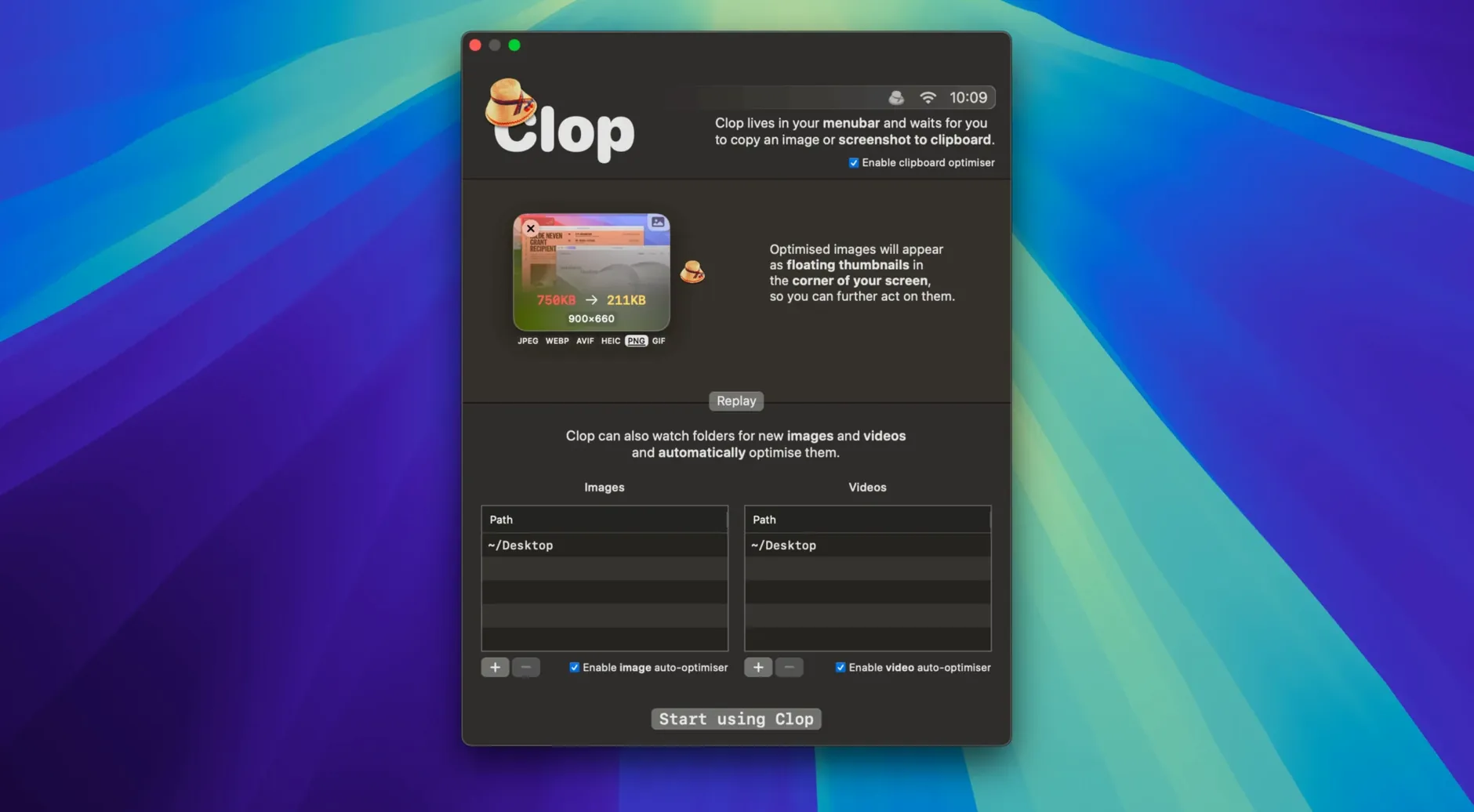
Copying a screenshot or a video from your desktop shouldn't mean wrestling with file sizes later. So often you paste a 12 MB image into a document that only needed a tenth of that, or you drop a video into an email and watch the upload bar crawl because the file was never compressed in the first place. Clop Pro steps into that gap and handles optimization silently, right inside your copy-and-paste routine.
| Category | Details |
|---|---|
| Developer | The low-tech guys |
| Current Version | 3.3.3 |
| macOS | 13 and later |
| Architecture | Apple Silicon & Intel 64-bit |
The standout job Clop Pro does is removing the friction from everyday file handling. Copy an image, and the app can shrink it instantly—no extra dialog, no export preset to hunt down. The same logic extends to videos and PDFs, so a screen recording or a heavy presentation file gets downscaled as soon as it hits the clipboard. You can also trigger optimizations straight from Finder, which means whole batches of files get processed without opening another tool. At its core, Clop Pro makes your clipboard output leaner by default, and that quiet automation is what keeps it out of your way while saving a surprising amount of space and time.
Where Clop Pro Stands Among Optimizers
Mac users who hunt for media compression tools usually bump into a few familiar names. ImageOptim handles PNG and JPEG stills beautifully—drag a folder onto its window and it strips metadata, tweaks compression, and spits out smaller files. But it stops at images, and it never touches your clipboard. Clop Pro covers video and PDF alongside stills, and its whole deal is intercepting copies before you even think about saving a file.
HandBrake is the heavyweight for video, with granular control over codecs, bitrate, and frame rates. It's fantastic when you need precision, but it demands an export queue and a destination folder. Clop Pro wins on immediacy—copy a screencast, paste an optimized version, keep moving. There's no queue to babysit. And then there's pdfClerk Pro and similar PDF shrinkers that do one format well. Clop Pro doesn't try to match their feature depth for a single file type; instead it gives you decent, automatic optimization across three formats in a tool you rarely need to open.
A Community Manager's Late-Night Save
Imagine a community manager wrapping up a product launch post. She's grabbed half a dozen Retina screenshots from a Figma file, a two-minute screen recording of the new onboarding flow, and a PDF of the press kit. Without thinking, she pastes the screenshots into the blog draft—each one a crisp 8 MB PNG that balloons the page load. The screen recording sits at 340 MB because macOS captured it at full resolution, and the PDF is a 22 MB export straight from InDesign.
With Clop Pro running, the screenshots land as optimized JPEGs under 400 KB apiece before they even hit the CMS. The screen recording gets downscaled on copy, turning into a shareable 40 MB file she drops into the team Slack without compressing manually. The PDF shrinks to a third of its size when she copies it from Finder to the shared drive. She finishes the post and pushes it live in half the time it would've taken to open three separate tools, and nobody on mobile waits ten seconds for images to load.
Pairing with Shortcuts for one-press window captures
Clop Pro works best when it fades into the background alongside other Mac utilities. It pairs naturally with Shortcuts—you can build a quick action that screenshots a window, copies it, and lets Clop Pro optimize the result before saving to a specific folder. That ties into Finder tags or folder actions for automatic sorting. Since it supports drag and drop too, you can pull a video from the desktop into a Messages conversation and watch it shrink mid-drag.
The app also listens to system-wide copy events, which means it cooperates with clipboard managers like Maccy or Paste. You copy a large image, Clop Pro optimizes it, and your clipboard history stores the lean version. When you paste into Keynote or a Mail message, you're inserting the compressed file without ever launching an export dialog. It's one of those tools that makes macOS feel more thoughtful—like the system itself started caring about file sizes.
- macOS 13 or later
- Works on Apple Silicon and Intel 64-bit Macs
Questions people ask
What types of files can Clop Pro optimize?
It handles images, videos, PDFs, and general clipboard content, shrinking them automatically or through Finder actions on macOS 13 and later.
Also on readers' docks
Sign in or create an account to leave a comment.
No comments yet. Tell me how it got on with your other devices.