Download CCleaner Pro for macOS
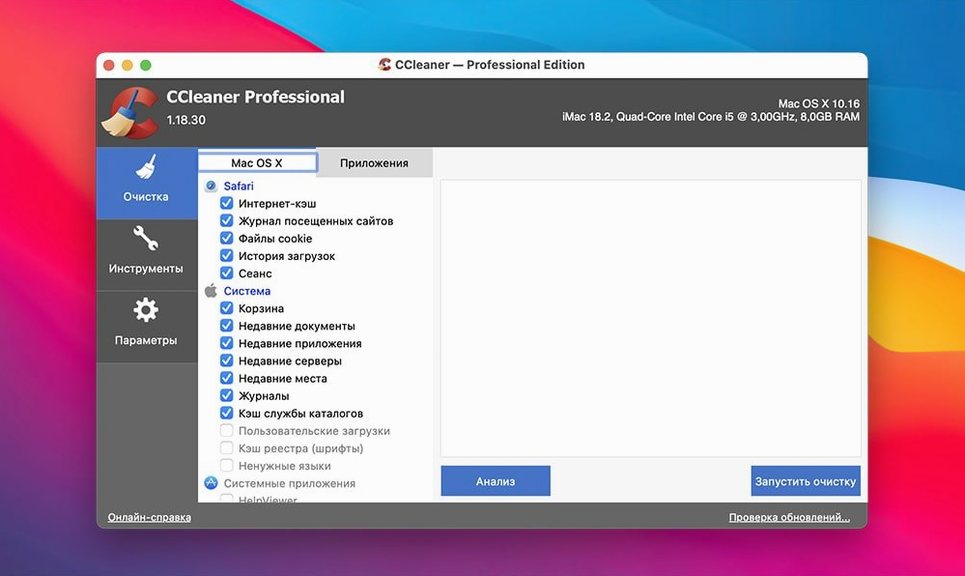
CCleaner Pro 1.18.30 runs on a huge spread of Macs—everything from an old Yosemite machine up through macOS 13 Ventura, Intel 64-bit only. I keep it around not for the quick sweep, but for the deeper tools an experienced user actually cares about.
One-Pass Browser Trace Wiping Across Four Browsers
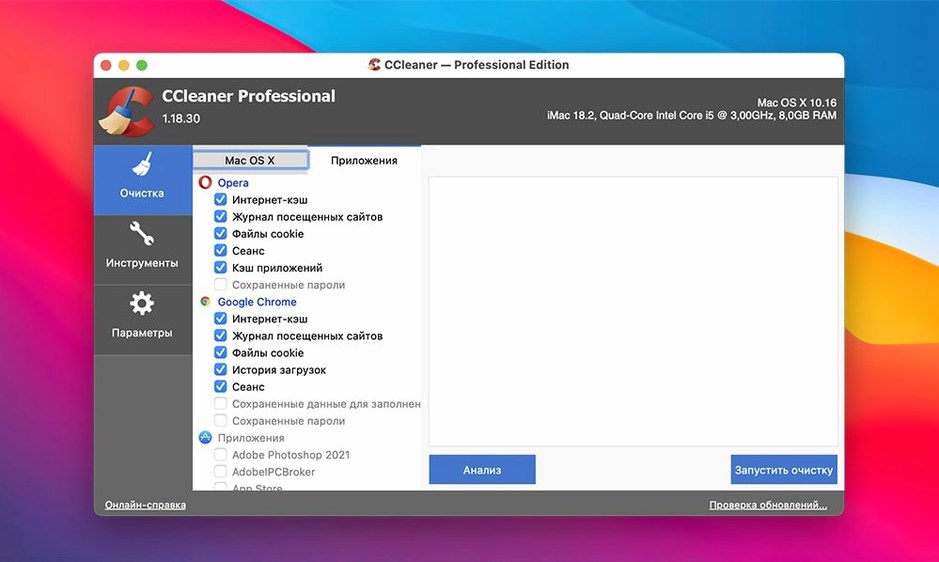
- Wiping browsing traces across Opera, Firefox, Chrome, and Safari in one pass
- Cleaning temporary files and recent-item lists that apps leave behind
- Working in a multilingual environment—the interface speaks 11 languages, including Japanese, Czech, and Russian
- Sticking with older macOS versions that newer cleanup tools have dropped
Intel-Only Build Needs Rosetta 2 on Apple Silicon
- Intel-only—no native Apple Silicon build, so it runs through Rosetta 2 on M-series Macs
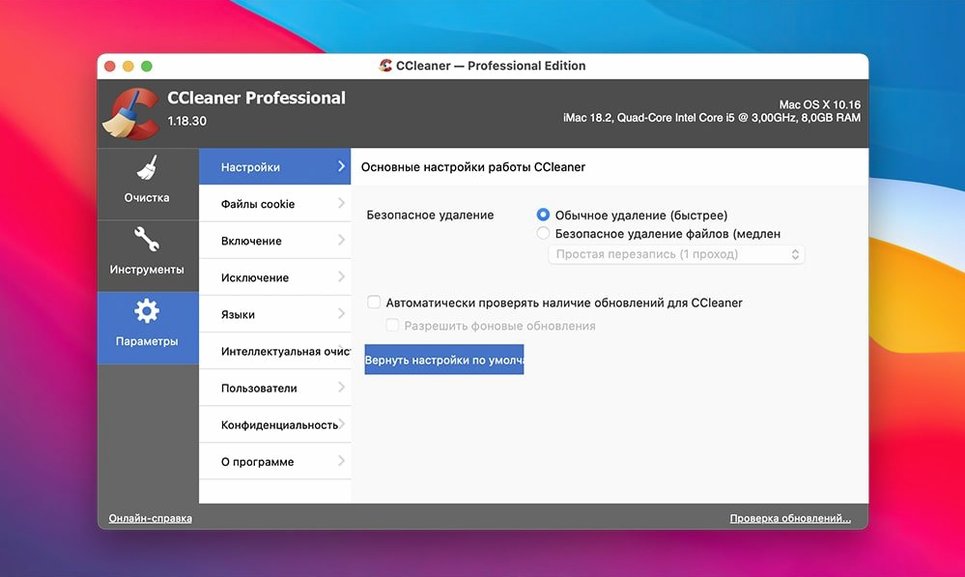
- The safety-first design means it won't surprise you with aggressive recommendations; power users may want to dig into preferences to tune it
- Recent release notes focus on EU regulatory compliance rather than feature additions
Extra Confirmation Layers Before Deletion
The 1.18.30 build didn't rock the boat, and that's exactly what I wanted from it. The last few releases tightened the verification steps before anything gets deleted—Piriform added extra confirmation layers that catch the kind of accidental clicks I used to dread when cleaning browser caches in a hurry. Practically speaking, you now get a clearer preview of what's about to disappear, especially inside the Safari and Chrome modules where cookie exceptions matter.
The EU regulatory compliance update meant a handful of behind-the-scenes adjustments to how the app handles telemetry and data collection. In daily use, you won't see new buttons or menus from that work. What you might notice is that the app feels slightly more restrained about phoning home, and the privacy toggles in preferences are labelled more plainly than they were two versions ago. For anyone who grabbed an older ccleaner torrent or installer floating around, this version's safety prompts are noticeably more transparent about what each cleaning category actually touches.
Full Scan in Eighteen Seconds on a 2019 Intel iMac
On an Intel iMac from 2019, a full system scan with all modules ticked—browser data, system caches, app temp files, and the extra file wiper—clocks in at roughly eighteen seconds. The app idles at about 90 MB of RAM when it's just sitting in the background, and it doesn't install a persistent daemon that nags at launch, which I deeply appreciate. Rosetta 2 translation on my M1 MacBook Air adds maybe a blink of overhead; the scan completes in twenty-two seconds flat and the interface never stutters.
Stability is where this older build shines. I've run it across macOS Catalina, Big Sur, and Monterey without a single beachball or force-quit. The file-wiping function—with its multiple overwrite cycles—does tax disk I/O for a minute or two if you point it at a large folder, but the app stays responsive and lets you cancel mid-process. Compared to some ccleaner mac torrent versions I've seen friends run with impressive smoothness, this TNT release behaves like it's been through proper QA.
CleanMyMac X and OnyX Fill Different Gaps
CCleaner Pro vs. CleanMyMac X
CleanMyMac X looks gorgeous and bundles malware scanning plus a menu-bar monitor, but it's aggressively subscription-tied and demands macOS 10.14 or later. CCleaner Pro 1.18.30 runs back to Yosemite and doesn't push extra modules you may not want. Where CleanMyMac wins is the visual polish and the one-click maintenance scripts. Where CCleaner holds its ground is the granularity—you pick exactly which browser history fields to touch, and the file wiper with multiple passes is something CleanMyMac simply doesn't offer.
CCleaner Pro vs. OnyX
OnyX is free, deeply powerful, and utterly intimidating if you just want to clear Chrome's cached images and cookies. CCleaner Pro wraps the same low-level cleaning into a window your relatives could navigate. OnyX rebuilds Spotlight indexes and runs filesystem checks; CCleaner doesn't pretend to do that. If you're after a focused privacy sweeper that also handles app-specific temp files without exposing raw Unix flags, CCleaner is the friendlier pick. People hunting a ccleaner for mac crack often end up surprised by how much they prefer the no-fuss design once they try it.
CCleaner Pro vs. BuhoCleaner
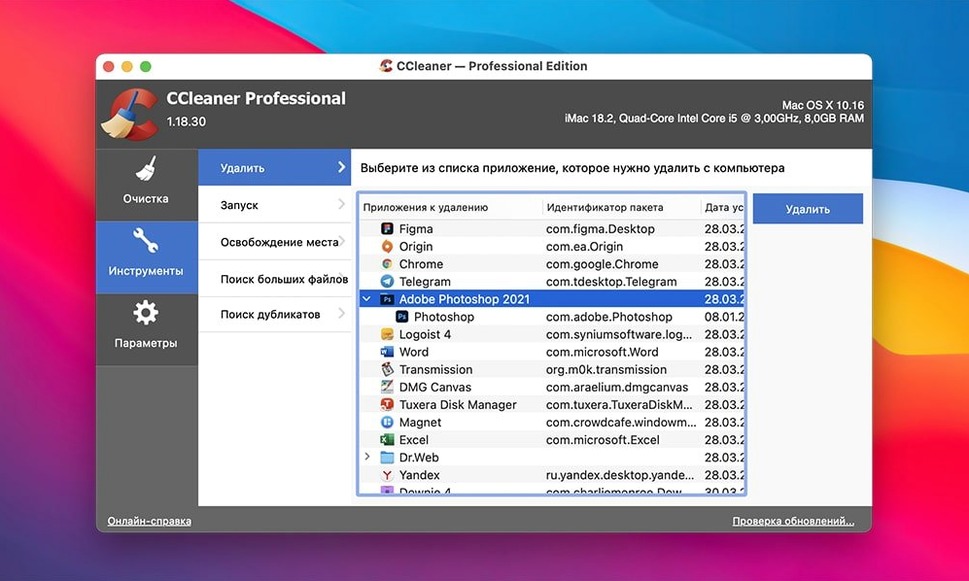
BuhoCleaner is a lightweight newcomer that scans fast and uninstalls apps cleanly. CCleaner Pro's browser coverage is wider—BuhoCleaner doesn't touch Opera at all—and the file-wiping feature is absent from BuhoCleaner's toolkit. For pure disk-space recovery, BuhoCleaner's large-file finder is useful. For privacy and cross-browser cleanup, CCleaner still has the edge.
Resetting After a Weekend of Tabs, PDFs, and DMGs
Last Sunday I had twelve browser tabs open across Chrome and Firefox, a dozen PDFs downloaded for a project, and a pile of DMG files still mounted from installing utilities. Here's how I used CCleaner Pro to reset things without losing anything important.
- Set the scope. Opened CCleaner and unchecked the Safari module—I wasn't using Safari that weekend. Left Chrome and Firefox ticked. Under the Applications tab, I kept the Adobe and Office entries checked since Acrobat and Word had generated plenty of temp files.
- Review before running. Hit Analyze and waited about fifteen seconds. The results pane showed 1.8 GB of browser caches, 300 MB of system logs, and another 400 MB of app temp files. I clicked into Chrome's details and saw it wanted to clear saved passwords—unchecked that box immediately. The preview let me avoid a catastrophe.
- Run the cleaning pass. Hit Run Cleaner and watched it chew through the list in under ten seconds. The confirmation dialog showed exactly what was removed and how much space came back.
- Secure-wipe the leftover DMGs. Navigated to the Tools tab, selected the file wiper, and dragged three old DMG files from the desktop into the drop zone. Chose the three-pass overwrite method and let it run for about forty seconds. Those disk images were gone beyond recovery.
- Verify the browsers. Reopened Chrome and Firefox. Bookmarks, extensions, and saved sessions were intact. Cookies I'd deliberately kept—for sites I log into daily—survived because I'd set exceptions months ago and the app remembered them.
Total time from launch to finish was under four minutes. The machine had 2.5 GB more free space and the browsers felt snappier without a weekend's worth of cached assets dragging them down. If you've ever grabbed a ccleaner pro download torrent and want to make sure it's worth the setup time, this kind of focused tidy-up is where the app earns its keep.
- macOS: OS X 10.10 or later (officially supports through macOS 13 Ventura)
- Architecture: Intel 64-bit
- Languages: Russian, English, German, Spanish, Italian, Dutch, Polish, Portuguese, French, Czech, Japanese
Questions people ask
Can CCleaner for Mac remove my browsing history from multiple browsers at once?
Yes—it can clear traces from Opera, Firefox, Google Chrome, and Safari in a single session.
Does the Mac version handle system junk the same way the Windows version does?
The Mac version focuses on app temp files, recent-item lists, and browser data, and is designed to be simple and safe without the deeper registry-style tools found on Windows.
Also on readers' docks
Sign in or create an account to leave a comment.
No comments yet. Tell me how it got on with your other devices.